Category: AI & Automation

Explore AI-powered calling, call automation, transcription, and intelligent workflows for business communication.

  • Voice Agent Fallback: Strategies for Better Customer Calls

    Voice Agent Fallback: Strategies for Better Customer Calls

    A voice agent fallback process helps an AI-powered calling system recover when it cannot understand a caller, answer a question, or complete a requested task. Without a reliable fallback process, even a small misunderstanding can lead to frustrated customers, abandoned calls, and missed business opportunities.

    AI voice agents can automate conversations, answer common questions, and help businesses manage incoming calls. However, they cannot handle every situation independently. Callers may speak unclearly, ask unexpected questions, or request actions that the system cannot perform.

    That is why businesses need a clear voice agent fallback strategy. Instead of repeating the same response or leaving callers confused, an AI voice agent should offer a practical next step. In this guide, we’ll explore common voice AI failure scenarios, effective recovery strategies, human handoff processes, and ways to improve the caller experience.

    What Is Voice Agent Fallback?

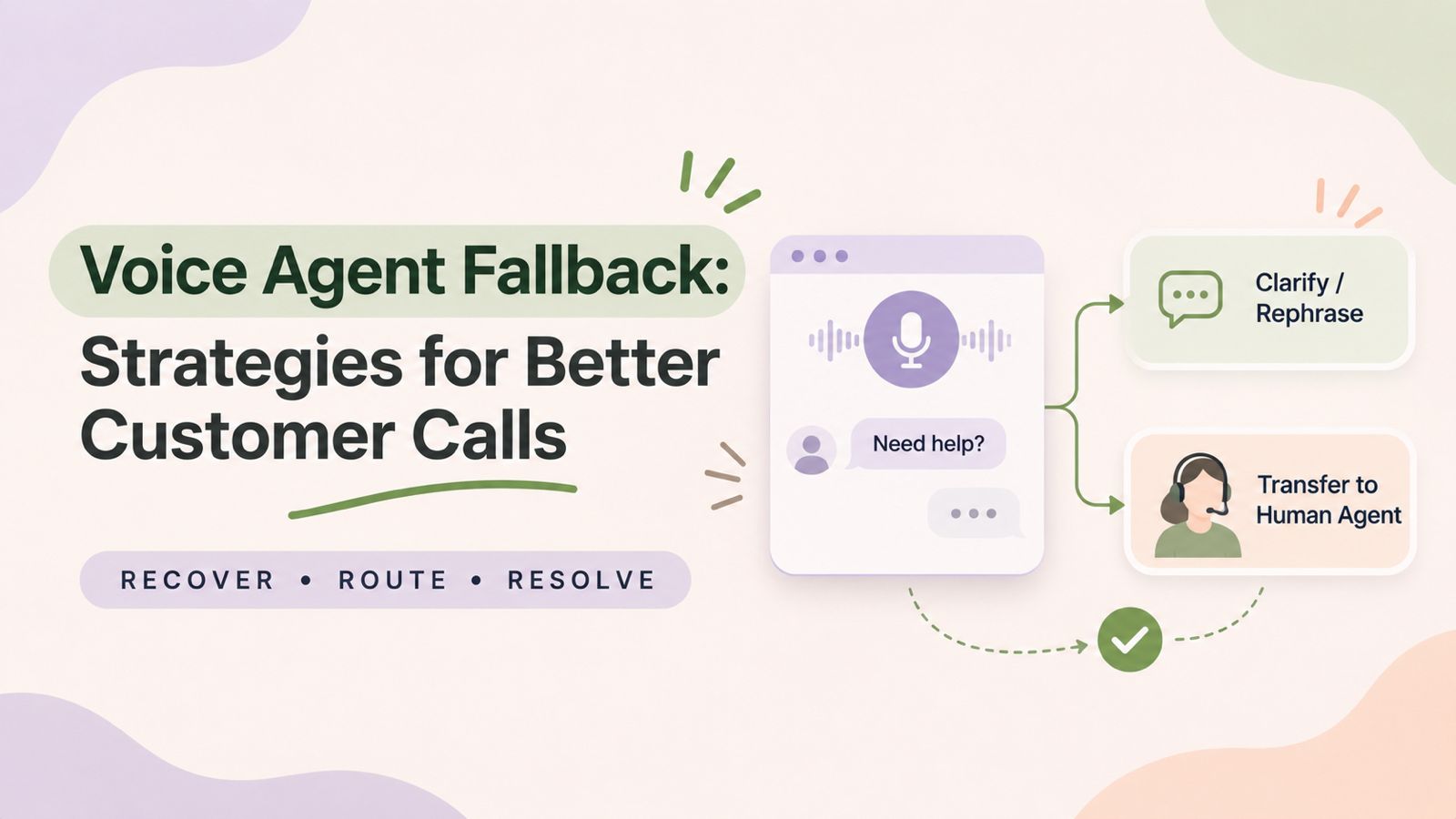
    Voice agent fallback refers to the predefined actions an AI-powered calling system takes when it cannot understand a caller or complete a conversation successfully.

    For example, a caller might explain a problem using unclear language, ask a question outside the agent’s knowledge base, or request an action that the system cannot perform. In these situations, the AI agent needs an alternative way to handle the conversation.

    Depending on the system’s capabilities, a fallback action may include:

    • Asking the caller to repeat or clarify their request.
    • Rephrasing a question in simpler language.
    • Confirming important information before proceeding.
    • Offering another supported way to provide information.
    • Transferring the call to a human representative.
    • Arranging a callback or recording a message where supported.
    • Ending the interaction politely when no suitable alternative is available.

    Ultimately, the purpose of a fallback strategy is not to make AI handle every situation. Instead, it is to prevent a failed interaction from becoming a poor customer experience.

    Why Do AI Voice Agents Fail to Understand Callers?

    Before choosing the right voice agent fallback, businesses need to understand why voice AI systems struggle with certain conversations. Different problems require different recovery actions.

    1. Background Noise and Poor Call Quality

    Background conversations, traffic, wind, and low-quality microphones can make it difficult for speech recognition systems to identify what a caller is saying.

    For instance, a customer calling from a busy street may provide an account number that the system cannot recognize accurately.

    In this situation, asking the caller to repeat the information or move to a quieter location may help.

    2. Accents, Pronunciation, and Language Differences

    Callers may speak with different regional accents, pronunciation patterns, speaking speeds, or language preferences.

    As a result, an AI agent may recognize only part of a sentence or interpret a word incorrectly. This can become particularly problematic when the conversation involves names, addresses, phone numbers, or other important details.

    3. Ambiguous or Unexpected Requests

    Not every caller will follow the conversation flow anticipated by the system.

    A caller might provide multiple requests at once, change the subject, or explain a problem in an unexpected way. Consequently, the AI agent may struggle to identify the caller’s actual intent.

    4. Missing Information in the Knowledge Base

    An AI voice agent may receive a question for which it has no verified answer.

    For example, a customer might ask about a specific billing exception or an unusual service request that is not covered by the available information.

    Rather than generating an uncertain answer, the system should acknowledge the limitation and offer an appropriate next step.

    5. Integration or Technical Failures

    Some voice AI workflows depend on external systems, APIs, CRM platforms, or scheduling tools.

    If one of these services becomes unavailable, the agent may understand the caller perfectly but still be unable to complete the requested action.

    Therefore, fallback handling should account for both conversation-related problems and technical failures.

    7 Voice Agent Fallback Strategies to Improve Call Handling

    A reliable voice agent fallback process should give the AI agent more than one way to recover. The following strategies can help businesses handle common conversation failures more effectively.

    1. Ask the Caller to Repeat or Clarify

    The simplest recovery method is to ask the caller for clarification.

    However, the agent should avoid repeating the exact same question several times. Instead, it should explain what it could not understand and guide the caller toward a clearer response.

    Example conversation:

    AI Agent: “I’m sorry, I didn’t catch the last part. Could you please repeat your request?”

    Caller: “I want to reschedule my appointment.”

    AI Agent: “Certainly. Are you looking to change the date or the time of your appointment?”

    This approach helps narrow down the caller’s intent instead of restarting the entire conversation.

    2. Rephrase the Question

    Sometimes, callers understand the question but find its wording confusing.

    In that case, the AI agent can ask the same question differently. Shorter sentences and simpler language can make the interaction easier to follow.

    Example:

    AI Agent: “Could you confirm your preferred appointment slot?”

    Caller: “I don’t understand.”

    AI Agent: “What day would you like to come in?”

    Similarly, businesses should avoid technical language and complicated questions when designing voice interactions.

    3. Confirm Important Information

    A voice agent should not assume that it has correctly understood important details.

    For example, incorrect phone numbers, email addresses, appointment dates, and account numbers can create problems later in the workflow.

    Instead, the system should repeat the information and ask the caller to confirm it before proceeding.

    Example conversation:

    AI Agent: “I heard your phone number as 98765 43210. Is that correct?”

    Caller: “No, the last four digits are 43219.”

    AI Agent: “Thank you for correcting that. I’ll use the updated number.”

    This strategy is especially useful when an incorrect interpretation could lead to an unsuccessful action.

    4. Offer an Alternative Way to Provide Information

    Not every caller will be comfortable answering questions in the same way.

    For instance, a caller may struggle to pronounce an email address or explain a long reference number verbally.

    Where the platform supports alternative input methods, businesses can offer another option. This might include keypad input, a text message, or another supported communication channel.

    However, the alternative should be relevant to the caller’s request and available within the actual system.

    5. Transfer the Call to a Human Agent

    Some conversations are better handled by people.

    A human handoff is appropriate when the caller repeatedly cannot communicate their request, asks for a representative, raises a complex issue, or needs assistance beyond the AI agent’s capabilities.

    Example conversation:

    AI Agent: “I’m having trouble understanding the details of your request. Would you like me to connect you with a team member?”

    Caller: “Yes, please.”

    AI Agent: “Certainly. I’ll help connect you with the appropriate team.”

    A well-designed handoff should also preserve relevant conversation context wherever the system supports it. This helps the human representative understand what has already happened without making the caller explain everything again.

    6. Offer a Callback or Message Option

    Sometimes, a human representative may not be available immediately.

    Rather than leaving the caller without a next step, the business can offer a callback or message option where supported.

    For example, the AI agent could collect the caller’s name, contact number, and reason for calling. The information can then be passed to the relevant team for follow-up, provided the system supports this workflow.

    Importantly, the agent should not promise a callback time unless that commitment has been confirmed.

    7. Handle Technical Failures Without Repeating Actions

    A technical failure can interrupt a conversation even when the AI agent has understood the request.

    For example, a scheduling service might become unavailable while the agent is trying to book an appointment.

    In such cases, the system should communicate the limitation clearly and avoid claiming that an action was completed when it was not.

    Additionally, it should check the status of an interrupted action before attempting it again. This helps prevent duplicate bookings, repeated submissions, or multiple transactions.

    How to Choose the Right Voice Agent Fallback Strategy

    Different failure scenarios require different responses. Therefore, businesses should define fallback rules based on the type of problem rather than using one generic error message for every situation.

    SituationRecommended fallbackIntended outcome
    Background noiseAsk the caller to repeatImprove speech recognition
    Unclear requestRephrase the questionIdentify caller intent
    Incorrect informationRepeat and confirm detailsReduce input errors
    Unsupported questionAcknowledge the limitation and escalateAvoid unreliable answers
    Complex conversationTransfer to a human agentProvide appropriate assistance
    Human agent unavailableOffer a supported callback or message optionPreserve the follow-up opportunity
    Technical failureExplain the issue and verify action statusAvoid incorrect or duplicate actions

    Most importantly, businesses should define when the AI agent should stop attempting recovery. Repeated clarification attempts can frustrate callers, so escalation rules should establish a reasonable limit.

    How to Design an Effective AI-to-Human Handoff Process

    Human handoff is one of the most important parts of a voice agent fallback workflow. However, simply transferring a call is not enough. The transition should be clear for both the caller and the receiving representative.

    Define Clear Escalation Triggers

    Start by identifying situations in which the AI agent should involve a human representative.

    Common triggers include:

    • The caller explicitly requests a human agent.
    • The agent cannot understand the request after reasonable clarification attempts.
    • The caller raises a sensitive or complex issue.
    • The request requires human judgment or approval.
    • A required system or integration is unavailable.
    • The conversation reaches a predefined escalation condition.

    These rules help prevent the AI agent from continuing a conversation that it cannot handle effectively.

    Explain the Transfer to the Caller

    The AI agent should tell the caller what is happening before initiating a transfer.

    For example:

    “I understand that you need additional assistance. I’ll try to connect you with a member of our support team.”

    This keeps the caller informed and avoids an unexpected transition.

    Pass Relevant Conversation Context

    Where supported, the handoff process should include useful information such as:

    • Caller details.
    • Reason for the call.
    • Questions already asked.
    • Information provided by the caller.
    • Steps already completed.
    • Reason for escalation.

    As a result, the human representative can continue the conversation with better context.

    Businesses can also connect this process with their call routing system to direct callers toward the appropriate team or destination, depending on the available configuration.

    Define What Happens When No Agent Is Available

    A transfer may fail if no representative is available.

    For this reason, businesses should configure an appropriate alternative, such as a queue, voicemail, callback request, or another designated destination where supported.

    The caller should always receive a clear explanation of the available next step.

    How to Test Voice Agent Fallback Workflows

    Fallback strategies should be tested before deployment and reviewed regularly after launch. A workflow that works during a simple demonstration may behave differently during real customer conversations.

    Businesses can use the following scenarios to evaluate their fallback processes.

    Test scenarioWhat to evaluate
    Caller speaks with background noiseDoes the agent request clarification appropriately?
    Caller gives an incomplete answerDoes the agent ask a relevant follow-up question?
    Caller changes the subjectCan the agent recognize the new request or redirect the conversation?
    Caller asks an unsupported questionDoes the agent avoid inventing an answer?
    Caller requests a humanDoes the configured handoff process work?
    No human agent is availableIs an alternative next step provided?
    External service becomes unavailableDoes the system communicate the issue accurately?
    Caller provides incorrect detailsDoes the agent confirm the corrected information?

    Additionally, testing should include different speaking speeds, accents, phrasing styles, and unexpected responses. This helps identify weaknesses that may not appear in scripted demonstrations.

    Metrics to Monitor After Implementing Voice Agent Fallback

    Once fallback workflows are active, businesses should monitor their performance to understand whether they are improving the caller experience.

    The following metrics can provide useful insights:

    Fallback Rate

    The percentage of conversations in which the AI agent needs to use a fallback action.

    A high fallback rate may indicate problems with speech recognition, conversation design, knowledge coverage, or call quality.

    Human Escalation Rate

    The percentage of conversations transferred to human representatives.

    However, a high escalation rate is not automatically a negative result. It may indicate that the system is correctly identifying situations that require human assistance.

    Successful Resolution Rate

    The percentage of conversations in which the caller’s request is successfully resolved.

    This metric helps businesses evaluate whether the overall interaction is achieving its intended purpose.

    Transfer Completion Rate

    The percentage of attempted human transfers that successfully connect callers to the intended destination.

    A low completion rate may indicate problems with routing, agent availability, or transfer configuration.

    Call Abandonment Rate

    The percentage of callers who disconnect before their interaction is completed.

    Businesses should review abandonment alongside fallback attempts and transfer outcomes to identify points where callers may be losing patience.

    Repeat Contact Rate

    The percentage of callers who contact the business again for the same unresolved issue.

    A high repeat contact rate may suggest that the initial AI interaction did not fully address the caller’s needs.

    After a conversation ends, a structured post-call workflow can help teams capture call details, update customer records, and organize follow-up actions.

    Ultimately, businesses should evaluate these metrics together rather than relying on a single number. A successful fallback process should balance automation, resolution quality, and customer experience.

    Best Practices for Building Reliable Voice Agent Fallback Workflows

    A good fallback process should be designed around real customer needs. The following practices can help businesses create more reliable voice AI interactions.

    Keep Responses Short and Natural

    Long explanations can make voice conversations difficult to follow. Use simple language and give callers one clear instruction at a time.

    Avoid Repeating the Same Failed Question

    If the caller has already failed to answer a question, change the wording or offer another suitable option. Repeating the same prompt without adapting can increase frustration.

    Set Limits on Clarification Attempts

    Define how many times the AI agent should attempt to clarify a request before escalating or offering another solution.

    Never Guess Important Information

    The system should not invent answers or assume that it has understood sensitive details. Instead, it should verify information or involve a human representative.

    Make Human Assistance Accessible

    Callers should have a clear route to human support when their requests are outside the AI agent’s capabilities.

    Maintain Context During Handoffs

    Where technically supported, pass relevant conversation details to the receiving representative. This reduces repetition and helps the conversation continue smoothly.

    Test Realistic Failure Scenarios

    Do not test only ideal conversations. Include interruptions, unclear speech, unexpected questions, technical failures, and unsuccessful transfers.

    Review and Improve Regularly

    Use call outcomes, escalation reasons, customer feedback, and recurring failure patterns to improve prompts, workflows, and fallback rules over time.

    Frequently Asked Questions About Voice Agent Fallback

    What is voice agent fallback?

    Voice agent fallback is a predefined process that helps an AI calling system recover when it cannot understand a caller, answer a question, or complete a task. These actions may include clarification, rephrasing, human transfer, or an alternative supported workflow.

    Why do AI voice agents need fallback options?

    AI voice agents can encounter unclear speech, background noise, unexpected questions, missing information, and technical failures. Fallback options help prevent these situations from turning into unsuccessful or frustrating customer interactions.

    When should an AI voice agent transfer a call to a human?

    An AI voice agent should transfer a call when the caller requests human assistance, the conversation becomes too complex, repeated clarification attempts fail, or the request requires human judgment. Businesses should define escalation rules based on their use cases.

    What happens when an AI voice agent cannot understand a caller?

    The agent can ask the caller to repeat or clarify the request, rephrase its question, or confirm the information it has recognized. If these attempts do not work, it should offer an appropriate alternative, such as a human handoff where supported.

    How many times should an AI voice agent ask for clarification?

    There is no universal limit. Businesses should establish a reasonable number of clarification attempts based on conversation complexity and customer experience. If the caller is still not understood, the system should move to another fallback option instead of repeating the same question indefinitely.

    Can AI voice agents handle technical failures?

    AI voice agents can be designed to respond to certain technical failures through predefined fallback workflows. For example, the system may explain that a service is temporarily unavailable and offer another supported next step. The exact response depends on the platform’s capabilities and configuration.

    How can businesses measure the effectiveness of fallback strategies?

    Businesses can monitor fallback rate, human escalation rate, successful resolution rate, transfer completion rate, call abandonment, and repeat contact rate. Reviewing these metrics together provides a better understanding of whether fallback workflows are improving customer interactions.

    Conclusion

    AI voice agents can make business communication more efficient, but they cannot be expected to understand every caller or handle every situation independently. Unclear speech, unexpected requests, missing information, and technical issues can interrupt even well-designed conversations.

    That is why a reliable voice agent fallback process should be part of every voice AI deployment. By combining clarification, information confirmation, alternative workflows, and appropriate human handoffs, businesses can create more reliable calling experiences.

    Most importantly, successful automation is not about preventing every failure. It is about making sure that when a failure happens, the caller still has a clear and useful next step.

    Explore DialNext

    Looking to manage business calls and customer conversations more efficiently? Explore DialNext to learn about its cloud business phone, calling, messaging, and AI voice agent platform.
  • AI Outbound Calling: How Businesses Can Automate Sales Calls

    AI Outbound Calling: How Businesses Can Automate Sales Calls

    Businesses spend a significant amount of time making outbound calls for sales, lead follow-ups, appointment confirmations, and customer notifications. Many of these calls follow predictable steps, which makes them suitable for automation.

    AI outbound calling uses artificial intelligence to automate parts of the outbound calling process. Depending on the technology, an AI calling system can initiate calls, understand spoken responses, follow predefined conversation flows, qualify leads, and route specific conversations to human agents.

    Unlike traditional outbound calling, AI-powered calling can combine automated dialing with conversational capabilities. However, AI does not remove the need for human involvement in every situation. Complex questions, sensitive conversations, negotiations, and high-value sales interactions may still require a human representative.

    In this guide, we’ll explain how AI outbound calling works, where businesses can use it, its benefits and limitations, and how it can fit into a modern outbound sales workflow.

    What Is AI Outbound Calling?

    AI outbound calling is the use of artificial intelligence to automate or assist with phone calls that a business makes to customers, leads, or prospects.

    Traditional outbound calling usually requires a sales or support representative to select a contact, make the call, follow a script, record the outcome, and decide what action to take next. AI can automate some of these steps and, in certain systems, handle parts of the conversation itself.

    AI Outbound Calling vs AI Voice Agents

    The terms AI outbound calling and AI voice agents are related, but they do not always mean the same thing.

    AI outbound calling describes the broader process of using AI to automate outbound phone interactions. An AI voice agent is a specific type of technology that can conduct a spoken conversation with a person.

    For example, a business could use automated outbound calling to trigger a reminder call, while a more advanced AI voice agent could speak with the customer, answer predefined questions, and determine whether a human agent should take over.

    This distinction is important when evaluating AI outbound calling software, because different platforms offer different levels of automation.

    How Does AI Outbound Calling Work?

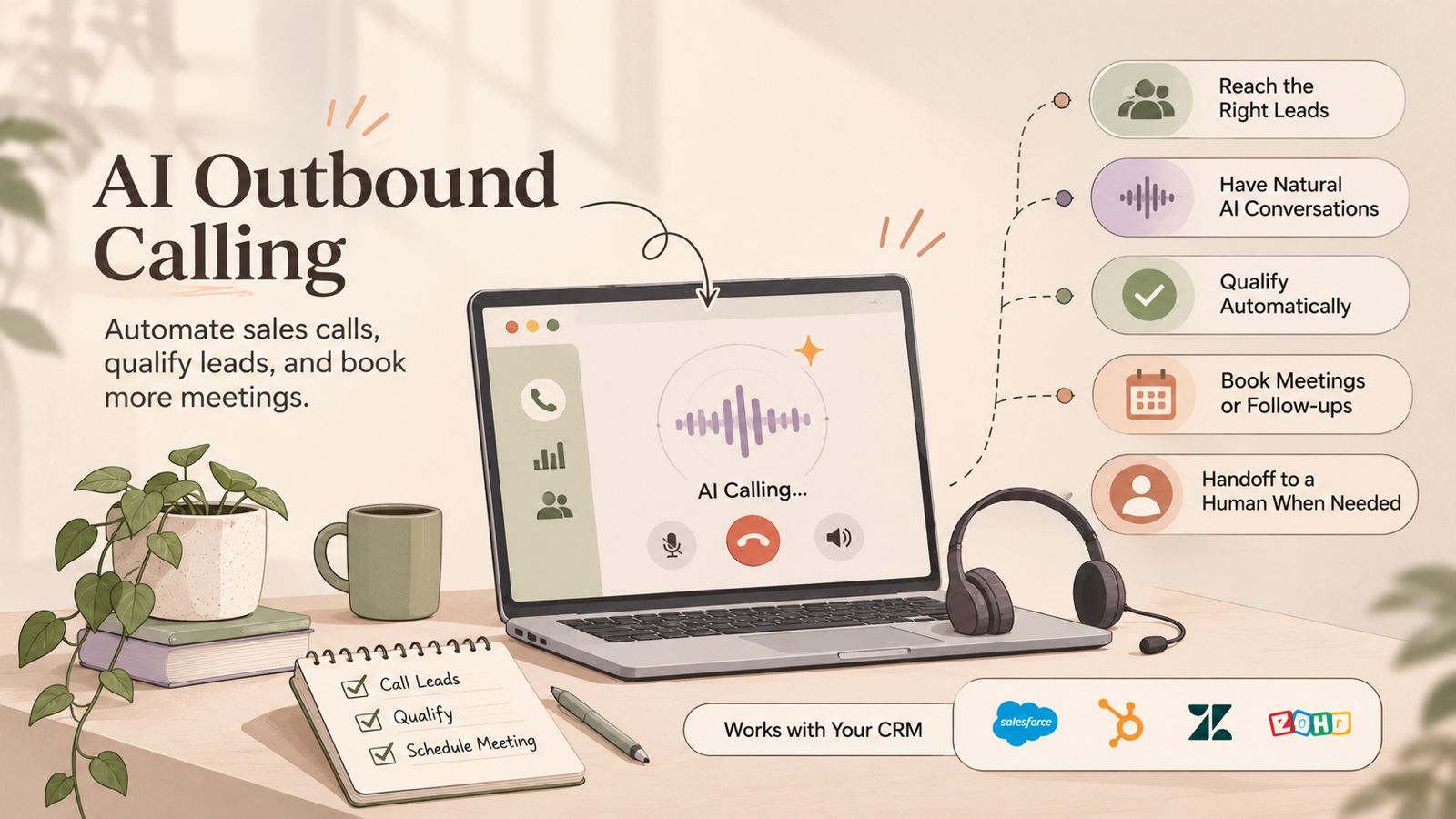
    AI outbound calling combines automated calling workflows with AI-based technologies to manage different parts of an outbound conversation. The exact process depends on the software, but a typical workflow follows these steps:

    1. Select and Prepare Contacts

    The process starts with a list of contacts, leads, or customers. These contacts may come from a CRM, sales campaign, customer database, or another business system.

    Before calling, the workflow can use available information such as the contact’s name, lead status, previous interactions, or reason for the call. This helps ensure that the right contacts are included in the campaign.

    2. Start the Outbound Call

    The calling system initiates the call according to the campaign or workflow rules. Depending on the platform, this may involve automated dialing or an AI voice agent making the call.

    Businesses can define factors such as which contacts to call, when to call, and what the initial purpose of the conversation should be.

    3. Understand the Conversation

    When the person answers, AI-based speech recognition can process their spoken response. Natural language processing can then help the system identify the meaning or intent behind the response.

    For example, a prospect might say that they are interested but want to speak with someone next week. The system can identify this as a follow-up request and continue according to the configured workflow.

    4. Respond or Follow the Workflow

    The AI system can respond based on the conversation, predefined instructions, and available business information.

    For structured calls, the workflow may include specific questions, responses, and actions. More advanced AI voice agents can handle natural-language conversations instead of following a strictly fixed script.

    5. Qualify, Route, or Escalate

    Based on the conversation, the system can identify the next appropriate action.

    For example, an outbound sales workflow may:

    • Identify whether a lead meets basic qualification criteria.
    • Offer to schedule a meeting.
    • Mark a contact for follow-up.
    • Route a conversation to a human representative.
    • End the call when no further action is required.

    Human handoff is particularly useful when a conversation involves complex questions, negotiations, sensitive situations, or a request for a sales representative.

    6. Record the Outcome

    After the call, relevant information can be captured according to the capabilities of the calling platform and its integrations.

    This may include the call outcome, notes, qualification information, follow-up requirements, or other relevant data. When connected to a CRM, this information can help sales teams maintain a consistent record of customer interactions and determine the next step.

    AI Outbound Calling vs Traditional Outbound Calling

    AI outbound calling and traditional outbound calling both aim to connect businesses with customers or prospects, but the way calls are initiated, managed, and documented can be different.

    In traditional outbound calling, a sales or support representative usually handles most of the process. They select contacts, make calls, follow scripts, answer questions, record outcomes, and schedule follow-ups.

    With AI-powered calling, software can automate some of these tasks. Depending on the system, AI may assist with dialing, conversations, qualification, follow-ups, or call documentation.

    Traditional Outbound Calling

    Traditional outbound calling typically depends on human agents to manage the complete conversation.

    Common characteristics include:

    • Human representatives make and manage calls.
    • Agents follow scripts or predefined sales processes.
    • Lead qualification happens during the conversation.
    • Follow-up information is entered manually or through connected tools.
    • Complex questions can be handled directly by the representative.
    • The number of calls depends partly on available agents and their working capacity.

    AI Outbound Calling

    AI outbound calling can automate selected parts of the calling workflow.

    Depending on the software, it may support:

    • Automated call initiation.
    • AI-based conversations.
    • Predefined qualification questions.
    • Lead follow-up workflows.
    • Appointment confirmations.
    • Automated call outcomes and data capture.
    • Routing conversations to human representatives.

    The level of automation varies between platforms. Some AI calling software focuses on assisting human teams, while other solutions use AI voice agents to handle complete conversations for specific use cases.

    Choosing Between the Two

    AI outbound calling is not necessarily a replacement for traditional calling. Businesses can also combine both approaches.

    For example, AI can handle repetitive and structured calls, while human representatives take over when a prospect needs detailed information, has complex questions, or is ready for a more involved sales conversation.

    The right approach depends on the type of calls, customer expectations, workflow complexity, available data, and the level of automation a business needs.

    How Businesses Use AI for Outbound Calls

    Businesses can use AI outbound calling for tasks that follow repeatable workflows and have clear objectives. The level of automation depends on the calling platform, the use case, and whether human agents are included in the workflow.

    Lead Qualification

    AI can make initial calls to prospects and ask predefined qualification questions. Based on the responses, the system can identify basic information such as interest level, requirements, or whether the prospect meets specific criteria.

    Qualified leads can then be routed to a sales representative or added to a follow-up workflow. This can help sales teams spend more time on conversations that require human involvement.

    Lead Follow-Ups

    Following up with leads often involves repetitive calls. AI can support these workflows by contacting leads after events such as a form submission, product inquiry, demo request, or previous conversation.

    For example, an automated workflow could call a prospect after an agreed period and ask whether they would like to continue the conversation. If the prospect requests more information or wants to speak with a representative, the workflow can trigger the appropriate next step.

    Appointment Reminders and Confirmations

    Businesses can use automated outbound calls to remind customers about scheduled appointments or confirm whether they plan to attend.

    Depending on the system, the call can also collect a simple response, such as confirmation or a request to reschedule. More complex scheduling requests may be transferred to a human representative or handled through an integrated scheduling workflow.

    Customer Notifications

    Some customer communications follow a predictable format and may be suitable for automated phone calls.

    Examples include:

    • Service or delivery notifications
    • Scheduled maintenance updates
    • Payment-related reminders
    • Booking confirmations
    • Status updates
    • Other time-sensitive customer notifications

    Businesses should select notification use cases carefully and make sure the calling workflow follows applicable communication and privacy requirements.

    Re-Engaging Dormant Leads

    AI outbound calling can also be used to contact leads who have not interacted with a business for a defined period.

    A business could create a workflow that identifies eligible contacts, initiates an outbound call, and records the response. Interested prospects can then be moved into a human-led sales process, while contacts who are not interested can be handled according to the business’s communication preferences.

    How AI Can Automate Repetitive Outbound Calls

    Many outbound calling tasks follow a predictable sequence. This makes them easier to automate than conversations that require complex judgment or negotiation.

    A typical automated outbound calling workflow can connect several steps into one process:

    Trigger → Contact selection → Call → Conversation → Outcome → Follow-up

    For example, a business may trigger a call when a new lead enters a CRM. The system can select the appropriate contact, initiate the call, ask relevant questions, record the outcome, and create the next action based on the response.

    AI can be particularly useful when a business needs to handle a large number of similar calls without requiring a human representative to perform every repetitive step manually.

    Common examples include:

    • Lead follow-up calls
    • Appointment confirmations
    • Reminder calls
    • Basic lead qualification
    • Customer notifications
    • Re-engagement campaigns
    • Requests for simple information

    However, automation works best when the workflow has clear rules and defined outcomes. Calls involving complex objections, sensitive customer issues, detailed negotiations, or unusual requests may still require human involvement.

    The goal of automation is therefore not simply to make more calls. It is to reduce repetitive work while ensuring that conversations requiring human judgment are handled by the right person.

    AI Outbound Calling for Sales Automation

    AI outbound calling can become part of a broader sales workflow by automating repetitive calling tasks and connecting call outcomes with the next sales action.

    Instead of treating every call as a separate activity, businesses can build a workflow around the customer journey. For example, a new lead can trigger an outbound call, the conversation can be used to understand the lead’s requirements, and the outcome can determine whether the lead needs a follow-up or a human sales representative.

    Automated Prospecting

    AI-powered calling can be used to contact selected prospects based on predefined campaign rules. Businesses can organize contacts by factors such as lead source, customer segment, location, or sales stage.

    The calling workflow can then determine which contacts should be called and what the purpose of each call should be.

    Lead Qualification

    Sales teams can use AI to ask consistent qualification questions during initial conversations.

    For example, a workflow may collect information about:

    • The prospect’s business needs
    • Their interest in a product or service
    • Their current solution
    • Their expected timeline
    • Whether they want to speak with a sales representative

    The information collected can help determine the next step in the sales process.

    Appointment Setting

    For suitable use cases, an AI voice agent can help identify prospects who are interested in continuing the conversation and guide them toward scheduling a meeting.

    If the conversation becomes more complex, the workflow can transfer the prospect to a human representative.

    Human Handoff

    An important part of sales call automation is knowing when automation should stop.

    AI can handle predefined or repetitive parts of a conversation, while human representatives can take over when the prospect has detailed questions, raises complex objections, requests specific product information, or shows strong buying intent.

    This creates a human-in-the-loop sales workflow rather than treating AI as a complete replacement for the sales team.

    How AI Outbound Calling Can Work With CRM Systems

    A CRM can provide the customer and lead information needed to make an outbound calling workflow more organized. When an AI calling system is connected to a CRM, businesses can use contact data and call outcomes as part of the same workflow.

    For example, a sales workflow could use a CRM to identify new leads, initiate an outbound call, record the result, and determine whether another follow-up is required.

    Accessing Contact and Lead Information

    A CRM may contain information such as contact details, lead status, previous interactions, and sales stage.

    Depending on the integration, this information can be used to determine which contacts should be included in an outbound campaign and what the purpose of the call should be.

    Recording Call Outcomes

    After a call, relevant information can be recorded in the CRM. This may include the call outcome, qualification details, follow-up requirements, or other information collected during the interaction.

    Keeping this information connected to the contact record can make it easier for sales teams to understand what happened during previous calls.

    Triggering Follow-Up Workflows

    Call outcomes can also be used to trigger the next step in a sales process.

    For example:

    • A qualified lead can be assigned to a sales representative.
    • A prospect who requests a callback can enter a follow-up workflow.
    • An interested prospect can receive an appointment scheduling step.
    • A contact who is not interested can be handled according to the business’s communication preferences.

    Maintaining Context for Human Agents

    CRM data can also help human representatives continue a conversation after an AI-powered call.

    When the relevant call outcome and customer information are available in the CRM, the representative does not have to start the interaction without context. This can make the transition from automated calling to human-led sales easier to manage.

    Benefits of AI Outbound Calling

    AI outbound calling can help businesses automate repetitive phone-based workflows and organize outbound communication. The practical benefits depend on the type of calls, the quality of the implementation, and how AI is integrated with existing processes.

    Reduce Repetitive Manual Work

    AI can handle parts of repetitive calling workflows, such as initiating calls, asking predefined questions, or recording basic outcomes. This can reduce the amount of manual work required for routine interactions.

    Increase Calling Capacity

    Automated calling systems can handle multiple outbound interactions according to configured workflows. This can help businesses manage larger calling campaigns without requiring a human representative to manually perform every step.

    However, higher call volume does not automatically mean better sales results. Businesses still need appropriate targeting, useful conversations, and effective follow-up processes.

    Maintain Consistent Workflows

    AI can follow predefined instructions and conversation flows consistently. This can be useful when businesses need to ask the same qualification questions or deliver standardized information across many calls.

    Speed Up Lead Follow-Ups

    Timely follow-ups can be important in sales workflows. Automated outbound calling can help businesses trigger calls based on defined events, such as a new inquiry, previous interaction, or scheduled follow-up.

    Capture Call Information More Consistently

    Depending on the platform, AI calling systems can capture information from conversations and record relevant outcomes. When connected to a CRM, this information can become part of the contact or lead record.

    This can give sales teams a clearer view of previous interactions and help determine the next action.

    Free Human Agents for Complex Conversations

    AI can handle suitable repetitive tasks while human representatives focus on conversations that require judgment, empathy, negotiation, or detailed product knowledge.

    This approach allows businesses to use automation where it is appropriate without removing human involvement from the sales process.

    Challenges and Limitations of AI Outbound Calling

    AI outbound calling can automate many repetitive tasks, but it also has limitations. Businesses should evaluate the technology based on their use case, customer expectations, data quality, and operational requirements before scaling an automated calling workflow.

    Conversation Accuracy

    AI systems may misunderstand speech, accents, background noise, unclear responses, or unexpected questions. A misunderstanding during a sales or customer call can lead to an incorrect response or an unsuitable next step.

    Limited Understanding of Complex Situations

    AI works more predictably when the conversation follows a defined workflow. Complex negotiations, unusual requests, sensitive issues, and conversations that require detailed judgment may still be better handled by human representatives.

    Customer Experience

    Not every customer or prospect will want to interact with an automated system. Businesses should consider how the use of AI affects the customer experience and provide a clear way to reach a human when needed.

    Compliance and Privacy Requirements

    Outbound calling can be subject to telecommunications, privacy, consent, and marketing rules that vary by country and use case. Businesses should understand the requirements that apply to their calls, maintain appropriate records, and configure their workflows accordingly.

    Data Quality

    AI calling workflows often depend on accurate contact and customer information. Incorrect phone numbers, outdated lead records, missing context, or poor segmentation can reduce the usefulness of an automated campaign.

    Human Handoff Is Still Important

    Some conversations require human judgment or intervention. Businesses should define clear escalation rules so that an AI system can transfer or route conversations when it reaches the limits of its role.

    Setup, Testing, and Monitoring

    AI outbound calling is not a set-and-forget process. Businesses may need to test conversation flows, review call outcomes, adjust prompts or rules, monitor errors, and refine workflows over time.

    The goal should be to use AI where it adds practical value while keeping appropriate human oversight in the overall calling process.

    AI vs Human Sales Representatives: When Should Each Be Used?

    AI and human sales representatives can serve different roles in an outbound sales process. The right approach depends on the type of conversation, the customer journey, and how much judgment the interaction requires.

    When AI May Be Useful

    AI outbound calling can be suitable for structured and repetitive interactions where the objective is clearly defined.

    Examples include:

    • Initial lead qualification
    • Routine lead follow-ups
    • Appointment confirmations
    • Reminder calls
    • Customer notifications
    • Collecting basic information
    • Re-engaging selected contacts

    These use cases can allow AI to handle predictable steps while human representatives focus on conversations that require more context.

    When Human Sales Representatives Are Better Suited

    Human agents can be more appropriate when a conversation requires judgment, empathy, negotiation, or detailed product knowledge.

    Examples include:

    • Complex product discussions
    • Negotiating pricing or contract terms
    • Handling sensitive customer concerns
    • Addressing unusual objections
    • High-value sales conversations
    • Building long-term customer relationships

    A human representative can adapt their approach based on context and respond to situations that may fall outside a predefined AI workflow.

    The Human + AI Model

    Businesses do not have to choose between completely manual calling and fully automated calling. A human-in-the-loopapproach can combine both.

    For example, AI can handle an initial qualification call and identify prospects who meet predefined criteria. A qualified or interested prospect can then be transferred to a human sales representative for a more detailed conversation.

    This approach allows businesses to automate suitable parts of the outbound process while keeping human involvement where it provides the most value.

    Best Practices for AI Outbound Calling

    A successful AI outbound calling workflow requires more than choosing calling software. Businesses should define the purpose of automation, prepare accurate data, test the workflow, and establish clear rules for human involvement.

    Start With One Clear Use Case

    Begin with a specific and measurable use case instead of automating every outbound call at once.

    For example, a business could start with lead qualification, appointment reminders, or follow-up calls. A focused workflow makes it easier to test the technology and identify problems before expanding its use.

    Define the Call Objective

    Every automated call should have a clear purpose. Decide what the call needs to accomplish before creating the workflow.

    The objective could be to:

    • Qualify a lead
    • Confirm an appointment
    • Collect basic information
    • Follow up on an inquiry
    • Route a prospect to a sales representative

    A clear objective helps keep the conversation focused and reduces unnecessary interactions.

    Use Clean and Relevant Contact Data

    AI calling workflows depend on accurate contact information and useful customer context.

    Before launching a campaign, check that contact records are current and that the right audience has been selected. Poor data can lead to calls reaching the wrong people or using outdated information.

    Create Clear Escalation Rules

    Define when AI should stop handling a conversation and involve a human representative.

    Escalation rules may apply when a prospect asks a complex question, raises an objection that the workflow cannot handle, requests a human agent, or discusses a sensitive issue.

    Keep Human Handoff Available

    Customers should have an appropriate path to human assistance when the automated workflow cannot address their needs.

    A clear handoff process can also help sales teams continue conversations without losing important context.

    Test Calls Before Scaling

    Test the workflow with different conversation scenarios before using it across a large contact list.

    Review how the system handles:

    • Common questions
    • Unexpected answers
    • Silence or unclear speech
    • Objections
    • Requests for a human agent
    • Incorrect or missing information

    Testing can help identify gaps before they affect real customer interactions.

    Monitor Call Outcomes

    Track relevant metrics to understand whether the workflow is achieving its intended purpose.

    Depending on the use case, useful metrics may include:

    • Connection rate
    • Completed conversations
    • Qualification rate
    • Appointment rate
    • Transfer rate
    • Opt-out rate
    • Call completion rate
    • Cost per completed interaction

    These metrics should be evaluated in the context of the specific business goal rather than treated as universal indicators of success.

    Review Compliance Requirements

    Before launching automated outbound calls, businesses should review the laws, regulations, consent requirements, and industry rules that apply to their target audience and location.

    Requirements can vary by jurisdiction and by the type of call, so businesses should obtain appropriate legal or compliance guidance when necessary.

    Frequently Asked Questions About AI Outbound Calling

    What is AI outbound calling?

    AI outbound calling uses artificial intelligence to automate or assist with phone calls that businesses make to leads, customers, or prospects. Depending on the system, AI can help with call initiation, conversation handling, lead qualification, follow-ups, and call outcomes.

    Can AI make outbound sales calls?

    Yes. AI can make outbound sales calls for suitable use cases, such as initial qualification, follow-ups, appointment setting, and other structured interactions. The level of automation depends on the calling platform and workflow.

    Can AI be used for cold calling?

    AI can be used for certain AI cold calling workflows, particularly when calls follow a defined objective or qualification process. Businesses should consider customer experience, applicable calling regulations, data quality, and human handoff requirements before using AI for cold outreach.

    What is the difference between an AI voice agent and an AI dialer?

    An AI dialer primarily focuses on initiating and managing calls automatically. An AI voice agent goes further by using conversational AI to understand spoken responses and participate in a phone conversation.

    Some platforms combine both capabilities, while others offer them separately.

    Can AI outbound calling work with a CRM?

    Yes. AI outbound calling systems can integrate with CRM platforms where supported. CRM data can help identify contacts, provide relevant customer context, and record call outcomes or follow-up actions.

    Can AI qualify sales leads over the phone?

    Yes. An AI voice agent can ask predefined qualification questions and use the responses to determine whether a lead meets specific criteria. Qualified leads can then be routed to a human sales representative or moved into a follow-up workflow.

    Can AI schedule appointments through outbound calls?

    AI can support appointment-setting workflows when the calling platform has the required scheduling capabilities or integrations. It can identify interested prospects and, depending on the system, help arrange an appropriate appointment time.

    Does AI outbound calling replace sales representatives?

    Not necessarily. AI can automate repetitive and structured tasks, but human representatives remain important for complex questions, negotiations, sensitive situations, and relationship-driven sales conversations.

    Many businesses can use a combination of AI automation and human sales support.

    Is AI outbound calling legal?

    The legality of outbound calling depends on factors such as the caller’s location, the recipient’s location, the purpose of the call, consent requirements, and applicable telecommunications and privacy regulations.

    Businesses should review the rules that apply to their specific campaigns and target markets before launching automated calls.

    What businesses can use AI outbound calling?

    AI outbound calling can be useful for businesses that handle repetitive phone-based workflows, including sales teams, service businesses, appointment-based organizations, customer support teams, and other companies with structured outbound communication needs.

    The suitability depends on the business’s use case, customer expectations, data, and workflow requirements.

    What should businesses consider before using AI calling software?

    Businesses should evaluate the software’s calling capabilities, AI functionality, CRM integrations, data handling, human handoff options, reporting, scalability, and compliance requirements.

    It is also useful to start with a specific use case, test the workflow, and measure relevant outcomes before expanding automation.

  • What Happens After a Business Call? How to Build a Better Post-Call Workflow

    What Happens After a Business Call? How to Build a Better Post-Call Workflow

    A business call does not end when the conversation is over. Capturing important details, updating customer records, planning follow-ups, and keeping the team informed can all have a direct impact on the customer experience and overall workflow.

    A well-defined post-call workflow helps businesses turn conversations into clear next steps instead of allowing important information to get lost. In this guide, we’ll explore what a post-call workflow involves, the key steps businesses can follow, common challenges, and how a connected calling platform like DialNext can simplify the process.

    What Is a Post-Call Workflow?

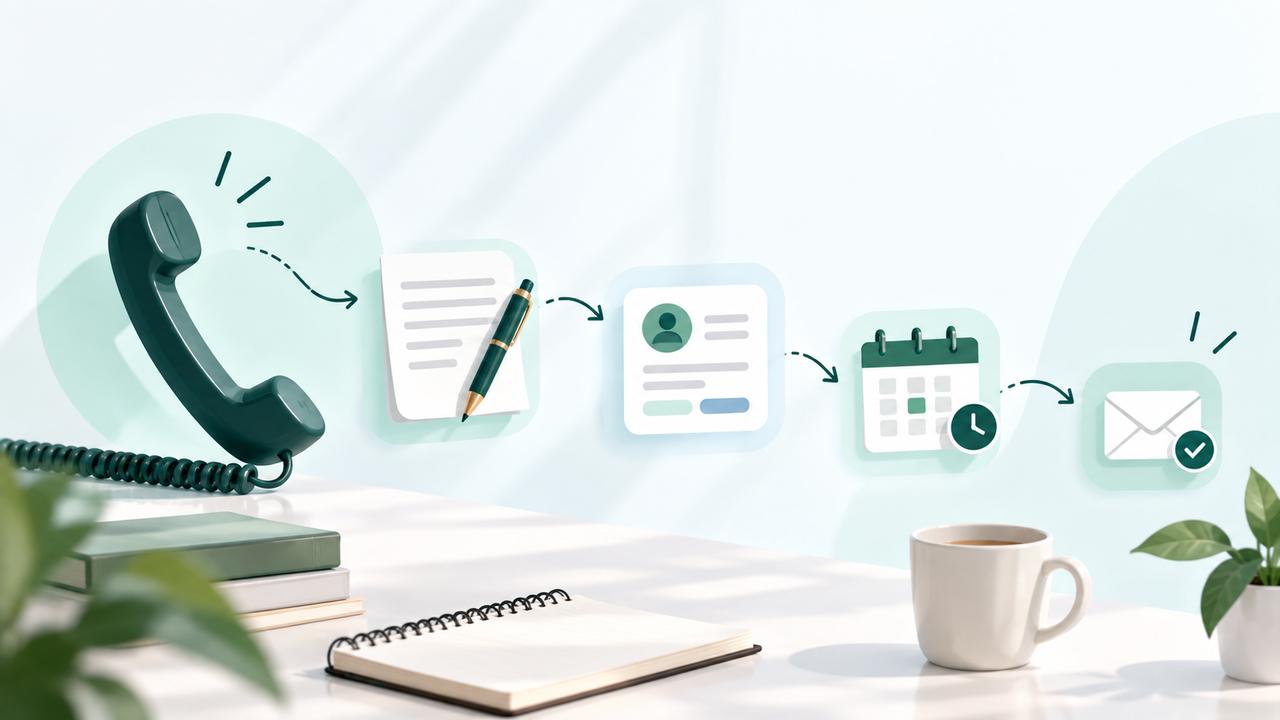
    A post-call workflow is the process a business follows after a phone conversation to record important information, organize next steps, and keep customer or prospect data up to date.

    Instead of treating a completed call as the end of an interaction, a post-call workflow turns the conversation into an actionable record. This may include adding call notes, updating customer information, assigning follow-up tasks, sending a message, or reviewing the outcome of the call.

    When these activities are connected to the business phone system and other tools, teams can spend less time on manual updates and reduce the risk of missed follow-ups.

    6 Steps of an Effective Post-Call Workflow

    1. Capture Important Call Details

    Record the key points discussed during the call while the information is still fresh. Notes may include customer requirements, questions, objections, decisions, or other details that could be useful in future interactions.

    2. Update Customer or CRM Records

    Add relevant information from the conversation to the customer or prospect record. Keeping these records up to date gives the team a clearer view of previous interactions and helps prevent customers from having to repeat information.

    3. Define the Next Action

    Every completed call should have a clear next step when follow-up is required. This could include scheduling another call, sending additional information, assigning a task, or moving the prospect to the next stage of the sales process.

    4. Send a Follow-Up Message

    A short follow-up message can confirm what was discussed and keep the conversation moving. Depending on the situation, businesses can use SMS or another communication channel to share updates, confirmations, or next steps.

    5. Keep the Team Updated

    When a call involves multiple team members, important information should be available to everyone involved. Sharing call notes and follow-up details helps maintain continuity when one person hands a conversation to another.

    6. Review Call Activity and Outcomes

    Reviewing call activity helps businesses understand what happened after conversations and identify areas for improvement. Metrics such as call volume, outcomes, and follow-up activity can provide useful insights into the effectiveness of the calling workflow.

    Common Post-Call Workflow Problems

    Even when teams have a calling process in place, post-call tasks can become inconsistent when they rely heavily on manual work. Common problems include:

    • Missing or incomplete call notes: Teams may fail to record important details after a conversation.
    • Outdated customer records: Customer information may become outdated when call outcomes are not added promptly.
    • Delayed follow-ups: Follow-ups can be delayed when there is no clear next action after a call.
    • Scattered information: Teams may need to search across multiple tools to find relevant call information.
    • Limited visibility: Managers may find it difficult to track call outcomes and follow-up activity without centralized information.

    These challenges can make it harder for teams to maintain consistent customer communication and turn conversations into meaningful next steps.

    How DialNext Simplifies the Post-Call Workflow

    A connected calling system can make post-call tasks easier by keeping conversations, customer information, and follow-up actions within a single workflow. DialNext helps teams reduce manual work and maintain better visibility after every business call.

    Automatic Call Notes

    DialNext can automatically capture call notes, helping teams reduce repetitive data entry and keep important conversation details available for future interactions.

    CRM Integrations

    Connecting DialNext with CRM tools helps teams keep customer information and call activity connected. This gives sales and support teams better context when continuing a conversation.

    SMS Follow-Ups

    Not every follow-up requires another phone call. With SMS capabilities, teams can send confirmations, updates, or follow-up messages after a conversation while keeping communication connected to the calling workflow.

    Team Visibility

    Teams can use shared call information and activity data to maintain context when conversations move between agents or departments. This can help reduce information gaps and make handoffs smoother.

    Call Analytics

    Call analytics provide visibility into calling activity and outcomes. Teams can use this information to understand calling performance, identify workflow gaps, and make informed improvements.

    By connecting these activities around the calling process, DialNext helps businesses move from simply completing calls to managing what happens after every conversation.

    Manual vs. Connected Post-Call Workflow

    The way a business handles post-call tasks can affect how quickly teams follow up and how consistently they maintain customer information. A manual process often requires employees to move between multiple tools, while a connected workflow can bring more of these activities together.

    Manual workflow:

    • Call details are written down separately.
    • Customer records are updated manually.
    • Follow-up tasks may need to be created separately.
    • Team members may have limited visibility into previous conversations.
    • Call performance may require information from multiple sources.

    Connected workflow:

    • Call information can be captured as part of the calling process.
    • Customer and CRM information can stay connected.
    • Follow-up communication can be handled through the same workflow.
    • Teams can access relevant conversation context more easily.
    • Call activity and performance can be reviewed from centralized data.

    A connected post-call workflow does not eliminate the need for human decisions. Instead, it can reduce repetitive administrative work and give teams more time to focus on customer conversations and follow-ups.

    Best Practices for a Post-Call Workflow

    A consistent post-call process helps teams ensure that important information and follow-up actions are not overlooked. The following practices can help businesses build a more reliable workflow:

    • Standardize call notes: Use a consistent format so important information is easy to understand and find.
    • Define clear next steps: Teams should assign a follow-up or outcome to every call that requires action.
    • Keep customer data updated: Make sure teams add relevant information from conversations to customer records.
    • Connect communication channels: Use calling and messaging together when customers need information or follow-up after a call.
    • Give teams access to context: Make relevant call information available to the team members handling the next interaction.
    • Review performance regularly: Use call activity and outcome data to identify workflow gaps and improve the process.

    The goal is not to add more steps after every call. It is to create a simple and consistent process that helps teams act on the information they already collect.

    FAQs

    What should happen after a business call?

    After a business call, teams should record important details, update customer information, define the next action, and complete any necessary follow-up. Keeping these steps consistent helps prevent important information from being missed.

    Why is a post-call workflow important?

    A post-call workflow helps businesses turn conversations into actionable next steps. It can reduce manual work, improve information accuracy, and make it easier for teams to maintain consistent customer communication.

    How can businesses automate post-call tasks?

    Businesses can use a connected calling platform to automate or simplify tasks such as call notes, CRM updates, follow-up communication, and call activity tracking. The level of automation depends on the tools and workflows being used.

    Can a post-call workflow include SMS follow-ups?

    Yes. SMS can be used after a call to send confirmations, updates, reminders, or other relevant information. Combining calling with SMS can help businesses maintain communication after the conversation ends.

    How does DialNext help with post-call workflows?

    DialNext helps connect calling with activities such as automatic call notes, CRM integrations, SMS, team visibility, and call analytics. This allows businesses to manage more of the post-call process within a connected calling workflow.

    Conclusion

    A business call should not be the end of the customer interaction. A structured post-call workflow helps teams capture important information, organize follow-ups, keep customer records updated, and maintain visibility across conversations.

    By connecting calling with notes, CRM data, SMS, team collaboration, and analytics, businesses can reduce repetitive administrative work and make it easier to act on every conversation.

    With DialNext, teams can bring these activities into a connected calling workflow, helping them manage not only the call itself but also what happens after it.