Category: Calling Technology

Explore business calling technology, VoIP, SIP, caller ID, phone number formats, call quality, and routing solutions.

  • What Is Bulk Voicemail Drop? How It Works and How Businesses Use It

    What Is Bulk Voicemail Drop? How It Works and How Businesses Use It

    Introduction

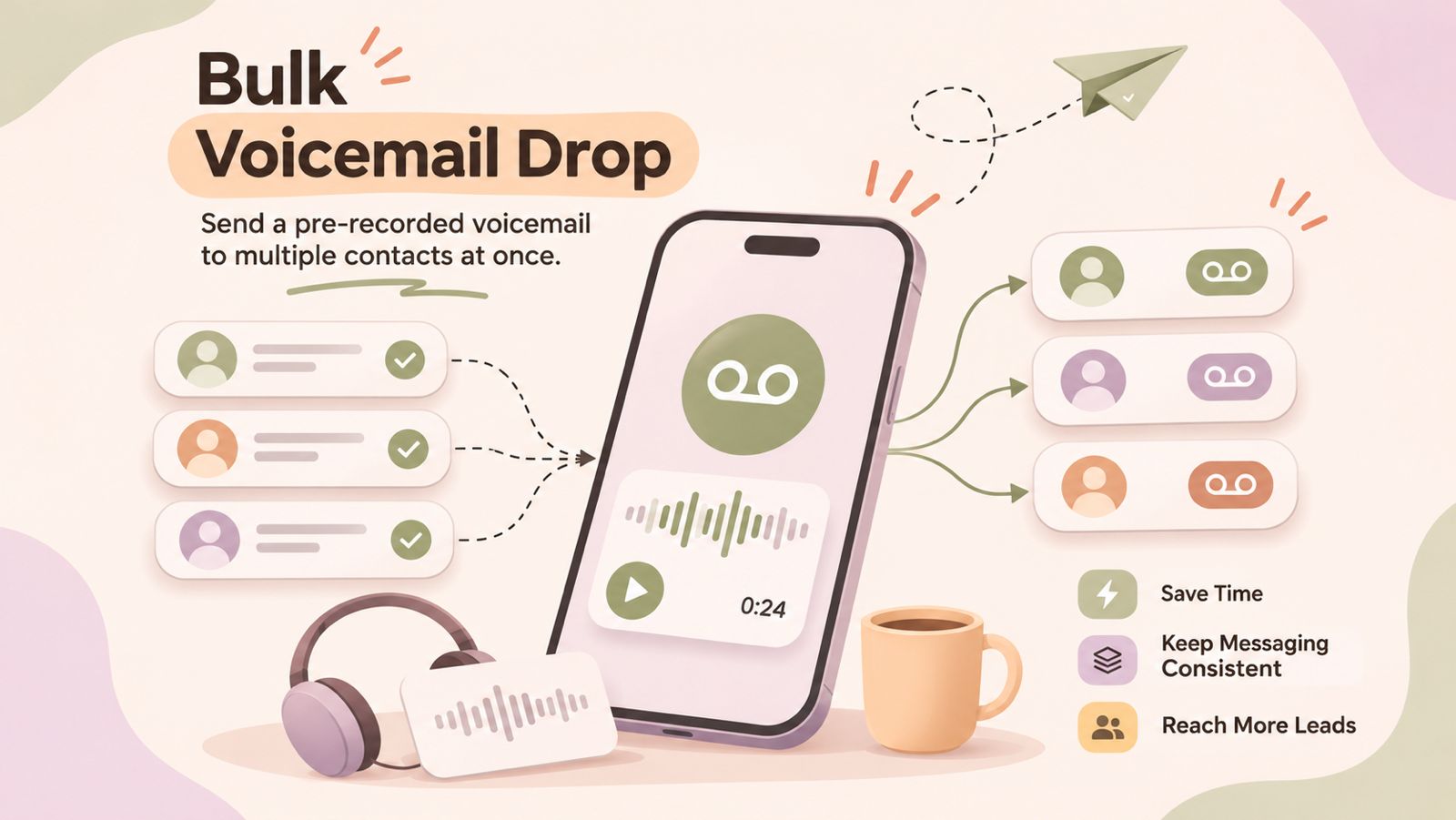
    Bulk voicemail drop is a way for businesses to deliver pre-recorded voicemail messages to multiple contacts as part of an outbound communication campaign. Instead of having a sales representative manually record the same message every time a call reaches voicemail, a prepared message can be used to make the process more consistent and efficient.

    For sales and outbound teams, voicemail drops can be useful when following up with leads, reconnecting with prospects, or managing repetitive calling campaigns. When used appropriately, they can reduce manual work while keeping outreach focused and consistent.

    In this guide, we’ll explain what a bulk voicemail drop is, how voicemail drops work, how they differ from regular voicemail, common business use cases, best practices, and important compliance considerations.

    What Is Bulk Voicemail Drop?

    Bulk voicemail drop is the process of delivering a pre-recorded voicemail message to multiple recipients as part of an outbound calling campaign. Instead of manually leaving the same message for each contact, a business can use a prepared recording to streamline repetitive voicemail communication.

    This approach is commonly used by sales and customer-facing teams when they need to reach a larger number of contacts while keeping their messaging consistent. The exact process and capabilities can vary depending on the calling or voicemail drop software being used.

    What Is a Voicemail Drop?

    A voicemail drop is a pre-recorded message that can be delivered when a call reaches a recipient’s voicemail. Instead of having the caller record a new message manually, they can use a prepared recording designed for a specific purpose, such as following up with a prospect or returning a customer’s call.

    Voicemail drops are particularly useful for repetitive outbound calling because they can help reduce the time spent recording similar messages. They also allow businesses to maintain a consistent message across calls while giving recipients the information they need to decide whether to respond.

    How Does Bulk Voicemail Drop Work?

    The exact workflow for a bulk voicemail drop can vary depending on the calling or voicemail drop software being used. In general, the process involves preparing a contact list, creating a voicemail message, selecting the intended recipients, and sending the message through the platform.

    1. Prepare a Contact List

    Start with a list of contacts who are appropriate recipients for the outbound campaign. The list should contain accurate contact information and be organized according to the purpose of the campaign, such as lead follow-ups, sales outreach, or customer re-engagement.

    2. Create or Record a Voicemail Message

    Prepare a short, clear voicemail message that explains who you are, why you are calling, and what the recipient should do next. The message should be relevant to the audience and easy to understand without additional context.

    3. Select the Recipients

    Choose the contacts who should receive the voicemail message. For larger campaigns, businesses may segment contacts based on factors such as lead status, customer type, or campaign purpose.

    4. Send the Voicemail Messages

    The prepared message can then be sent through the applicable voicemail or calling workflow. Depending on the platform, this may be handled individually or as part of a larger outbound campaign.

    5. Follow Up and Track Responses

    After the messages are delivered, the next step is to manage callbacks, responses, or other follow-up actions. Tracking these interactions can help sales and customer-facing teams determine which contacts require further attention.

    Voicemail vs. Voicemail Drop vs. Bulk Voicemail Drop

    Although these terms are related, they describe different ways of handling voicemail messages during outbound communication.

    Regular Voicemail

    A regular voicemail is a message recorded manually by the caller after a call reaches the recipient’s voicemail. The caller typically records a new message for each individual call.

    Voicemail Drop

    A voicemail drop uses a pre-recorded message instead of requiring the caller to record the same message manually each time. This can make repetitive outbound calling more efficient and help keep messaging consistent.

    Bulk Voicemail Drop

    A bulk voicemail drop extends the concept to multiple recipients as part of an outbound campaign. Rather than preparing and recording a similar message for every contact, businesses can use a prepared voicemail message within a campaign workflow, where the platform supports this functionality.

    • Regular voicemail: A caller manually records a message for an individual recipient.
    • Voicemail drop: A pre-recorded message is used instead of recording a new message each time.
    • Bulk voicemail drop: A pre-recorded message is used across multiple recipients as part of a broader campaign.

    Benefits of Bulk Voicemail Drop for Sales Teams

    For sales and outbound calling teams, bulk voicemail drops can help simplify repetitive communication. When used appropriately, they can reduce manual effort while helping representatives maintain a consistent approach across larger outreach campaigns.

    Save Time on Repetitive Outbound Calls

    Sales representatives often leave similar voicemail messages when contacting multiple prospects. Using a prepared message can reduce the time spent recording the same information repeatedly.

    Keep Messaging Consistent

    A pre-recorded message helps ensure that key information, such as the reason for the call and the next step, is communicated consistently across a campaign.

    Improve Outbound Calling Efficiency

    Voicemail automation can help sales teams spend less time on repetitive voicemail tasks and more time handling live conversations, callbacks, and other sales activities.

    Support Follow-Up Campaigns at Scale

    When a campaign involves contacting many prospects, a structured voicemail workflow can make follow-up activity easier to manage. Teams can prepare messages for different campaigns or audience segments rather than creating every message from scratch.

    Reduce Manual Work for Sales Representatives

    By reducing repetitive recording tasks, voicemail drops can simplify parts of an outbound workflow. Sales representatives can then focus their attention on conversations and follow-ups that require a more personalized approach.

    Common Business Use Cases for Bulk Voicemail Drop

    Bulk voicemail drops can be used in different outbound communication scenarios where businesses need to deliver similar messages to multiple contacts. The most suitable use case depends on the audience, purpose of the campaign, and applicable communication requirements.

    Sales Prospecting

    Sales teams can use voicemail drops when reaching out to prospects who are unavailable during an initial call. A concise message can introduce the business, explain the reason for the call, and provide a clear next step.

    Lead Follow-Ups

    After an initial interaction, businesses may use voicemail messaging to follow up with leads who have not responded. Messages can reference the purpose of the earlier outreach and make it easy for the recipient to reconnect.

    Appointment Reminders

    Businesses that rely on scheduled appointments may use automated voicemail messages as part of their reminder workflows, where appropriate and permitted. The message can include relevant appointment information and instructions for contacting the business.

    Customer Re-Engagement

    Businesses can use outbound voicemail campaigns to reconnect with existing or previous customers. For example, a message may invite a customer to contact the business about a relevant update, service, or follow-up.

    Event and Campaign Outreach

    Voicemail messaging can also support outreach for business events, campaigns, or other time-sensitive communications. Messages should remain relevant to the intended audience and clearly explain why the recipient is being contacted.

    Recruiting and Candidate Outreach

    Recruiting teams may use voicemail messages when contacting candidates who are unavailable. A short message can identify the recruiter or organization and provide a simple way for the candidate to respond.

    How Voicemail Drops Save Time in Outbound Campaigns

    Outbound campaigns often involve contacting a large number of people and repeating similar steps throughout the process. Voicemail drops can reduce some of this repetitive work by allowing teams to use a prepared message instead of recording a new voicemail for every unanswered call.

    Reduce Repetitive Recording

    When multiple contacts receive similar outreach, representatives do not have to manually record the same information each time. A prepared voicemail message can help make the process more efficient.

    Create a More Consistent Workflow

    A standardized voicemail message can help teams maintain consistent messaging across an outbound campaign. Representatives can use messages designed for specific audiences or campaign stages rather than creating each message from scratch.

    Spend More Time on Meaningful Conversations

    Reducing repetitive voicemail tasks can give sales representatives more time to focus on live conversations, callbacks, lead qualification, and personalized follow-ups.

    Voicemail drops can also work alongside other outbound calling workflows, such as power dialing and CRM-based follow-ups, depending on the capabilities of the calling platform being used. The goal is not to replace personalized sales conversations, but to make repetitive parts of the outreach process more manageable.

    Best Practices for Effective Voicemail Drops

    An effective voicemail drop should be brief, relevant, and easy for the recipient to understand. The goal is to provide enough information to explain why you called and make the next step clear without overwhelming the listener.

    Keep the Message Short and Clear

    Focus on the most important information and avoid unnecessary details. A concise message is easier for recipients to understand and remember.

    Identify Yourself and Your Business

    Clearly state your name and business at the beginning of the message. This helps the recipient understand who contacted them and provides context for the call.

    Give the Recipient a Clear Reason to Respond

    Explain why you are reaching out and why the message is relevant to the recipient. Avoid vague statements that do not give them a reason to continue the conversation.

    Use a Specific Call to Action

    Tell the recipient what they should do next. Depending on the purpose of the campaign, this could be returning the call, replying through an appropriate channel, or taking another clearly defined action.

    Match Messages to Different Campaigns

    Avoid using one generic message for every audience. Create relevant messages for different campaigns, customer groups, or stages of the sales process so that the voicemail feels appropriate to the recipient.

    Review and Update Recordings Regularly

    Review voicemail recordings periodically to make sure the information is accurate and still relevant. Update messages when contact details, offers, campaign objectives, or other important information changes.

    Common Bulk Voicemail Drop Mistakes to Avoid

    Bulk voicemail messaging can become less effective when businesses focus only on reaching more contacts instead of delivering relevant and useful messages. Avoiding common mistakes can help maintain a better outbound calling experience.

    Sending Irrelevant Messages

    Avoid sending the same message to contacts who have different needs or reasons for being contacted. Segment campaigns where appropriate and make sure the message matches the recipient and campaign purpose.

    Making the Message Too Long

    A voicemail should communicate the essential information without unnecessary detail. Long recordings can make it harder for recipients to understand the main point or remember the requested action.

    Sounding Too Scripted

    A carefully prepared message should still sound natural. Avoid overly complicated language, excessive jargon, or wording that makes the recording feel difficult to follow.

    Using the Same Message for Every Audience

    A single message may not be suitable for every campaign. Consider creating different recordings for different audiences, products, services, or stages of the customer journey.

    Ignoring Follow-Up

    Leaving a voicemail is only one part of an outbound campaign. Teams should have a clear process for handling callbacks, responses, and subsequent follow-ups so that interested contacts are not overlooked.

    Overlooking Compliance Requirements

    Businesses should understand the applicable rules before running automated or bulk voicemail campaigns. Requirements can vary by location, recipient type, communication method, and campaign purpose. Always review the relevant laws and platform policies before sending messages at scale.

    Compliance and Privacy Considerations

    Bulk voicemail campaigns can be subject to telemarketing, privacy, and communications regulations. The requirements depend on factors such as the recipient’s location, whether the message is promotional, and whether the communication uses an automated or prerecorded message. Businesses should verify the rules that apply to their specific campaign before sending messages at scale. 

    Check Consent Requirements

    Some jurisdictions require specific consent before businesses can make automated marketing calls or deliver prerecorded messages. For example, UK guidance states that automated marketing calls require consent specifically covering automated calls; general marketing consent or consent for live calls is not enough.

    Maintain Do-Not-Call and Opt-Out Records

    Businesses should maintain accurate records of contacts who have opted out or asked not to receive marketing communications. Applicable do-not-call requirements should be checked before a campaign is launched.

    Protect Contact Data

    Contact lists used for voicemail campaigns may contain personal information. Businesses should handle this data responsibly, use appropriate security measures, and follow applicable privacy and data protection requirements.

    Check Rules for Each Market

    Telemarketing requirements can differ between countries and regions. For example, U.S. rules governing prerecorded telemarketing messages include specific consent requirements, while UK rules under PECR impose specific requirements for automated marketing calls. Businesses running international campaigns should review the requirements for each market rather than applying one set of rules everywhere.

    This information is general guidance, not legal advice. If a campaign involves automated or bulk voicemail messaging, businesses should consult the applicable regulations and, where necessary, obtain advice from a qualified legal professional.

    Frequently Asked Questions About Bulk Voicemail Drop

    What is bulk voicemail drop?

    Bulk voicemail drop is the use of a pre-recorded voicemail message across multiple recipients as part of an outbound communication campaign. It can help businesses reduce repetitive manual recording while maintaining consistent messaging.

    What is the difference between voicemail drop and bulk voicemail drop?

    A voicemail drop uses a pre-recorded message instead of recording a new voicemail manually for each call. A bulk voicemail drop applies this approach across multiple recipients within a broader campaign or workflow.

    How does voicemail drop software work?

    Voicemail drop software typically allows users to prepare a recording and use it within an outbound calling workflow. Depending on the platform, users may be able to select recipients, send messages, and manage follow-up activity from the same system.

    Can voicemail drops be automated?

    Yes. Voicemail drops can be incorporated into automated outbound workflows when the calling platform supports the required functionality. The available automation features vary between providers.

    Is bulk voicemail messaging legal?

    The legality of bulk voicemail messaging depends on factors such as the recipient’s location, the purpose of the communication, consent, and the technology used. Businesses should check the applicable telemarketing and privacy requirements before launching a campaign.

    What should a sales voicemail drop include?

    A sales voicemail drop should generally identify the caller and business, explain the reason for contacting the recipient, provide relevant context, and include a clear next step. The message should be concise and appropriate for the intended audience.

    Can voicemail drops be used for follow-up campaigns?

    Yes. Businesses may use voicemail drops as part of lead follow-ups, customer re-engagement, or other outbound campaigns where the communication is appropriate and permitted.

    What is the difference between voicemail drop and ringless voicemail?

    A voicemail drop generally refers to using a pre-recorded message within a calling workflow when a call reaches voicemail. Ringless voicemail refers to a different technology designed to deliver a message to a voicemail inbox without making a conventional call that rings the recipient’s phone. The legal and regulatory requirements can differ, so businesses should verify the rules applicable to their specific use case.

    Conclusion

    Bulk voicemail drop can help sales and outbound teams manage repetitive voicemail communication more efficiently. By using prepared messages within an appropriate outbound workflow, businesses can save manual effort, maintain consistent messaging, and support follow-up campaigns at scale.

    However, effective voicemail messaging depends on more than automation. Messages should be concise, relevant, and action-oriented, while campaigns should follow applicable privacy, consent, and telemarketing requirements.

    When used thoughtfully, voicemail drops can be one part of a broader outbound communication strategy designed to make repetitive outreach more manageable without replacing personalized customer conversations.
  • What Is Local Presence? How It Works and Why It Matters for Business Calls

    What Is Local Presence? How It Works and Why It Matters for Business Calls

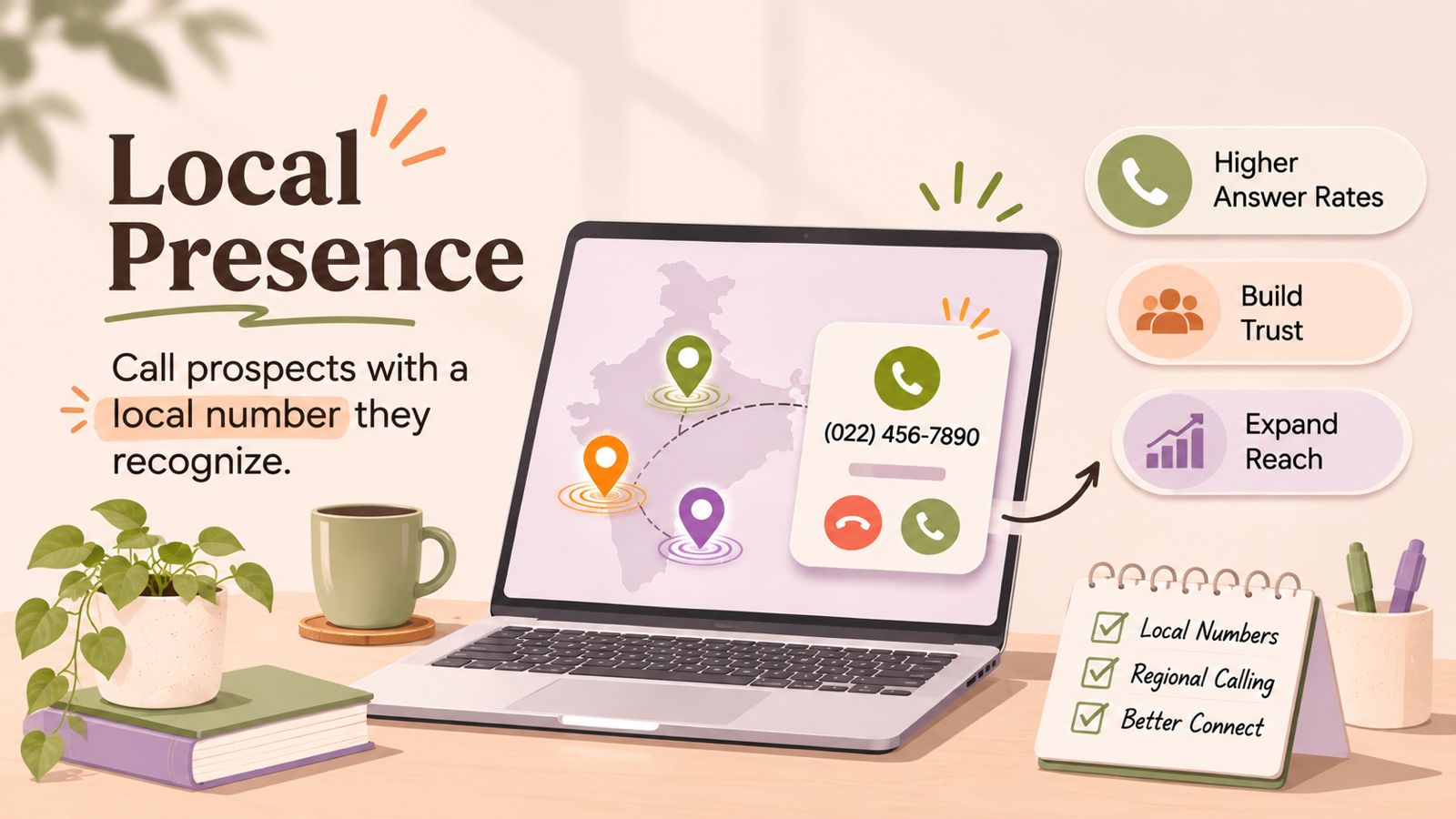
    When businesses make outbound calls, the phone number displayed to the recipient can influence how familiar the call feels. Local presence is a calling approach that allows businesses to use a local phone number or area code when contacting customers and prospects in a particular location.

    For example, a sales team based in New York may call a prospect in Chicago using a Chicago-area phone number instead of always displaying its New York number. This is known as local presence dialing.

    In this guide, we’ll explain what local presence is, how this calling approach works, how it differs from standard caller ID and toll-free numbers, and why it can be useful for sales and outbound calling teams.

    What Is Local Presence?

    Local presence is a calling approach where a business uses a local phone number, often matching the recipient’s geographic area or area code, when making an outbound call.

    For example, if a sales representative in New York is calling a prospect in Chicago, the calling system may display a Chicago-area phone number instead of the company’s New York number.

    The idea is to make the outbound number more geographically familiar to the person receiving the call. This approach is commonly used by sales teams, lead-generation teams, recruiting teams, and other businesses that make frequent outbound calls across different locations.

    A local presence phone number usually belongs to a pool of business numbers. The calling system can select a suitable number based on the destination. The exact matching process and available locations depend on the calling provider and applicable telecom requirements.

    How Does Local Presence Work?

    This calling method works by selecting an appropriate business phone number for an outbound call based on the location of the person being contacted.

    A typical local presence workflow looks like this:

    Contact → Location identified → Local number selected → Outbound call placed → Local caller ID displayed

    The calling system may use the recipient’s phone number and area code to determine which business number to present. If a matching local number is available, the system can use it as the outbound caller ID.

    For example, a business may have separate numbers for different regions. When a representative calls a prospect, the system can select the corresponding local number instead of using the company’s default business number.

    Number-selection rules vary between calling providers. Some systems may prioritize an exact area-code match, while others may use a broader regional or country-level match when an exact number is unavailable.

    Local presence involves more than simply changing the caller ID. It involves managing a pool of business numbers and using them within an organized outbound calling workflow.

    How Does Local Presence Dialing Work Step by Step?

    This dialing method automates the process of selecting an appropriate outbound number for each call. A typical workflow includes these steps:

    1. Prepare Your Contact List

    The process starts with a list of prospects, customers, or leads. Contacts may come from a CRM, sales campaign, lead database, or calling list.

    2. Identify the Contact’s Location

    The calling system uses information associated with the contact’s phone number, such as the country or area code, to determine the relevant geographic region.

    3. Find a Matching Local Number

    The system checks the business’s available phone numbers for a suitable local match. If an exact area-code match is available, the provider can select it according to the configured rules.

    4. Place the Outbound Call

    The system places the call using the selected business number. The recipient sees that number on their phone as the caller ID.

    5. Handle the Conversation

    If the recipient answers, the representative handles the conversation normally. Depending on the calling setup, the representative may also have access to customer information, call notes, or CRM records.

    6. Manage the Callback

    If the recipient returns the call, the local number should have an appropriate inbound routing setup. This ensures that callbacks can reach the correct team, representative, or business workflow.

    The exact process can vary depending on the calling platform, available phone numbers, geographic coverage, and local telecom requirements.

    What Is a Local Presence Phone Number?

    A local presence phone number is a business phone number associated with a specific geographic area. Businesses can use it to present a locally recognizable number during outbound calls.

    For example, a business that serves customers across multiple cities may use different local numbers when contacting prospects in those areas. A prospect in one region may see a number with a familiar local area code rather than the company’s primary business number.

    A local presence phone number does not necessarily mean the business has a physical office in that location. Businesses mainly use it to manage how an outbound call appears to the recipient.

    Businesses using local presence should also make sure that the numbers they use are legitimately assigned to them or authorized for their calling workflow. Availability, number selection, and caller ID rules can vary by country, carrier, and calling provider.

    Local Presence vs. a Standard Business Phone Number

    A standard business phone number is typically used as a consistent contact number for a company. The same number may be displayed when representatives make outbound calls, regardless of where the recipient is located.

    With local presence calling, businesses can use different local phone numbers for different geographic markets. The calling system can therefore select the displayed number based on the destination.

    Standard Business NumberLocal Presence Phone Number
    Usually uses one primary business numberCan use multiple geographic numbers
    Same number may be displayed across locationsNumber can vary based on the recipient’s location
    Simple and consistent for brand recognitionDesigned to provide geographic familiarity
    Suitable for general business communicationUseful for geographically distributed outbound calling
    Number selection is usually fixedNumber selection can be automated

    The right approach depends on the business’s calling strategy. A consistent business number may be useful when having one recognizable callback number is the priority, while local presence can be useful for teams making outbound calls across multiple geographic markets.

    What Are the Benefits of Local Presence for Sales and Outbound Calling?

    Local presence can be useful for businesses that regularly make outbound calls to prospects or customers across different geographic areas. By presenting a relevant local number, businesses can create a more geographically familiar calling experience while managing calls through a centralized system.

    1. Makes the Number More Familiar

    A local area code may be more recognizable to a recipient than an unfamiliar number from another region. This can be useful when sales representatives contact prospects across multiple markets.

    2. Supports Regional Sales Campaigns

    Sales teams can organize outbound calling around specific locations and use relevant local numbers for those campaigns.

    For example, a business expanding into several cities could organize calling lists by region and associate each campaign with the appropriate local number.

    3. Reduces Manual Number Selection

    A local presence dialer can automate the process of selecting an appropriate outbound number. Instead of representatives manually choosing a number for every call, the system can apply predefined number-selection rules.

    4. Helps Centralized Teams Serve Multiple Markets

    A business can have its sales representatives working from one location while contacting customers in different cities or regions. Local presence can support this distributed calling model without requiring a separate calling team in every location.

    5. Fits Into Outbound Calling Workflows

    This approach can be combined with sales calling workflows such as contact lists, CRM records, follow-ups, and automated dialing. This can help teams keep number selection as part of the normal calling process instead of treating it as a separate manual task.

    6. Provides a More Consistent Regional Strategy

    For businesses running large outbound campaigns, using a structured local-number strategy can make calling operations easier to organize across different markets.

    However, local presence does not guarantee that a call will be answered. Call outcomes can also depend on factors such as the recipient, timing, number reputation, call relevance, and carrier-level call handling.

    How Can Local Presence Help Businesses Connect With Customers in Different Locations?

    Businesses that serve customers across multiple cities, states, or regions can use this approach to organize their outbound calling strategy around geographic markets.

    For example, a company may have customers across New York, Chicago, and Los Angeles. Instead of making every outbound call from one central business number, a geographic calling setup can use appropriate numbers for each market, where supported.

    This can help businesses:

    • Organize regional sales campaigns based on customer location.
    • Use relevant local area codes when making outbound calls.
    • Centralize their sales team while serving customers in multiple markets.
    • Manage different local numbers through a single calling workflow.
    • Route returned calls to the appropriate sales or support team.

    This approach can be particularly useful for businesses with geographically distributed customer bases, such as sales organizations, recruitment agencies, real estate teams, service businesses, and lead-generation companies.

    However, businesses should make sure that local numbers are legitimately assigned and that their use complies with applicable telecom and caller ID requirements. This is a calling strategy, not a guarantee of higher answer rates or customer engagement.

    Local Presence vs. Standard Caller ID

    Local presence and caller ID are related, but they are not the same thing.

    Caller ID is the information a recipient sees when a call comes in. Depending on the phone network and available data, this can include a phone number and, in some cases, a business name.

    Local presence is a calling strategy that determines which business number is presented as the caller ID, usually based on the geographic location of the person being called.

    For example:

    • Standard caller ID: A company always calls from +1 212 XXX XXXX.
    • Local presence: A company may use a suitable local number when calling a prospect in a different area.

    In other words, caller ID describes what the recipient sees, while local presence describes how a business can select the outbound number used for that call.

    For more information about how caller identification works, see DialNext’s guide on What Is Caller ID?

    Local Presence vs. Toll-Free Numbers

    Local presence numbers and toll-free numbers serve different purposes in business calling.

    A local presence phone number is associated with a specific geographic area or area code and can be used when making outbound calls to contacts in that region.

    Businesses use toll-free numbers as recognizable contact numbers that are not tied to a specific local geographic area. In the US, common toll-free prefixes include 800, 888, 877, 866, 855, 844, and 833.

    Local PresenceToll-Free Number
    Associated with a geographic areaNot associated with a specific local area
    Commonly used for outbound callingCommonly used as a general business contact number
    Can vary based on the recipient’s locationUsually remains the same across locations
    Useful for regional sales campaignsUseful as a centralized business contact
    Can provide a locally recognizable numberProvides one consistent number for customers

    The choice depends on the purpose of the phone number. A business may use local numbers for regional outbound campaigns while maintaining a toll-free number as a central customer contact point.

    It is also important to distinguish the number’s geographic appearance from its actual ownership and routing. A local number does not necessarily indicate that the business has a physical location in that area.

    Common Use Cases for Local Presence

    Local presence can be useful whenever a business regularly makes outbound calls to customers or prospects in different geographic markets. Common use cases include:

    1. Sales and Lead Generation

    Sales teams can use local presence when contacting prospects across different cities, states, or regions. A local presence dialer can help automate the selection of an appropriate outbound number for each contact.

    2. Recruiting and Staffing

    Recruiters often contact candidates across multiple locations. Using relevant local numbers can help organize calling campaigns by geographic market.

    3. Real Estate

    Real estate teams may work with buyers, sellers, landlords, or tenants across different cities and regions. Local numbers can be incorporated into location-based outbound calling workflows.

    4. Customer Follow-Ups

    Businesses can use local presence when following up with customers after inquiries, appointments, purchases, or other interactions, particularly when their customer base spans multiple regions.

    5. Multi-Location Businesses

    Companies operating across several markets can use different local business numbers while keeping their calling operations centralized.

    6. Service Businesses

    Home services, field services, and other location-based businesses may contact customers in specific service areas. Local numbers can help organize outbound communication around those markets.

    7. Regional Outbound Campaigns

    Marketing and sales teams can divide calling campaigns by geographic region and associate each campaign with the appropriate local number where supported.

    Local presence is most relevant when geographic context is an important part of the calling workflow. It should be combined with clear caller identification and appropriate call-handling processes rather than treated as a standalone sales tactic.

    Important Considerations and Limitations of Local Presence

    Before implementing local presence calling, businesses should consider how local numbers are managed, displayed, and regulated. Local presence can support outbound calling, but it does not guarantee that recipients will answer calls or trust a number.

    Number Availability

    Calling providers may not offer local numbers in every area or country. Availability depends on the calling provider, telecom carriers, and local numbering regulations.

    Caller ID Is Not Always Displayed Exactly as Expected

    Carriers, networks, devices, and regional telecom systems can affect the number displayed to a recipient. A business should not assume that every recipient will see the same caller ID presentation.

    Callbacks Need to Be Managed

    If a recipient calls the displayed local number back, the business should set up appropriate inbound routing or call handling. Otherwise, this strategy can create a poor customer experience.

    Local Presence Does Not Guarantee Higher Answer Rates

    Using a local area code may make a number more familiar, but it does not guarantee that someone will answer the call. Factors such as timing, call relevance, number reputation, and carrier filtering can also affect call outcomes.

    Number Reputation Matters

    Businesses should use legitimate numbers responsibly and monitor how their outbound numbers are being treated by carriers and recipients. High-volume or unwanted calling can affect number reputation regardless of whether the number is local.

    Compliance Requirements May Apply

    Caller ID, telemarketing, registration, consent, and other telecom requirements vary by country and use case. Businesses should review the rules applicable to their calling markets before deploying local presence at scale.

    Local Presence Is Not the Same as Pretending to Be Local

    A local presence number should not be used to falsely represent a business’s physical location or identity. Businesses should use numbers they legitimately control and provide accurate information when required.

    For related information, see DialNext’s guides on Caller ID, Carrier Filtering, and STIR/SHAKEN

    How Does Local Presence Work With CRM and Calling Workflows?

    Teams can add this approach to a CRM-based calling workflow to manage contacts, calls, and follow-ups from one centralized process.

    A typical workflow may look like:

    CRM contact → Click-to-call → Contact location identified → Local number selected → Outbound call → Call activity recorded → Follow-up

    For example, a sales representative can open a prospect’s CRM record and start an outbound call. If the calling system supports this feature, it can check whether a suitable local number is available and use it according to the configured rules.

    After the call, the team can record information such as the call outcome, notes, or follow-up activity in the CRM, depending on the calling platform and integration.

    This can be useful for teams that manage large numbers of geographically distributed contacts because local presence calling becomes part of the existing sales workflow rather than a separate manual process.

    However, CRM integration does not automatically mean that local presence is supported. The availability of local number selection, number pools, click-to-call, call logging, and routing depends on the specific calling platform and CRM integration being used.

    What About DialNext?

    DialNext supports business calling and CRM-connected communication workflows, but the exact availability of local presence dialing, local number pools, or automatic geographic number selection should be confirmed for the specific DialNext setup before making a product or feature claim.

    For this reason, businesses evaluating this approach should verify. the supported number types, geographic coverage, caller ID behavior, CRM workflow, and inbound callback handling with their calling provider.

    FAQs

    What is local presence in business calling?

    Local presence is a calling approach where a business uses a phone number associated with the recipient’s geographic area when making an outbound call.

    What is local presence dialing?

    Local presence dialing is a calling workflow that selects an appropriate local business number for an outbound call based on the recipient’s location or phone number.

    What is a local presence phone number?

    A local presence phone number is a business number associated with a specific geographic area or area code and used for outbound calls to contacts in that region.

    Does local presence improve call answer rates?

    Local presence may make an outbound number more geographically familiar, but it does not guarantee higher answer rates. Call timing, relevance, number reputation, and carrier handling can also affect whether a call is answered.

    What is the difference between local presence and caller ID?

    Caller ID is the information displayed to the recipient when a call is received. Local presence is a strategy for selecting the outbound number that can be displayed as the caller ID.

    Can businesses use local presence with a CRM?

    Yes, teams can add local presence to CRM-based calling workflows when the calling platform and CRM integration support the required functionality. The exact features depend on the provider.

    Is local presence the same as having a local office?

    No. A local presence phone number does not necessarily mean that a business has a physical office in that geographic area. It refers to the phone number used for communication.

    Conclusion

    Local presence gives businesses a way to make outbound calls using geographically relevant business numbers. By matching available numbers with the contact’s location, businesses can organize regional calling campaigns while keeping their teams and calling operations centralized.

    It can be particularly useful for sales, lead generation, recruiting, customer follow-ups, and other outbound calling workflows that involve contacts across multiple locations.

    However, local presence is not a guarantee of higher answer rates or customer engagement. Businesses should also consider number availability, caller ID behavior, callback routing, number reputation, and applicable telecom requirements.

    When implemented as part of a well-managed calling and CRM workflow, local presence can be one component of a broader strategy for managing geographically distributed outbound communication.

  • Improve VoIP Call Quality

    Improve VoIP Call Quality

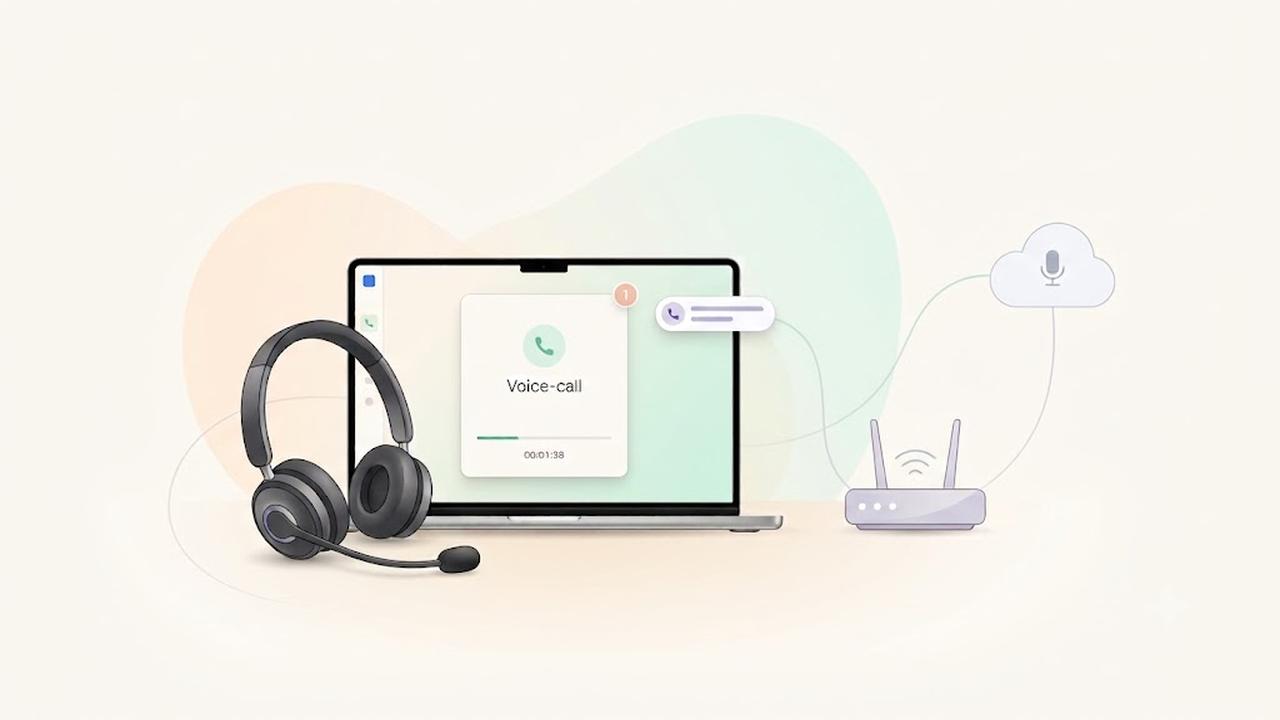
    VoIP Call Quality depends on your internet connection, network configuration, hardware, and software. This guide explains how to improve VoIP Call Quality by optimizing your network, choosing the right devices, and troubleshooting common audio issues when using DialNext.

    Minimum Network Requirements for VoIP Call Quality

    For the best calling experience, your internet connection should meet the following recommendations.

    RequirementRecommended
    Download SpeedAt least 100 Kbps per active call
    Upload SpeedAt least 100 Kbps per active call
    LatencyLess than 150 ms
    JitterLess than 30 ms
    Packet LossLess than 1%

    If multiple users share the same internet connection, ensure enough bandwidth is available for all simultaneous calls.

    Meeting these recommendations helps maintain excellent VoIP Call Quality, even during periods of heavy network usage.

    Recommended Network Configuration for VoIP Call Quality

    A properly configured network significantly improves call stability and audio clarity.

    We recommend:

    • Use a wired Ethernet connection whenever possible.
    • Avoid public or unstable Wi-Fi networks.
    • Enable Quality of Service (QoS) on your router to prioritize voice traffic.
    • Keep your router firmware updated.
    • Minimize heavy network activity during calls, such as video streaming or large downloads.
    • Connect your computer directly to your router whenever possible instead of using Wi-Fi extenders.

    Improve VoIP Call Quality with the Right Devices

    Using professional communication devices improves audio quality and reduces background noise.

    Recommended Headsets

    • Jabra Evolve2 65
    • Jabra Evolve2 75
    • Poly Blackwire 5220
    • Poly Voyager Focus UC
    • Logitech Zone Wireless
    • EPOS IMPACT 860

    Recommended Speakerphones

    • Jabra Speak2 55
    • Jabra Speak2 75
    • Poly Sync 20
    • Poly Sync 40

    For the best experience, avoid using built-in laptop microphones for business calls.

    Keep Your Browser or Desktop App Updated

    Keeping your browser or DialNext application updated helps deliver the latest performance improvements and security updates.

    We recommend:

    • Update your web browser regularly.
    • Install the latest version of the DialNext desktop application.
    • Restart your browser or application after installing updates.

    Supported browsers include:

    • Google Chrome
    • Microsoft Edge
    • Mozilla Firefox
    • Safari

    How to Test Your VoIP Call Quality

    Before making important business calls, test your network performance.

    Check the following:

    • Download speed
    • Upload speed
    • Latency (Ping)
    • Jitter
    • Packet loss

    Use a reliable internet speed testing service to verify your network performance.

    If your network does not meet the recommended values, improve your connection before placing business calls.

    Optimize Your Workspace

    Small changes to your work environment can noticeably improve call quality.

    We recommend:

    • Close unnecessary browser tabs.
    • Close streaming applications before making calls.
    • Pause large uploads or downloads.
    • Disconnect unused devices from your network.
    • Work from a quiet environment whenever possible.

    Additionally, disable browser extensions that may interfere with microphones or speakers.

    Firewall and Network Settings

    Some corporate firewalls or security appliances can affect VoIP traffic.

    If you experience one-way audio, dropped calls, or registration issues:

    • Verify your firewall allows VoIP traffic.
    • Confirm that your organization permits real-time voice communication.
    • Temporarily disconnect from your VPN to determine whether it affects audio quality.
    • Contact your network administrator if restrictions are enabled.

    Troubleshooting VoIP Call Quality Issues

    If VoIP Call Quality becomes poor or calls sound robotic, delayed, or choppy, try the following:

    1. Restart your browser or DialNext desktop application.
    2. Restart your modem and router.
    3. Switch from Wi-Fi to a wired Ethernet connection.
    4. Test your internet connection on another network.
    5. Disconnect from your VPN and test again.
    6. Close applications that consume network bandwidth.
    7. Test another headset or microphone.
    8. Update your browser or DialNext application.

    If VoIP Call Quality does not improve after completing these steps, contact the DialNext support team.

    Frequently Asked Questions

    Does Wi-Fi affect VoIP Call Quality?

    Yes. Although modern Wi-Fi networks perform well, a wired Ethernet connection usually provides lower latency, less jitter, and more stable call quality.

    How Much Bandwidth Is Required for Good VoIP Call Quality?

    DialNext recommends allocating at least 100 Kbps of upload and download bandwidth for every active call.

    What Is Acceptable Jitter?

    For high-quality voice calls, jitter should remain below 30 ms. Higher values may result in distorted or inconsistent audio.

    Can a VPN Affect VoIP Call Quality?

    Yes. Some VPN services increase latency and jitter, which can negatively affect VoIP performance. Disconnect from your VPN temporarily to determine whether it is causing the issue.

    Related Articles

    • Browser Permissions for Calls
    • Microphone & Speaker Troubleshooting
    • International Phone Numbers
    • Call Recording Guide

    Additional Resources

    You can test your internet connection using a reliable speed testing service such as Speedtest by Ookla:

    https://www.speedtest.net

    Need Help?

    If you’re still experiencing call quality issues after following this guide, contact our support team at help@dialnext.io.