Tag: Business Phone System

  • What Is STIR/SHAKEN?

    What Is STIR/SHAKEN?

    STIR/SHAKEN is a caller ID authentication framework designed to reduce illegal robocalls and caller ID spoofing. It helps telephone service providers verify that a caller is authorized to use the phone number displayed on the recipient’s device.

    By verifying caller identity, STIR/SHAKEN improves trust in phone calls and makes it more difficult for scammers to impersonate legitimate businesses.

    Why Was STIR/SHAKEN Introduced?

    Caller ID spoofing has become one of the most common techniques used in phone scams. Fraudsters often display trusted phone numbers to trick people into answering calls.

    To address this problem, the telecommunications industry developed STIR/SHAKEN, allowing providers to digitally verify the identity of outbound calls before they reach recipients.

    As a result, businesses can improve call authenticity while helping carriers identify potentially fraudulent traffic.

    How Does STIR/SHAKEN Work?

    STIR/SHAKEN uses digital certificates to verify the caller’s identity.

    A typical verification process works as follows:

    1. A business places an outbound call.
    2. The originating provider verifies the caller’s right to use the phone number.
    3. The provider digitally signs the call using a secure certificate.
    4. The receiving carrier validates the digital signature.
    5. The recipient receives a verified call whenever verification succeeds.

    If the verification fails, carriers may flag, filter, or block the call depending on their spam prevention policies.

    What Does STIR and SHAKEN Stand For?

    STIR stands for:

    Secure Telephone Identity Revisited

    SHAKEN stands for:

    Signature-based Handling of Asserted Information Using toKENs

    Although they are separate standards, they work together to authenticate caller identity across modern telephone networks.

    What Is Attestation?

    Attestation represents the level of confidence that a provider has in the caller’s identity.

    There are three attestation levels.

    Full Attestation (A)

    The provider:

    • Knows the customer.
    • Has verified the customer’s identity.
    • Confirms the customer is authorized to use the calling number.

    This provides the highest level of trust.

    Partial Attestation (B)

    The provider knows the customer but cannot fully verify ownership of the calling number.

    Calls can still be authenticated, although the confidence level is lower than Full Attestation.

    Gateway Attestation (C)

    The provider receives the call from another network but cannot verify the caller’s identity or ownership of the phone number.

    This provides the lowest level of confidence.

    What Are the Benefits of STIR/SHAKEN?

    Businesses benefit from STIR/SHAKEN in several ways:

    • Reduces caller ID spoofing
    • Improves customer trust
    • Helps legitimate calls reach recipients
    • Supports industry compliance requirements
    • Reduces fraudulent robocalls
    • Improves caller authentication

    Additionally, verified calls are less likely to appear suspicious to receiving carriers.

    Does STIR/SHAKEN Stop All Spam Calls?

    No.

    STIR/SHAKEN significantly reduces caller ID spoofing, but it does not eliminate every unwanted or fraudulent call.

    For example, scammers can still use legitimately purchased phone numbers or other techniques that fall outside caller ID authentication.

    Consequently, carriers combine STIR/SHAKEN with spam detection systems, analytics, and call reputation services to improve overall protection.

    Who Needs STIR/SHAKEN?

    STIR/SHAKEN primarily benefits:

    • Business phone system providers
    • Contact centers
    • VoIP providers
    • Enterprises making outbound calls
    • Organizations handling high call volumes

    Businesses that regularly contact customers should ensure their communications comply with current industry requirements.

    Does DialNext Support STIR/SHAKEN?

    DialNext is committed to supporting secure and reliable business communications.

    Support for caller authentication depends on carrier capabilities, number types, and applicable telecommunications regulations. If you have questions about STIR/SHAKEN support for your phone numbers, please contact the DialNext support team.

    Frequently Asked Questions

    Does STIR/SHAKEN Block Spam Calls?

    No. It authenticates caller identity and helps carriers identify spoofed calls, but it does not block every spam call.

    Is STIR/SHAKEN Required?

    In many regions, including the United States, major voice providers must implement caller ID authentication requirements established by regulators.

    Does STIR/SHAKEN Apply to SMS?

    No. STIR/SHAKEN applies to voice calls. SMS messaging uses different compliance frameworks, such as A2P 10DLC for business messaging in the United States.

    Can International Calls Use STIR/SHAKEN?

    Support for international calls varies depending on participating carriers, network infrastructure, and local regulations.

    Related Articles

    Additional Resources

    Learn more about STIR/SHAKEN from the Alliance for Telecommunications Industry Solutions (ATIS):

    Need Help?

    If you have questions about caller authentication, business phone numbers, or outbound calling compliance, contact us at help@dialnext.io.
  • What Is SIP Trunking?

    What Is SIP Trunking?

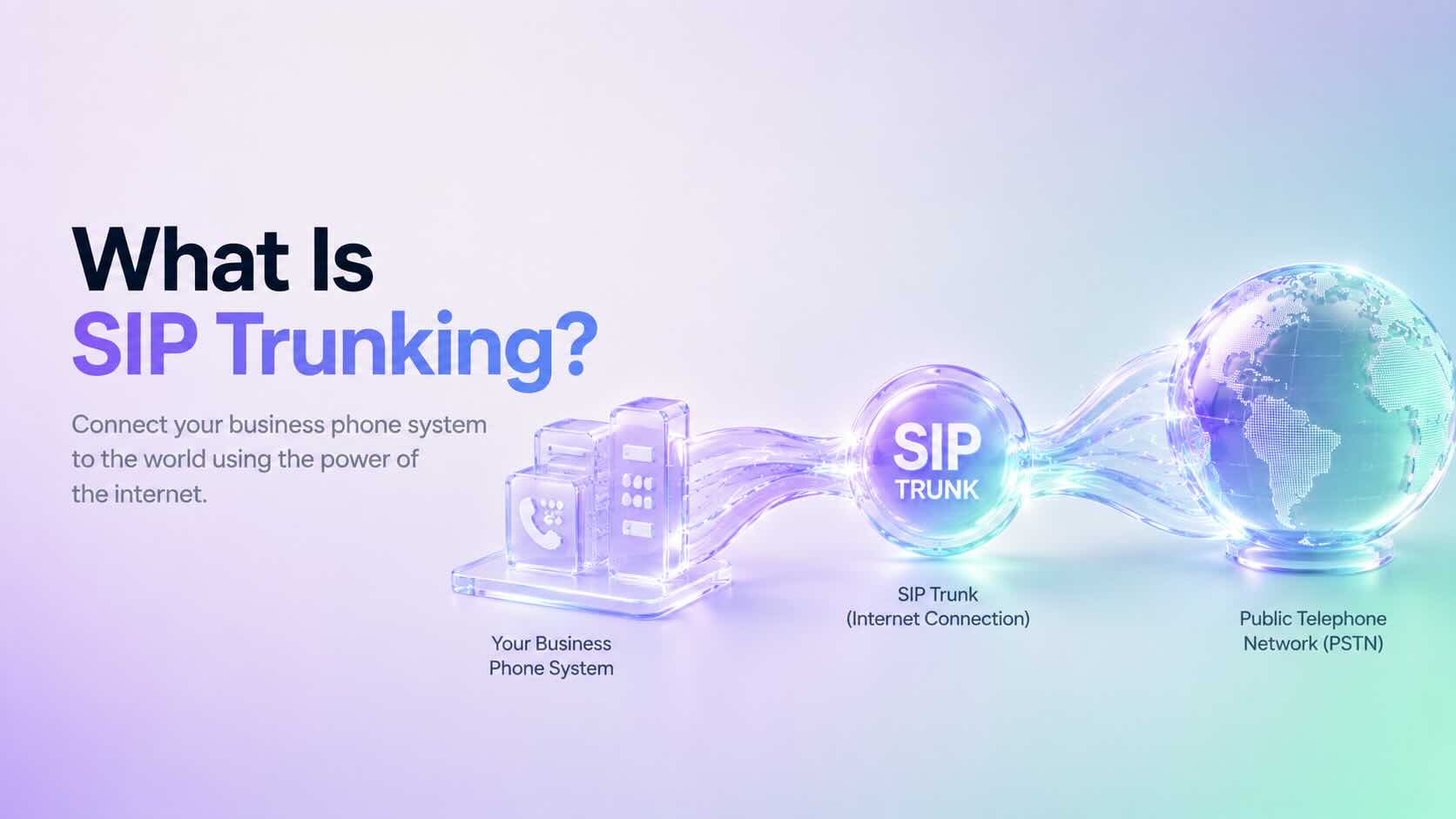
    SIP Trunking is a technology that connects your business phone system to the public telephone network (PSTN) using an internet connection instead of traditional telephone lines. Businesses use SIP Trunking to make and receive calls over the internet while reducing communication costs and improving scalability.

    Today, SIP Trunking is widely used by cloud phone systems, contact centers, and businesses that want a flexible and reliable communication solution.

    How Does SIP Trunking Work?

    SIP Trunking creates a virtual connection between your business phone system and the telephone network.

    A typical call follows these steps:

    1. A user places or receives a call.
    2. The phone system sends the request through a SIP trunk.
    3. The SIP provider routes the call to the public telephone network or another internet-connected endpoint.
    4. Voice travels over the internet using VoIP technologies.
    5. The SIP session ends when the call is completed.

    Unlike traditional phone lines, SIP trunks use your existing internet connection, making deployment much faster and easier.

    Why Do Businesses Use SIP Trunking?

    Many organizations choose SIP Trunking because it offers several advantages over traditional telephone systems.

    Benefits include:

    • Lower calling costs
    • Easy scalability
    • Better call reliability
    • Support for remote and hybrid teams
    • Faster deployment
    • Reduced hardware requirements
    • Cloud-based communications

    Additionally, businesses can add or remove channels without installing new physical phone lines.

    SIP Trunking vs Traditional Phone Lines

    Traditional business phone systems depend on physical telephone circuits.

    In contrast, SIP Trunking uses your internet connection to carry voice traffic.

    Traditional Phone LinesSIP Trunking
    Physical circuitsInternet connection
    Fixed capacityEasily scalable
    Higher maintenanceLower maintenance
    Expensive upgradesFlexible expansion
    Office-dependentSupports remote work

    As a result, SIP Trunking offers greater flexibility for growing businesses.

    SIP Trunking vs VoIP

    Although the terms are often used together, SIP Trunking and VoIP are different.

    • VoIP (Voice over Internet Protocol) is the technology that carries voice over the internet.
    • SIP Trunking provides the connection between your phone system and the public telephone network.

    In simple terms, VoIP enables internet calling, while SIP Trunking connects your business to the outside world.

    SIP Trunking vs PRI

    Many businesses replace older PRI (Primary Rate Interface) circuits with SIP Trunking.

    Compared with PRI, SIP Trunking offers:

    • Lower operating costs
    • Faster provisioning
    • Better scalability
    • Simpler maintenance
    • Improved flexibility

    Furthermore, SIP Trunking eliminates many of the limitations associated with traditional telecom infrastructure.

    Who Should Use SIP Trunking?

    SIP Trunking is ideal for organizations that:

    • Operate a business phone system
    • Manage a contact center
    • Support remote employees
    • Need multiple business phone numbers
    • Want to reduce telecom costs
    • Plan to scale communications as the business grows

    Small businesses and large enterprises alike benefit from the flexibility of SIP Trunking.

    Does DialNext Support SIP Trunking?

    DialNext uses modern cloud communication technologies that rely on SIP to deliver reliable business calling experiences.

    Businesses using DialNext benefit from cloud-based communications without managing traditional telephone infrastructure.

    Frequently Asked Questions

    Is SIP Trunking the Same as VoIP?

    No. VoIP is the technology that transmits voice over the internet, while SIP Trunking connects your phone system to the public telephone network.

    Do I Need Physical Phone Lines?

    No. SIP Trunking replaces traditional telephone lines with internet connectivity.

    Can SIP Trunking Reduce Costs?

    Yes. Many businesses reduce telecom expenses by replacing traditional circuits with SIP Trunking.

    Is SIP Trunking Secure?

    When properly configured, SIP Trunking supports secure business communications using encrypted connections, authentication, and modern network security practices.

    Related Articles

    Additional Resources

    Learn more about SIP from the official Session Initiation Protocol specification:

    https://www.rfc-editor.org/info/rfc3261/

    Need Help?

    If you have questions about SIP Trunking or cloud communications, contact us at help@dialnext.io.

  • What Is SIP?

    What Is SIP?

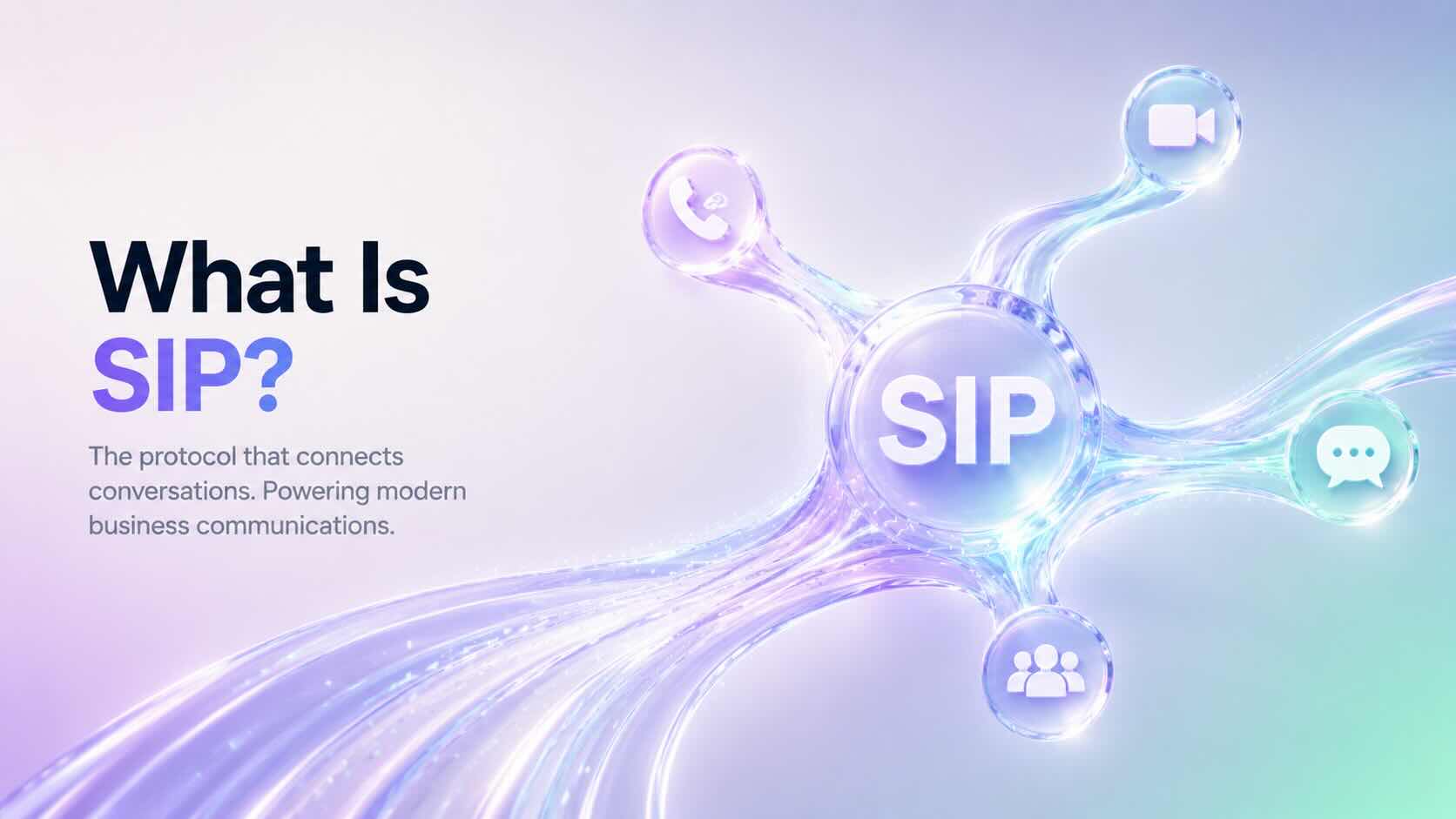
    Session Initiation Protocol (SIP) is a communication protocol that establishes, manages, and ends voice and video calls over the internet. Instead of relying on traditional telephone lines, SIP enables modern business phone systems to make and receive calls using an internet connection.

    Today, cloud phone systems, contact centers, and VoIP providers widely use SIP. Furthermore, it has become the industry standard for internet-based business communications because it is reliable, scalable, and widely supported.

    How Does SIP Work?

    SIP establishes and manages communication sessions between two or more participants.

    A typical SIP call follows these steps:

    1. A user initiates a call.
    2. SIP locates the destination.
    3. The receiving device accepts the call.
    4. The network transmits voice using the Real-time Transport Protocol (RTP).
    5. Finally, SIP ends the communication session when the conversation is complete.

    Although SIP manages the call session, RTP carries the actual voice data between participants.

    What Is SIP Used For?

    Businesses use SIP to support many communication services, including:

    • Business phone calls
    • Video conferencing
    • Unified communications
    • Contact centers
    • VoIP phone systems
    • SIP trunking
    • Softphones and desktop calling applications

    Additionally, many organizations choose SIP because it offers flexibility, compatibility, and reliable performance across a wide range of devices and platforms.

    SIP vs Traditional Phone Lines

    Traditional phone systems rely on dedicated physical telephone lines to make and receive calls.

    In contrast, SIP uses an internet connection to establish communication sessions.

    Traditional Phone SystemSIP-Based Phone System
    Physical phone linesInternet connection
    Limited scalabilityEasily scalable
    Expensive hardwareCloud-based infrastructure
    Higher maintenanceLower maintenance
    Fixed office locationsWork from anywhere

    As a result, businesses can expand more easily without installing additional phone infrastructure.

    Benefits of SIP

    Organizations adopt SIP for several reasons:

    • Lower communication costs
    • Easy scalability
    • High-quality voice calls
    • Support for remote and hybrid teams
    • Faster deployment
    • CRM and business application integrations
    • Voice, video, and messaging support

    Additionally, SIP allows businesses to grow without significantly increasing communication costs.

    What Is SIP Trunking?

    SIP trunking connects your business phone system to the public telephone network using an internet connection.

    Instead of purchasing multiple physical telephone lines, businesses can use SIP trunks to route incoming and outgoing calls.

    Consequently, organizations modernize their existing PBX systems while reducing hardware costs and improving scalability.

    SIP vs VoIP

    Although SIP and VoIP are closely related, they are not the same technology.

    • VoIP (Voice over Internet Protocol) is the technology that allows voice calls over the internet.
    • SIP (Session Initiation Protocol) is one of the protocols used to establish, manage, and end those VoIP calls.

    In simple terms, VoIP is the service, while SIP is one of the technologies that enables it.

    Does DialNext Use SIP?

    Yes. DialNext uses modern communication technologies, including SIP, to deliver reliable cloud calling for businesses.

    Additionally, SIP enables DialNext to support inbound and outbound calling, CRM integrations, remote teams, and scalable cloud communications from virtually anywhere.

    Frequently Asked Questions

    Is SIP the Same as VoIP?

    No. SIP is a signaling protocol, while VoIP is the technology that delivers voice communication over the internet.

    Do I Need a SIP Phone?

    No. Many businesses use softphones, desktop applications, or web browsers instead of dedicated SIP desk phones.

    Is SIP Secure?

    Businesses can deploy SIP securely by using encryption, authentication, secure network configurations, and industry best practices.

    Can I Use SIP for Video Calls?

    Yes. SIP supports voice calls, video conferencing, screen sharing, and other real-time communication sessions.

    Related Articles

    Additional Resources

    Learn more about the Session Initiation Protocol (SIP):

    https://www.rfc-editor.org/info/rfc3261/

    Need Help?

    If you have questions about SIP, VoIP, or business phone systems, contact us at help@dialnext.io.

  • Improve VoIP Call Quality

    Improve VoIP Call Quality

    VoIP Call Quality depends on your internet connection, network configuration, hardware, and software. This guide explains how to improve VoIP Call Quality by optimizing your network, choosing the right devices, and troubleshooting common audio issues when using DialNext.

    Minimum Network Requirements for VoIP Call Quality

    For the best calling experience, your internet connection should meet the following recommendations.

    RequirementRecommended
    Download SpeedAt least 100 Kbps per active call
    Upload SpeedAt least 100 Kbps per active call
    LatencyLess than 150 ms
    JitterLess than 30 ms
    Packet LossLess than 1%

    If multiple users share the same internet connection, ensure enough bandwidth is available for all simultaneous calls.

    Meeting these recommendations helps maintain excellent VoIP Call Quality, even during periods of heavy network usage.

    Recommended Network Configuration for VoIP Call Quality

    A properly configured network significantly improves call stability and audio clarity.

    We recommend:

    • Use a wired Ethernet connection whenever possible.
    • Avoid public or unstable Wi-Fi networks.
    • Enable Quality of Service (QoS) on your router to prioritize voice traffic.
    • Keep your router firmware updated.
    • Minimize heavy network activity during calls, such as video streaming or large downloads.
    • Connect your computer directly to your router whenever possible instead of using Wi-Fi extenders.

    Improve VoIP Call Quality with the Right Devices

    Using professional communication devices improves audio quality and reduces background noise.

    Recommended Headsets

    • Jabra Evolve2 65
    • Jabra Evolve2 75
    • Poly Blackwire 5220
    • Poly Voyager Focus UC
    • Logitech Zone Wireless
    • EPOS IMPACT 860

    Recommended Speakerphones

    • Jabra Speak2 55
    • Jabra Speak2 75
    • Poly Sync 20
    • Poly Sync 40

    For the best experience, avoid using built-in laptop microphones for business calls.

    Keep Your Browser or Desktop App Updated

    Keeping your browser or DialNext application updated helps deliver the latest performance improvements and security updates.

    We recommend:

    • Update your web browser regularly.
    • Install the latest version of the DialNext desktop application.
    • Restart your browser or application after installing updates.

    Supported browsers include:

    • Google Chrome
    • Microsoft Edge
    • Mozilla Firefox
    • Safari

    How to Test Your VoIP Call Quality

    Before making important business calls, test your network performance.

    Check the following:

    • Download speed
    • Upload speed
    • Latency (Ping)
    • Jitter
    • Packet loss

    Use a reliable internet speed testing service to verify your network performance.

    If your network does not meet the recommended values, improve your connection before placing business calls.

    Optimize Your Workspace

    Small changes to your work environment can noticeably improve call quality.

    We recommend:

    • Close unnecessary browser tabs.
    • Close streaming applications before making calls.
    • Pause large uploads or downloads.
    • Disconnect unused devices from your network.
    • Work from a quiet environment whenever possible.

    Additionally, disable browser extensions that may interfere with microphones or speakers.

    Firewall and Network Settings

    Some corporate firewalls or security appliances can affect VoIP traffic.

    If you experience one-way audio, dropped calls, or registration issues:

    • Verify your firewall allows VoIP traffic.
    • Confirm that your organization permits real-time voice communication.
    • Temporarily disconnect from your VPN to determine whether it affects audio quality.
    • Contact your network administrator if restrictions are enabled.

    Troubleshooting VoIP Call Quality Issues

    If VoIP Call Quality becomes poor or calls sound robotic, delayed, or choppy, try the following:

    1. Restart your browser or DialNext desktop application.
    2. Restart your modem and router.
    3. Switch from Wi-Fi to a wired Ethernet connection.
    4. Test your internet connection on another network.
    5. Disconnect from your VPN and test again.
    6. Close applications that consume network bandwidth.
    7. Test another headset or microphone.
    8. Update your browser or DialNext application.

    If VoIP Call Quality does not improve after completing these steps, contact the DialNext support team.

    Frequently Asked Questions

    Does Wi-Fi affect VoIP Call Quality?

    Yes. Although modern Wi-Fi networks perform well, a wired Ethernet connection usually provides lower latency, less jitter, and more stable call quality.

    How Much Bandwidth Is Required for Good VoIP Call Quality?

    DialNext recommends allocating at least 100 Kbps of upload and download bandwidth for every active call.

    What Is Acceptable Jitter?

    For high-quality voice calls, jitter should remain below 30 ms. Higher values may result in distorted or inconsistent audio.

    Can a VPN Affect VoIP Call Quality?

    Yes. Some VPN services increase latency and jitter, which can negatively affect VoIP performance. Disconnect from your VPN temporarily to determine whether it is causing the issue.

    Related Articles

    • Browser Permissions for Calls
    • Microphone & Speaker Troubleshooting
    • International Phone Numbers
    • Call Recording Guide

    Additional Resources

    You can test your internet connection using a reliable speed testing service such as Speedtest by Ookla:

    https://www.speedtest.net

    Need Help?

    If you’re still experiencing call quality issues after following this guide, contact our support team at help@dialnext.io.

  • International Phone Numbers Available in 70+ Countries

    International Phone Numbers Available in 70+ Countries

    DialNext allows businesses to purchase international phone numbers in more than 70 countries worldwide.

    Whether you’re building a local presence in a new market, supporting international customers, or managing a global sales team, DialNext helps you make and receive calls using local business phone numbers from a single platform.

    Additionally, you can manage calls, SMS messaging where supported, CRM integrations, and team collaboration without switching between multiple providers.

    What Types of Phone Numbers Are Available?

    Depending on the country, DialNext may offer:

    • Local Numbers
    • Mobile Numbers
    • Toll-Free Numbers
    • National Numbers

    Number availability varies by country and local telecommunications regulations.

    Do I Need Documents to Purchase a Phone Number?

    Some countries require additional documentation before phone numbers can be activated.

    Requirements may include:

    • Business Registration Documents
    • Government-Issued Identification
    • Proof of Address
    • Local Presence Documentation

    If documentation is required, DialNext will guide you through the verification process during number purchase.

    Supported Countries

    North America

    NameNameName
    BarbadosCanadaCosta Rica
    Dominican RepublicEl SalvadorGrenada
    JamaicaMexicoPanama
    Puerto RicoUnited States

    Europe

    NameNameName
    AustriaBelgiumBosnia and Herzegovina
    BulgariaCroatiaCzech Republic
    DenmarkEstoniaFinland
    FranceGermanyGreece
    HungaryIcelandIreland
    Isle of ManItalyLithuania
    LuxembourgNetherlandsNorway
    PolandPortugalRomania
    SlovakiaSloveniaSpain
    SwitzerlandUnited Kingdom

    Asia

    NameNameName
    Hong KongIndiaIndonesia
    IsraelJordanMacao
    MalaysiaPhilippinesQatar
    Saudi ArabiaSingaporeSouth Korea
    Sri LankaTaiwanThailand
    United Arab EmiratesVietnam

    South America

    NameNameName
    ArgentinaBrazilChile
    ColombiaEcuadorPeru
    UruguayVenezuela

    Pacific

    NameName
    AustraliaNew Zealand

    Africa

    NameNameName
    BeninBotswanaEgypt
    GhanaKenyaMali
    MauritiusSouth AfricaTunisia
    Uganda

    Looking for a Country Not Listed?

    If your preferred country is not listed above, contact our support team. We regularly expand our global coverage and may be able to help with your requirements.

    Ready to Get Started?

    Purchase a local, mobile, or toll-free phone number directly from your DialNext account and start communicating with customers around the world.

    Related Articles

    • Phone Number Requirements
    • How to Purchase a Phone Number
    • A2P 10DLC Registration Guide
    • SMS Compliance Guide

    Need Help?

    If you have questions about number availability, documentation requirements, or international coverage, contact us at help@dialnext.io.