Tag: GSM Encoding

  • What Are Unicode SMS and GSM Encoding?

    What Are Unicode SMS and GSM Encoding?

    SMS Encoding determines how characters inside a text message are converted and transmitted across mobile networks. Different encoding formats affect which characters you can use and how many characters fit inside a single SMS segment.

    Understanding Unicode SMS and GSM encoding helps businesses avoid unexpected message splitting, higher SMS usage, and formatting issues when sending messages at scale.

    Why Does SMS Encoding Matter?

    Every SMS message has a character limit. However, that limit changes depending on the characters used inside the message.

    For example, a simple English text message usually supports more characters than a message containing emojis or certain special characters.

    SMS Encoding helps determine:

    • How messages are processed
    • How many SMS segments are created
    • Which characters are supported
    • How messages appear on customer devices

    As a result, businesses can better manage messaging costs and customer experience.

    What Is GSM Encoding?

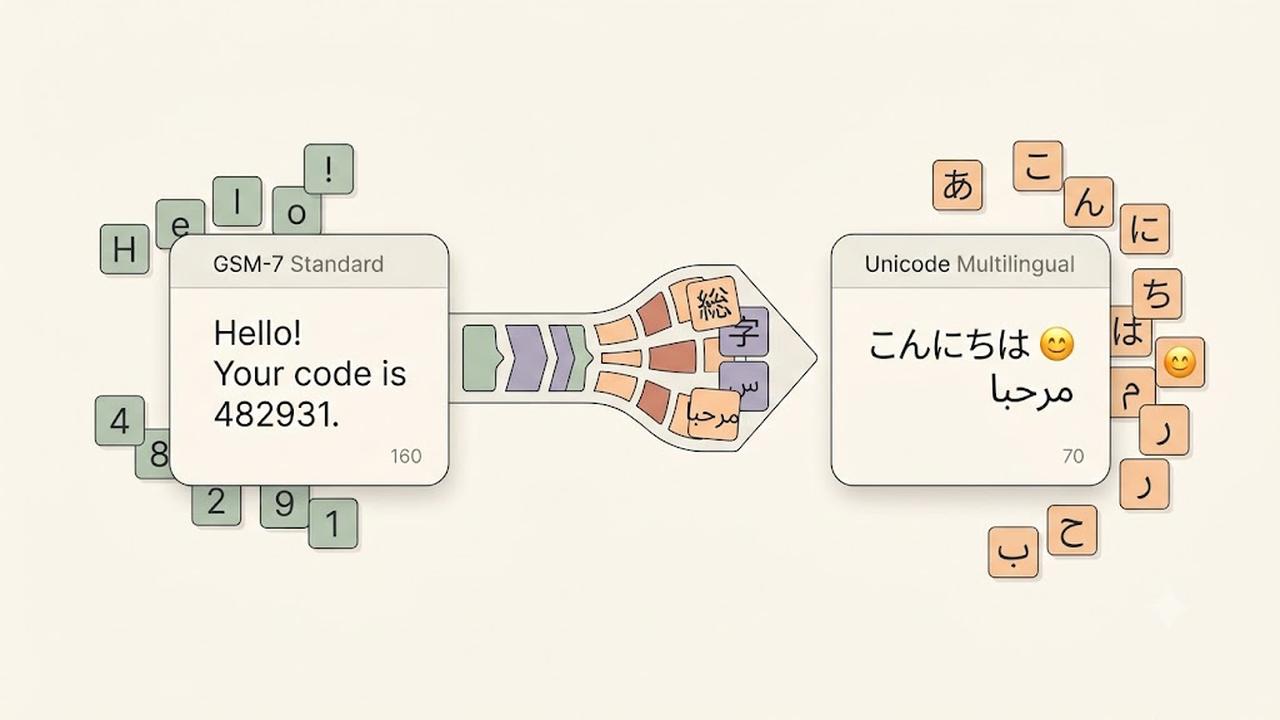
    GSM encoding, also called GSM-7, is the standard character set used for most SMS messages.

    It supports common characters such as:

    • English letters
    • Numbers
    • Basic punctuation
    • Common symbols

    A single GSM encoded SMS message supports up to 160 characters.

    Examples:

    Hello, your appointment is confirmed for tomorrow.
    
    Your verification code is 482931.
    

    Since these messages only contain GSM-supported characters, they can use the full SMS character limit.

    What Is Unicode SMS?

    Unicode SMS uses a broader character set that supports languages and symbols outside GSM encoding.

    Unicode allows messages to include:

    • Emojis
    • Non-Latin languages
    • Special symbols
    • International characters

    Examples include:

    • Chinese
    • Japanese
    • Arabic
    • Hindi
    • Emoji characters

    However, Unicode messages have a smaller character limit because each character requires more data.

    A single Unicode SMS message supports up to 70 characters.

    GSM vs Unicode SMS

    Although both formats deliver text messages, they have different limits.

    GSM EncodingUnicode SMS
    Supports standard charactersSupports global characters
    Up to 160 characters per SMSUp to 70 characters per SMS
    Smaller message sizeLarger message size
    Common for English messagesRequired for emojis and many languages

    Choosing the correct format helps prevent unexpected SMS segmentation.

    What Are SMS Segments?

    When a message exceeds the character limit, mobile networks split it into multiple SMS segments.

    For longer messages:

    • GSM messages usually allow 153 characters per segment.
    • Unicode messages usually allow 67 characters per segment.

    The recipient still sees one complete message, but multiple SMS segments may be used behind the scenes.

    Common Characters That Trigger Unicode SMS

    Some characters may automatically convert a message from GSM to Unicode.

    Examples include:

    • Emojis 😊
    • Curly quotation marks “ ”
    • Certain accented characters
    • Non-English alphabets
    • Special symbols

    Before sending large campaigns, always check whether your message uses Unicode characters.

    How to Reduce SMS Segments

    Businesses can optimize messages by following a few simple practices.

    We recommend:

    • Remove unnecessary emojis.
    • Replace special quotation marks with standard quotes.
    • Keep messages short and clear.
    • Test messages before sending campaigns.
    • Use SMS optimization tools when available.

    Additionally, reviewing message length before sending can help control costs.

    Does DialNext Support SMS Encoding Optimization?

    Yes. DialNext automatically manages SMS Encoding to help improve message compatibility and delivery.

    DialNext detects message formatting and helps businesses send reliable SMS conversations without manually handling encoding rules.

    This allows teams to focus on customer communication while reducing common formatting problems.

    Frequently Asked Questions

    Why Did My SMS Become Multiple Messages?

    Your SMS may become multiple segments if it exceeds character limits or contains Unicode characters such as emojis or unsupported symbols.

    Are Emojis Supported in SMS?

    Yes. Emojis are supported through Unicode SMS, but they reduce the number of characters available in each message segment.

    Should Businesses Avoid Unicode SMS?

    No. Unicode is important for global communication. However, businesses should understand how it affects message length and usage.

    Does GSM Encoding Support Every Language?

    No. GSM encoding supports a limited character set. Many international languages require Unicode.

    Related Articles

    Additional Resources

    Learn more about GSM SMS character encoding:

    https://www.unicode.org

    Need Help?

    If you have questions about SMS Encoding, message limits, or business messaging, contact us at help@dialnext.io.
  • SMS Segment Optimization with Smart Encoding

    SMS Segment Optimization with Smart Encoding

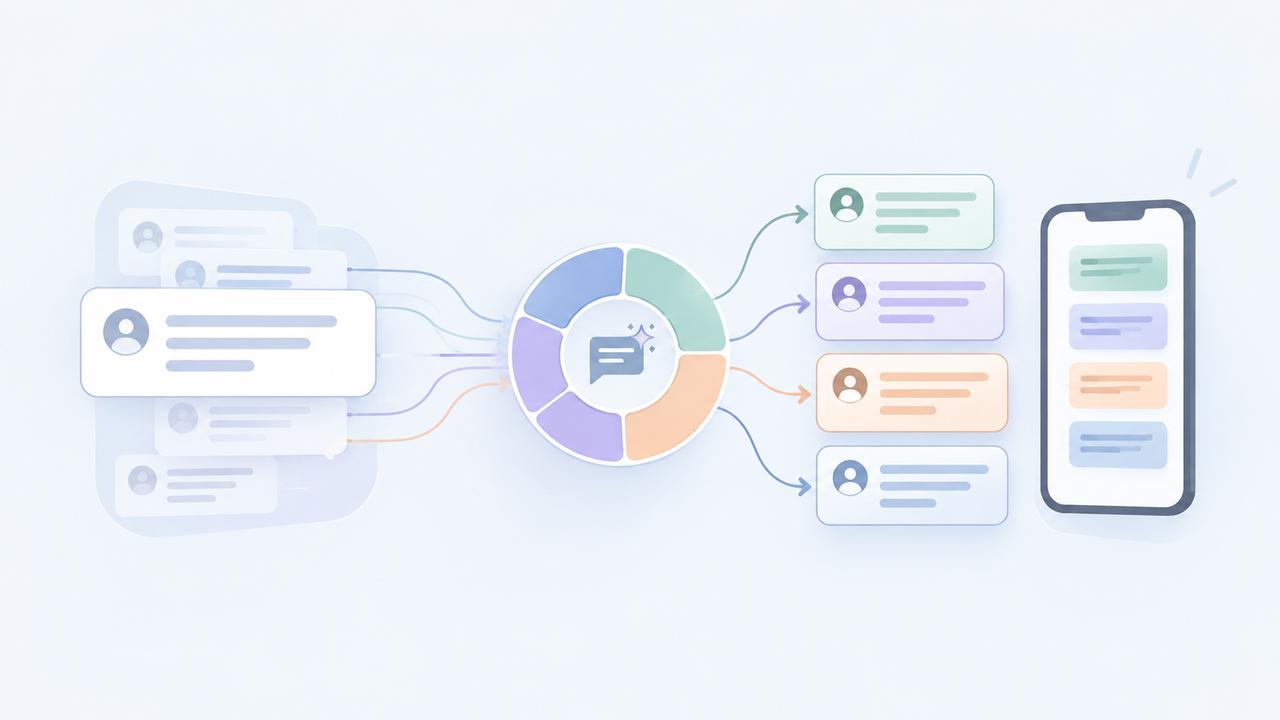
    SMS segment optimization helps reduce unnecessary message segments and control SMS costs. DialNext automatically applies Smart Encoding to outgoing SMS messages, replacing supported Unicode characters with GSM-7-compatible alternatives where possible.

    This helps messages stay within GSM-7 encoding when possible and reduces unnecessary segmentation.

    What Is an SMS Segment?

    An SMS segment is an individual unit used to transmit a text message. The number of segments depends on both the length of the message and the character encoding used.

    A standard GSM-7 SMS supports up to 160 characters in a single segment, while a message that requires Unicode/UCS-2 encoding typically supports up to 70 characters.

    For longer, concatenated messages, the limits are generally:

    Encoding Single Segment Multi-Segment
    GSM-7160 characters153 characters per segment
    Unicode/UCS-270 characters67 characters per segment

    Longer messages are split into multiple segments and typically reassembled on the recipient’s device.

    How SMS Segment Optimization Works

    SMS messages can use different character encodings.

    Most standard Latin letters, numbers, and common symbols can be encoded using GSM-7. However, some characters—such as smart quotation marks, certain special symbols, emojis, and characters from many non-Latin scripts—may require Unicode encoding.

    A single unsupported character can cause the message to use Unicode/UCS-2 encoding, reducing the number of characters available per segment and potentially increasing the total number of SMS segments. 

    DialNext Smart Encoding helps prevent unnecessary Unicode encoding by automatically replacing supported Unicode characters with visually similar GSM-7-compatible alternatives before the message is sent.

    Smart Encoding Examples :

    OriginalGSM-7-Compatible Replacement
    “ ”” “
    ‘ ’‘ ‘
    ……

    For example:

    Hello “John”

    can be automatically converted to:

    Hello “John”

    before the message is sent.

    Smart Encoding only replaces characters when a suitable GSM-compatible alternative is available. Characters such as emojis or characters from many non-Latin scripts may still require Unicode encoding.

    Why SMS Segment Count Matters

    SMS usage and costs often depend on how many segments a message requires. Even a relatively short message may use additional segments when its encoding changes from GSM-7 to Unicode.

    For example, a Unicode smart quote can trigger Unicode encoding. However, Smart Encoding can replace supported Unicode characters with GSM-compatible alternatives. As a result, replacing a smart quote with a straight quote can help keep the message in GSM-7 when all other characters are compatible.

    Benefits of SMS Segment Optimization

    • Reduce unnecessary SMS segments by keeping compatible messages in GSM-7 encoding where possible.
    • Control messaging costs by avoiding additional segments caused by replaceable Unicode characters.
    • Improve SMS compatibility across carriers and devices.
    • Automatic optimization with no manual character cleanup required for supported replacements.

    Is Smart Encoding Enabled by Default?

    Yes. DialNext automatically applies Smart Encoding to SMS messages sent from the DialNext Inbox.

    No additional configuration is required.

    SMS Segment Optimization FAQs

    Will Smart Encoding change the meaning of my message?

    Smart Encoding replaces supported special characters with visually similar GSM-7-compatible alternatives while preserving the intended message wherever possible.

    Why does SMS segment count matter?

    SMS messages can be billed based on the number of segments used. Longer messages or messages requiring Unicode encoding may use more segments and therefore cost more to send.

    Does an emoji affect SMS segmentation?

    Yes. Emojis generally require Unicode encoding. This can reduce the single-segment character limit from 160 GSM-7 characters to 70 Unicode characters and may increase the number of segments required.

    Can Smart Encoding convert every Unicode character?

    No. Smart Encoding only replaces supported characters when an appropriate GSM-7-compatible alternative exists. Emojis and many non-Latin characters may continue to use Unicode encoding. 

    Can I disable Smart Encoding?

    Smart Encoding is automatically applied by DialNext to help optimize SMS segment usage and messaging costs.

    Need Help?

    For SMS delivery, segmentation, or encoding questions, contact help@dialnext.io

    Related Articles

    How SMS Pricing Works
    SMS Character Limits
    SMS Deliverability Best Practices

    Reference

    GSM 03.38 Character Set