DialNext Jobber integration lets you connect your DialNext account with Jobber and log call and SMS activity directly as notes on Jobber clients. Follow the steps below to complete the integration quickly and start keeping your client communication organized.
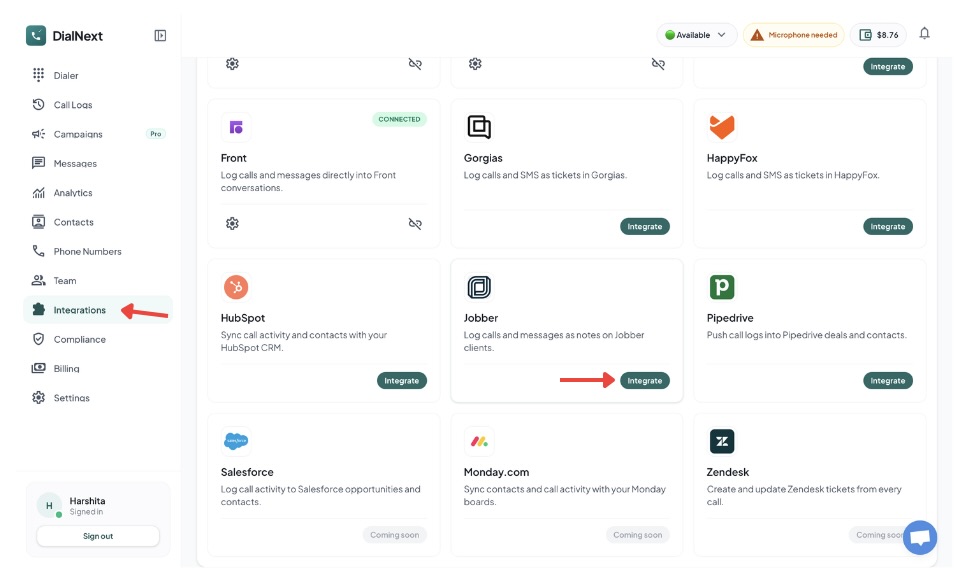
3. Find Jobber in the integrations list and click Integrate.
4. Authorize the connection between DialNext and Jobber.
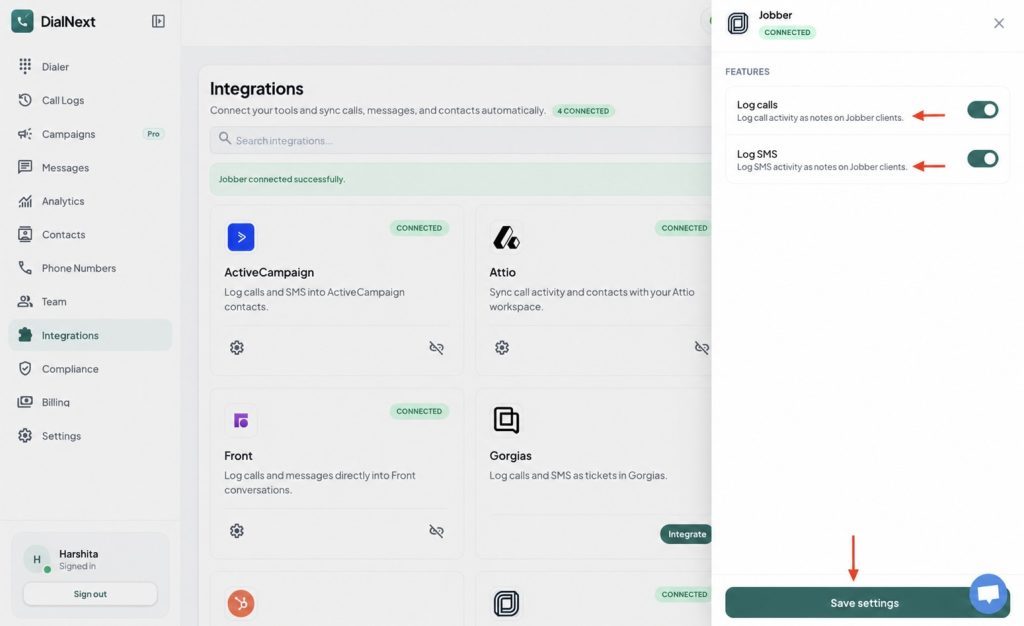
5. Choose the features you want to enable.
6. Click Save settings to complete the integration.
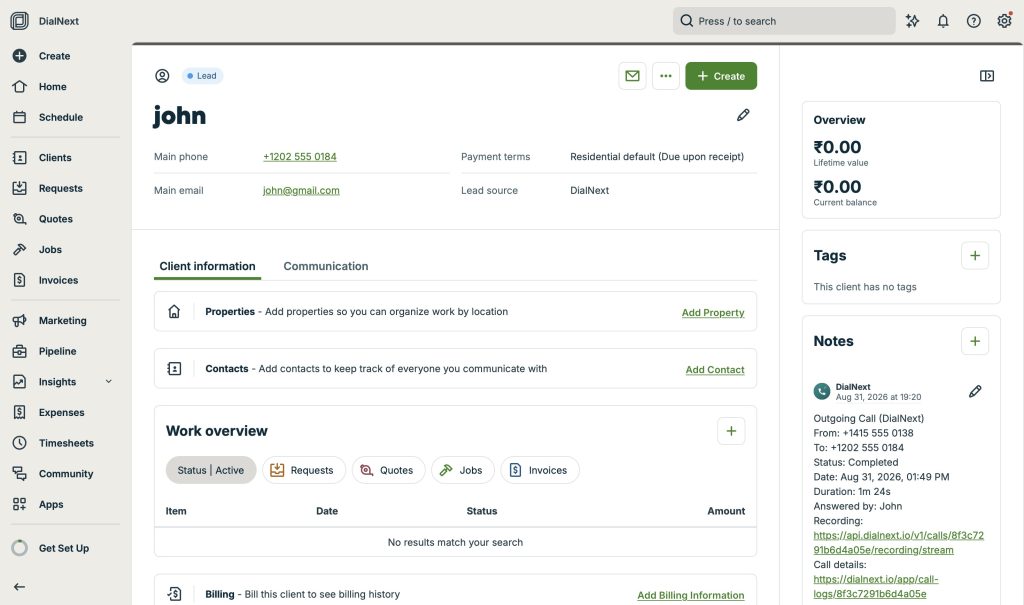
7. Make a test call or send an SMS from DialNext to verify that the activity is logged in Jobber.
Your DialNext account is now successfully connected to Jobber.
What does the DialNext Jobber integration do?
The DialNext Jobber integration helps you keep your client communication organized by connecting your DialNext account with Jobber. Once connected, call activity and SMS activity can be logged as notes on your Jobber clients. This makes it easier to keep track of customer interactions without manually adding communication details to Jobber.
How to use the integration
After completing the DialNext Jobber integration, make sure the required features are enabled in the integration settings. You can enable call logging and SMS logging based on your workflow. Once the settings are saved, your DialNext communication activity can be recorded in Jobber client notes.
If you encounter any issues, you can reach us at help@dialnext.io
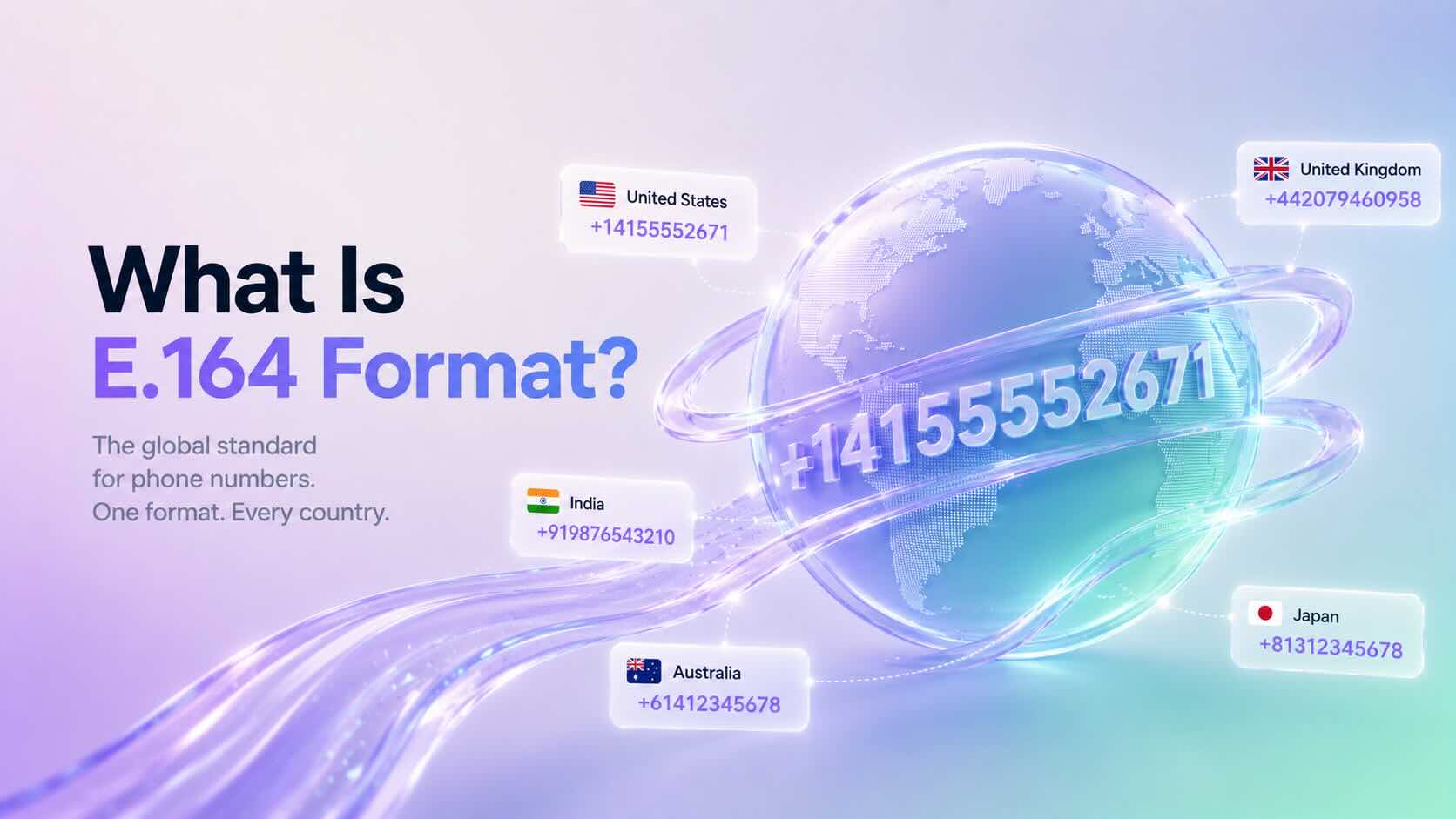
E.164 Format is the international standard for representing phone numbers. It ensures every phone number is unique, globally recognizable, and compatible with modern telecommunications systems.
Most cloud phone systems, VoIP providers, SMS platforms, and APIs require phone numbers in E.164 Format to correctly route calls and messages.
Why Is E.164 Format Important?
E.164 Format provides a consistent way to represent international phone numbers.
Without a standard format, different countries use different dialing rules, making it difficult for communication platforms to identify the correct destination.
By using E.164 Format, businesses can:
Improve call routing
Deliver SMS messages reliably
Prevent formatting errors
Integrate with communication APIs
Support international phone numbers
Additionally, many cloud communication platforms automatically validate phone numbers using this standard.
What Does an E.164 Number Look Like?
An E.164 phone number contains:
A plus sign (+)
Country code
National destination number
Example:
Country
Local Number
E.164 Format
United States
(415) 555-2671
+14155552671
United Kingdom
020 7946 0958
+442079460958
India
098765 43210
+919876543210
Australia
0412 345 678
+61412345678
Notice that spaces, brackets, and dashes are removed.
E.164 Format Rules
A valid E.164 phone number:
Begins with a plus sign (+)
Includes a valid country code
Contains only numeric digits after the plus sign
Does not contain spaces
Does not contain parentheses
Does not contain hyphens
Contains a maximum of 15 digits
Following these rules helps ensure compatibility across global telecommunications networks.
When Should You Use E.164 Format?
Most modern communication platforms expect phone numbers in E.164 Format.
Common use cases include:
Business phone systems
VoIP providers
SMS messaging
WhatsApp Business integrations
CRM integrations
Contact center platforms
Communication APIs
Using a consistent format also simplifies importing contacts and managing customer records.
How to Convert a Number to E.164 Format
Converting a phone number is straightforward.
Remove spaces and punctuation.
Remove any leading zero used for domestic dialing.
Add the correct country code.
Add the plus sign (+) before the country code.
Example:
Local number:
(415) 555-2671
E.164 Format:
+14155552671
Another example:
Local number:
09876543210
E.164 Format:
+919876543210
Always verify the correct country code before converting a phone number.
Common Formatting Mistakes
Many phone number validation errors occur because of incorrect formatting.
Avoid these common mistakes:
Including spaces
Using brackets or parentheses
Adding hyphens
Omitting the country code
Keeping the domestic trunk prefix (such as a leading zero)
Standardizing contact lists before importing them into your communication platform helps prevent these issues.
Does DialNext Use E.164 Format?
Yes. DialNext uses E.164 Format to help ensure accurate call routing, SMS delivery, and API compatibility.
We recommend storing all customer phone numbers in E.164 Format whenever possible, especially when integrating with CRM systems or importing contact lists.
Frequently Asked Questions
Does E.164 Format Include Spaces?
No. E.164 numbers should not contain spaces, brackets, or hyphens.
What Is the Maximum Length of an E.164 Number?
An E.164 phone number can contain up to 15 digits, excluding the plus sign.
Can I Store All Contacts in E.164 Format?
Yes. Many businesses store every phone number in E.164 Format because it simplifies international calling and API integrations.
Is E.164 Format Required for SMS?
Most cloud messaging providers recommend or require E.164 Format to ensure accurate SMS delivery.
SMS Segment Optimization helps reduce SMS costs by minimizing the number of message segments required for delivery. DialNext automatically applies Smart Encoding to outgoing SMS messages to optimize segment usage and improve message efficiency.
How SMS Segment Optimization Works
SMS messages can be sent using different character encodings.
Messages containing standard GSM characters can fit up to 160 characters in a single SMS segment. However, certain special characters and Unicode symbols reduce the character limit and may increase the number of SMS segments required to send the message.
To help optimize message delivery and costs, DialNext automatically replaces common Unicode characters with GSM-compatible alternatives before sending the message.
Examples
Original Character
Replaced With
“ ”
“
‘ ’
‘
—
–
…
…
For example:
Hello “John”
will be automatically converted to:
Hello "John"
before the message is sent.
Benefits of SMS Segment Optimization
Reduce SMS segment count
Lower SMS delivery costs
Improve compatibility across carriers and devices
No manual action required
Is Smart Encoding enabled by default?
Yes. Smart Encoding is automatically applied to SMS messages sent from the DialNext Inbox.
No additional configuration is required.
SMS Segment Optimization FAQs
Will Smart Encoding change the meaning of my message?
No. Smart Encoding only replaces special characters with equivalent GSM-compatible characters while preserving the original message content.
Why does SMS segment count matter?
SMS providers bill messages based on the number of segments used. Messages containing Unicode characters may require more segments than messages using standard GSM characters.
Can I disable Smart Encoding?
Smart Encoding is automatically applied by DialNext to help optimize message delivery and costs.
Need Help?
If you have any questions about SMS delivery or message encoding, contact us at help@dialnext.io.