Author: Alex

  • What Are Unicode SMS and GSM Encoding?

    What Are Unicode SMS and GSM Encoding?

    SMS Encoding determines how characters inside a text message are converted and transmitted across mobile networks. Different encoding formats affect which characters you can use and how many characters fit inside a single SMS segment.

    Understanding Unicode SMS and GSM encoding helps businesses avoid unexpected message splitting, higher SMS usage, and formatting issues when sending messages at scale.

    Why Does SMS Encoding Matter?

    Every SMS message has a character limit. However, that limit changes depending on the characters used inside the message.

    For example, a simple English text message usually supports more characters than a message containing emojis or certain special characters.

    SMS Encoding helps determine:

    • How messages are processed
    • How many SMS segments are created
    • Which characters are supported
    • How messages appear on customer devices

    As a result, businesses can better manage messaging costs and customer experience.

    What Is GSM Encoding?

    GSM encoding, also called GSM-7, is the standard character set used for most SMS messages.

    It supports common characters such as:

    • English letters
    • Numbers
    • Basic punctuation
    • Common symbols

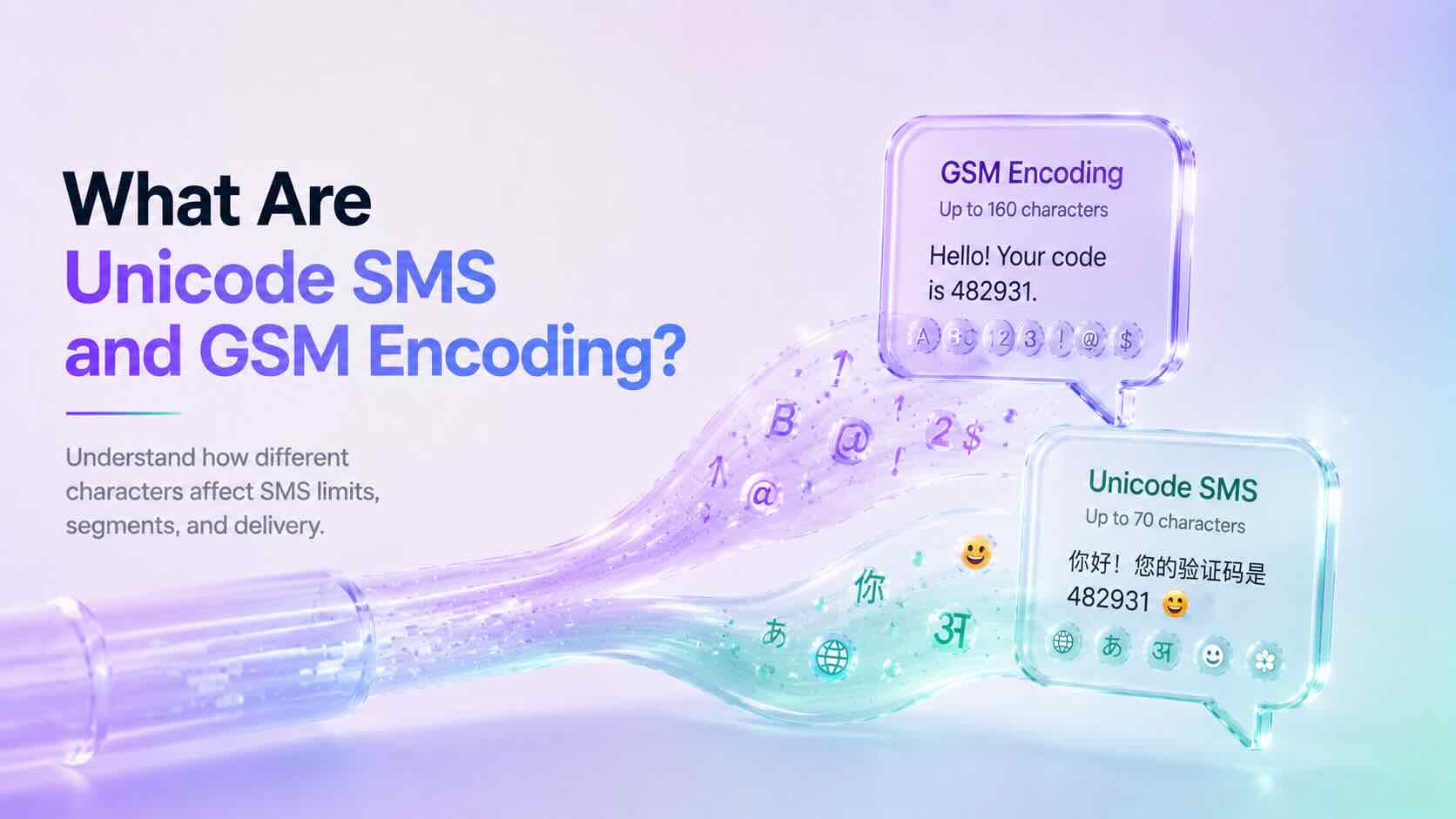
    A single GSM encoded SMS message supports up to 160 characters.

    Examples:

    Hello, your appointment is confirmed for tomorrow.
    
    Your verification code is 482931.
    

    Since these messages only contain GSM-supported characters, they can use the full SMS character limit.

    What Is Unicode SMS?

    Unicode SMS uses a broader character set that supports languages and symbols outside GSM encoding.

    Unicode allows messages to include:

    • Emojis
    • Non-Latin languages
    • Special symbols
    • International characters

    Examples include:

    • Chinese
    • Japanese
    • Arabic
    • Hindi
    • Emoji characters

    However, Unicode messages have a smaller character limit because each character requires more data.

    A single Unicode SMS message supports up to 70 characters.

    GSM vs Unicode SMS

    Although both formats deliver text messages, they have different limits.

    GSM EncodingUnicode SMS
    Supports standard charactersSupports global characters
    Up to 160 characters per SMSUp to 70 characters per SMS
    Smaller message sizeLarger message size
    Common for English messagesRequired for emojis and many languages

    Choosing the correct format helps prevent unexpected SMS segmentation.

    What Are SMS Segments?

    When a message exceeds the character limit, mobile networks split it into multiple SMS segments.

    For longer messages:

    • GSM messages usually allow 153 characters per segment.
    • Unicode messages usually allow 67 characters per segment.

    The recipient still sees one complete message, but multiple SMS segments may be used behind the scenes.

    Common Characters That Trigger Unicode SMS

    Some characters may automatically convert a message from GSM to Unicode.

    Examples include:

    • Emojis 😊
    • Curly quotation marks β€œ ”
    • Certain accented characters
    • Non-English alphabets
    • Special symbols

    Before sending large campaigns, always check whether your message uses Unicode characters.

    How to Reduce SMS Segments

    Businesses can optimize messages by following a few simple practices.

    We recommend:

    • Remove unnecessary emojis.
    • Replace special quotation marks with standard quotes.
    • Keep messages short and clear.
    • Test messages before sending campaigns.
    • Use SMS optimization tools when available.

    Additionally, reviewing message length before sending can help control costs.

    Does DialNext Support SMS Encoding Optimization?

    Yes. DialNext automatically manages SMS Encoding to help improve message compatibility and delivery.

    DialNext detects message formatting and helps businesses send reliable SMS conversations without manually handling encoding rules.

    This allows teams to focus on customer communication while reducing common formatting problems.

    Frequently Asked Questions

    Why Did My SMS Become Multiple Messages?

    Your SMS may become multiple segments if it exceeds character limits or contains Unicode characters such as emojis or unsupported symbols.

    Are Emojis Supported in SMS?

    Yes. Emojis are supported through Unicode SMS, but they reduce the number of characters available in each message segment.

    Should Businesses Avoid Unicode SMS?

    No. Unicode is important for global communication. However, businesses should understand how it affects message length and usage.

    Does GSM Encoding Support Every Language?

    No. GSM encoding supports a limited character set. Many international languages require Unicode.

    Related Articles

    Additional Resources

    Learn more about GSM SMS character encoding:

    https://www.unicode.org

    Need Help?

    If you have questions about SMS Encoding, message limits, or business messaging, contact us at help@dialnext.io.
  • What Is Carrier Filtering in Messaging?

    What Is Carrier Filtering in Messaging?

    Carrier Filtering is the process mobile carriers use to identify, review, and block messages that may violate messaging rules or appear suspicious. It helps protect users from spam, fraud, phishing, and unwanted text messages.

    Businesses that send SMS messages should understand how Carrier Filtering works because it can affect message delivery and customer communication.

    Why Does Carrier Filtering Happen?

    Mobile carriers process billions of messages every day. To protect recipients, carriers analyze messaging traffic and identify content that may be unwanted or harmful.

    Filtering systems help detect:

    • Spam messages
    • Fraud attempts
    • Phishing links
    • Unapproved marketing campaigns
    • High-risk message patterns
    • Policy violations

    Additionally, carriers use filtering systems to maintain trust across messaging networks.

    How Does Carrier Filtering Work?

    Carrier Filtering uses a combination of automated systems, compliance checks, and network rules to evaluate messages.

    Carriers may review several factors, including:

    • Message content
    • Sender reputation
    • Sending patterns
    • Message volume
    • Links included in messages
    • Recipient complaints
    • Registration status

    If a message triggers filtering rules, the carrier may block it before it reaches the recipient.

    Common Reasons Messages Get Filtered

    Messages can be filtered for many reasons.

    Common causes include:

    Missing Registration Requirements

    Some regions require businesses to register before sending application-to-person (A2P) messages.

    For example, businesses sending SMS messages to users in the United States often need approved A2P 10DLC registration.

    Suspicious Message Content

    Carriers may block messages containing:

    • Misleading information
    • Unclear sender identity
    • Suspicious links
    • Excessive capitalization
    • Unusual formatting

    Therefore, businesses should write clear and transparent messages.

    Public URL Shorteners

    Many carriers discourage public URL shorteners because bad actors frequently use them to hide unsafe destinations.

    Instead, use branded links whenever possible.

    Missing Opt-In Consent

    Recipients should agree to receive messages before a business contacts them.

    A clear opt-in process improves compliance and reduces filtering risk.

    High Complaint Rates

    If many recipients report messages as spam, carriers may reduce trust in future messages from the sender.

    Sending relevant messages only to interested users helps maintain a positive reputation.

    How to Reduce Carrier Filtering

    Although filtering decisions depend on carriers, businesses can follow best practices to improve SMS deliverability.

    We recommend:

    • Register required messaging campaigns
    • Collect proper customer consent
    • Clearly identify your business
    • Avoid misleading content
    • Use branded links
    • Provide opt-out instructions
    • Keep contact lists updated
    • Avoid sending unwanted messages

    Following these practices improves message reliability and customer trust.

    Carrier Filtering and A2P 10DLC

    A2P 10DLC registration helps carriers understand who is sending messages and why messages are being sent.

    Approved registration does not guarantee every SMS will be delivered. However, it helps establish sender legitimacy and reduces the chance of unnecessary filtering.

    Businesses should still follow messaging policies after approval.

    Does Carrier Filtering Mean My Message Failed?

    Not always.

    Some carriers provide filtering errors when a message is blocked, while others may silently filter messages based on their internal systems.

    Delivery behavior depends on:

    • Destination carrier
    • Country regulations
    • Sender reputation
    • Message content
    • Compliance requirements

    Does DialNext Prevent Carrier Filtering?

    DialNext helps businesses send reliable SMS messages by supporting proper messaging practices and compliance workflows.

    However, final delivery decisions are controlled by mobile carriers.

    To improve delivery rates, always follow carrier guidelines, maintain customer consent, and send relevant messages.

    Frequently Asked Questions

    Can Carrier Filtering Be Removed?

    No. Carrier filtering exists to protect users and messaging networks. Following best practices reduces the likelihood of legitimate messages being blocked.

    Why Are My SMS Messages Being Blocked?

    Messages may be blocked due to compliance issues, suspicious content, missing registration, or carrier filtering rules.

    Does A2P 10DLC Stop Carrier Filtering?

    No. A2P 10DLC improves sender verification but does not guarantee delivery of every message.

    Do All Carriers Use the Same Filtering Rules?

    No. Each carrier manages its own filtering systems, which means delivery behavior can vary between networks.

    Related Articles

    Additional Resources

    Learn more about messaging guidelines:

    https://www.ctia.org

    Need Help?

    If you have questions about SMS delivery, carrier filtering, or messaging compliance, contact us at help@dialnext.io.
  • What Is Caller ID?

    What Is Caller ID?

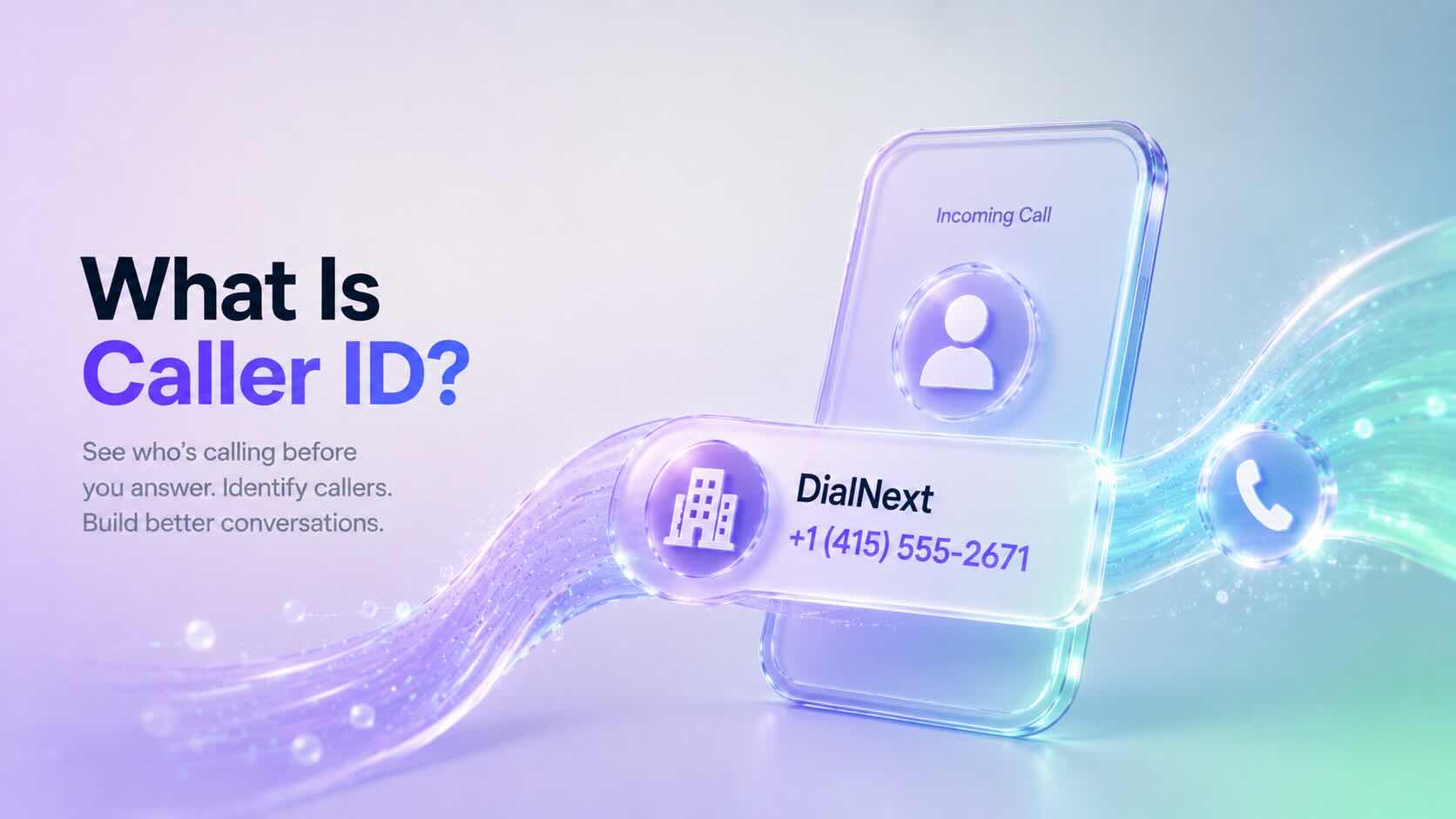
    Caller ID is a telephone service that displays the phone number of an incoming call before you answer it. Many business phone systems also display the caller’s name when that information is available.

    Businesses use Caller ID to identify incoming callers, improve customer interactions, and manage calls more efficiently.

    Why Is Caller ID Important?

    Without Caller ID, every incoming call would appear as an unknown number.

    Caller ID helps businesses and individuals quickly recognize callers before answering the phone.

    Using Caller ID offers several benefits:

    • Identify incoming callers
    • Improve customer service
    • Screen unwanted calls
    • Return missed calls more easily
    • Increase trust during business communications

    Additionally, Caller ID helps employees prepare for conversations before answering customer calls.

    How Does Caller ID Work?

    When someone places a call, the originating phone provider sends the caller’s phone number through the telephone network.

    The receiving carrier delivers that information to the recipient’s device before the call connects.

    If additional caller information is available, the recipient may also see the caller’s business or personal name.

    Although this process happens almost instantly, the information displayed depends on carrier support, device compatibility, and local telecommunications standards.

    What Information Does Caller ID Display?

    Caller ID can display:

    • Phone number
    • Business name (when available)
    • Personal name (when available)
    • Country or region (on some devices)

    The exact information varies depending on the receiving carrier and the recipient’s device.

    Caller ID vs CNAM

    Caller ID and CNAM are closely related, but they are not the same.

    Caller IDCNAM
    Displays the phone numberDisplays the caller’s name
    Available on most telephone networksPrimarily supported in North America
    Identifies the calling numberIdentifies the business or individual

    In many cases, recipients see both the phone number and the associated caller name together.

    Caller ID vs STIR/SHAKEN

    Caller ID identifies who is calling, while STIR/SHAKEN helps verify that the caller is authorized to use the displayed phone number.

    Together, these technologies improve trust in voice communications.

    • Caller ID displays the phone number.
    • CNAM displays the caller’s name.
    • STIR/SHAKEN authenticates the calling number.

    As a result, businesses can provide a more trustworthy calling experience.

    Why Does Caller ID Sometimes Show “Unknown”?

    Several factors can prevent Caller ID information from appearing correctly.

    Common reasons include:

    • Caller ID has been intentionally blocked.
    • The originating carrier does not provide caller information.
    • The receiving carrier does not support all Caller ID features.
    • The call originates from an unsupported network.
    • A temporary network issue prevents caller information from being delivered.

    Additionally, spam filtering systems may modify how caller information appears on some devices.

    Can Businesses Customize Caller ID?

    Yes. Many business phone providers allow organizations to configure the phone number displayed during outbound calls.

    Some providers also support CNAM registration, allowing a business name to appear alongside the phone number on supported networks.

    Availability depends on the phone number, carrier, and country.

    Does DialNext Support Caller ID?

    Yes. DialNext supports Caller ID for business communications.

    Caller ID behavior depends on your phone numbers, carrier capabilities, and regional telecommunications regulations.

    If you need help configuring outbound Caller ID, contact the DialNext support team.

    Frequently Asked Questions

    Does Caller ID Display My Business Name?

    Not always. Caller ID displays the phone number, while the business name is typically provided through CNAM on supported networks.

    Can I Hide My Caller ID?

    Some carriers allow callers to block their Caller ID information. Availability depends on your provider and local regulations.

    Does Caller ID Work Internationally?

    Caller ID works in many countries, although the information displayed varies by carrier, destination, and regional telecommunications standards.

    Does Caller ID Prevent Spam Calls?

    No. Caller ID identifies incoming callers but does not prevent spam calls. Technologies such as STIR/SHAKEN and carrier spam filtering help reduce fraudulent calls.

    Related Articles

    Additional Resources

    Learn more about caller identification and telecommunications standards:

    Need Help?

    If you have questions about Caller ID, CNAM, or business phone numbers, contact us at help@dialnext.io.
  • What Is CNAM?

    What Is CNAM?

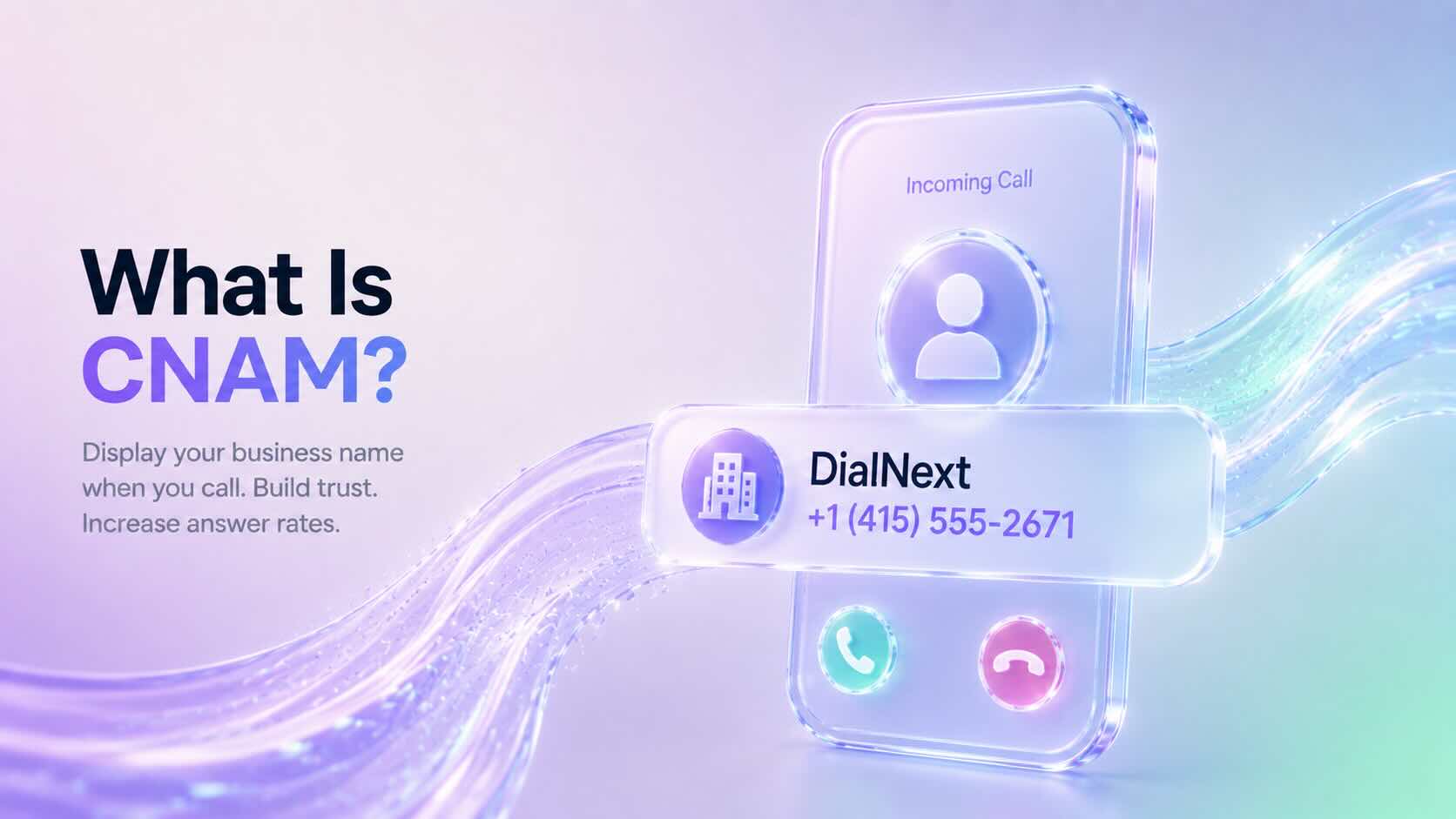
    CNAM (Caller ID Name) is a service that displays the caller’s name along with their phone number when placing a phone call. Businesses use CNAM to help customers recognize who is calling before answering the phone.

    A properly configured CNAM record can improve brand recognition, increase answer rates, and build trust with customers.

    Why Is CNAM Important?

    When customers receive calls from unknown numbers, they may choose not to answer.

    CNAM helps solve this problem by displaying your business name on supported caller ID devices.

    Using CNAM can help businesses:

    • Improve answer rates
    • Increase brand recognition
    • Build customer trust
    • Reduce confusion during inbound and outbound calls
    • Create a more professional calling experience

    Additionally, displaying a recognizable business name can make legitimate calls appear more trustworthy.

    How Does CNAM Work?

    When you place a phone call, your phone number is sent to the receiving carrier.

    The receiving carrier may perform a CNAM lookup to determine whether a caller name is associated with that phone number.

    If a CNAM record exists and the recipient’s carrier supports CNAM lookups, the business name may appear alongside the phone number.

    Although the process happens in seconds, the displayed caller name depends on the receiving carrier’s network and device capabilities.

    What Does a CNAM Record Look Like?

    A CNAM record typically contains:

    • Business name
    • Personal name (when applicable)
    • Up to 15 display characters in many North American networks

    Example:

    Phone NumberDisplayed CNAM
    +14155552671DialNext
    +12125551234ABC Plumbing
    +16175559876Smith Law

    Carrier limitations may affect how the caller name appears on different devices.

    Does Every Phone Display CNAM?

    No.

    CNAM support depends on several factors, including:

    • The receiving carrier
    • The recipient’s device
    • Regional telecommunications standards
    • Whether the carrier performs CNAM lookups

    Some mobile carriers display only the phone number, while others may show a verified business name or information from their own caller ID databases.

    CNAM vs Caller ID

    Although the terms are often used together, they refer to different things.

    Caller IDCNAM
    Displays the phone numberDisplays the caller’s name
    Available on most phone systemsDepends on carrier support
    Identifies the calling numberIdentifies the caller or business

    Together, Caller ID and CNAM help recipients identify incoming calls.

    CNAM vs STIR/SHAKEN

    CNAM and STIR/SHAKEN serve different purposes.

    • CNAM displays the caller’s name.
    • STIR/SHAKEN verifies that the caller is authorized to use the phone number.

    In other words, CNAM helps identify the caller, while STIR/SHAKEN helps authenticate the caller.

    Many businesses use both technologies to improve customer trust.

    How Do Businesses Register a CNAM?

    The registration process depends on your voice provider.

    In general, businesses must:

    1. Own or control the phone number.
    2. Submit the desired caller name.
    3. Wait for the provider to publish the CNAM record.
    4. Allow time for carrier databases to update.

    Propagation times vary between providers and carriers.

    Does DialNext Support CNAM?

    CNAM availability depends on the phone number, carrier, and country.

    If CNAM is supported for your phone number, DialNext can help you configure your caller ID name according to carrier requirements.

    Contact our support team if you need assistance with CNAM registration or caller ID configuration.

    Frequently Asked Questions

    Is CNAM Available Worldwide?

    No. CNAM is primarily supported in North America. Other countries often use different caller identification systems.

    Does CNAM Guarantee My Business Name Will Appear?

    No. The displayed caller name depends on the receiving carrier, recipient’s device, and local telecommunications infrastructure.

    How Long Does CNAM Registration Take?

    The processing time varies by provider and carrier. Updates may take several business days to appear across all networks.

    Can I Change My CNAM?

    Yes. Most providers allow businesses to update their caller ID name, although carrier processing times may vary.

    Related Articles

    Additional Resources

    Learn more about caller identification and telecommunications standards:

    Need Help?

    If you have questions about CNAM, caller ID, or business phone numbers, contact us at help@dialnext.io.

  • What Is E.164 Format?

    What Is E.164 Format?

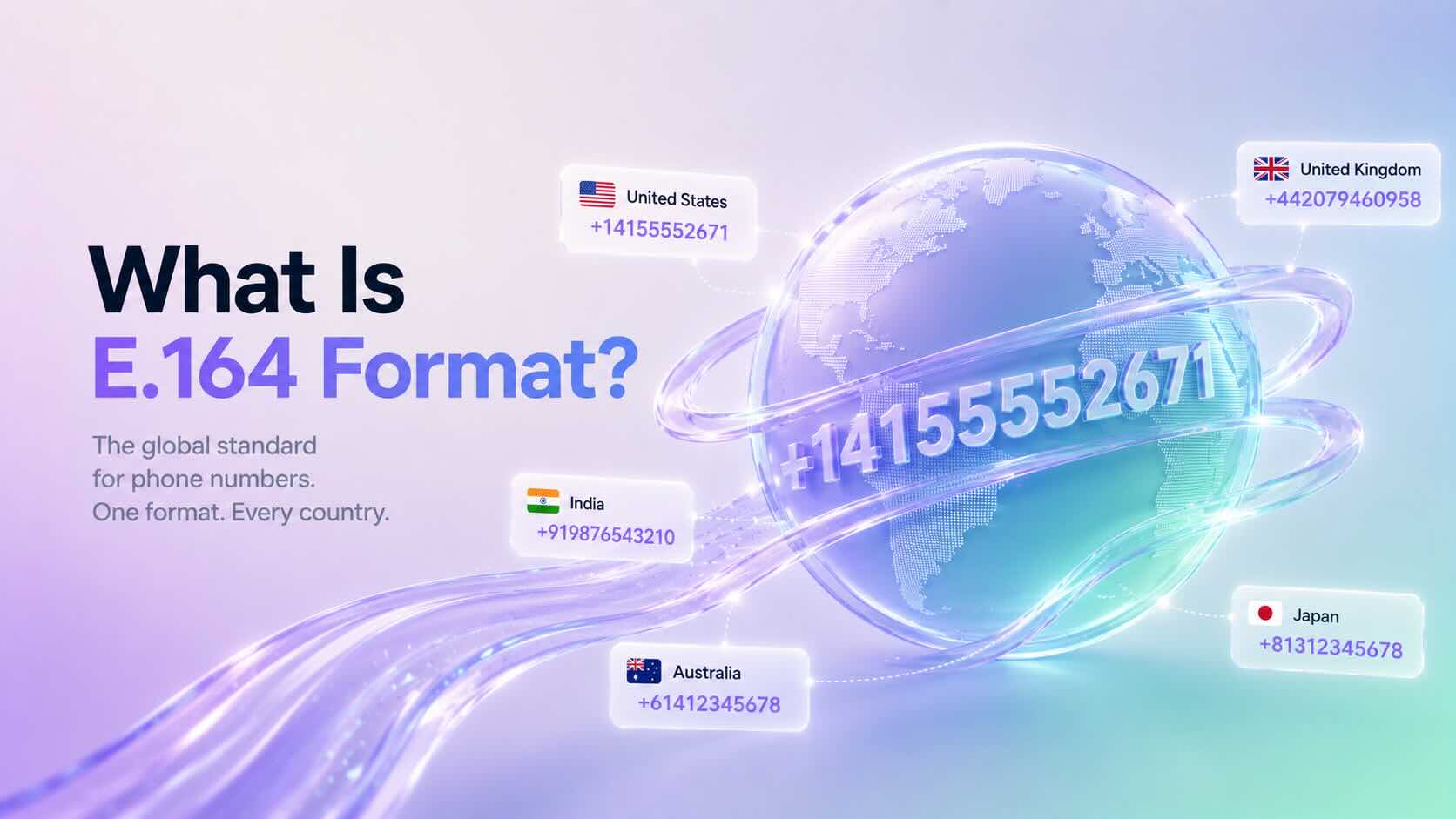
    E.164 Format is the international standard for representing phone numbers. It ensures every phone number is unique, globally recognizable, and compatible with modern telecommunications systems.

    Most cloud phone systems, VoIP providers, SMS platforms, and APIs require phone numbers in E.164 Format to correctly route calls and messages.

    Why Is E.164 Format Important?

    E.164 Format provides a consistent way to represent international phone numbers.

    Without a standard format, different countries use different dialing rules, making it difficult for communication platforms to identify the correct destination.

    By using E.164 Format, businesses can:

    • Improve call routing
    • Deliver SMS messages reliably
    • Prevent formatting errors
    • Integrate with communication APIs
    • Support international phone numbers

    Additionally, many cloud communication platforms automatically validate phone numbers using this standard.

    What Does an E.164 Number Look Like?

    An E.164 phone number contains:

    • A plus sign (+)
    • Country code
    • National destination number

    Example:

    CountryLocal NumberE.164 Format
    United States(415) 555-2671+14155552671
    United Kingdom020 7946 0958+442079460958
    India098765 43210+919876543210
    Australia0412 345 678+61412345678

    Notice that spaces, brackets, and dashes are removed.

    E.164 Format Rules

    A valid E.164 phone number:

    • Begins with a plus sign (+)
    • Includes a valid country code
    • Contains only numeric digits after the plus sign
    • Does not contain spaces
    • Does not contain parentheses
    • Does not contain hyphens
    • Contains a maximum of 15 digits

    Following these rules helps ensure compatibility across global telecommunications networks.

    When Should You Use E.164 Format?

    Most modern communication platforms expect phone numbers in E.164 Format.

    Common use cases include:

    • Business phone systems
    • VoIP providers
    • SMS messaging
    • WhatsApp Business integrations
    • CRM integrations
    • Contact center platforms
    • Communication APIs

    Using a consistent format also simplifies importing contacts and managing customer records.

    How to Convert a Number to E.164 Format

    Converting a phone number is straightforward.

    1. Remove spaces and punctuation.
    2. Remove any leading zero used for domestic dialing.
    3. Add the correct country code.
    4. Add the plus sign (+) before the country code.

    Example:

    Local number:

    (415) 555-2671
    

    E.164 Format:

    +14155552671
    

    Another example:

    Local number:

    09876543210
    

    E.164 Format:

    +919876543210
    

    Always verify the correct country code before converting a phone number.

    Common Formatting Mistakes

    Many phone number validation errors occur because of incorrect formatting.

    Avoid these common mistakes:

    • Including spaces
    • Using brackets or parentheses
    • Adding hyphens
    • Omitting the country code
    • Keeping the domestic trunk prefix (such as a leading zero)

    Standardizing contact lists before importing them into your communication platform helps prevent these issues.

    Does DialNext Use E.164 Format?

    Yes. DialNext uses E.164 Format to help ensure accurate call routing, SMS delivery, and API compatibility.

    We recommend storing all customer phone numbers in E.164 Format whenever possible, especially when integrating with CRM systems or importing contact lists.

    Frequently Asked Questions

    Does E.164 Format Include Spaces?

    No. E.164 numbers should not contain spaces, brackets, or hyphens.

    What Is the Maximum Length of an E.164 Number?

    An E.164 phone number can contain up to 15 digits, excluding the plus sign.

    Can I Store All Contacts in E.164 Format?

    Yes. Many businesses store every phone number in E.164 Format because it simplifies international calling and API integrations.

    Is E.164 Format Required for SMS?

    Most cloud messaging providers recommend or require E.164 Format to ensure accurate SMS delivery.

    Related Articles

    Additional Resources

    Learn more about the international telephone numbering standard:

    https://www.itu.int/rec/T-REC-E.164

    Need Help?

    If you have questions about phone number formatting, international calling, or DialNext integrations, contact us at help@dialnext.io.

  • What Is STIR/SHAKEN?

    What Is STIR/SHAKEN?

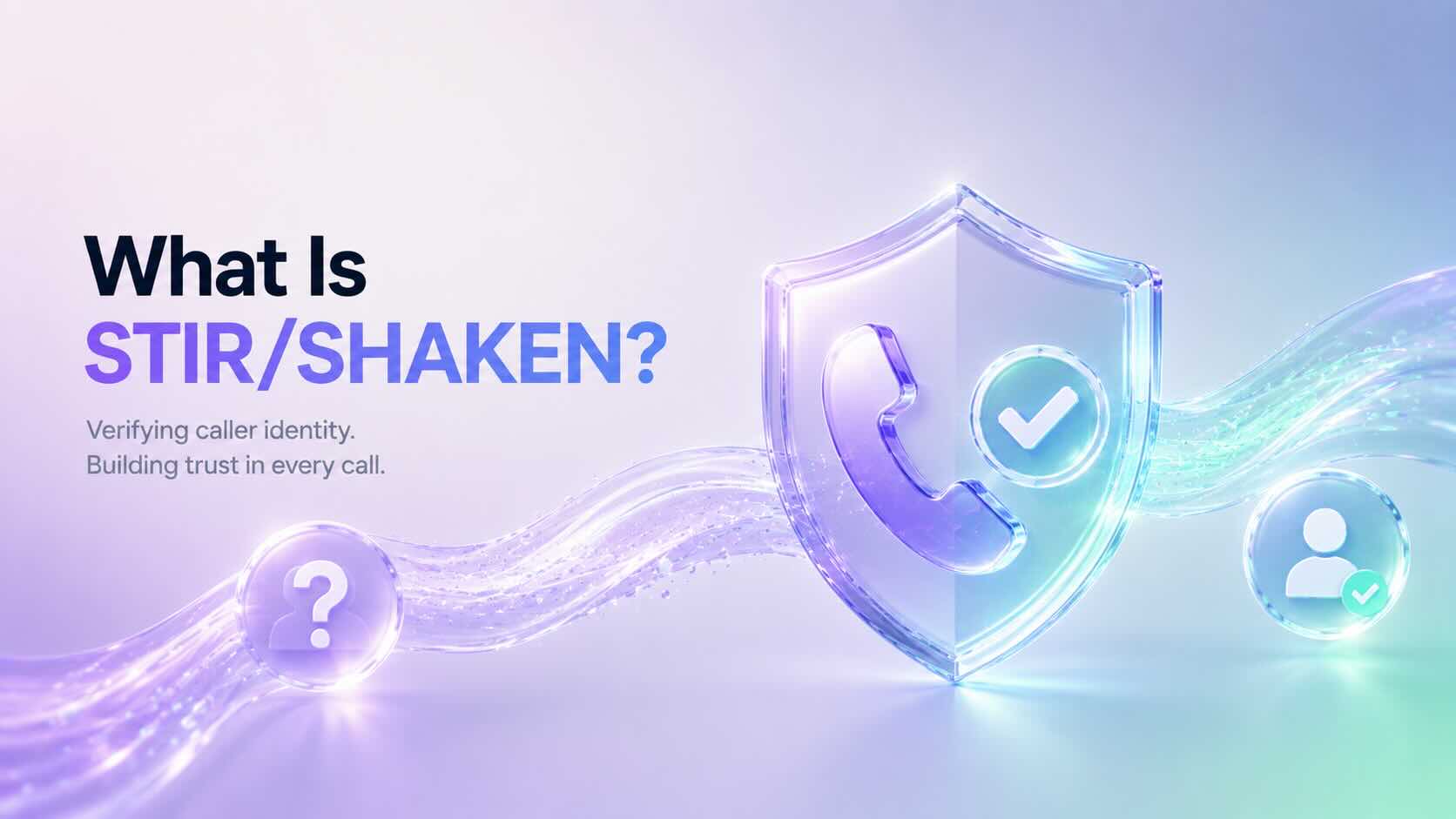
    STIR/SHAKEN is a caller ID authentication framework designed to reduce illegal robocalls and caller ID spoofing. It helps telephone service providers verify that a caller is authorized to use the phone number displayed on the recipient’s device.

    By verifying caller identity, STIR/SHAKEN improves trust in phone calls and makes it more difficult for scammers to impersonate legitimate businesses.

    Why Was STIR/SHAKEN Introduced?

    Caller ID spoofing has become one of the most common techniques used in phone scams. Fraudsters often display trusted phone numbers to trick people into answering calls.

    To address this problem, the telecommunications industry developed STIR/SHAKEN, allowing providers to digitally verify the identity of outbound calls before they reach recipients.

    As a result, businesses can improve call authenticity while helping carriers identify potentially fraudulent traffic.

    How Does STIR/SHAKEN Work?

    STIR/SHAKEN uses digital certificates to verify the caller’s identity.

    A typical verification process works as follows:

    1. A business places an outbound call.
    2. The originating provider verifies the caller’s right to use the phone number.
    3. The provider digitally signs the call using a secure certificate.
    4. The receiving carrier validates the digital signature.
    5. The recipient receives a verified call whenever verification succeeds.

    If the verification fails, carriers may flag, filter, or block the call depending on their spam prevention policies.

    What Does STIR and SHAKEN Stand For?

    STIR stands for:

    Secure Telephone Identity Revisited

    SHAKEN stands for:

    Signature-based Handling of Asserted Information Using toKENs

    Although they are separate standards, they work together to authenticate caller identity across modern telephone networks.

    What Is Attestation?

    Attestation represents the level of confidence that a provider has in the caller’s identity.

    There are three attestation levels.

    Full Attestation (A)

    The provider:

    • Knows the customer.
    • Has verified the customer’s identity.
    • Confirms the customer is authorized to use the calling number.

    This provides the highest level of trust.

    Partial Attestation (B)

    The provider knows the customer but cannot fully verify ownership of the calling number.

    Calls can still be authenticated, although the confidence level is lower than Full Attestation.

    Gateway Attestation (C)

    The provider receives the call from another network but cannot verify the caller’s identity or ownership of the phone number.

    This provides the lowest level of confidence.

    What Are the Benefits of STIR/SHAKEN?

    Businesses benefit from STIR/SHAKEN in several ways:

    • Reduces caller ID spoofing
    • Improves customer trust
    • Helps legitimate calls reach recipients
    • Supports industry compliance requirements
    • Reduces fraudulent robocalls
    • Improves caller authentication

    Additionally, verified calls are less likely to appear suspicious to receiving carriers.

    Does STIR/SHAKEN Stop All Spam Calls?

    No.

    STIR/SHAKEN significantly reduces caller ID spoofing, but it does not eliminate every unwanted or fraudulent call.

    For example, scammers can still use legitimately purchased phone numbers or other techniques that fall outside caller ID authentication.

    Consequently, carriers combine STIR/SHAKEN with spam detection systems, analytics, and call reputation services to improve overall protection.

    Who Needs STIR/SHAKEN?

    STIR/SHAKEN primarily benefits:

    • Business phone system providers
    • Contact centers
    • VoIP providers
    • Enterprises making outbound calls
    • Organizations handling high call volumes

    Businesses that regularly contact customers should ensure their communications comply with current industry requirements.

    Does DialNext Support STIR/SHAKEN?

    DialNext is committed to supporting secure and reliable business communications.

    Support for caller authentication depends on carrier capabilities, number types, and applicable telecommunications regulations. If you have questions about STIR/SHAKEN support for your phone numbers, please contact the DialNext support team.

    Frequently Asked Questions

    Does STIR/SHAKEN Block Spam Calls?

    No. It authenticates caller identity and helps carriers identify spoofed calls, but it does not block every spam call.

    Is STIR/SHAKEN Required?

    In many regions, including the United States, major voice providers must implement caller ID authentication requirements established by regulators.

    Does STIR/SHAKEN Apply to SMS?

    No. STIR/SHAKEN applies to voice calls. SMS messaging uses different compliance frameworks, such as A2P 10DLC for business messaging in the United States.

    Can International Calls Use STIR/SHAKEN?

    Support for international calls varies depending on participating carriers, network infrastructure, and local regulations.

    Related Articles

    Additional Resources

    Learn more about STIR/SHAKEN from the Alliance for Telecommunications Industry Solutions (ATIS):

    Need Help?

    If you have questions about caller authentication, business phone numbers, or outbound calling compliance, contact us at help@dialnext.io.

  • What Is SIP Trunking?

    What Is SIP Trunking?

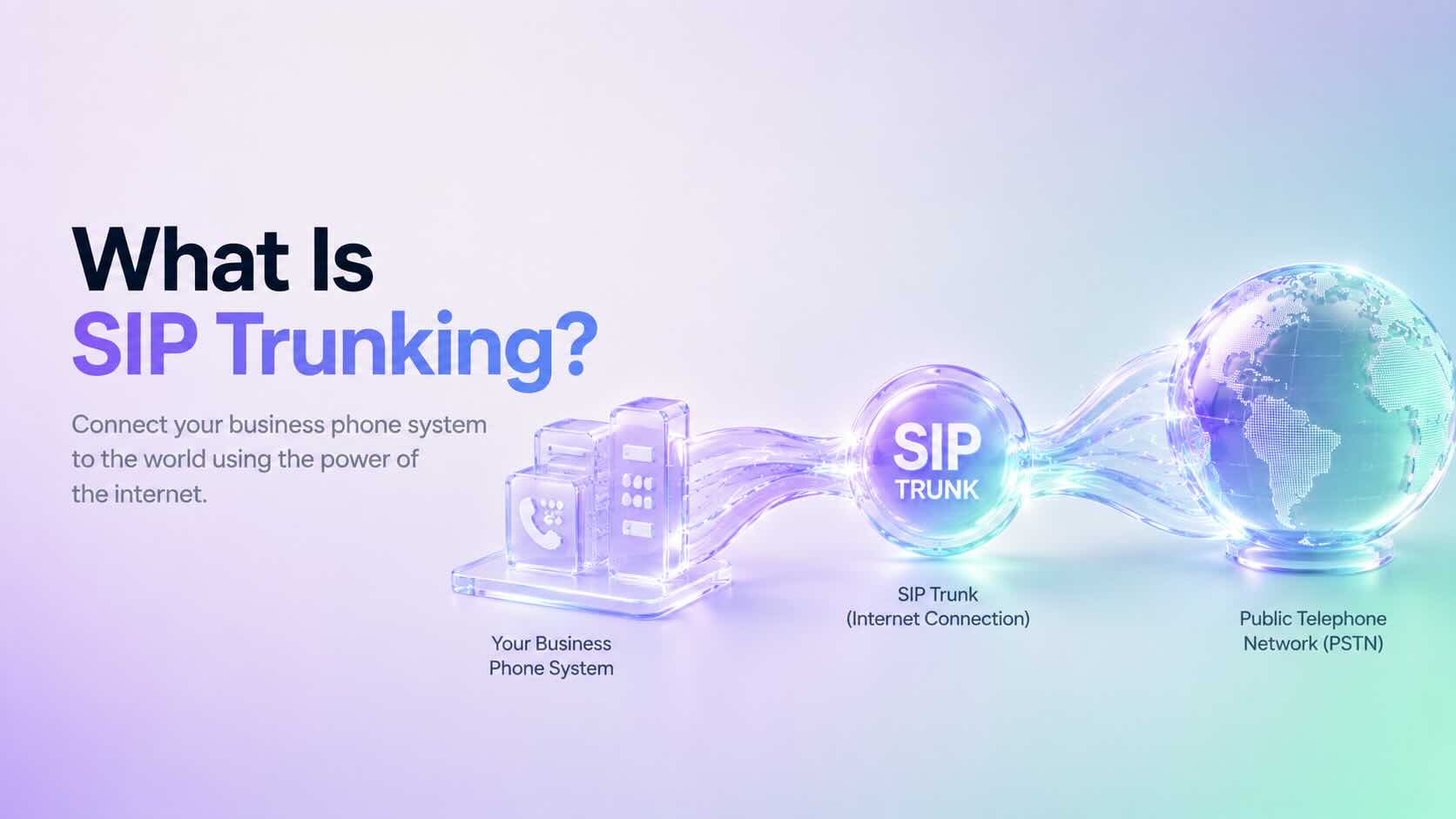
    SIP Trunking is a technology that connects your business phone system to the public telephone network (PSTN) using an internet connection instead of traditional telephone lines. Businesses use SIP Trunking to make and receive calls over the internet while reducing communication costs and improving scalability.

    Today, SIP Trunking is widely used by cloud phone systems, contact centers, and businesses that want a flexible and reliable communication solution.

    How Does SIP Trunking Work?

    SIP Trunking creates a virtual connection between your business phone system and the telephone network.

    A typical call follows these steps:

    1. A user places or receives a call.
    2. The phone system sends the request through a SIP trunk.
    3. The SIP provider routes the call to the public telephone network or another internet-connected endpoint.
    4. Voice travels over the internet using VoIP technologies.
    5. The SIP session ends when the call is completed.

    Unlike traditional phone lines, SIP trunks use your existing internet connection, making deployment much faster and easier.

    Why Do Businesses Use SIP Trunking?

    Many organizations choose SIP Trunking because it offers several advantages over traditional telephone systems.

    Benefits include:

    • Lower calling costs
    • Easy scalability
    • Better call reliability
    • Support for remote and hybrid teams
    • Faster deployment
    • Reduced hardware requirements
    • Cloud-based communications

    Additionally, businesses can add or remove channels without installing new physical phone lines.

    SIP Trunking vs Traditional Phone Lines

    Traditional business phone systems depend on physical telephone circuits.

    In contrast, SIP Trunking uses your internet connection to carry voice traffic.

    Traditional Phone LinesSIP Trunking
    Physical circuitsInternet connection
    Fixed capacityEasily scalable
    Higher maintenanceLower maintenance
    Expensive upgradesFlexible expansion
    Office-dependentSupports remote work

    As a result, SIP Trunking offers greater flexibility for growing businesses.

    SIP Trunking vs VoIP

    Although the terms are often used together, SIP Trunking and VoIP are different.

    • VoIP (Voice over Internet Protocol) is the technology that carries voice over the internet.
    • SIP Trunking provides the connection between your phone system and the public telephone network.

    In simple terms, VoIP enables internet calling, while SIP Trunking connects your business to the outside world.

    SIP Trunking vs PRI

    Many businesses replace older PRI (Primary Rate Interface) circuits with SIP Trunking.

    Compared with PRI, SIP Trunking offers:

    • Lower operating costs
    • Faster provisioning
    • Better scalability
    • Simpler maintenance
    • Improved flexibility

    Furthermore, SIP Trunking eliminates many of the limitations associated with traditional telecom infrastructure.

    Who Should Use SIP Trunking?

    SIP Trunking is ideal for organizations that:

    • Operate a business phone system
    • Manage a contact center
    • Support remote employees
    • Need multiple business phone numbers
    • Want to reduce telecom costs
    • Plan to scale communications as the business grows

    Small businesses and large enterprises alike benefit from the flexibility of SIP Trunking.

    Does DialNext Support SIP Trunking?

    DialNext uses modern cloud communication technologies that rely on SIP to deliver reliable business calling experiences.

    Businesses using DialNext benefit from cloud-based communications without managing traditional telephone infrastructure.

    Frequently Asked Questions

    Is SIP Trunking the Same as VoIP?

    No. VoIP is the technology that transmits voice over the internet, while SIP Trunking connects your phone system to the public telephone network.

    Do I Need Physical Phone Lines?

    No. SIP Trunking replaces traditional telephone lines with internet connectivity.

    Can SIP Trunking Reduce Costs?

    Yes. Many businesses reduce telecom expenses by replacing traditional circuits with SIP Trunking.

    Is SIP Trunking Secure?

    When properly configured, SIP Trunking supports secure business communications using encrypted connections, authentication, and modern network security practices.

    Related Articles

    Additional Resources

    Learn more about SIP from the official Session Initiation Protocol specification:

    https://www.rfc-editor.org/info/rfc3261/

    Need Help?

    If you have questions about SIP Trunking or cloud communications, contact us at help@dialnext.io.

  • What Is SIP?

    What Is SIP?

    Session Initiation Protocol (SIP) is a communication protocol that establishes, manages, and ends voice and video calls over the internet. Instead of relying on traditional telephone lines, SIP enables modern business phone systems to make and receive calls using an internet connection.

    Today, cloud phone systems, contact centers, and VoIP providers widely use SIP. Furthermore, it has become the industry standard for internet-based business communications because it is reliable, scalable, and widely supported.

    How Does SIP Work?

    SIP establishes and manages communication sessions between two or more participants.

    A typical SIP call follows these steps:

    1. A user initiates a call.
    2. SIP locates the destination.
    3. The receiving device accepts the call.
    4. The network transmits voice using the Real-time Transport Protocol (RTP).
    5. Finally, SIP ends the communication session when the conversation is complete.

    Although SIP manages the call session, RTP carries the actual voice data between participants.

    What Is SIP Used For?

    Businesses use SIP to support many communication services, including:

    • Business phone calls
    • Video conferencing
    • Unified communications
    • Contact centers
    • VoIP phone systems
    • SIP trunking
    • Softphones and desktop calling applications

    Additionally, many organizations choose SIP because it offers flexibility, compatibility, and reliable performance across a wide range of devices and platforms.

    SIP vs Traditional Phone Lines

    Traditional phone systems rely on dedicated physical telephone lines to make and receive calls.

    In contrast, SIP uses an internet connection to establish communication sessions.

    Traditional Phone SystemSIP-Based Phone System
    Physical phone linesInternet connection
    Limited scalabilityEasily scalable
    Expensive hardwareCloud-based infrastructure
    Higher maintenanceLower maintenance
    Fixed office locationsWork from anywhere

    As a result, businesses can expand more easily without installing additional phone infrastructure.

    Benefits of SIP

    Organizations adopt SIP for several reasons:

    • Lower communication costs
    • Easy scalability
    • High-quality voice calls
    • Support for remote and hybrid teams
    • Faster deployment
    • CRM and business application integrations
    • Voice, video, and messaging support

    Additionally, SIP allows businesses to grow without significantly increasing communication costs.

    What Is SIP Trunking?

    SIP trunking connects your business phone system to the public telephone network using an internet connection.

    Instead of purchasing multiple physical telephone lines, businesses can use SIP trunks to route incoming and outgoing calls.

    Consequently, organizations modernize their existing PBX systems while reducing hardware costs and improving scalability.

    SIP vs VoIP

    Although SIP and VoIP are closely related, they are not the same technology.

    • VoIP (Voice over Internet Protocol) is the technology that allows voice calls over the internet.
    • SIP (Session Initiation Protocol) is one of the protocols used to establish, manage, and end those VoIP calls.

    In simple terms, VoIP is the service, while SIP is one of the technologies that enables it.

    Does DialNext Use SIP?

    Yes. DialNext uses modern communication technologies, including SIP, to deliver reliable cloud calling for businesses.

    Additionally, SIP enables DialNext to support inbound and outbound calling, CRM integrations, remote teams, and scalable cloud communications from virtually anywhere.

    Frequently Asked Questions

    Is SIP the Same as VoIP?

    No. SIP is a signaling protocol, while VoIP is the technology that delivers voice communication over the internet.

    Do I Need a SIP Phone?

    No. Many businesses use softphones, desktop applications, or web browsers instead of dedicated SIP desk phones.

    Is SIP Secure?

    Businesses can deploy SIP securely by using encryption, authentication, secure network configurations, and industry best practices.

    Can I Use SIP for Video Calls?

    Yes. SIP supports voice calls, video conferencing, screen sharing, and other real-time communication sessions.

    Related Articles

    Additional Resources

    Learn more about the Session Initiation Protocol (SIP):

    https://www.rfc-editor.org/info/rfc3261/

    Need Help?

    If you have questions about SIP, VoIP, or business phone systems, contact us at help@dialnext.io.

  • Security & Privacy at DialNext

    Security & Privacy at DialNext

    Protecting customer data is a core part of the DialNext platform. We use industry-standard security practices to help safeguard your account, communications, and business data while providing reliable cloud calling and messaging services.

    This guide explains how DialNext protects your data, how you can manage your information, and where to find additional privacy information.

    Data Protection

    DialNext helps protect your account and communication data using modern security practices.

    This includes protecting information related to:

    • User accounts
    • Contacts
    • Call history
    • SMS conversations
    • Voicemail
    • Call recordings
    • Platform settings

    Additionally, all communication between your browser or application and DialNext is encrypted using HTTPS (TLS).

    Call Recordings and Messages

    Call recordings, voicemails, and SMS conversations are stored securely within the DialNext platform.

    Access to this information is restricted to authorized users within your workspace based on their assigned permissions.

    We recommend limiting workspace access to users who require it for their role.

    User Access Controls

    Workspace administrators can control who has access to platform features and business data.

    Depending on user permissions, team members may be able to:

    • View call history
    • Access recordings
    • Send and receive SMS
    • Manage contacts
    • Configure integrations
    • Access analytics

    Review user permissions regularly and remove access for inactive users.

    Data Retention

    Your data remains available while your DialNext account is active, subject to your organization’s configuration and applicable legal requirements.

    If you need additional information about data retention, contact the DialNext support team.

    Data Export

    You can export supported business data from your DialNext workspace when available.

    Examples include:

    • Contacts
    • Call history
    • SMS history
    • Reports

    If you require assistance exporting your data, contact our support team.

    Account Deletion

    If you no longer wish to use DialNext, you can request account deletion by contacting our support team.

    Before requesting account deletion, we recommend exporting any business data you want to retain.

    Some information may be retained where required by applicable laws or contractual obligations.

    Privacy Compliance

    DialNext is committed to protecting customer privacy and handling personal information responsibly.

    Depending on your location and how you use the platform, privacy regulations may include:

    • General Data Protection Regulation (GDPR)
    • California Consumer Privacy Act (CCPA)
    • Other applicable local privacy laws

    If you have questions about how your information is processed, please contact our support team.

    Best Practices for Keeping Your Account Secure

    To improve account security, we recommend:

    • Use a strong, unique password.
    • Do not share login credentials.
    • Review workspace members regularly.
    • Remove inactive users.
    • Keep your browser and operating system updated.
    • Access DialNext only from trusted devices and networks.

    Following these best practices helps protect your account and customer information.

    Privacy Policy

    For complete information about how DialNext collects, uses, stores, and protects personal information, please review our Privacy Policy.

    The Privacy Policy explains:

    • What information we collect
    • How we use your information
    • How long data may be retained
    • Your privacy rights
    • How to contact us regarding privacy requests

    Frequently Asked Questions

    Is my communication encrypted?

    Yes. Communication between your browser or application and DialNext is encrypted using HTTPS (TLS).

    Can I export my data?

    Yes. Supported business data can be exported where available. Contact our support team if you need assistance.

    How do I request account deletion?

    Contact the DialNext support team to request account deletion. We recommend exporting important data before submitting your request.

    Where can I learn more about privacy?

    Please review the DialNext Privacy Policy for complete details about how your information is handled.

    Related Articles

    • Improve VoIP Call Quality
    • International Phone Numbers
    • A2P 10DLC Registration Guide
    • SMS Compliance Guide

    Additional Resources

    Privacy Policy

    https://dialnext.io/privacy

    Need Help?

    If you have questions about security, privacy, or your account data, contact us at help@dialnext.io.

  • Improve VoIP Call Quality

    Improve VoIP Call Quality

    VoIP Call Quality depends on your internet connection, network configuration, hardware, and software. This guide explains how to improve VoIP Call Quality by optimizing your network, choosing the right devices, and troubleshooting common audio issues when using DialNext.

    Minimum Network Requirements for VoIP Call Quality

    For the best calling experience, your internet connection should meet the following recommendations.

    RequirementRecommended
    Download SpeedAt least 100 Kbps per active call
    Upload SpeedAt least 100 Kbps per active call
    LatencyLess than 150 ms
    JitterLess than 30 ms
    Packet LossLess than 1%

    If multiple users share the same internet connection, ensure enough bandwidth is available for all simultaneous calls.

    Meeting these recommendations helps maintain excellent VoIP Call Quality, even during periods of heavy network usage.

    Recommended Network Configuration for VoIP Call Quality

    A properly configured network significantly improves call stability and audio clarity.

    We recommend:

    • Use a wired Ethernet connection whenever possible.
    • Avoid public or unstable Wi-Fi networks.
    • Enable Quality of Service (QoS) on your router to prioritize voice traffic.
    • Keep your router firmware updated.
    • Minimize heavy network activity during calls, such as video streaming or large downloads.
    • Connect your computer directly to your router whenever possible instead of using Wi-Fi extenders.

    Improve VoIP Call Quality with the Right Devices

    Using professional communication devices improves audio quality and reduces background noise.

    Recommended Headsets

    • Jabra Evolve2 65
    • Jabra Evolve2 75
    • Poly Blackwire 5220
    • Poly Voyager Focus UC
    • Logitech Zone Wireless
    • EPOS IMPACT 860

    Recommended Speakerphones

    • Jabra Speak2 55
    • Jabra Speak2 75
    • Poly Sync 20
    • Poly Sync 40

    For the best experience, avoid using built-in laptop microphones for business calls.

    Keep Your Browser or Desktop App Updated

    Keeping your browser or DialNext application updated helps deliver the latest performance improvements and security updates.

    We recommend:

    • Update your web browser regularly.
    • Install the latest version of the DialNext desktop application.
    • Restart your browser or application after installing updates.

    Supported browsers include:

    • Google Chrome
    • Microsoft Edge
    • Mozilla Firefox
    • Safari

    How to Test Your VoIP Call Quality

    Before making important business calls, test your network performance.

    Check the following:

    • Download speed
    • Upload speed
    • Latency (Ping)
    • Jitter
    • Packet loss

    Use a reliable internet speed testing service to verify your network performance.

    If your network does not meet the recommended values, improve your connection before placing business calls.

    Optimize Your Workspace

    Small changes to your work environment can noticeably improve call quality.

    We recommend:

    • Close unnecessary browser tabs.
    • Close streaming applications before making calls.
    • Pause large uploads or downloads.
    • Disconnect unused devices from your network.
    • Work from a quiet environment whenever possible.

    Additionally, disable browser extensions that may interfere with microphones or speakers.

    Firewall and Network Settings

    Some corporate firewalls or security appliances can affect VoIP traffic.

    If you experience one-way audio, dropped calls, or registration issues:

    • Verify your firewall allows VoIP traffic.
    • Confirm that your organization permits real-time voice communication.
    • Temporarily disconnect from your VPN to determine whether it affects audio quality.
    • Contact your network administrator if restrictions are enabled.

    Troubleshooting VoIP Call Quality Issues

    If VoIP Call Quality becomes poor or calls sound robotic, delayed, or choppy, try the following:

    1. Restart your browser or DialNext desktop application.
    2. Restart your modem and router.
    3. Switch from Wi-Fi to a wired Ethernet connection.
    4. Test your internet connection on another network.
    5. Disconnect from your VPN and test again.
    6. Close applications that consume network bandwidth.
    7. Test another headset or microphone.
    8. Update your browser or DialNext application.

    If VoIP Call Quality does not improve after completing these steps, contact the DialNext support team.

    Frequently Asked Questions

    Does Wi-Fi affect VoIP Call Quality?

    Yes. Although modern Wi-Fi networks perform well, a wired Ethernet connection usually provides lower latency, less jitter, and more stable call quality.

    How Much Bandwidth Is Required for Good VoIP Call Quality?

    DialNext recommends allocating at least 100 Kbps of upload and download bandwidth for every active call.

    What Is Acceptable Jitter?

    For high-quality voice calls, jitter should remain below 30 ms. Higher values may result in distorted or inconsistent audio.

    Can a VPN Affect VoIP Call Quality?

    Yes. Some VPN services increase latency and jitter, which can negatively affect VoIP performance. Disconnect from your VPN temporarily to determine whether it is causing the issue.

    Related Articles

    • Browser Permissions for Calls
    • Microphone & Speaker Troubleshooting
    • International Phone Numbers
    • Call Recording Guide

    Additional Resources

    You can test your internet connection using a reliable speed testing service such as Speedtest by Ookla:

    https://www.speedtest.net

    Need Help?

    If you’re still experiencing call quality issues after following this guide, contact our support team at help@dialnext.io.