Category: SMS & Messaging

Find DialNext guides for setting up and managing SMS, business messaging, and messaging features.

  • How to Create a Group Text in DialNext: Step-by-Step Guide

    How to Create a Group Text in DialNext: Step-by-Step Guide

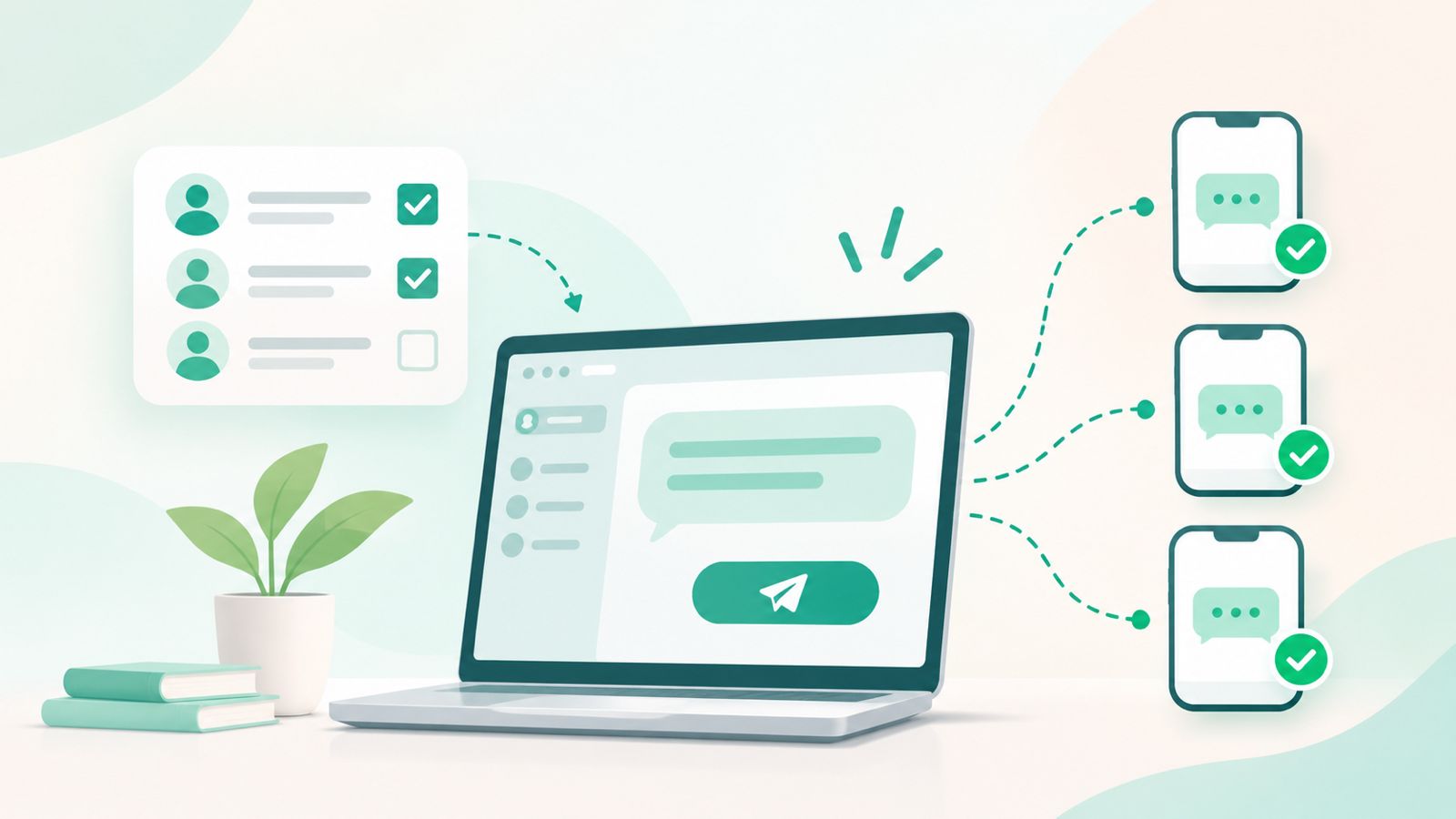
    Group Texting in DialNext allows users to bring multiple participants together in a shared SMS conversation. Instead of sending the same message individually, you can create a group, assign it a name, select a sending number, and send an initial message to all participants.

    Moreover, Group Texting makes it easier to organize business communication when multiple people need to receive the same information. In this guide, you’ll learn how to create a Group Text in DialNext, select a sending number, add participants, and send your first message step by step.

    Before You Begin

    Before creating a Group Text in DialNext, make sure you have:

    • Access to your DialNext account.
    • At least two participants to create a group.
    • The phone numbers of the participants you want to add.
    • Access to a DialNext line for sending the group message.

    Additionally, keep your group name and initial message ready before starting the creation process.

    How to Use Group Texting in DialNext to Create a Group

    Follow these steps to create a new Group Text conversation in DialNext.

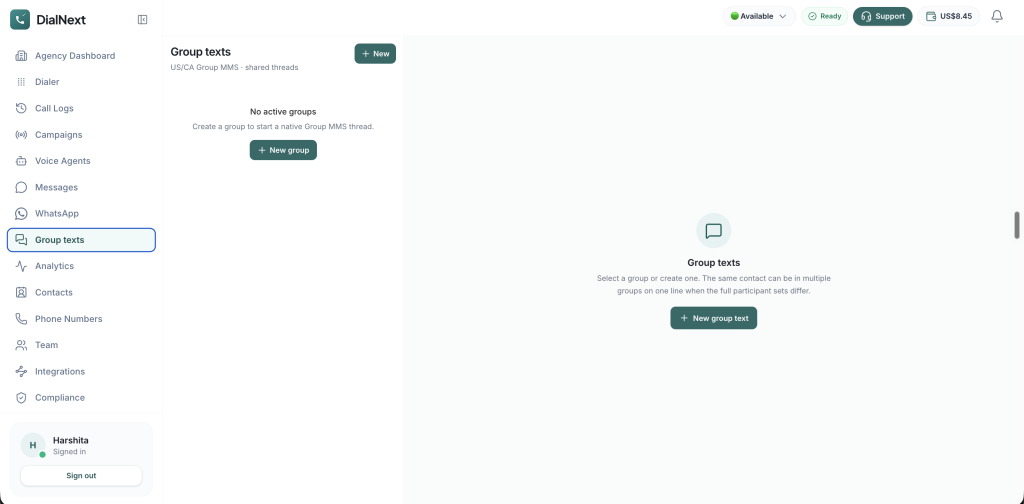
    Step 1: Access Group Texting in DialNext

    First, log in to your DialNext account using your credentials.

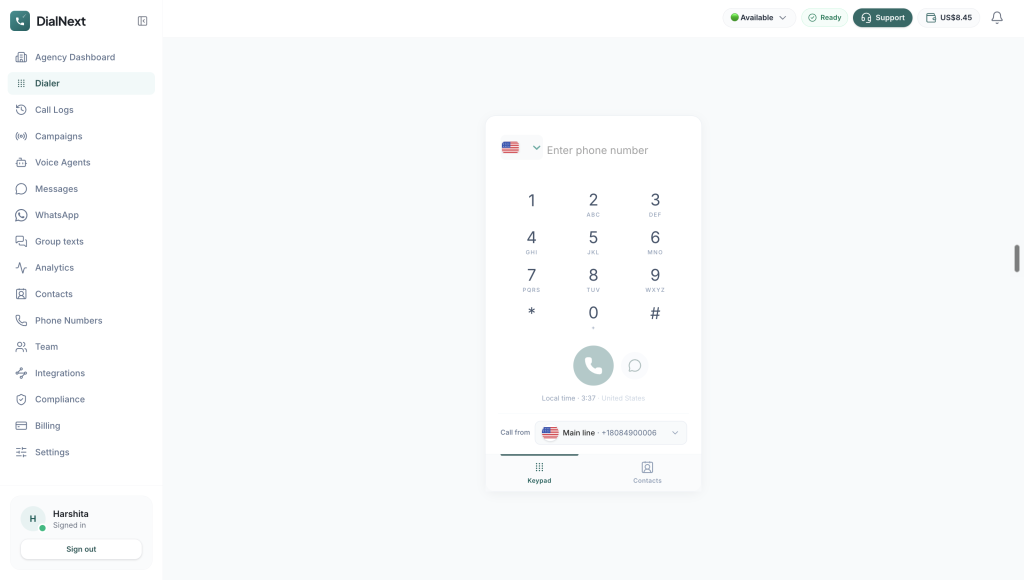
    Next, locate the left-hand navigation menu in your dashboard. Then, click Group texts to access the Group Texts dashboard.

    Here, you can start creating a new group conversation.
    Step 2: Start a New Group Text Conversation

    Once the Group Texts dashboard opens, locate the New group text button.

    Next, click this button to open the group creation form. You can then enter the required group details and add participants.
    Step 3: Select a DialNext Line

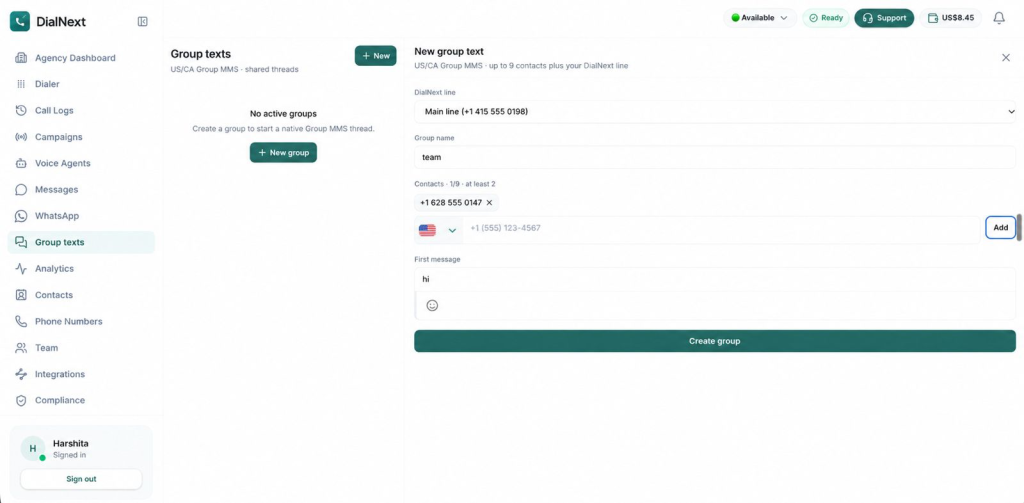
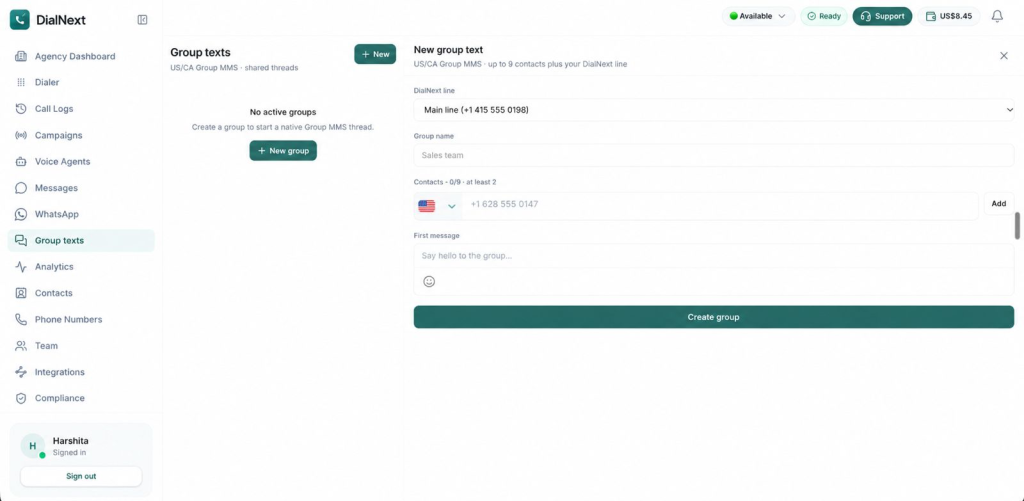
    Under the DialNext line field, select the phone number you want to use for the group conversation.

    This number will serve as the sending line for your Group Text. Therefore, make sure you select the correct number before proceeding.
    Step 4: Enter a Group Name

    Next, locate the Group name field and enter a suitable name for your conversation.

    For example, choose a name that clearly identifies the purpose of the group. This makes it easier to recognize the conversation when reviewing your group messages later.
    Step 5: Add Participants to Your Group Text

    Under the Contacts section, enter the phone numbers of the participants you want to include in your group.

    Follow these steps:

    1. First, select the appropriate country code.
    2. Next, enter the participant’s phone number.
    3. Then, click Add to include the contact in the group.
    4. Finally, repeat the process to add additional participants, if required.

    Important: Group Texting in DialNext requires at least 2 participants. You can add up to 9 contacts to a group, in addition to your selected DialNext line.

    Before proceeding, review the participant list carefully to make sure the correct contacts have been added.

    Step 6: Compose Your First Group Text Message

    Once you have added the participants, locate the First message field.

    Enter the message you want to send to all participants when the group is created.

    For example, you can write a short introductory message explaining the purpose of the group. Additionally, make sure the message is clear and relevant to everyone included in the conversation.

    Before proceeding, review your message carefully to check for any errors or missing information.

    Step 7: Review and Create Your Group Text

    Before creating the group, review all the information you have entered.

    Make sure the following details are correct:

    • Selected DialNext line.
    • Group name.
    • Participant phone numbers.
    • First message.

    Once you have checked these details, click the Create group button to create your Group Text conversation in DialNext.

    The initial message is sent to the added participants as part of the group creation process. Therefore, review its content carefully before selecting Create group.

    Important Group Texting Requirements in DialNext

    Before creating a Group Text conversation, keep the following requirements in mind:

    • Minimum participants: At least 2 participants are required to create a group.
    • Maximum participants: You can add up to 9 contacts, in addition to your selected DialNext line.
    • DialNext line: Select the correct sending number before creating the group.
    • Group name: Choose a clear and recognizable name for your conversation.
    • First message: Review your initial message carefully because it is sent when the group is created.

    Additionally, check the participant details before completing the process to avoid adding an incorrect phone number.

    Frequently Asked Questions About Group Texting in DialNext

    1. How Many Participants Can I Add to Group Texting in DialNext?

    You need at least 2 participants to create a group. Additionally, DialNext allows you to add up to 9 contacts to a group, along with your selected DialNext line.

    2. Can I Assign a Custom Name to My Group Text?

    Yes. You can enter a custom name in the Group name field while creating a new group. This helps you identify the conversation more easily.

    3. Can I Select a Phone Number for Sending Group Texts?

    Yes. You can select your preferred number from the DialNext line dropdown before adding participants and creating the group.

    4. Can I Send an Initial Message While Creating a Group?

    Yes. The First message field allows you to compose your initial message. Once you create the group, this message is sent to the added participants.

    5. Is Adding Two Participants Mandatory?

    Yes. At least two participants are required to create a Group Text conversation in DialNext.

    Conclusion

    Group Texting in DialNext makes it easier to bring multiple participants together in a shared SMS conversation. Users can select a sending number, assign a group name, add contacts, and send an initial message when creating the group.

    Moreover, organizing participants in a shared conversation can make business communication more convenient when multiple people need to receive the same information. By reviewing the group details before creation, you can ensure that the correct participants and message are included.

    Get Started with DialNext Group Texting

    Ready to simplify communication with multiple participants? Group Texting in DialNext helps you bring people together in a shared conversation and send messages through your selected business number.

    Explore DialNext to learn more about its business communication solutions.

    Need assistance? Contact our team at support@dialnext.io.

    Related Articles

    Explore these resources to learn more about DialNext features and business communication:

  • What Is Bulk SMS? How It Works and How Businesses Use It

    What Is Bulk SMS? How It Works and How Businesses Use It

    Bulk SMS helps businesses send text messages to many customers at once. It can be used for promotions, reminders, updates, alerts, and sales follow-ups.

    Instead of sending each message manually, businesses can use a messaging service to reach more customers quickly. With the right audience, timing, and consent, text messaging can become a simple part of a business communication plan.

    In this guide, you will learn what bulk SMS is and how it works. You will also learn how businesses use it, its benefits and limits, and the best ways to send effective messages.

    What Is Bulk SMS?

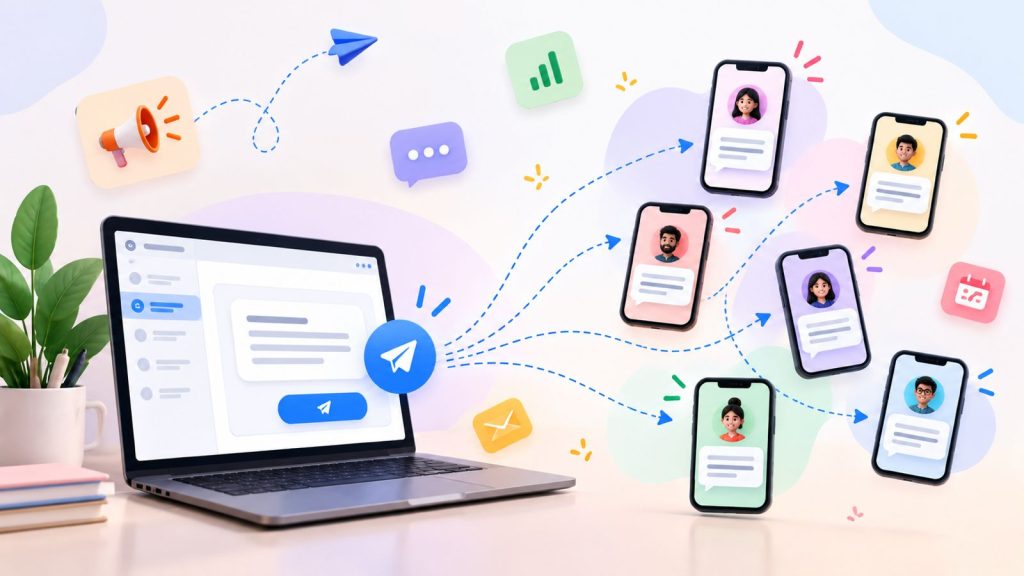
    Bulk SMS lets businesses send the same or similar text message to many people at once. Companies can use it for promotions, reminders, alerts, updates, and other important information.

    Unlike regular SMS, which usually goes to one person at a time, this method is made for large-scale messaging. Businesses can select a contact list, write a message, and send it to the right audience through a messaging platform.

    For example, a retail business can send a sale announcement to its customers. Similarly, a service business can send appointment reminders to customers with upcoming bookings.

    However, effective messaging is not just about reaching a large list. Businesses also need to focus on audience selection, consent, message relevance, timing, and clear communication.

    How Does Bulk SMS Work?

    Bulk SMS follows a simple process. It helps businesses send messages to many recipients at once.

    1. Select Your Audience

    First, create or select a contact list. This list can include customers, leads, subscribers, or other relevant contacts.

    2. Create the Message

    Next, write the SMS. Keep the message clear, short, and relevant to the audience.

    3. Segment the Audience

    Then, group contacts based on factors such as customer type, location, interests, or past interactions. This helps businesses send more relevant messages.

    4. Send the Messages

    After that, the messaging platform sends the SMS to the selected recipients. Depending on the setup, messages may be sent in batches when working with large contact lists.

    5. Monitor Responses

    Finally, review delivery information and customer responses if the messaging platform supports these features. This information can help teams understand customer responses and improve future SMS campaigns.

    Why Do Businesses Use Bulk SMS?

    Businesses use this messaging method to reach many customers quickly. It can support marketing, sales, customer service, and daily business communication.

    Common reasons include:

    • Reach customers quickly: Businesses can send important messages to many people at once.
    • Send timely updates: SMS can help share reminders, alerts, and status updates.
    • Support sales follow-ups: Sales teams can use SMS to follow up with leads and existing customers.
    • Promote offers: Marketing teams can share promotions, new products, and event announcements.
    • Improve customer communication: Businesses can use SMS with other channels to keep customers informed.

    However, the goal is not just to reach more people. Businesses should send useful messages to the right audience at the right time.

    Common Bulk SMS Use Cases

    Businesses use SMS for many types of customer communication. The best use case depends on the audience, message, and goal.

    Promotional Messages

    Businesses can send offers, discounts, product launches, and event announcements to customers who have agreed to receive them.

    Customer Updates

    SMS can help businesses share important updates. For example, a company can notify customers about service changes, business hours, or planned maintenance.

    Appointment Reminders

    Service businesses can send reminders about upcoming appointments. This can help customers remember important dates and may reduce missed appointments.

    Order and Delivery Updates

    Retail and e-commerce businesses can use SMS to share order confirmations, shipping updates, and delivery notifications.

    OTP and Verification Messages

    Businesses can send one-time passwords and verification codes through SMS. Customers can use these codes to confirm their identity or complete an action.

    Sales and Follow-Up Messages

    Sales teams can use SMS to follow up with leads and share useful information. They can also remind prospects about an earlier conversation.

    Overall, SMS works best when each message reaches the right audience and provides useful information.

    Benefits of Bulk SMS for Businesses

    This messaging method helps businesses reach many customers while keeping messages short and clear.

    Fast Communication

    Businesses can send important messages to many people without contacting each customer one by one. This makes SMS useful for urgent updates and reminders.

    Scalable Messaging

    As a business grows, its contact list may also grow. A messaging service can help reach larger groups without sending every message manually.

    Direct Customer Reach

    SMS sends business messages directly to a customer’s phone. Therefore, it can be useful for reminders, updates, alerts, and other important information.

    Supports Different Business Teams

    Marketing teams can use SMS campaigns for promotions. Sales teams can send follow-ups, while support teams can share customer updates and notifications.

    Easy to Combine With Other Channels

    SMS does not have to work alone. Businesses can combine it with calls, email, CRM workflows, and other channels. As a result, teams can create a more connected customer communication process.

    Bulk SMS vs Regular SMS

    Bulk SMS and regular SMS both use text messages. However, they serve different communication needs.

    Bulk SMSRegular SMS
    Sent to multiple recipientsUsually sent to one recipient
    Designed for large-scale messagingDesigned for one-to-one communication
    Useful for campaigns, updates, and notificationsUseful for personal conversations and individual follow-ups
    Often managed through a business messaging platformCan be sent directly from a mobile phone

    For example, a business can use regular SMS to follow up with one customer. In contrast, bulk messaging can help send an important update to a larger group of customers.

    The main difference is scale and purpose. Bulk SMS is built for reaching multiple recipients efficiently, while regular SMS is better suited to individual conversations.

    Bulk SMS vs SMS Marketing

    Bulk SMS and SMS marketing are related. However, they do not mean the same thing.

    Bulk SMS means sending text messages to many recipients at once. These messages can include promotions, reminders, alerts, notifications, or customer updates.

    SMS marketing means using text messages to promote products, services, offers, or other marketing activities.

    For example, a business may use bulk SMS to send an appointment reminder to 500 customers. This is bulk messaging, but it is not necessarily SMS marketing.

    On the other hand, a business can send a special offer to opted-in customers through a bulk SMS campaign. In this case, the message is both bulk SMS and SMS marketing.

    In simple terms, bulk SMS explains how messages are sent, while SMS marketing explains why they are sent.

    Best Practices for Sending Bulk SMS

    Businesses can improve bulk SMS campaigns by choosing the right audience and writing clear messages. Good timing and responsible messaging also play an important role.

    Get the Right Permission

    First, send messages only to people who have agreed to receive them. Also, follow the messaging and privacy rules that apply to your business.

    Keep Messages Clear and Short

    Keep your message simple and easy to understand. Instead of adding too much detail, share the main information and a clear next step.

    Segment Your Audience

    Next, group contacts based on factors such as customer type, location, or interests. As a result, you can send more useful messages to each group.

    Personalize When Useful

    Where possible, use relevant customer details in your messages. This personal touch can make a message more useful than a generic message sent to everyone.

    Send at the Right Time

    Timing can affect how people respond to an SMS. Therefore, consider the recipient’s location, routine, and the urgency of the message.

    Make Opt-Outs Easy

    Always give recipients a clear way to stop receiving messages when required. This also helps keep your contact list up to date.

    Review Before Sending

    Finally, check the contact list, message, links, and sender details before sending a bulk SMS campaign. This simple check can help prevent common mistakes.

    Common Bulk SMS Mistakes to Avoid

    Bulk SMS can help businesses reach customers quickly. However, simple mistakes can reduce the value of a campaign and create a poor customer experience.

    Sending Without Proper Consent

    First, make sure recipients have agreed to receive your messages. Sending unwanted texts can damage trust. It may also break local messaging rules.

    Sending the Same Message to Everyone

    A single message may not suit every customer. Instead, divide your audience into relevant groups. Then, send messages that match their needs.

    Sending Too Many Messages

    Too many texts can annoy customers. Therefore, send messages only when they provide useful or timely information.

    Ignoring Messaging Rules

    Messaging rules can vary by country and message type. Before sending a campaign, check the rules that apply to your business and audience.

    Using Unclear Sender Information

    Recipients should know who sent the message. Clear sender information makes business text messages easier to recognize and trust.

    Writing Long or Confusing Messages

    SMS works best when the message gets to the point. Keep the wording simple. Include only the information the recipient needs.

    Failing to Review the Campaign

    Finally, check your contact list, message, links, timing, and opt-out details before sending. A quick review can help prevent avoidable mistakes.

    How Bulk SMS Fits Into a Business Communication Workflow

    Bulk SMS works best as part of a wider communication process. Businesses can use SMS with calls, CRM tools, email, and other channels to keep customer communication organized.

    Bulk Messaging for Marketing

    Marketing teams can use SMS to share offers, product updates, event announcements, and other relevant messages with customers who have agreed to receive them.

    SMS Follow-Ups for Sales

    Sales teams can use SMS after calls or other customer interactions. For example, a sales representative can send the next steps or share useful information with a prospect.

    SMS Updates for Customer Support

    Support teams can use SMS to share reminders, status updates, and other important information. This gives customers another way to receive timely updates.

    Connecting SMS With CRM Records

    When SMS works with a CRM, teams can keep customer conversations and other interactions in one place. As a result, sales and support teams can get better context before contacting a customer.

    A connected workflow can reduce manual work. It can also make customer communication easier to manage.

    Frequently Asked Questions About Bulk SMS

    What is bulk SMS?

    Bulk SMS is a way for businesses to send text messages to multiple recipients at the same time. It can be used for promotions, reminders, updates, alerts, and other business messages.

    How does bulk SMS work?

    Businesses select a relevant contact list, create a message, and send it through a messaging platform. The platform then delivers the message to the selected recipients.

    What is bulk SMS used for?

    Businesses use bulk SMS for promotional campaigns, customer updates, appointment reminders, order notifications, sales follow-ups, and other time-sensitive communication.

    Is bulk SMS the same as SMS marketing?

    No. Bulk SMS refers to sending messages to multiple recipients at scale. SMS marketing refers to using text messages for marketing purposes. A bulk SMS campaign can be promotional or non-promotional.

    What are the benefits of bulk SMS?

    Bulk SMS helps businesses reach multiple customers quickly. It can also support sales, marketing, customer support, and other business communication.

    Can businesses send bulk SMS to customers?

    Yes, businesses can use bulk SMS to communicate with customers. However, they should first obtain the required permission and follow the messaging rules that apply to their audience and location.

    What should businesses consider before sending bulk SMS?

    Businesses should consider consent, audience selection, message content, timing, opt-out options, and applicable messaging rules before sending a campaign.

  • Group Texting: Keep Everyone in the Same Conversation

    Group Texting: Keep Everyone in the Same Conversation

    Group texting makes it easier to keep everyone updated without managing multiple 1:1 text threads.

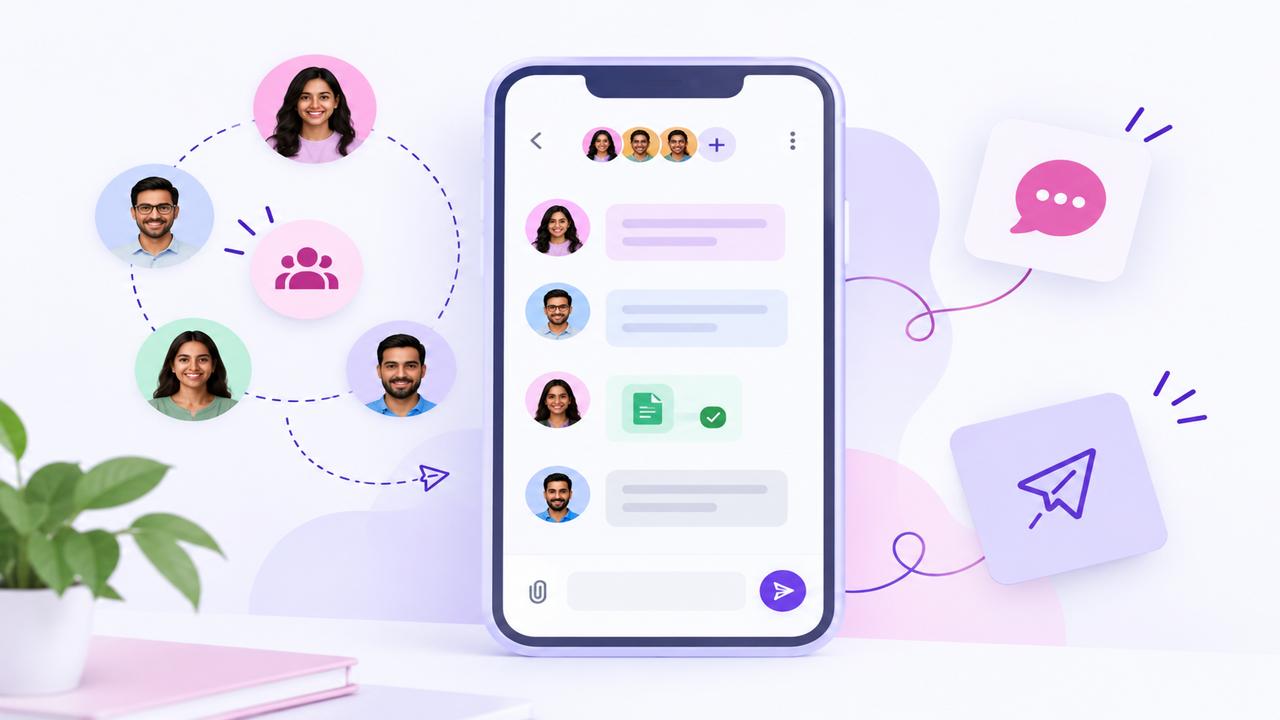
    With DialNext Group Texting, your business can bring multiple customers or participants into one shared SMS conversation, so everyone can see the same messages and replies in one place.

    Whether you’re coordinating a buyer and co-buyer, keeping a patient and caregiver aligned on appointment logistics, or connecting a customer with multiple people from your team, everyone stays in the same conversation.

    What Makes DialNext Group Texting Different?

    Group Texting isn’t just about sending the same SMS to several people. It creates a shared conversation.

    When your DialNext number sends a message, everyone in the group receives it. When any participant replies, that reply appears in the same group conversation—so everyone stays on the same page without managing separate 1:1 threads.

    Create a Group Text in a Few Steps

    Setting up a Group Text is simple:

    1. Open Group texts in your DialNext app.
    2. Choose a US/Canada DialNext number that can send and receive SMS.
    3. Give the group an internal name so your team can easily identify it.
    4. Add 2–9 US/Canada client numbers to the group.
    5. Write your first message.
    6. Select Create.

    Keep Conversations Flexible

    A customer can be part of more than one active Group Text, as long as each group has a different full participant list.

    For example:

    Group A: DialNext number + Buyer + Co-buyer + Agent
    Group B: DialNext number + Buyer + Co-buyer + Lender

    Both groups can stay active because their complete participant lists are different. This lets teams create separate conversations for different topics without forcing everyone into one large group thread.

    However, the exact same participant list cannot be active in two groups at the same time. To reuse that exact group, close the existing conversation first.

    Know the Limits

    Group Texting is designed for focused, multi-party conversations. Keep these limits in mind:

    • Group Texting currently supports US and Canada numbers (+1) for both the DialNext line and client numbers.
    • Each group requires at least 2 client numbers and supports up to 9 client numbers, for a maximum of 10 participants including the DialNext line.
    • The same exact participant list cannot be active in multiple groups at the same time, while partial overlap between different groups is allowed.
    • For US messaging, the DialNext number should be properly registered for US application-to-person business messaging.
    • Group Texts have a dedicated inbox separate from standard 1:1 messages.
    • Delivery may succeed for some recipients and fail for others, so delivery status can vary by participant.
    • Blocked contacts should not be added to a group.
    • Group Texting is designed for focused conversations rather than large multi-party threads.

    How Group Texting Is Billed

    Group Texting uses your workspace’s existing messaging allowance, the same SMS segment pool used for regular messages. There is no separate group-text-only meter.

    For outbound messages, usage depends on both the number of SMS segments and the number of client recipients.

    Outbound usage = SMS segments × number of client phones

    For example:

    • A 1-segment message sent to 2 clients uses 2 messaging units.
    • A 2-segment message sent to 3 clients uses 6 messaging units.
    • A 2-segment message sent to 5 clients uses 10 messaging units.

    Your DialNext number is not counted as a recipient. Included plan messaging segments are used first, followed by prepaid wallet usage for overage at the standard outbound SMS segment rates. Failed sends have their usage reversed. 

    Important: Group Texting does not use a separate group-text-only meter. Outbound usage is based on SMS segments multiplied by the number of client recipients.

    Where Group Texting Works Best

    Group Texting is useful whenever multiple people need to stay informed and respond within the same conversation.

    Real Estate

    Keep buyers, co-buyers, and other stakeholders aligned on showing times, offer updates, links, and important conversation details.

    Healthcare

    Coordinate scheduling and logistics between patients, caregivers, and coordinators. Group texting should remain focused on logistics, while applicable privacy and clinical communication policies continue to apply.

    Automotive

    Keep buyers, co-signers, sales managers, and other relevant team members connected. Separate groups can also be created for different stages, such as sales and service.

    Other Use Cases

    Group Texting can also support shared communication in home services, education and camps, and professional services. 

    Best Practices for Better Group Conversations

    A well-structured group makes communication easier for everyone involved. Keep these practices in mind:

    • Build the group around visibility: Add only the people who need to see and participate in the conversation.
    • Use overlapping groups intentionally: A customer can be part of multiple groups when each group has a different participant list.
    • Avoid unnecessary mega-groups: Keep conversations focused on the people and topic involved.
    • Name groups clearly: Use names such as “4481 Oak — Buyers” to make conversations easy for your team to identify.
    • Close completed conversations: Closing a group ends the live thread and makes that exact participant set available for reuse.
    • Stay within the supported limits: Use US/Canada numbers and keep the group within the 10-person total limit.
    • Keep messages concise: Longer messages may use multiple SMS segments, which affects messaging usage.
    • Choose the right conversation type: Use Group Texting when everyone needs to see the conversation, and 1:1 messaging when the conversation is private. 

    Frequently Asked Questions

    Can the same customer be part of two active Group Texts?

    Yes. A customer can be part of multiple active groups on the same DialNext line as long as the complete participant lists are different.

    Can I create the exact same Group Text twice?

    No. The exact same participant list cannot be active in two groups at the same time. Close the existing group first if you want to create that exact group again.

    How many people can be in a Group Text?

    Each Group Text includes one DialNext US/Canada number and 2–9 client numbers, for a maximum of 10 total participants.

    Is Group Texting the same as sending a broadcast or campaign?

    No. Group Texting creates a shared, two-way conversation where participants can see messages and replies. It is different from one-way campaigns or broadcasts.

    How is Group Texting billed?

    Outbound usage is based on SMS segments × number of client recipients. Group Texting uses the workspace’s existing messaging allowance, followed by prepaid wallet usage for overage. Replies use the normal messaging allowance, and failed sends are not charged.

    What happens when I close a Group Text?

    Closing a group ends the live conversation for that exact participant set and makes the participant set available to be used again later. 

  • What Are Unicode SMS and GSM Encoding?

    What Are Unicode SMS and GSM Encoding?

    SMS Encoding determines how characters inside a text message are converted and transmitted across mobile networks. Different encoding formats affect which characters you can use and how many characters fit inside a single SMS segment.

    Understanding Unicode SMS and GSM encoding helps businesses avoid unexpected message splitting, higher SMS usage, and formatting issues when sending messages at scale.

    Why Does SMS Encoding Matter?

    Every SMS message has a character limit. However, that limit changes depending on the characters used inside the message.

    For example, a simple English text message usually supports more characters than a message containing emojis or certain special characters.

    SMS Encoding helps determine:

    • How messages are processed
    • How many SMS segments are created
    • Which characters are supported
    • How messages appear on customer devices

    As a result, businesses can better manage messaging costs and customer experience.

    What Is GSM Encoding?

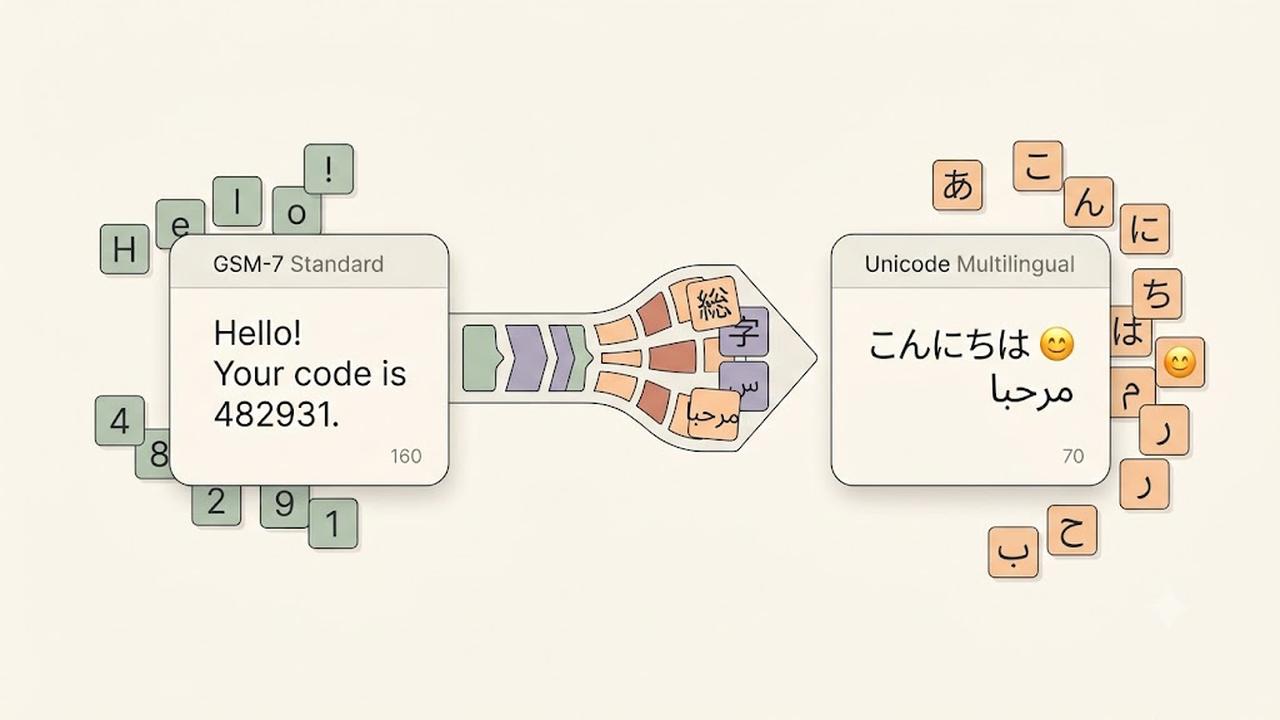
    GSM encoding, also called GSM-7, is the standard character set used for most SMS messages.

    It supports common characters such as:

    • English letters
    • Numbers
    • Basic punctuation
    • Common symbols

    A single GSM encoded SMS message supports up to 160 characters.

    Examples:

    Hello, your appointment is confirmed for tomorrow.
    
    Your verification code is 482931.
    

    Since these messages only contain GSM-supported characters, they can use the full SMS character limit.

    What Is Unicode SMS?

    Unicode SMS uses a broader character set that supports languages and symbols outside GSM encoding.

    Unicode allows messages to include:

    • Emojis
    • Non-Latin languages
    • Special symbols
    • International characters

    Examples include:

    • Chinese
    • Japanese
    • Arabic
    • Hindi
    • Emoji characters

    However, Unicode messages have a smaller character limit because each character requires more data.

    A single Unicode SMS message supports up to 70 characters.

    GSM vs Unicode SMS

    Although both formats deliver text messages, they have different limits.

    GSM EncodingUnicode SMS
    Supports standard charactersSupports global characters
    Up to 160 characters per SMSUp to 70 characters per SMS
    Smaller message sizeLarger message size
    Common for English messagesRequired for emojis and many languages

    Choosing the correct format helps prevent unexpected SMS segmentation.

    What Are SMS Segments?

    When a message exceeds the character limit, mobile networks split it into multiple SMS segments.

    For longer messages:

    • GSM messages usually allow 153 characters per segment.
    • Unicode messages usually allow 67 characters per segment.

    The recipient still sees one complete message, but multiple SMS segments may be used behind the scenes.

    Common Characters That Trigger Unicode SMS

    Some characters may automatically convert a message from GSM to Unicode.

    Examples include:

    • Emojis 😊
    • Curly quotation marks “ ”
    • Certain accented characters
    • Non-English alphabets
    • Special symbols

    Before sending large campaigns, always check whether your message uses Unicode characters.

    How to Reduce SMS Segments

    Businesses can optimize messages by following a few simple practices.

    We recommend:

    • Remove unnecessary emojis.
    • Replace special quotation marks with standard quotes.
    • Keep messages short and clear.
    • Test messages before sending campaigns.
    • Use SMS optimization tools when available.

    Additionally, reviewing message length before sending can help control costs.

    Does DialNext Support SMS Encoding Optimization?

    Yes. DialNext automatically manages SMS Encoding to help improve message compatibility and delivery.

    DialNext detects message formatting and helps businesses send reliable SMS conversations without manually handling encoding rules.

    This allows teams to focus on customer communication while reducing common formatting problems.

    Frequently Asked Questions

    Why Did My SMS Become Multiple Messages?

    Your SMS may become multiple segments if it exceeds character limits or contains Unicode characters such as emojis or unsupported symbols.

    Are Emojis Supported in SMS?

    Yes. Emojis are supported through Unicode SMS, but they reduce the number of characters available in each message segment.

    Should Businesses Avoid Unicode SMS?

    No. Unicode is important for global communication. However, businesses should understand how it affects message length and usage.

    Does GSM Encoding Support Every Language?

    No. GSM encoding supports a limited character set. Many international languages require Unicode.

    Related Articles

    Additional Resources

    Learn more about GSM SMS character encoding:

    https://www.unicode.org

    Need Help?

    If you have questions about SMS Encoding, message limits, or business messaging, contact us at help@dialnext.io.

  • What Is Carrier Filtering in Messaging?

    What Is Carrier Filtering in Messaging?

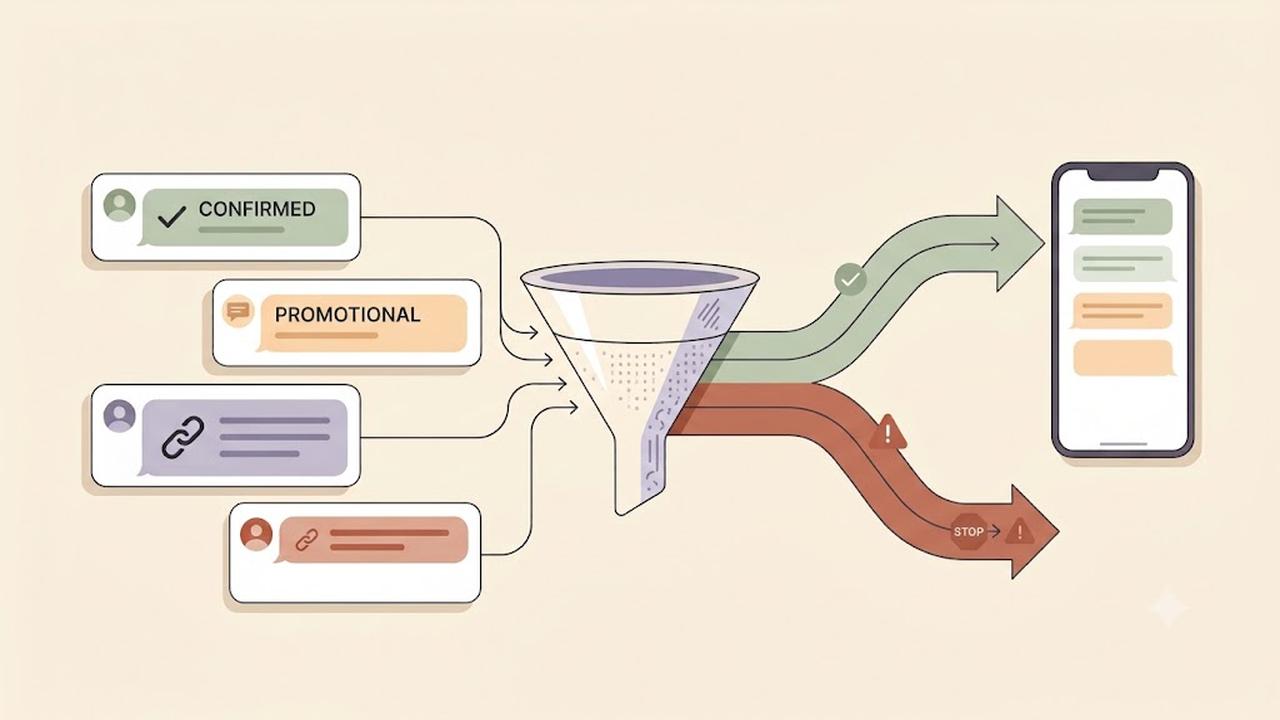
    Carrier Filtering is the process mobile carriers use to identify, review, and block messages that may violate messaging rules or appear suspicious. It helps protect users from spam, fraud, phishing, and unwanted text messages.

    Businesses that send SMS messages should understand how Carrier Filtering works because it can affect message delivery and customer communication.

    Why Does Carrier Filtering Happen?

    Mobile carriers process billions of messages every day. To protect recipients, carriers analyze messaging traffic and identify content that may be unwanted or harmful.

    Filtering systems help detect:

    • Spam messages
    • Fraud attempts
    • Phishing links
    • Unapproved marketing campaigns
    • High-risk message patterns
    • Policy violations

    Additionally, carriers use filtering systems to maintain trust across messaging networks.

    How Does Carrier Filtering Work?

    Carrier Filtering uses a combination of automated systems, compliance checks, and network rules to evaluate messages.

    Carriers may review several factors, including:

    • Message content
    • Sender reputation
    • Sending patterns
    • Message volume
    • Links included in messages
    • Recipient complaints
    • Registration status

    If a message triggers filtering rules, the carrier may block it before it reaches the recipient.

    Common Reasons Messages Get Filtered

    Messages can be filtered for many reasons.

    Common causes include:

    Missing Registration Requirements

    Some regions require businesses to register before sending application-to-person (A2P) messages.

    For example, businesses sending SMS messages to users in the United States often need approved A2P 10DLC registration.

    Suspicious Message Content

    Carriers may block messages containing:

    • Misleading information
    • Unclear sender identity
    • Suspicious links
    • Excessive capitalization
    • Unusual formatting

    Therefore, businesses should write clear and transparent messages.

    Public URL Shorteners

    Many carriers discourage public URL shorteners because bad actors frequently use them to hide unsafe destinations.

    Instead, use branded links whenever possible.

    Missing Opt-In Consent

    Recipients should agree to receive messages before a business contacts them.

    A clear opt-in process improves compliance and reduces filtering risk.

    High Complaint Rates

    If many recipients report messages as spam, carriers may reduce trust in future messages from the sender.

    Sending relevant messages only to interested users helps maintain a positive reputation.

    How to Reduce Carrier Filtering

    Although filtering decisions depend on carriers, businesses can follow best practices to improve SMS deliverability.

    We recommend:

    • Register required messaging campaigns
    • Collect proper customer consent
    • Clearly identify your business
    • Avoid misleading content
    • Use branded links
    • Provide opt-out instructions
    • Keep contact lists updated
    • Avoid sending unwanted messages

    Following these practices improves message reliability and customer trust.

    Carrier Filtering and A2P 10DLC

    A2P 10DLC registration helps carriers understand who is sending messages and why messages are being sent.

    Approved registration does not guarantee every SMS will be delivered. However, it helps establish sender legitimacy and reduces the chance of unnecessary filtering.

    Businesses should still follow messaging policies after approval.

    Does Carrier Filtering Mean My Message Failed?

    Not always.

    Some carriers provide filtering errors when a message is blocked, while others may silently filter messages based on their internal systems.

    Delivery behavior depends on:

    • Destination carrier
    • Country regulations
    • Sender reputation
    • Message content
    • Compliance requirements

    Does DialNext Prevent Carrier Filtering?

    DialNext helps businesses send reliable SMS messages by supporting proper messaging practices and compliance workflows.

    However, final delivery decisions are controlled by mobile carriers.

    To improve delivery rates, always follow carrier guidelines, maintain customer consent, and send relevant messages.

    Frequently Asked Questions

    Can Carrier Filtering Be Removed?

    No. Carrier filtering exists to protect users and messaging networks. Following best practices reduces the likelihood of legitimate messages being blocked.

    Why Are My SMS Messages Being Blocked?

    Messages may be blocked due to compliance issues, suspicious content, missing registration, or carrier filtering rules.

    Does A2P 10DLC Stop Carrier Filtering?

    No. A2P 10DLC improves sender verification but does not guarantee delivery of every message.

    Do All Carriers Use the Same Filtering Rules?

    No. Each carrier manages its own filtering systems, which means delivery behavior can vary between networks.

    Related Articles

    Additional Resources

    Learn more about messaging guidelines:

    https://www.ctia.org

    Need Help?

    If you have questions about SMS delivery, carrier filtering, or messaging compliance, contact us at help@dialnext.io.

  • SMS Segment Optimization with Smart Encoding

    SMS Segment Optimization with Smart Encoding

    SMS segment optimization helps reduce unnecessary message segments and control SMS costs. DialNext automatically applies Smart Encoding to outgoing SMS messages, replacing supported Unicode characters with GSM-7-compatible alternatives where possible.

    This helps messages stay within GSM-7 encoding when possible and reduces unnecessary segmentation.

    What Is an SMS Segment?

    An SMS segment is an individual unit used to transmit a text message. The number of segments depends on both the length of the message and the character encoding used.

    A standard GSM-7 SMS supports up to 160 characters in a single segment, while a message that requires Unicode/UCS-2 encoding typically supports up to 70 characters.

    For longer, concatenated messages, the limits are generally:

    Encoding Single Segment Multi-Segment
    GSM-7160 characters153 characters per segment
    Unicode/UCS-270 characters67 characters per segment

    Longer messages are split into multiple segments and typically reassembled on the recipient’s device.

    How SMS Segment Optimization Works

    SMS messages can use different character encodings.

    Most standard Latin letters, numbers, and common symbols can be encoded using GSM-7. However, some characters—such as smart quotation marks, certain special symbols, emojis, and characters from many non-Latin scripts—may require Unicode encoding.

    A single unsupported character can cause the message to use Unicode/UCS-2 encoding, reducing the number of characters available per segment and potentially increasing the total number of SMS segments. 

    DialNext Smart Encoding helps prevent unnecessary Unicode encoding by automatically replacing supported Unicode characters with visually similar GSM-7-compatible alternatives before the message is sent.

    Smart Encoding Examples :

    OriginalGSM-7-Compatible Replacement
    “ ”” “
    ‘ ’‘ ‘
    ……

    For example:

    Hello “John”

    can be automatically converted to:

    Hello “John”

    before the message is sent.

    Smart Encoding only replaces characters when a suitable GSM-compatible alternative is available. Characters such as emojis or characters from many non-Latin scripts may still require Unicode encoding.

    Why SMS Segment Count Matters

    SMS usage and costs often depend on how many segments a message requires. Even a relatively short message may use additional segments when its encoding changes from GSM-7 to Unicode.

    For example, a Unicode smart quote can trigger Unicode encoding. However, Smart Encoding can replace supported Unicode characters with GSM-compatible alternatives. As a result, replacing a smart quote with a straight quote can help keep the message in GSM-7 when all other characters are compatible.

    Benefits of SMS Segment Optimization

    • Reduce unnecessary SMS segments by keeping compatible messages in GSM-7 encoding where possible.
    • Control messaging costs by avoiding additional segments caused by replaceable Unicode characters.
    • Improve SMS compatibility across carriers and devices.
    • Automatic optimization with no manual character cleanup required for supported replacements.

    Is Smart Encoding Enabled by Default?

    Yes. DialNext automatically applies Smart Encoding to SMS messages sent from the DialNext Inbox.

    No additional configuration is required.

    SMS Segment Optimization FAQs

    Will Smart Encoding change the meaning of my message?

    Smart Encoding replaces supported special characters with visually similar GSM-7-compatible alternatives while preserving the intended message wherever possible.

    Why does SMS segment count matter?

    SMS messages can be billed based on the number of segments used. Longer messages or messages requiring Unicode encoding may use more segments and therefore cost more to send.

    Does an emoji affect SMS segmentation?

    Yes. Emojis generally require Unicode encoding. This can reduce the single-segment character limit from 160 GSM-7 characters to 70 Unicode characters and may increase the number of segments required.

    Can Smart Encoding convert every Unicode character?

    No. Smart Encoding only replaces supported characters when an appropriate GSM-7-compatible alternative exists. Emojis and many non-Latin characters may continue to use Unicode encoding. 

    Can I disable Smart Encoding?

    Smart Encoding is automatically applied by DialNext to help optimize SMS segment usage and messaging costs.

    Need Help?

    For SMS delivery, segmentation, or encoding questions, contact help@dialnext.io

    Related Articles

    How SMS Pricing Works
    SMS Character Limits
    SMS Deliverability Best Practices

    Reference

    GSM 03.38 Character Set