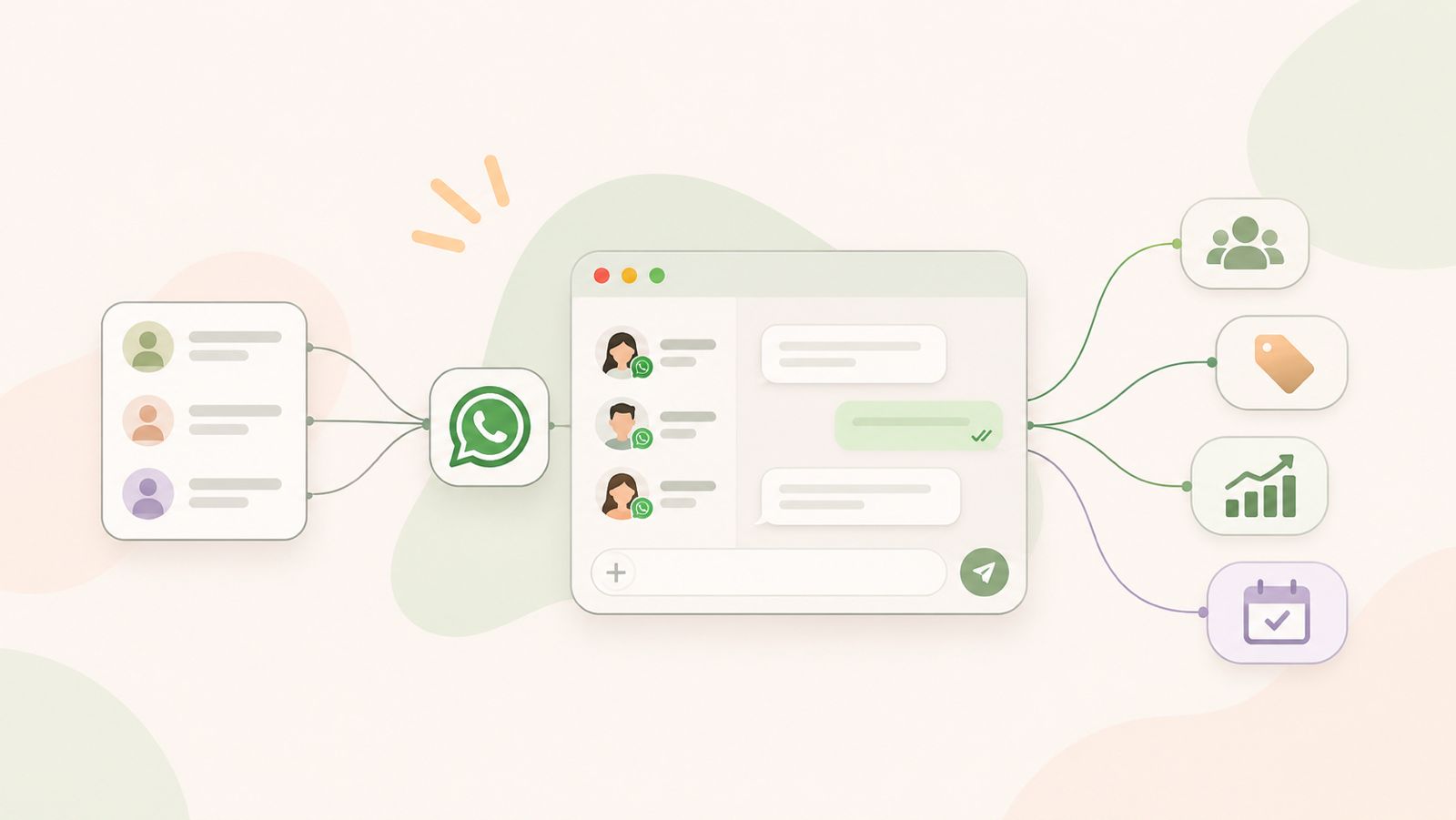
WhatsApp business messaging helps companies communicate with customers through a familiar messaging channel. Sales teams can use it to answer inquiries, share relevant information, and follow up with potential customers.
However, managing customer conversations can become difficult as the number of inquiries grows. Teams may miss follow-ups, lose track of customer questions, or struggle to maintain consistent communication.
A clear messaging workflow can help solve these problems. By organizing inquiries, understanding customer needs, and planning the next steps, businesses can manage conversations more effectively.
In this guide, we’ll explore how businesses use WhatsApp for sales communication, build better follow-up workflows, and choose the right messaging solution for their needs.
What Is WhatsApp Business Messaging?
WhatsApp business messaging helps businesses connect with customers. They can answer questions, share product details, and discuss services through WhatsApp.
Businesses can choose between two main solutions:
- WhatsApp Business app: This app helps small businesses manage customer chats directly.
- WhatsApp Business Platform: This solution helps businesses connect WhatsApp with software and other business tools, depending on their setup.
However, both solutions work differently. Available features depend on the solution a business chooses.
For example, the WhatsApp Business Platform supports approved message templates for certain types of messages. It can also connect with other business systems through supported integrations.
For sales teams, sending a message is only the first step. They also need to understand customer needs and decide what to do next.
Therefore, a clear messaging process is important. Teams can respond to inquiries, plan follow-ups, and keep track of customer conversations more consistently.
As a result, businesses can build a more organized communication process without losing sight of important customer requests.
How Businesses Use WhatsApp for Sales Communication
Businesses use WhatsApp to answer questions, share useful information, and stay in touch with potential customers. When teams follow a clear process, they can manage inquiries more consistently.
Responding to Customer Inquiries
Customers often have questions before making a purchase. They may ask about pricing, product features, availability, or services.
Sales teams can use WhatsApp to answer these questions directly. Quick and relevant replies help customers understand their options.
For example, a customer may ask about a service package. The sales representative can explain the available options and ask what the customer needs.
Following Up With Leads
Not every customer makes a decision after the first conversation. Some need more information or time to compare their options.
Therefore, sales teams should plan their follow-ups. They can note the last conversation and agree on a suitable time to reconnect.
However, teams should respect customer preferences and avoid sending unwanted messages. They must also follow the applicable WhatsApp messaging rules.
Sharing Product and Service Information
Customers often need more details before choosing a product or service. WhatsApp can help businesses share relevant information during these conversations.
For example, sales representatives can share product details, service descriptions, or pricing information when appropriate. This helps customers review their options before making a decision.
However, teams should keep messages clear and relevant. Too much information in one message can make it harder for customers to understand the key points.
Handling Customer Questions
Customer conversations may continue even after a purchase. Customers might ask about delivery, setup, billing, or ongoing support.
In these situations, sales and support teams should provide clear answers. If another team needs to handle the request, the representative should explain the next step.
As a result, customers know what to expect and who will assist them.
Maintaining Ongoing Customer Communication
Customer relationships often require more than one conversation. Businesses may need to share updates, answer new questions, or reconnect when customers request more information.
To stay organized, teams should record important details and agree on the next action. They should also follow customer communication preferences and applicable messaging rules.
The key is consistency. A clear process helps sales teams manage conversations without losing track of customer needs.
How to Build an Effective WhatsApp Sales Workflow
A clear WhatsApp sales workflow helps teams manage customer inquiries and follow-ups. It also makes the next step easier to identify. Here are five steps businesses can follow.
Step 1: Capture the Customer Inquiry
First, understand why the customer contacted your business. They may want product details, pricing, or help choosing a service.
Record the important details where appropriate. For example, note the customer’s name, needs, and reason for contacting your team.
This information helps sales representatives respond with relevant answers. It also reduces confusion when another team member needs to take over.
Step 2: Understand the Customer’s Needs
Next, ask simple questions to understand what the customer wants. Avoid sending product information before you understand their requirements.
For example, a sales representative might ask about the customer’s budget, preferred features, or expected timeline.
As a result, the team can recommend suitable options instead of sharing irrelevant details.
Step 3: Send Relevant Information
Once you understand the customer’s needs, share the most useful information. This may include pricing, product details, service options, or answers to specific questions.
Keep each message clear and focused. If the customer needs several details, share them in a logical order.
However, avoid sending repeated messages or unnecessary promotional content. Always follow the customer’s preferences and applicable WhatsApp messaging rules.
Step 4: Plan the Next Follow-Up
Not every conversation leads to an immediate decision. Therefore, decide what should happen next before closing the conversation.
For example, you might agree to reconnect after the customer reviews a proposal. Record the agreed date and next action in your team’s chosen tracking system.
This simple habit helps prevent missed follow-ups. It also gives sales representatives a clear reason to contact the customer again.
Step 5: Record the Outcome Where Appropriate
Finally, record the result of the conversation. The customer may be ready to purchase, need more information, or decide not to proceed.
Update the relevant sales record when appropriate. Include the current status and any agreed next steps.
This process helps teams understand which inquiries need attention. It also makes handoffs between sales representatives easier.
Remember: These steps describe a general sales workflow, not a claim that DialNext automates every step through WhatsApp. The tools and features available will depend on your business messaging setup.
WhatsApp vs SMS for Business Communication
WhatsApp and SMS help businesses communicate with customers. However, each channel serves different needs. The right choice depends on the message, customer preferences, and communication goals.
Key Differences Between WhatsApp and SMS
| Feature | SMS | |
| Message format | Supports text and, depending on the solution, media | Primarily text, with some support for links and other formats |
| Customer interaction | Supports two-way conversations | Supports replies where the service and setup allow them |
| Internet access | Requires an internet connection | Usually works through a cellular network |
| Business use cases | Customer questions, product details, and ongoing conversations | Alerts, reminders, and short updates |
| Business requirements | Features depend on the WhatsApp solution used | Features depend on the SMS provider and service |
When Should Businesses Use WhatsApp?
WhatsApp can be useful when customers need to discuss a product or service in more detail.
For example, a sales representative can answer questions about a service package and share relevant information. The customer can then ask follow-up questions in the same conversation.
However, businesses must follow the applicable messaging rules and respect customer preferences.
When Should Businesses Use SMS?
SMS works well for short messages and simple updates.
For example, a business might send an appointment reminder, a service notification, or a brief confirmation. SMS can also reach customers who prefer text messages over messaging apps.
However, delivery and reply options depend on the provider, network, and service configuration.
Can Businesses Use Both Channels?
Yes. Businesses can use WhatsApp and SMS for different communication needs.
For example, a team might use SMS for a short appointment reminder and WhatsApp for a detailed customer discussion. The choice should reflect the customer’s preferences and the purpose of the message.
DialNext offers business calling and SMS capabilities. Businesses evaluating their communication setup should confirm which channels and features their chosen plan supports.
The key takeaway: Choose the channel that best fits the conversation. A clear communication process matters more than using every available channel.
WhatsApp Messaging and CRM Workflows
A customer relationship management (CRM) system helps businesses organize customer details, track leads, and manage sales activities. When teams use WhatsApp for customer conversations, a clear CRM workflow can help them maintain better records.
However, using WhatsApp and a CRM together does not always mean messages sync automatically. The available features depend on the messaging platform and integration.
Keep Customer Information Organized
First, record important customer details in the appropriate system. These details may include contact information, product interests, previous discussions, and current sales status.
This information helps sales representatives understand the customer’s needs. It also makes future conversations easier to manage.
Track Conversations and Next Steps
Next, record the outcome of important customer interactions. For example, note whether the customer requested a quotation or wants to discuss the service again.
Then, assign a suitable next action and follow-up date. As a result, team members can identify which leads need attention.
Improve Team Handoffs
Sometimes, another representative needs to continue a customer conversation. In these situations, clear notes help the next person understand the customer’s requirements.
For example, a sales representative can record the customer’s main concern and the information already shared. This reduces repeated questions and creates a more consistent customer experience.
Check Integration Capabilities Before Choosing a Platform
Businesses should confirm how their chosen tools connect before building a messaging workflow.
Check whether the solution supports:
- Contact syncing between systems.
- Access to conversation history.
- Lead status updates.
- Follow-up task management.
- Reporting on customer interactions.
These features are not available in every setup. Therefore, verify each requirement with the provider before relying on it.
DialNext offers business communication and CRM integration capabilities. However, businesses should confirm the specific functionality available for their chosen CRM and messaging channel.
The goal is simple: Keep customer information organized, make ownership clear, and ensure every important conversation has a defined next step.
Best Practices for Business WhatsApp Messaging
Good WhatsApp communication starts with clear messages and a consistent process. Businesses should focus on customer needs rather than sending messages just to stay visible.
Follow these best practices to manage conversations effectively.
1. Keep Messages Clear and Relevant
First, understand what the customer wants to know. Then, share information that answers their question.
Use simple language and short messages. For example, explain the key service details before sharing additional information.
This approach makes conversations easier to follow. It also helps customers decide what to do next.
2. Respond Within a Reasonable Time
Customers appreciate timely responses. Therefore, establish clear expectations for handling incoming inquiries.
For example, assign responsibility for checking new messages during business hours. If a response needs more time, let the customer know when to expect an update.
However, avoid promising response times your team cannot maintain.
3. Get Permission Before Sending Promotional Messages
Always respect customer preferences when communicating through WhatsApp. Businesses should obtain the required permission before sending messages and follow applicable WhatsApp policies.
In addition, make it easy for customers to stop receiving promotional messages. Keep records of their preferences and honor opt-out requests.
These steps help businesses maintain more respectful customer relationships.
4. Plan Follow-Ups Carefully
A useful follow-up gives the customer a clear reason to continue the conversation.
For example, a sales representative might share a requested quotation and agree on a suitable time to discuss it. Record the next step so the team can follow through.
However, avoid sending repeated messages when a customer has not responded. Give them space and respect their communication preferences.
5. Protect Customer Information
Customer conversations may contain personal or business information. Therefore, limit access to authorized team members and follow your company’s data protection policies.
Use appropriate business tools to manage customer records. Also, avoid sharing sensitive information with people who do not need it.
6. Review Your Communication Process Regularly
Finally, review how your team handles customer inquiries and follow-ups.
Check whether messages receive timely responses and whether representatives record important outcomes. Identify recurring delays and improve the process where needed.
If your messaging solution provides relevant reports, use them to understand team performance. However, available reporting features vary by provider.
Remember: Effective WhatsApp business messaging depends on relevance, timely responses, customer permission, and consistent follow-ups. A simple, well-managed process is more useful than sending a high volume of messages without a clear purpose.
Common WhatsApp Messaging Mistakes to Avoid
Businesses can improve customer communication by avoiding a few common mistakes. A clear messaging process helps sales teams stay organized and maintain better customer relationships.
1. Sending Messages Without a Clear Purpose
Every business message should serve a purpose. It might answer a question, share requested information, or confirm the next step.
However, sending irrelevant messages can frustrate customers. Therefore, make sure each message provides useful information.
2. Forgetting to Follow Up
Sales teams sometimes lose track of conversations after the first interaction. As a result, interested customers may not receive the information they need.
To prevent this, record important conversations and set reminders for agreed follow-ups. Also, assign responsibility so team members know who should respond.
3. Sending Too Many Messages
Frequent messages do not always lead to better customer relationships. In fact, repeated messages can make customers less willing to engage.
Instead, follow a reasonable communication schedule. Respect customer preferences and stop promotional messages when customers opt out.
4. Using Generic Replies for Every Customer
Different customers have different questions and needs. Therefore, sending the same response to everyone may not solve their problems.
Use clear, relevant replies based on the customer’s inquiry. You can prepare standard responses for common questions, but adapt them when the situation requires a personal answer.
5. Failing to Record Important Details
When teams do not record customer interactions, important information can get lost. This becomes especially difficult when another representative takes over the conversation.
To avoid this problem, record relevant details, decisions, and agreed next steps in your team’s chosen system.
6. Assuming Every Messaging Platform Has the Same Features
Not every business messaging solution supports the same tools. Some may offer integrations or automation, while others may require additional setup.
Therefore, check the available features before choosing a platform. Confirm that it supports your team’s actual needs instead of relying on assumptions.
The takeaway: Better business messaging starts with relevant communication, organized follow-ups, and clear ownership. Avoiding these mistakes helps teams create a more consistent customer experience.
How to Choose a WhatsApp Business Messaging Solution
Choosing the right WhatsApp business messaging solution depends on your team’s needs, communication volume, and existing tools. The best option should fit your workflow without adding unnecessary complexity.
Consider these factors before making a decision.
1. Identify Your Business Requirements
First, decide how your team plans to use WhatsApp. You may need to answer customer questions, manage sales inquiries, or provide ongoing support.
Next, list the features required for these tasks. This helps you compare solutions based on actual business needs rather than promotional claims.
2. Check Messaging Capabilities
Different solutions offer different messaging features. Therefore, confirm which message types and conversation options are available.
If your team needs business-initiated messages, check the applicable template and customer permission requirements. Also, confirm any setup requirements before implementation.
3. Review CRM Integration Options
If your sales team uses a CRM, check whether the messaging solution supports your specific system.
For example, you may want to access customer details, review conversation history, or update lead records. However, these capabilities depend on the integration and may require additional configuration.
4. Understand Automation and Reporting
Some businesses need automated replies, scheduled follow-ups, or messaging reports. Others may only need a simple way to handle customer conversations.
Therefore, identify which features are essential for your team. Then, verify that the provider supports them under your chosen plan.
Avoid paying for features your business does not currently need.
5. Compare Costs and Setup Requirements
Before choosing a provider, review the pricing structure and implementation requirements.
Check subscription fees, messaging charges, integration costs, and any additional service fees. Also, consider the time your team will need to learn and manage the solution.
As a result, you can make a more informed decision about the total cost.
6. Evaluate Security and Customer Support
Finally, review how the provider handles customer information and protects account access.
Check available security controls, data handling practices, and support options. If your team depends on messaging for daily sales activities, reliable technical support is also important.
The bottom line: Choose a WhatsApp business messaging solution that matches your communication goals, integrates with your existing workflow where needed, and offers clear pricing and support. Always verify specific features before committing to a provider.
Frequently Asked Questions
What Is WhatsApp Business Messaging?
WhatsApp business messaging allows businesses to communicate with customers through WhatsApp. Teams can use it to answer questions, share product information, and manage customer conversations.
How Can Businesses Use WhatsApp for Sales?
Businesses can use WhatsApp to respond to inquiries, understand customer needs, share relevant information, and follow up with potential buyers. A clear process helps sales teams manage conversations and track next steps.
Is WhatsApp Better Than SMS for Business Communication?
It depends on the purpose of the message. WhatsApp is useful for ongoing conversations and sharing supported media. In contrast, SMS works well for short updates and reminders. Businesses should choose the channel that best suits their customers and communication goals.
Can Businesses Use WhatsApp for Customer Follow-Ups?
Yes. Businesses can follow up with customers who have requested information or shown interest in a product or service. However, they must respect customer preferences and follow the applicable WhatsApp messaging policies.
What Is the WhatsApp Business Platform?
The WhatsApp Business Platform allows businesses to connect WhatsApp messaging with software and business systems. Depending on the setup, it can support integrations and approved message templates for eligible use cases.
How Does WhatsApp Messaging Work With CRM Systems?
Businesses can connect WhatsApp messaging with a CRM when their chosen platform and integration support it. This may help teams manage customer details, review conversation history, and track sales activities. Available features vary by provider.
What Should Businesses Consider When Choosing a WhatsApp Messaging Platform?
Businesses should review messaging features, CRM integrations, automation options, reporting, pricing, security, and customer support. They should also confirm setup requirements and applicable messaging rules before choosing a provider.