
- Login or Signup to your DialNext account.
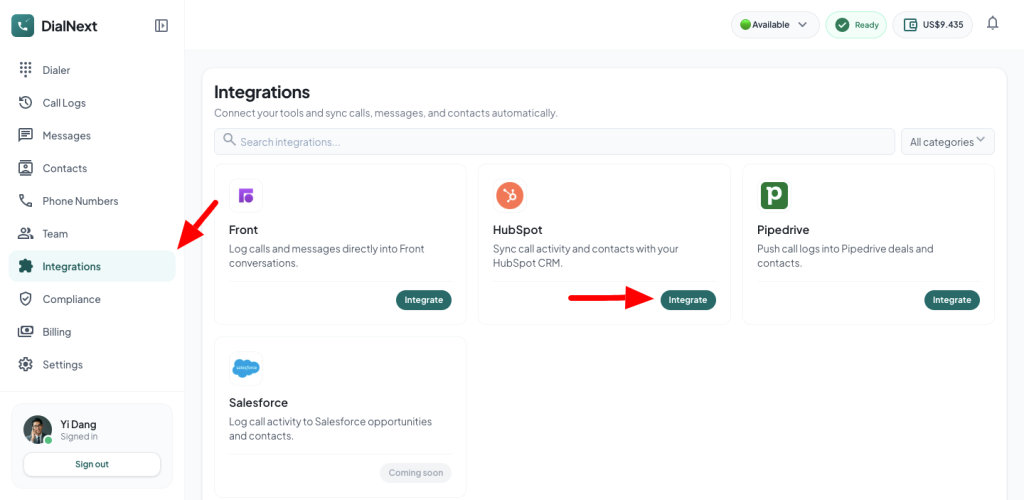
- In the left sidebar, click Integrations.
- Look for HubSpot & click the Integrate button.
- You will be redirected to HubSpot’s authorization page. Click Authorize to grant permission and connect DialNext with HubSpot.
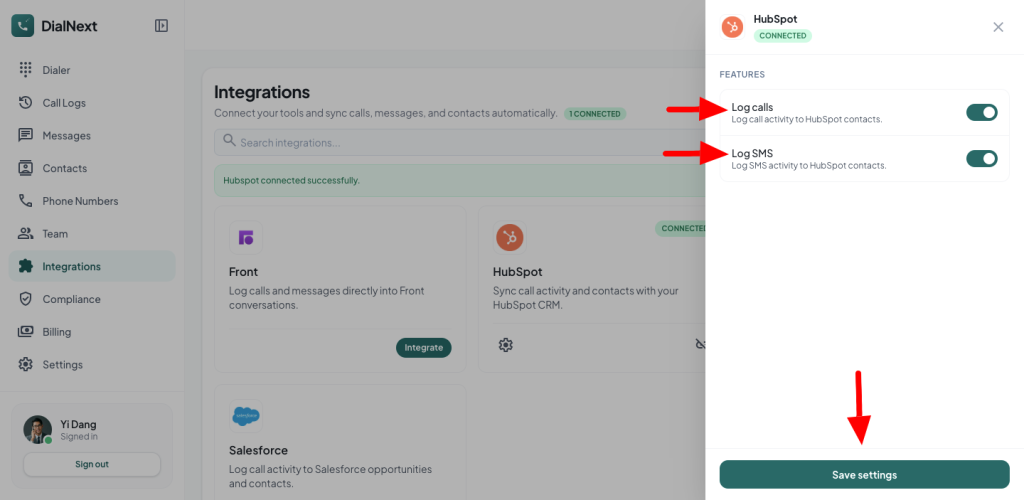
- Once the authorization is complete, HubSpot will redirect you back to DialNext.
- Click Save Settings to begin logging calls and SMS messages to your HubSpot account.
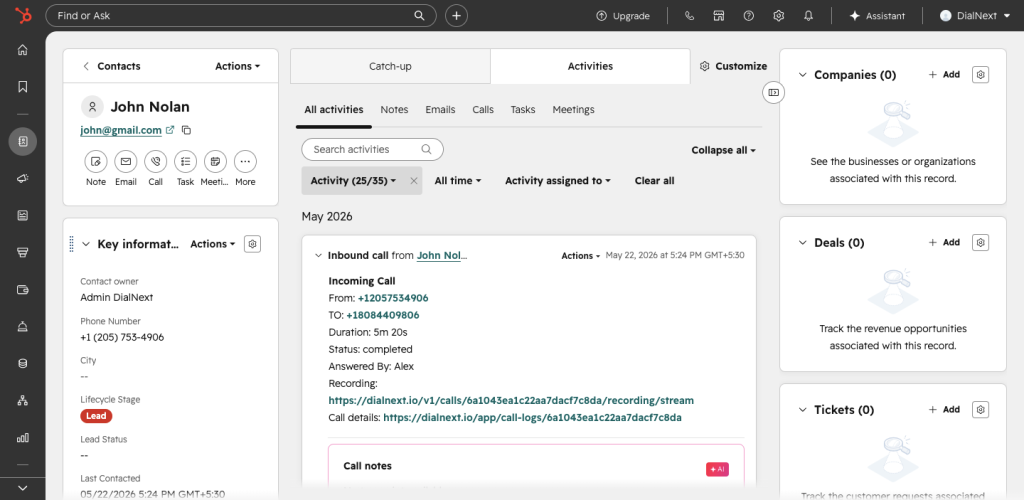
- Make a test call, and you will see a log automatically created within the corresponding contact in HubSpot.
If you encounter any issue, you can reach us out on help@dialnext.io
Leave a Reply