Skip to content
How to integrate with Pipedrive?

- Login or Signup to your DialNext account.
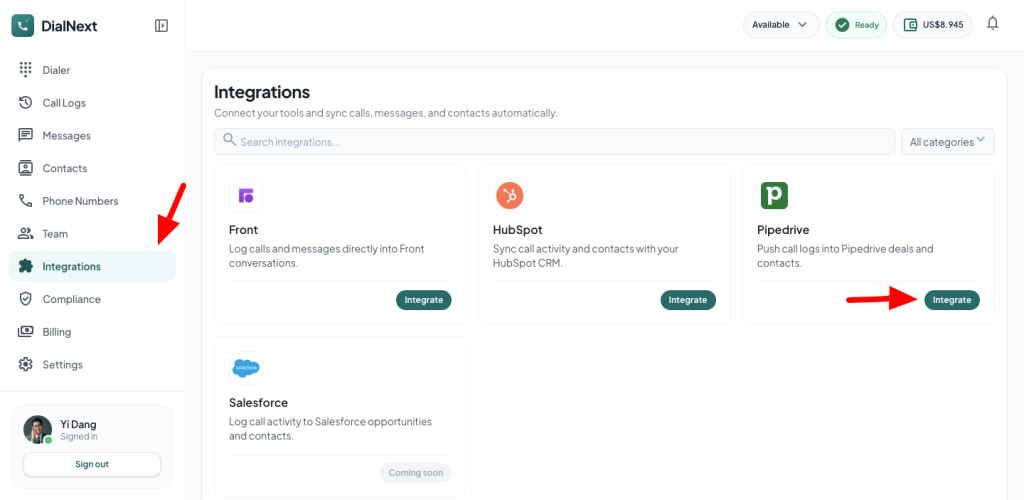
- In the left sidebar, click Integrations.
- Look for Pipedrive & click the Integrate button.
- You will be redirected to Pipedrive’s authorization page. Click Authorize to grant permission and connect DialNext with Pipedrive.
- Once the authorization is complete, Pipedrive will redirect you back to DialNext.
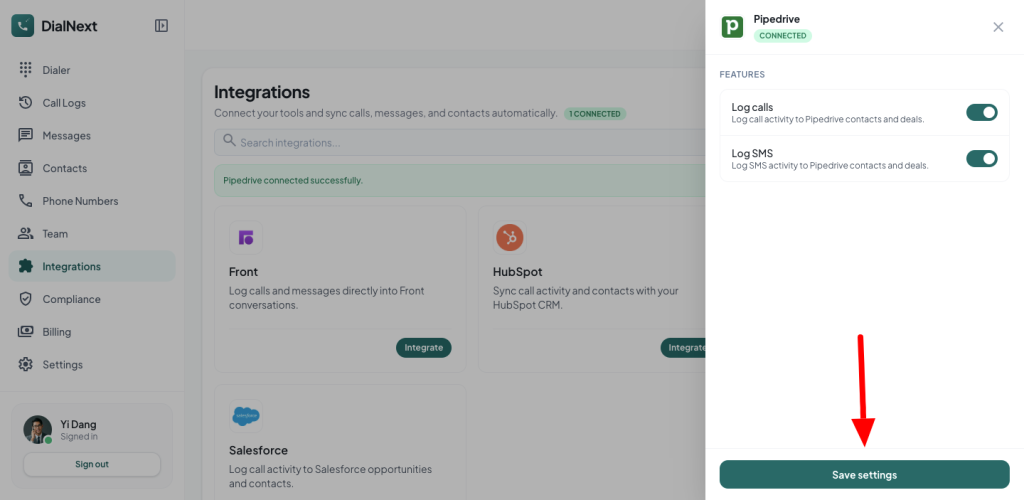
- Click Save Settings to begin logging calls and SMS messages to your Pipedrive account.
- Make a test call, and you will see a log automatically created within the corresponding contact in Pipedrive.
- If you encounter any issue, you can reach us out on help@dialnext.io
Leave a Reply