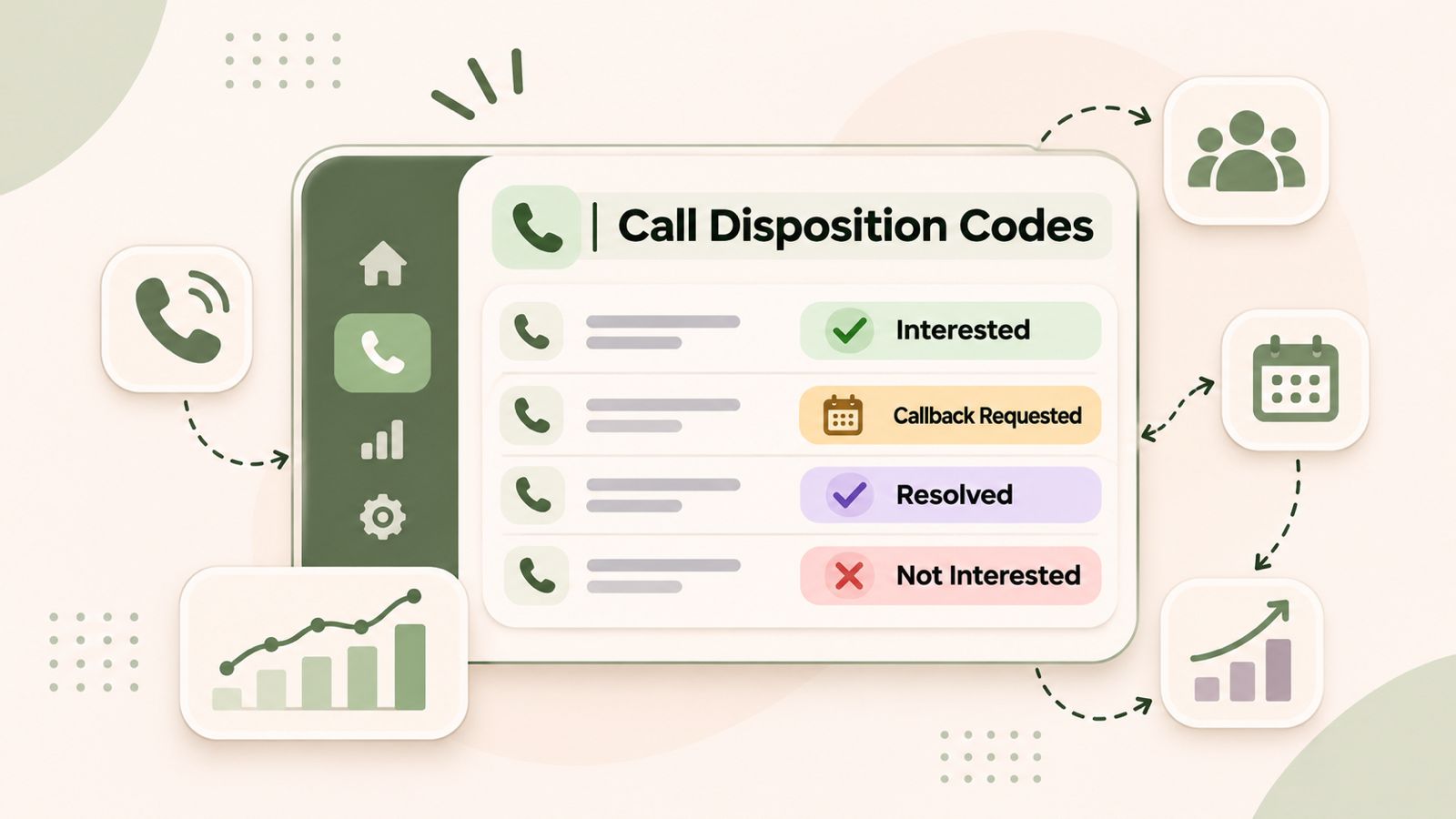
Call disposition codes help sales and customer support teams record the outcome of every phone call. These codes show whether a customer answered, a prospect showed interest, a customer requested a callback, or an issue needs more attention.
For example, a sales representative can use a call disposition code to mark an interested prospect for follow-up. Similarly, a support agent can record whether a customer’s issue was resolved or needs further help.
As a result, businesses can keep better call records, manage follow-ups, and understand their calling activity. In this guide, we explain what call disposition codes are, share 30 practical examples, and cover the best ways to use them.
What Are Call Disposition Codes and How Do They Work?
Call disposition codes are predefined labels that describe the result of a phone conversation. After a call, an agent or sales representative selects the label that best matches the outcome.
For example, a sales representative might select “Interested – Follow-Up Required” after speaking with a potential customer. On the other hand, a support agent might select “Issue Resolved” after solving a customer’s problem.
These labels help every team member record calls in the same way.
Some common call disposition codes include:
- Answered
- No Answer
- Voicemail Left
- Callback Requested
- Interested
- Not Interested
- Demo Scheduled
- Issue Resolved
- Escalation Required
- Wrong Number
However, not every business needs the same list. The right codes depend on the type of calls your team handles and the actions your business wants to track.
Why Are Call Disposition Codes Important for Businesses?
Recording a call is only the first step in managing customer communication. However, businesses also need to know what happened during the conversation and what should happen next.
This is where call disposition codes become useful.
1. Improve Sales Follow-Ups
Sales teams speak with prospects at different stages of the buying process. Some prospects request a demo, while others need more information or time to decide.
Therefore, sales representatives can use call disposition codes to record each result.
For example, a prospect marked “Callback Requested” needs another call. Similarly, a prospect marked “Demo Scheduled” has moved to the next stage of the sales process.
2. Maintain Consistent Call Records
Without standard labels, employees may describe the same result in different ways.
For example, one representative might write “Call Later,” while another writes “Follow Up Tomorrow.”
As a result, managers may find it difficult to review and compare call records.
A shared set of call disposition codes solves this problem. It gives employees clear options and makes call records easier to understand.
3. Understand Team Performance
Managers can review call outcomes to understand how their teams handle customer conversations.
For example, they can check:
- How many calls were answered.
- How many prospects requested callbacks.
- How many calls resulted in meetings.
- How often customers requested extra help.
- How many conversations still need follow-up.
In addition, managers can compare these results over time to identify changes in team activity.
4. Improve Customer Support Workflows
Customer support teams handle different types of requests every day. Some issues are resolved during the first call, while others need more work.
Call disposition codes help agents separate resolved issues, pending requests, escalations, and missed interactions.
Therefore, support managers can quickly identify which conversations still need attention.
5. Keep Better CRM Records
A CRM stores customer details and records of previous interactions. Similarly, clear call outcomes make these records more useful.
For example, a representative can review a previous call before contacting the same customer again.
In addition, managers can use these records to create reports and understand customer communication patterns.
30 Call Disposition Codes Examples for Sales and Customer Support
The right call disposition codes depend on your business, sales process, and customer support needs.
Below are 30 practical examples divided into four groups. Each code includes its meaning and the next action your team can take.
A. General Call Outcome Codes
These codes describe what happened when someone made or received a call.
| Code | Definition | Next Action |
|---|---|---|
| Answered | The recipient answered the call | Record the conversation outcome |
| No Answer | The recipient did not answer | Schedule another attempt |
| Voicemail Left | The agent left a voicemail | Plan a follow-up |
| Busy | The recipient’s line was busy | Try again later |
| Wrong Number | The number does not belong to the intended contact | Check the contact details |
| Call Disconnected | The call ended unexpectedly | Try to reconnect |
| Callback Requested | The recipient asked for another call | Schedule a callback |
| Not Reachable | The recipient could not be reached | Check the number and try again |
These basic codes help teams understand the result of each call attempt. In addition, they make it easier to plan the next action.
B. Sales Call Disposition Codes
Sales teams need codes that show prospect interest and progress through the sales process.
| Code | Definition | Next Action |
|---|---|---|
| Interested | The prospect showed interest in the product or service | Share more information |
| Not Interested | The prospect declined the offer | Record the reason |
| Qualified Lead | The prospect meets the sales team’s requirements | Move to the next sales stage |
| Unqualified Lead | The prospect does not meet the requirements | Update the lead status |
| Demo Scheduled | The prospect agreed to a product demo | Confirm the meeting |
| Follow-Up Required | More discussion is needed | Create a follow-up task |
| Pricing Discussion | The prospect asked about pricing | Share pricing details |
| Decision Pending | The prospect needs more time to decide | Schedule another conversation |
| Converted | The prospect became a customer | Update the CRM |
| Do Not Contact | The contact asked not to receive further calls | Update contact preferences and respect the request |
These sales call disposition codes help representatives understand where each prospect stands. As a result, they can focus on the right follow-up activities.
C. Customer Support Call Disposition Codes
Support teams can use these codes to track customer issues and service requests.
| Code | Definition | Next Action |
|---|---|---|
| Issue Resolved | The customer’s problem was solved | Close the support case |
| Issue Pending | The problem still needs attention | Continue the investigation |
| Escalation Required | Another team needs to handle the issue | Transfer or escalate the request |
| Information Provided | The customer received the requested information | Record the details |
| Complaint Received | The customer reported a problem | Review the complaint |
| Technical Support Required | The issue needs technical help | Assign a specialist |
| Refund Requested | The customer asked for a refund | Follow the refund process |
| Follow-Up Required | More communication is needed | Schedule another interaction |
For example, a support agent can select “Issue Pending” when a problem cannot be solved during the first conversation. The next agent can then review the record and continue the work.
D. Appointment and Service Call Codes
Businesses that manage bookings, appointments, and service requests may need these additional codes.
| Code | Definition | Next Action |
|---|---|---|
| Appointment Scheduled | A new appointment was confirmed | Update the calendar |
| Appointment Rescheduled | An existing appointment was changed | Confirm the new time |
| Appointment Cancelled | The customer cancelled the booking | Update the booking record |
| Confirmation Received | The customer confirmed the appointment | Keep the booking active |
These examples provide a starting point. However, businesses should choose codes that match their actual calling process instead of using every available option.
What Is the Difference Between Call Status, Call Disposition and Call Notes?
Call status, call disposition, and call notes are related terms. However, each one serves a different purpose.
| Term | Meaning | Example |
|---|---|---|
| Call Status | Shows the connection result | Answered, missed, failed |
| Call Disposition | Shows the business outcome | Interested, demo scheduled, issue resolved |
| Call Notes | Give extra details about the conversation | Customer requested a quotation next Monday |
Consider this example.
A sales representative calls a potential customer. The call record may look like this:
- Call Status: Answered
- Call Disposition: Interested – Follow-Up Required
- Call Notes: Customer wants to review the pricing proposal with their manager.
In this example, the call status shows that the connection was successful. Meanwhile, the disposition explains what happened during the conversation. Finally, the notes provide extra details.
Using all three helps businesses maintain clear and useful customer records.
How to Choose the Right Call Disposition Codes for Your Team
A good disposition system should be easy to understand and simple to use. Therefore, businesses should plan their categories before adding them to their calling workflow.
Follow these steps to create a useful system.
1. Identify Your Calling Objectives
First, understand why your team makes calls.
For example:
- Sales teams focus on lead qualification, meetings, and sales.
- Customer support teams focus on solving issues and handling requests.
- Recruitment teams focus on candidate availability and interviews.
- Service teams focus on bookings and job completion.
Your call disposition codes should match these goals. This way, employees can select the right result after each conversation.
2. Separate Main Outcomes From Extra Details
Use the main disposition to record the primary result of a call.
For example:
- Interested
- Not Interested
- Callback Requested
- Issue Resolved
- Escalation Required
Then, use call notes or secondary tags to record more details where your platform supports them.
This approach keeps your main categories simple. It also makes reports easier to read.
3. Use Clear Labels
Avoid vague labels such as:
- Other
- Miscellaneous
- General
- Done
Instead, choose labels that describe a clear result.
For example, use “Pricing Information Requested” instead of “Other.” This makes it easier for employees and managers to understand the call record.
4. Avoid Too Many Categories
A long list can confuse employees. Moreover, it may slow down their work after a call.
Therefore, start with the outcomes your team uses most often. Add more codes only when your business needs them.
5. Explain When to Use Each Code
Write a short description for every category.
For example, use “Callback Requested” only when the customer or prospect asks for another call.
Similarly, use “Issue Resolved” only when the customer’s problem has been solved.
Clear rules help employees choose the same code for similar situations.
6. Review Your Categories Regularly
Business needs can change over time. Therefore, review your call disposition codes on a regular basis.
Look for categories that:
- Are rarely used.
- Have the same meaning as another category.
- No longer match your calling process.
- Do not provide useful information.
Finally, update the list and inform your team about any changes.
How to Use Call Disposition Codes to Improve Sales Performance
Sales managers can use call outcomes to understand how prospects move through the sales process.
Here are four practical ways to use this information.
Track Prospect Interest
Compare outcomes such as Interested, Not Interested, No Answer, and Callback Requested.
This helps managers understand how prospects respond to sales calls. In addition, it can help teams review their outreach approach.
Find Follow-Up Opportunities
A prospect marked “Follow-Up Required” should not get lost in the sales pipeline.
Instead, connect the disposition to a clear next step. This could be another call, an email, or a product demonstration.
Review Sales Progress
Compare the number of qualified leads, scheduled demos, and converted prospects over the same period.
As a result, managers can see where prospects are moving forward and where they may need more support.
Improve Sales Training
Managers can review call recordings, notes, and outcomes to understand how representatives handle conversations.
For example, they can identify common customer questions or objections. Then, they can use these findings to improve sales training and communication.
Learn more about DialNext sales calling solutions.
How to Use Call Disposition Codes in Customer Support
Customer support teams can use call disposition codes to keep a clear record of customer conversations.
Here are three useful ways to apply them.
Identify Unresolved Issues
Use codes such as Issue Pending and Escalation Required to find conversations that need more work.
Therefore, managers can review open requests and assign them to the right team members.
Understand Common Customer Problems
Review the support categories that appear most often.
For example, frequent complaints or technical support requests may show where customers need more help.
As a result, support managers can focus on common problems and improve their service process.
Maintain Better Customer History
Clear call outcomes and notes help another agent understand previous conversations.
This means customers do not need to explain the same problem again when the team has accurate records.
Learn more about DialNext customer support solutions and how organized communication can help support teams manage customer conversations.
How Does Call Disposition Data Improve CRM Reporting?
A CRM stores customer details and records of business interactions. When teams record call outcomes in a consistent way, they can create more useful reports.
For example, managers can review:
- Call outcomes: See how many calls were answered, missed, or ended with another result.
- Sales progress: Track qualified leads, scheduled demos, and conversions.
- Follow-up activity: Find contacts that need another call or message.
- Agent activity: Compare recorded call outcomes across team members.
- Customer support: Review resolved, pending, and escalated issues.
Consider a sales manager who wants to find prospects waiting for another call.
The manager can filter records marked “Callback Requested.” Next, they can check whether each representative completed the follow-up.
This makes it easier to manage pending sales activities.
However, the quality of these reports depends on accurate records, clear categories, and reliable CRM activity logging.
For more information, explore DialNext lead generation solutions.
For additional guidance, read the HubSpot guide to creating custom call and meeting outcomes.
You can also review the Salesforce CallDisposition field reference.
Common Call Disposition Mistakes to Avoid
Even a good disposition system can fail if employees do not use it correctly.
Therefore, businesses should avoid these common mistakes.
Using Vague Categories
Labels such as “Other” and “Done” do not explain what happened during a call.
Instead, use clear categories that describe the actual outcome.
Mixing Call Status With Business Outcomes
An answered call does not always mean a successful sales conversation.
For this reason, keep connection results separate from sales and support outcomes.
Ignoring Follow-Up Actions
Recording “Callback Requested” is not enough.
Managers should also assign responsibility and set a clear next step. Otherwise, the prospect or customer may not receive the expected response.
Creating Duplicate Categories
Avoid using labels such as “Call Later,” “Follow Up,” and “Callback Required” for the same result.
Instead, choose one standard label and explain when employees should use it.
Not Training Employees
Employees need to know how and when to select each category.
Therefore, provide simple guidelines and review how your team uses the codes.
Ignoring Call Reports
Collecting data is only useful when managers review it.
Regularly check call outcomes and use the results to improve team workflows.
How DialNext Helps Teams Manage Call Outcomes
Managing business communication involves more than making and receiving calls. Teams also need a clear way to review conversations and maintain customer records.
DialNext provides business calling, call recording, call tags, notes, SMS, and CRM connectivity to support sales and customer support workflows.
With DialNext, teams can:
- Record and review customer conversations.
- Add call tags to group and identify interactions.
- Maintain notes alongside customer interaction history.
- Track call activity through available analytics and reporting.
- Manage inbound and outbound business calls.
- Connect communication activity with supported CRM workflows.
For example, a lead generation team can use call tags to group prospect interactions based on outcomes such as Qualified, Not Interested, and Callback Needed.
As a result, managers can get a clearer view of campaign activity and follow-up needs.
Similarly, customer support teams can use call tags and notes to keep track of customer requests.
By combining business calling with organized interaction records, DialNext helps teams manage customer communication more clearly.
Explore the DialNext business calling platform to learn more about its communication solutions.
Frequently Asked Questions About Call Disposition Codes
1. What are call disposition codes?
Call disposition codes are predefined labels that record the result of a phone call. They help businesses group conversations, track follow-ups, and review call activity.
2. What are the most common call disposition codes?
Common call disposition codes include Answered, No Answer, Voicemail Left, Callback Requested, Interested, Not Interested, Demo Scheduled, Issue Resolved, and Escalation Required.
3. What is the difference between a call disposition and a call tag?
A call disposition usually describes the main result of a conversation. On the other hand, a call tag can group calls by topic, customer type, campaign, or another detail. The exact difference depends on the calling platform.
4. Why are call disposition codes important for sales teams?
Call disposition codes help sales teams track prospect interest, find follow-up opportunities, review sales progress, and understand the results of outbound calls.
5. Can call disposition codes improve customer support?
Yes. Support teams can use these codes to track solved issues, pending requests, complaints, and escalations. As a result, agents can maintain better customer records and manage follow-ups.
6. How many call disposition codes should a business use?
There is no fixed number. Start with a small list that covers your team’s most common call outcomes. Then, add more codes only when they provide useful information.
7. Should call disposition codes be mandatory?
Making dispositions mandatory can improve record keeping. However, employees need clear options and a simple process. Businesses should also allow suitable exceptions when a call cannot be placed into a specific category.
8. Are call disposition codes the same as call outcomes?
These terms are often used in the same way. However, some platforms separate automatic call results, such as Answered or No Answer, from outcomes selected by an agent, such as Interested or Callback Requested.
9. Can call disposition codes be used in CRM systems?
Yes. Many CRM systems support call outcomes or custom activity categories. These records help teams filter interactions, review sales progress, and manage follow-up tasks.
10. How often should businesses review their call disposition codes?
Businesses should review their codes regularly and whenever their sales or support process changes. Remove duplicate labels and update categories that no longer match your team’s needs.
Final Thoughts
Call disposition codes help businesses turn phone conversations into clear and useful records.
By using simple categories, keeping accurate call notes, and connecting outcomes to follow-up tasks, sales and support teams can manage their daily work more effectively.
However, the best disposition system is not the one with the most categories. It is the one employees can understand and use in the same way.
With clear calling workflows and reliable interaction records, businesses can get more value from every customer conversation.
For better call management, explore DialNext’s business calling platform to manage customer conversations and organize your calling workflows.