Blog

  • Call Tracking for Sales Teams: How to Measure and Improve Outbound Calling Performance

    Call Tracking for Sales Teams: How to Measure and Improve Outbound Calling Performance

    Sales teams make many outbound calls every day. But call volume alone does not show whether those calls help move leads forward. Without clear data, it can be hard to see which calls connect with prospects, which leads need follow-up, and where the sales process slows down.

    Call tracking software helps businesses capture useful data from their calls. Teams can use this data to understand call activity, review outcomes, and spot patterns in their sales process.

    The real value goes beyond counting calls. Sales teams can use call data to understand what works, find gaps, and improve their outbound calling process.

    In this guide, we’ll explain how call tracking works, which metrics sales teams should track, how it connects with CRM systems, and how businesses can use call analytics to improve sales call performance.

    What Is Call Tracking?

    Call tracking is the process of collecting useful information about business calls. It helps sales teams understand what happens during their calling activity.

    For example, teams can track:

    • How many calls they make
    • How many calls connect
    • How long calls last
    • Which calls are missed
    • What happens after a call
    • Which leads need follow-up

    The goal is not just to count calls. Call tracking helps teams turn call activity into useful sales data.

    A simple call tracking workflow looks like this:

    Call → Capture data → Connect with CRM → Analyze performance → Find patterns → Improve the sales process

    For example, a sales manager may notice that a team makes many outbound calls but gets few meaningful conversations. This can help the manager look closer at answer rates, call outcomes, follow-up activity, or other parts of the sales process.

    When teams combine call tracking with CRM data and call analytics, they get a clearer view of their sales call performance. They can then use those insights to improve their outbound calling workflow.

    What Is Call Tracking Software?

    Call tracking software helps businesses collect and organize data from their calls. It gives sales teams a clearer view of their calling activity and helps them understand what happens after each call.

    Depending on the platform, teams may track information such as:

    • Number of calls made
    • Number of calls received
    • Answered and missed calls
    • Call duration
    • Call date and time
    • Call direction
    • Call outcomes
    • Lead or contact details

    For sales teams, this data can make outbound calling easier to measure. Managers can review call activity, compare results, and find areas that may need attention.

    Call Tracking Software vs. Call Logging

    Call logging records that a call happened and may save basic details in a CRM. Call tracking software takes a wider view of calling activity.

    For example, a sales team can use tracked call data to review call volume, answer rates, outcomes, and follow-up activity over time.

    When call tracking connects with a CRM, teams can also view call activity alongside lead and customer information. This gives sales representatives more context when they plan their next follow-up.

    The exact data and features depend on the calling platform. Businesses should choose the tracking data that matches their sales goals and workflow.

    How Does Call Tracking Work?

    Call tracking works by collecting useful information from business calls. The system then organizes this data so sales teams can review their calling activity and find useful patterns.

    A typical call tracking process has five steps.

    1. A Sales Call Takes Place

    A sales representative makes or receives a call. The calling system captures basic details about that call, such as its time, direction, duration, and status.

    2. The System Captures Call Data

    The system collects available call information. This may include whether someone answered the call, whether the call was missed, and what outcome the sales representative recorded.

    3. The Call Connects With a Customer Record

    When the calling system connects with a CRM, the team can link the call to a lead, contact, or customer record.

    This gives sales representatives more context before they make the next call.

    4. The Team Reviews Call Data

    Sales teams can review their calling activity and track key metrics. These may include call volume, answer rate, call duration, missed calls, and call outcomes.

    Managers can also compare this data across different periods or sales representatives.

    5. The Team Uses the Data to Improve

    The final step is turning call data into action.

    For example, a manager may find that many calls go unanswered. The team can then review its calling times, follow-up process, or lead lists to understand the reason.

    This creates a simple cycle:

    Capture → Connect → Analyze → Find patterns → Improve

    The exact data depends on the calling platform and CRM setup. Teams should focus on the data that helps them understand their outbound calling performance and sales process.

    What Can Businesses Track From Calls?

    Call tracking gives sales teams useful data about their calling activity. The exact data depends on the calling platform and its setup. Still, several types of call data can help teams understand their sales process.

    Call Volume

    Call volume shows how many calls a sales team or representative makes during a set period.

    This metric helps managers understand overall sales activity. However, more calls do not always mean better results. Teams should compare call volume with other metrics, such as answer rates and call outcomes.

    Answer Rate

    Answer rate shows how often calls connect with a person.

    A low answer rate may point to issues with contact lists, calling times, or other parts of the outreach process. Teams can compare this metric over time to spot changes in their outbound calling performance.

    Call Duration

    Call duration shows how long a call lasts.

    This metric can provide useful context when teams review it with other data. A long call does not always mean a successful call. A short call can also be useful if it leads to the right next step.

    Missed Calls

    Missed calls show calls that no one answered.

    For sales teams, missed calls may create follow-up opportunities. Reviewing missed-call activity can help managers see whether the team returns important calls on time.

    Call Outcomes

    Call outcomes show what happened after a call.

    Teams can use clear outcome labels, such as:

    • Connected
    • Follow-up needed
    • Meeting scheduled
    • Not interested
    • No answer
    • Wrong number

    Consistent labels make call reporting easier. They also help managers compare results across different sales activities.

    Call Timing

    Call timestamps show when sales calls take place.

    Teams can compare call activity across different days or time periods. This can help managers spot changes in calling patterns and investigate when teams get more or fewer connections.

    CRM-Related Call Data

    When call tracking connects with a CRM, teams can view call activity alongside lead and customer information.

    This gives sales representatives more context when they plan follow-ups. Managers can also use this data to understand how calling activity fits into the wider sales process.

    The goal is not to track every possible data point. Instead, teams should focus on the information that helps them understand sales call performance and improve their outbound calling process.

    Why Call Tracking Matters for Sales Teams

    Sales teams can make hundreds of calls without knowing which parts of their process work well. Call tracking gives managers the data they need to understand that activity.

    Get a Clear View of Sales Activity

    Call tracking shows how much calling activity takes place across a team.

    Managers can review call volume, answer rates, missed calls, and call outcomes. This gives them a clearer view of daily outbound activity instead of relying only on manual updates.

    Find Follow-Up Gaps

    A sales call does not always end with a sale. Many calls need a follow-up before a lead moves forward.

    Call data can help teams see which leads need another conversation. It can also show whether sales representatives follow up after important calls.

    Understand Sales Call Performance

    Call tracking helps managers look at sales activity from different angles.

    For example, one representative may make many calls but have a low answer rate. Another may make fewer calls but generate more meaningful conversations.

    These patterns do not prove that one representative performs better than another. They give managers a starting point for a closer review.

    Find Problems in the Sales Process

    Call data can reveal patterns that need more attention.

    A team may make many outbound calls but get very few meaningful outcomes. Managers can then look at factors such as lead quality, calling times, follow-up, or sales messaging.

    Call tracking does not explain every reason behind a result. It helps teams identify where they should investigate further.

    Make Better Decisions With Call Data

    The main benefit of call tracking is better visibility.

    Teams can use call data to move from assumptions to informed decisions. Managers can spot patterns, ask better questions, and improve the sales workflow based on what the data shows.

    The goal is simple: track the right activity, understand the results, and use those insights to improve the sales process.

    Key Call Tracking Metrics for Sales Teams

    The right metrics help sales teams understand their calling activity. They also help managers see where the sales process may need attention.

    No single metric can show the full picture. Teams should review several metrics together.

    Call Volume

    Call volume is the number of calls made or received during a set period.

    It helps managers measure sales activity across a team or individual representative. However, a high call volume does not always mean better performance.

    Managers should compare call volume with connection rates, call outcomes, and follow-up activity.

    Answer Rate

    Answer rate shows how often sales calls connect with a person.

    A low answer rate may point to problems with contact lists, calling times, or the outreach process. Teams can compare this metric over time to find changes in their outbound call tracking data.

    Call Duration

    Call duration shows how long a call lasts.

    This metric can add useful context when teams review it with other data. A longer call does not always mean a better result. A short call can still lead to a useful next step.

    Missed Calls

    Missed calls show calls that no one answered.

    For sales teams, a missed call can create a follow-up opportunity. Managers can review missed-call activity to see whether important calls receive a timely response.

    Call Outcomes

    Call outcomes show what happened after a call.

    Sales teams can use clear outcome labels, such as:

    • Connected
    • Follow-up needed
    • Meeting scheduled
    • Not interested
    • No answer
    • Wrong number

    Consistent outcomes make call reporting easier. They also help managers compare results across different sales activities.

    Conversion-Related Metrics

    Conversion-related metrics connect calling activity with a specific sales goal.

    Depending on the sales process, teams may track outcomes such as:

    • Meetings booked
    • Qualified opportunities
    • Sales generated
    • Follow-ups completed

    The right conversion metric depends on the team’s goal. Teams should avoid treating every call as a direct sales opportunity.

    Follow-Up Activity

    Follow-up activity shows what happens after the first conversation.

    A sales process may need several calls before a lead moves forward. Reviewing follow-up activity can help managers find leads that may need another action.

    Review Metrics Together

    The best sales call analytics do not focus on one number.

    For example, a representative may have high call volume but a low answer rate. Another representative may make fewer calls but create more meaningful conversations.

    Looking at several metrics together gives managers better context.

    A useful framework is:

    Activity → Connection → Outcome → Follow-up → Sales result

    This approach helps teams move beyond counting calls and focus on what their calling activity contributes to the sales process.

    Call Tracking and CRM Integration

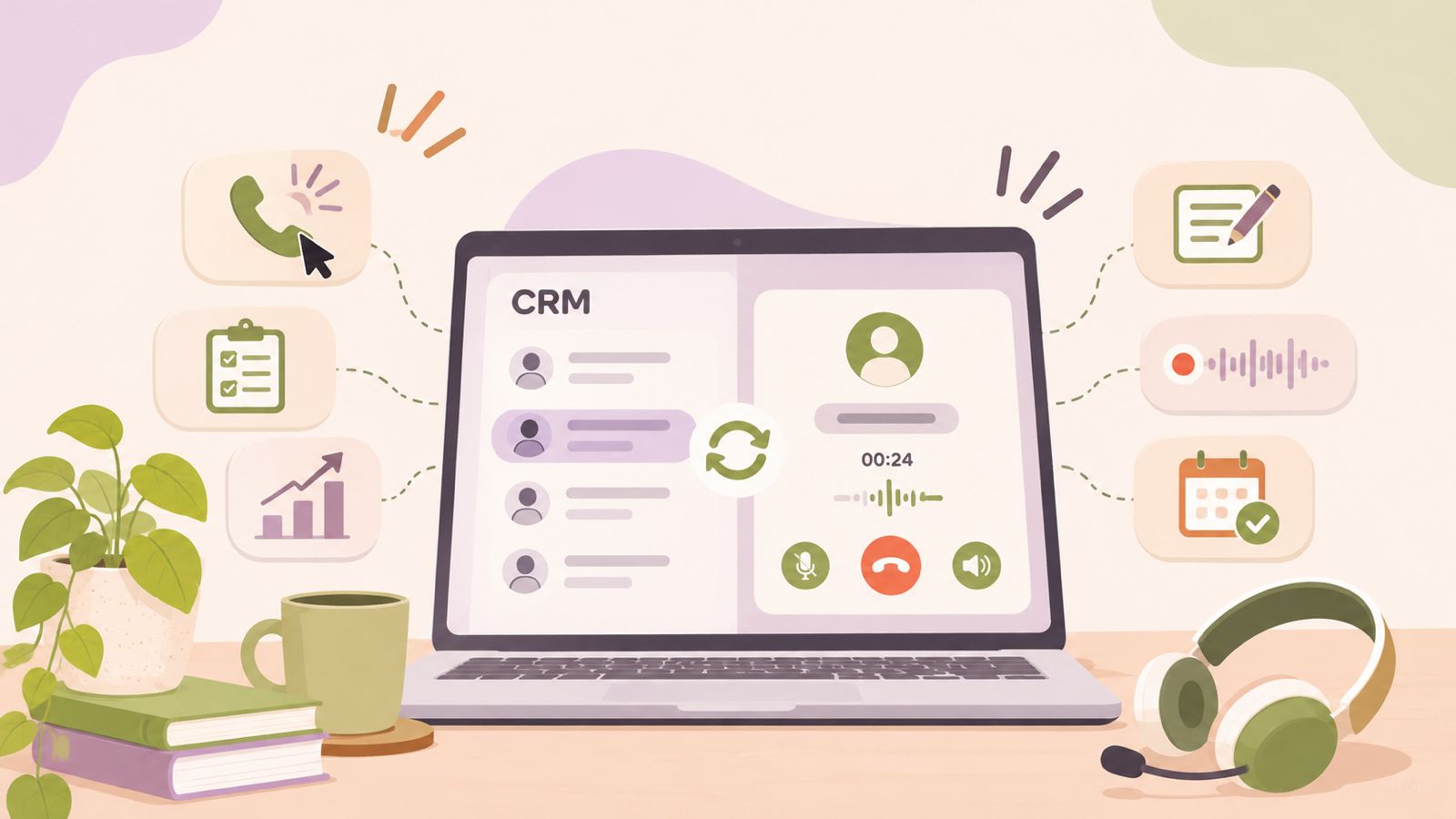
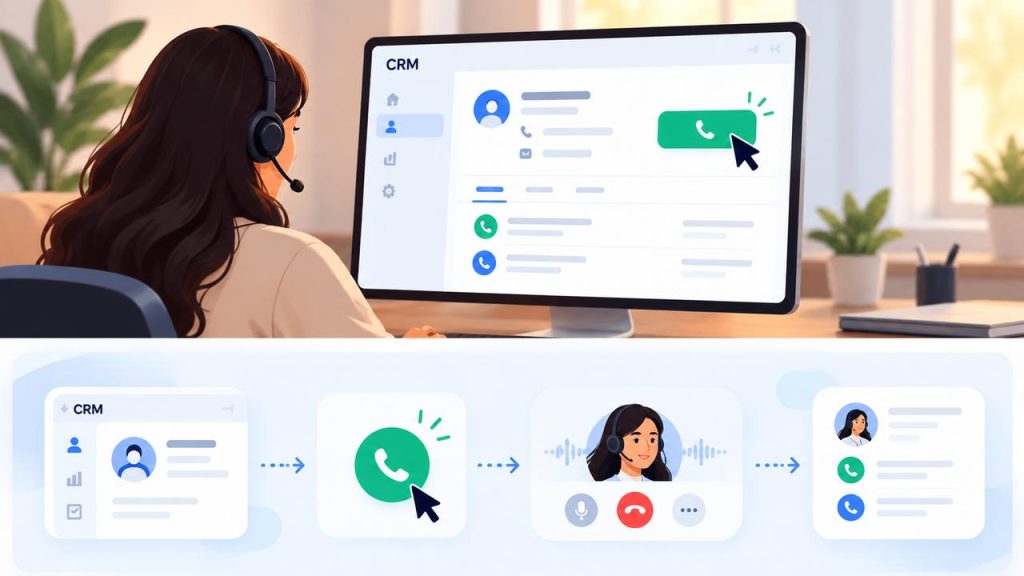
    Call tracking becomes more useful when you connect it with your CRM. This connection brings call activity into the same place where your team manages leads, contacts, and sales opportunities.

    A typical call tracking and CRM workflow looks like this:

    Make a call → Capture call data → Match the call to a contact → Update the CRM → Review the sales history → Take the next action

    Why Connect Call Tracking With a CRM?

    A CRM stores information about leads, contacts, opportunities, and past interactions. Call data adds more context to these records.

    For example, a sales representative can review:

    • Previous calls
    • Call dates and times
    • Call duration
    • Call outcomes
    • Follow-up notes
    • Customer or lead details

    The available information depends on the calling platform and CRM integration.

    How CRM Data Helps Sales Teams

    CRM data helps teams understand each call as part of the wider sales process.

    Consider a simple example:

    50 calls → 20 answered → 8 follow-ups → 3 meetings

    These numbers are only an example. The real value comes from seeing what happens at each stage.

    Managers can then ask better questions:

    • Are enough leads receiving follow-up?
    • Where do prospects stop responding?
    • Which calls lead to meaningful outcomes?
    • Are sales reps recording call outcomes consistently?
    • Does the team need to change its calling process?

    Use Call Data for Better Follow-Up

    Good follow-up depends on context. When sales reps can see previous call activity, they can understand what happened before making the next call.

    This can help them avoid repeated questions and keep conversations more relevant.

    It can also make the sales process easier to manage. Teams can see which leads need another call and which ones already have a clear next step.

    Use CRM Data for Sales Reporting

    Connected call data can also support sales reporting.

    Managers can compare calling activity with other sales information. This helps them understand how calls fit into the wider sales process.

    For example, a manager can review:

    • Call volume
    • Answer rates
    • Call outcomes
    • Follow-up activity
    • Meetings booked
    • Sales opportunities

    No single metric tells the full story. Looking at several metrics together gives sales teams a clearer view of sales call performance.

    The goal is simple: connect call activity with customer data, understand the patterns, and use those insights to improve the sales workflow.

    Call Tracking vs. Call Recording vs. Call Analytics

    Call tracking, call recording, and call analytics all deal with business calls. However, each one serves a different purpose.

    Understanding the difference helps sales teams choose the right data for their workflow.

    Call Tracking

    Call tracking focuses on call activity and the data around each call.

    Teams can use it to track information such as:

    • Number of calls
    • Call direction
    • Answered and missed calls
    • Call duration
    • Call outcomes
    • Call times

    The main goal is to understand what happened with the call.

    Call Recording

    Call recording stores the conversation so teams can listen to it later.

    Sales managers can use recordings to:

    • Review customer conversations
    • Coach sales representatives
    • Understand common objections
    • Review important calls
    • Improve sales conversations

    Recording answers a different question from tracking: “What was said during the call?”

    Call Analytics

    Call analytics uses call data to find useful patterns.

    Teams can review metrics such as call volume, answer rates, call duration, and outcomes. Managers can then compare these results across different periods, teams, or sales workflows.

    Analytics helps answer questions such as:

    • Are call connections changing over time?
    • Which calling activities need attention?
    • Where are follow-up gaps?
    • What patterns appear in sales call performance?

    How They Work Together

    These three concepts can work together in a sales workflow:

    Call tracking → Call recording → Call analytics → Sales action

    For example, call tracking can show that a particular group of calls has a different outcome pattern. A manager can then review relevant recordings to understand the conversations and use the findings to improve the sales process.

    In simple terms:

    ToolMain purpose
    Call trackingUnderstand call activity
    Call recordingReview conversations
    Call analyticsFind patterns in call data

    Using the right combination can give sales teams a more complete view of their outbound calling performance.

    How to Use Call Tracking to Improve Outbound Sales

    Call tracking gives sales teams useful information about their outbound activity. The next step is to use that information to improve the sales process.

    Instead of looking at call data only as a report, managers can use it to find patterns, investigate problems, and guide their teams.

    1. Review Calling Activity

    Start by looking at basic activity.

    Check how many calls your team makes, how many calls connect, and how many calls need follow-up. Compare these numbers across different periods to find changes in activity.

    This helps managers understand whether the team follows the expected calling process.

    2. Find Follow-Up Gaps

    A connected call does not always lead to an immediate result.

    Review call outcomes and follow-up activity to find leads that may need another conversation. This can help sales representatives focus on the right next steps.

    3. Look for Patterns in Call Outcomes

    Call outcomes can reveal patterns in the sales process.

    For example, a team may see many connected calls but few meetings. That result does not explain the problem by itself. However, it gives managers a clear area to investigate.

    The team can then review factors such as lead quality, sales messaging, call timing, or follow-up.

    4. Compare Activity With Sales Results

    Call volume becomes more useful when teams compare it with meaningful sales outcomes.

    Managers can look at calling activity alongside meetings, qualified opportunities, or other goals that matter to the business.

    This helps the team understand whether its calling process supports the wider sales funnel.

    5. Use Call Data for Coaching

    Managers can use call tracking data to identify areas where sales representatives may need support.

    For example, a manager may notice differences in call activity or outcomes between representatives. The manager can then review the wider context and use the findings to guide coaching.

    Call data should support coaching, not act as the only measure of a salesperson’s performance.

    6. Improve the Sales Workflow

    The final step is to turn insights into action.

    Teams can use call data to improve follow-up rules, review lead lists, adjust sales processes, or focus on areas that need more attention.

    The process is simple:

    Track → Review → Find patterns → Take action → Measure again

    Over time, this approach helps sales teams make better use of their outbound call tracking data and improve the way they manage sales calls.

    Common Call Tracking Use Cases

    Businesses can use call tracking in different parts of the sales process. The right use case depends on the team’s goals, sales workflow, and the data available in its calling system.

    Outbound Sales

    Sales teams can use call tracking to measure outbound activity. Managers can review call volume, answer rates, call outcomes, and follow-up activity.

    This helps teams understand how their outreach process works and where it may need improvement.

    Lead Follow-Up

    Call tracking can help teams keep track of conversations with leads.

    When call activity connects with a CRM, sales representatives can review previous interactions before making a follow-up call. This can help them keep the conversation focused and relevant.

    Sales Team Performance

    Managers can use call data to review activity across sales representatives.

    They can compare metrics such as call volume, connection rates, and outcomes. These comparisons can help managers identify patterns and areas that may need coaching.

    Call data should support performance reviews rather than act as the only measure of a salesperson’s work.

    Sales Campaigns

    Teams can also use call tracking to review calling activity linked to a sales campaign.

    Managers can compare call activity and outcomes across campaigns to understand which approaches deserve a closer look.

    The data can then help teams decide where to focus their time and resources.

    CRM-Based Sales Workflows

    Call tracking can become part of a wider CRM workflow.

    Teams can connect call activity with lead records, follow-up tasks, and sales opportunities. This gives representatives more context when they manage leads and plan their next actions.

    Sales Reporting

    Call tracking can also support regular sales reports.

    Managers can review key metrics over a day, week, or month. Looking at these trends can help teams spot changes in calling activity and investigate possible bottlenecks.

    The most useful approach is to connect each use case with a clear business question. Call tracking should help teams understand their sales activity and decide what to improve next.

    Best Practices for Call Tracking

    A good call tracking process starts with clear goals. Sales teams should decide what they want to learn from their call data before they start tracking different metrics.

    Define Clear Goals

    Start with a few simple questions.

    For example:

    • How many calls does the team make?
    • How often do prospects answer?
    • Which calls need follow-up?
    • Which outcomes matter most?
    • Where does the sales process slow down?

    Clear questions help teams focus on useful data.

    Track Consistent Call Outcomes

    Use a small set of clear outcome labels across the sales team.

    For example, teams can use labels such as:

    • Connected
    • Follow-up needed
    • Meeting scheduled
    • Not interested
    • No answer

    Consistent labels make call reporting easier. They also make it easier to compare results over time.

    Connect Call Data With Your CRM

    A CRM can add useful context to call data. When possible, connect calling activity with lead and customer records.

    This helps sales representatives see previous interactions and plan the next step.

    Review Metrics Together

    Avoid judging sales performance from one metric.

    For example, high call volume may look positive at first. But a low answer rate or weak follow-up may tell a different story.

    Review call volume, connections, outcomes, and follow-up activity together.

    Review Trends Over Time

    A single day’s data may not show a clear pattern.

    Review your call analytics over longer periods to spot changes in calling activity and outcomes. Regular reviews can help managers find problems before they become larger workflow issues.

    Use Data to Guide Coaching

    Call data can help managers find areas where representatives may need support.

    Use the data as a starting point for coaching conversations. Look at the wider sales process before drawing conclusions about individual performance.

    Protect Customer Data

    Call tracking involves customer and business information. Teams should follow their company’s data policies and any applicable privacy or recording requirements.

    Only collect and use the data that the business needs for its sales workflow.

    Good call tracking is not about collecting the most data. It is about collecting the right data, reviewing it regularly, and using it to make better sales decisions.

    Frequently Asked Questions About Call Tracking

    What is call tracking software?

    Call tracking software helps businesses collect and organize data from their calls. Sales teams can use this data to review call activity, outcomes, follow-ups, and other useful metrics.

    How does call tracking help sales teams?

    Call tracking gives sales teams a clearer view of their outbound activity. Teams can review call volume, answer rates, outcomes, and follow-up activity to find patterns and improve their sales workflow.

    What is the difference between call tracking and call recording?

    Call tracking focuses on data about a call, such as its time, duration, status, and outcome. Call recording stores the conversation so teams can listen to it later.

    Both can support sales teams, but they serve different purposes.

    Can call tracking work with a CRM?

    Yes. Call tracking can connect with CRM systems when the calling platform supports the required integration.

    This can bring call activity into lead or customer records and give sales representatives more context for follow-up.

    Which call tracking metrics should sales teams monitor?

    The most useful metrics depend on the sales process. Common metrics include:

    • Call volume
    • Answer rate
    • Call duration
    • Missed calls
    • Call outcomes
    • Follow-up activity
    • Meetings booked
    • Other sales-related outcomes

    Teams should focus on metrics that help them answer specific business questions.

    How can call tracking improve outbound calling?

    Call tracking can help teams find patterns in their calling activity. Managers can use these insights to review follow-up gaps, investigate weak results, support sales coaching, and improve the sales workflow.

    Call tracking does not guarantee better sales results. Its value comes from using the data to make informed decisions.

    Is call tracking the same as call analytics?

    No. Call tracking focuses on collecting call activity and related data. Call analytics uses that data to identify patterns and understand performance.

    In simple terms:

    Call tracking collects data → Call analytics helps explain the data.

    What should businesses look for in call tracking software?

    Businesses should look for tools that fit their sales workflow and reporting needs. Important areas to consider include call data, CRM connectivity, reporting options, ease of use, and the specific metrics the sales team needs to track.

    The best choice depends on the company’s goals rather than the number of features a tool offers.
  • AI Outbound Calling: How Businesses Can Automate Sales Calls

    AI Outbound Calling: How Businesses Can Automate Sales Calls

    Businesses spend a significant amount of time making outbound calls for sales, lead follow-ups, appointment confirmations, and customer notifications. Many of these calls follow predictable steps, which makes them suitable for automation.

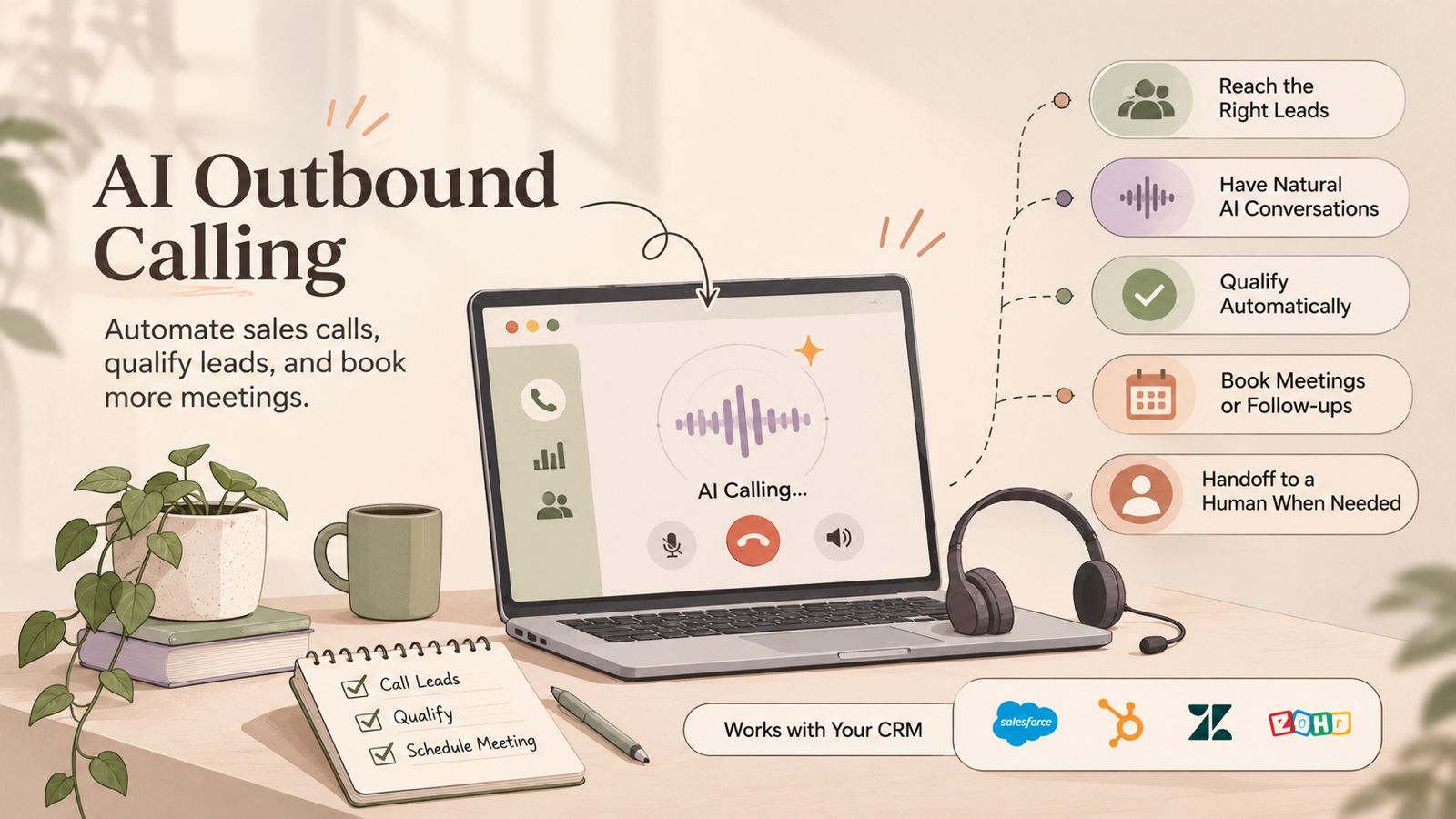
    AI outbound calling uses artificial intelligence to automate parts of the outbound calling process. Depending on the technology, an AI calling system can initiate calls, understand spoken responses, follow predefined conversation flows, qualify leads, and route specific conversations to human agents.

    Unlike traditional outbound calling, AI-powered calling can combine automated dialing with conversational capabilities. However, AI does not remove the need for human involvement in every situation. Complex questions, sensitive conversations, negotiations, and high-value sales interactions may still require a human representative.

    In this guide, we’ll explain how AI outbound calling works, where businesses can use it, its benefits and limitations, and how it can fit into a modern outbound sales workflow.

    What Is AI Outbound Calling?

    AI outbound calling is the use of artificial intelligence to automate or assist with phone calls that a business makes to customers, leads, or prospects.

    Traditional outbound calling usually requires a sales or support representative to select a contact, make the call, follow a script, record the outcome, and decide what action to take next. AI can automate some of these steps and, in certain systems, handle parts of the conversation itself.

    AI Outbound Calling vs AI Voice Agents

    The terms AI outbound calling and AI voice agents are related, but they do not always mean the same thing.

    AI outbound calling describes the broader process of using AI to automate outbound phone interactions. An AI voice agent is a specific type of technology that can conduct a spoken conversation with a person.

    For example, a business could use automated outbound calling to trigger a reminder call, while a more advanced AI voice agent could speak with the customer, answer predefined questions, and determine whether a human agent should take over.

    This distinction is important when evaluating AI outbound calling software, because different platforms offer different levels of automation.

    How Does AI Outbound Calling Work?

    AI outbound calling combines automated calling workflows with AI-based technologies to manage different parts of an outbound conversation. The exact process depends on the software, but a typical workflow follows these steps:

    1. Select and Prepare Contacts

    The process starts with a list of contacts, leads, or customers. These contacts may come from a CRM, sales campaign, customer database, or another business system.

    Before calling, the workflow can use available information such as the contact’s name, lead status, previous interactions, or reason for the call. This helps ensure that the right contacts are included in the campaign.

    2. Start the Outbound Call

    The calling system initiates the call according to the campaign or workflow rules. Depending on the platform, this may involve automated dialing or an AI voice agent making the call.

    Businesses can define factors such as which contacts to call, when to call, and what the initial purpose of the conversation should be.

    3. Understand the Conversation

    When the person answers, AI-based speech recognition can process their spoken response. Natural language processing can then help the system identify the meaning or intent behind the response.

    For example, a prospect might say that they are interested but want to speak with someone next week. The system can identify this as a follow-up request and continue according to the configured workflow.

    4. Respond or Follow the Workflow

    The AI system can respond based on the conversation, predefined instructions, and available business information.

    For structured calls, the workflow may include specific questions, responses, and actions. More advanced AI voice agents can handle natural-language conversations instead of following a strictly fixed script.

    5. Qualify, Route, or Escalate

    Based on the conversation, the system can identify the next appropriate action.

    For example, an outbound sales workflow may:

    • Identify whether a lead meets basic qualification criteria.
    • Offer to schedule a meeting.
    • Mark a contact for follow-up.
    • Route a conversation to a human representative.
    • End the call when no further action is required.

    Human handoff is particularly useful when a conversation involves complex questions, negotiations, sensitive situations, or a request for a sales representative.

    6. Record the Outcome

    After the call, relevant information can be captured according to the capabilities of the calling platform and its integrations.

    This may include the call outcome, notes, qualification information, follow-up requirements, or other relevant data. When connected to a CRM, this information can help sales teams maintain a consistent record of customer interactions and determine the next step.

    AI Outbound Calling vs Traditional Outbound Calling

    AI outbound calling and traditional outbound calling both aim to connect businesses with customers or prospects, but the way calls are initiated, managed, and documented can be different.

    In traditional outbound calling, a sales or support representative usually handles most of the process. They select contacts, make calls, follow scripts, answer questions, record outcomes, and schedule follow-ups.

    With AI-powered calling, software can automate some of these tasks. Depending on the system, AI may assist with dialing, conversations, qualification, follow-ups, or call documentation.

    Traditional Outbound Calling

    Traditional outbound calling typically depends on human agents to manage the complete conversation.

    Common characteristics include:

    • Human representatives make and manage calls.
    • Agents follow scripts or predefined sales processes.
    • Lead qualification happens during the conversation.
    • Follow-up information is entered manually or through connected tools.
    • Complex questions can be handled directly by the representative.
    • The number of calls depends partly on available agents and their working capacity.

    AI Outbound Calling

    AI outbound calling can automate selected parts of the calling workflow.

    Depending on the software, it may support:

    • Automated call initiation.
    • AI-based conversations.
    • Predefined qualification questions.
    • Lead follow-up workflows.
    • Appointment confirmations.
    • Automated call outcomes and data capture.
    • Routing conversations to human representatives.

    The level of automation varies between platforms. Some AI calling software focuses on assisting human teams, while other solutions use AI voice agents to handle complete conversations for specific use cases.

    Choosing Between the Two

    AI outbound calling is not necessarily a replacement for traditional calling. Businesses can also combine both approaches.

    For example, AI can handle repetitive and structured calls, while human representatives take over when a prospect needs detailed information, has complex questions, or is ready for a more involved sales conversation.

    The right approach depends on the type of calls, customer expectations, workflow complexity, available data, and the level of automation a business needs.

    How Businesses Use AI for Outbound Calls

    Businesses can use AI outbound calling for tasks that follow repeatable workflows and have clear objectives. The level of automation depends on the calling platform, the use case, and whether human agents are included in the workflow.

    Lead Qualification

    AI can make initial calls to prospects and ask predefined qualification questions. Based on the responses, the system can identify basic information such as interest level, requirements, or whether the prospect meets specific criteria.

    Qualified leads can then be routed to a sales representative or added to a follow-up workflow. This can help sales teams spend more time on conversations that require human involvement.

    Lead Follow-Ups

    Following up with leads often involves repetitive calls. AI can support these workflows by contacting leads after events such as a form submission, product inquiry, demo request, or previous conversation.

    For example, an automated workflow could call a prospect after an agreed period and ask whether they would like to continue the conversation. If the prospect requests more information or wants to speak with a representative, the workflow can trigger the appropriate next step.

    Appointment Reminders and Confirmations

    Businesses can use automated outbound calls to remind customers about scheduled appointments or confirm whether they plan to attend.

    Depending on the system, the call can also collect a simple response, such as confirmation or a request to reschedule. More complex scheduling requests may be transferred to a human representative or handled through an integrated scheduling workflow.

    Customer Notifications

    Some customer communications follow a predictable format and may be suitable for automated phone calls.

    Examples include:

    • Service or delivery notifications
    • Scheduled maintenance updates
    • Payment-related reminders
    • Booking confirmations
    • Status updates
    • Other time-sensitive customer notifications

    Businesses should select notification use cases carefully and make sure the calling workflow follows applicable communication and privacy requirements.

    Re-Engaging Dormant Leads

    AI outbound calling can also be used to contact leads who have not interacted with a business for a defined period.

    A business could create a workflow that identifies eligible contacts, initiates an outbound call, and records the response. Interested prospects can then be moved into a human-led sales process, while contacts who are not interested can be handled according to the business’s communication preferences.

    How AI Can Automate Repetitive Outbound Calls

    Many outbound calling tasks follow a predictable sequence. This makes them easier to automate than conversations that require complex judgment or negotiation.

    A typical automated outbound calling workflow can connect several steps into one process:

    Trigger → Contact selection → Call → Conversation → Outcome → Follow-up

    For example, a business may trigger a call when a new lead enters a CRM. The system can select the appropriate contact, initiate the call, ask relevant questions, record the outcome, and create the next action based on the response.

    AI can be particularly useful when a business needs to handle a large number of similar calls without requiring a human representative to perform every repetitive step manually.

    Common examples include:

    • Lead follow-up calls
    • Appointment confirmations
    • Reminder calls
    • Basic lead qualification
    • Customer notifications
    • Re-engagement campaigns
    • Requests for simple information

    However, automation works best when the workflow has clear rules and defined outcomes. Calls involving complex objections, sensitive customer issues, detailed negotiations, or unusual requests may still require human involvement.

    The goal of automation is therefore not simply to make more calls. It is to reduce repetitive work while ensuring that conversations requiring human judgment are handled by the right person.

    AI Outbound Calling for Sales Automation

    AI outbound calling can become part of a broader sales workflow by automating repetitive calling tasks and connecting call outcomes with the next sales action.

    Instead of treating every call as a separate activity, businesses can build a workflow around the customer journey. For example, a new lead can trigger an outbound call, the conversation can be used to understand the lead’s requirements, and the outcome can determine whether the lead needs a follow-up or a human sales representative.

    Automated Prospecting

    AI-powered calling can be used to contact selected prospects based on predefined campaign rules. Businesses can organize contacts by factors such as lead source, customer segment, location, or sales stage.

    The calling workflow can then determine which contacts should be called and what the purpose of each call should be.

    Lead Qualification

    Sales teams can use AI to ask consistent qualification questions during initial conversations.

    For example, a workflow may collect information about:

    • The prospect’s business needs
    • Their interest in a product or service
    • Their current solution
    • Their expected timeline
    • Whether they want to speak with a sales representative

    The information collected can help determine the next step in the sales process.

    Appointment Setting

    For suitable use cases, an AI voice agent can help identify prospects who are interested in continuing the conversation and guide them toward scheduling a meeting.

    If the conversation becomes more complex, the workflow can transfer the prospect to a human representative.

    Human Handoff

    An important part of sales call automation is knowing when automation should stop.

    AI can handle predefined or repetitive parts of a conversation, while human representatives can take over when the prospect has detailed questions, raises complex objections, requests specific product information, or shows strong buying intent.

    This creates a human-in-the-loop sales workflow rather than treating AI as a complete replacement for the sales team.

    How AI Outbound Calling Can Work With CRM Systems

    A CRM can provide the customer and lead information needed to make an outbound calling workflow more organized. When an AI calling system is connected to a CRM, businesses can use contact data and call outcomes as part of the same workflow.

    For example, a sales workflow could use a CRM to identify new leads, initiate an outbound call, record the result, and determine whether another follow-up is required.

    Accessing Contact and Lead Information

    A CRM may contain information such as contact details, lead status, previous interactions, and sales stage.

    Depending on the integration, this information can be used to determine which contacts should be included in an outbound campaign and what the purpose of the call should be.

    Recording Call Outcomes

    After a call, relevant information can be recorded in the CRM. This may include the call outcome, qualification details, follow-up requirements, or other information collected during the interaction.

    Keeping this information connected to the contact record can make it easier for sales teams to understand what happened during previous calls.

    Triggering Follow-Up Workflows

    Call outcomes can also be used to trigger the next step in a sales process.

    For example:

    • A qualified lead can be assigned to a sales representative.
    • A prospect who requests a callback can enter a follow-up workflow.
    • An interested prospect can receive an appointment scheduling step.
    • A contact who is not interested can be handled according to the business’s communication preferences.

    Maintaining Context for Human Agents

    CRM data can also help human representatives continue a conversation after an AI-powered call.

    When the relevant call outcome and customer information are available in the CRM, the representative does not have to start the interaction without context. This can make the transition from automated calling to human-led sales easier to manage.

    Benefits of AI Outbound Calling

    AI outbound calling can help businesses automate repetitive phone-based workflows and organize outbound communication. The practical benefits depend on the type of calls, the quality of the implementation, and how AI is integrated with existing processes.

    Reduce Repetitive Manual Work

    AI can handle parts of repetitive calling workflows, such as initiating calls, asking predefined questions, or recording basic outcomes. This can reduce the amount of manual work required for routine interactions.

    Increase Calling Capacity

    Automated calling systems can handle multiple outbound interactions according to configured workflows. This can help businesses manage larger calling campaigns without requiring a human representative to manually perform every step.

    However, higher call volume does not automatically mean better sales results. Businesses still need appropriate targeting, useful conversations, and effective follow-up processes.

    Maintain Consistent Workflows

    AI can follow predefined instructions and conversation flows consistently. This can be useful when businesses need to ask the same qualification questions or deliver standardized information across many calls.

    Speed Up Lead Follow-Ups

    Timely follow-ups can be important in sales workflows. Automated outbound calling can help businesses trigger calls based on defined events, such as a new inquiry, previous interaction, or scheduled follow-up.

    Capture Call Information More Consistently

    Depending on the platform, AI calling systems can capture information from conversations and record relevant outcomes. When connected to a CRM, this information can become part of the contact or lead record.

    This can give sales teams a clearer view of previous interactions and help determine the next action.

    Free Human Agents for Complex Conversations

    AI can handle suitable repetitive tasks while human representatives focus on conversations that require judgment, empathy, negotiation, or detailed product knowledge.

    This approach allows businesses to use automation where it is appropriate without removing human involvement from the sales process.

    Challenges and Limitations of AI Outbound Calling

    AI outbound calling can automate many repetitive tasks, but it also has limitations. Businesses should evaluate the technology based on their use case, customer expectations, data quality, and operational requirements before scaling an automated calling workflow.

    Conversation Accuracy

    AI systems may misunderstand speech, accents, background noise, unclear responses, or unexpected questions. A misunderstanding during a sales or customer call can lead to an incorrect response or an unsuitable next step.

    Limited Understanding of Complex Situations

    AI works more predictably when the conversation follows a defined workflow. Complex negotiations, unusual requests, sensitive issues, and conversations that require detailed judgment may still be better handled by human representatives.

    Customer Experience

    Not every customer or prospect will want to interact with an automated system. Businesses should consider how the use of AI affects the customer experience and provide a clear way to reach a human when needed.

    Compliance and Privacy Requirements

    Outbound calling can be subject to telecommunications, privacy, consent, and marketing rules that vary by country and use case. Businesses should understand the requirements that apply to their calls, maintain appropriate records, and configure their workflows accordingly.

    Data Quality

    AI calling workflows often depend on accurate contact and customer information. Incorrect phone numbers, outdated lead records, missing context, or poor segmentation can reduce the usefulness of an automated campaign.

    Human Handoff Is Still Important

    Some conversations require human judgment or intervention. Businesses should define clear escalation rules so that an AI system can transfer or route conversations when it reaches the limits of its role.

    Setup, Testing, and Monitoring

    AI outbound calling is not a set-and-forget process. Businesses may need to test conversation flows, review call outcomes, adjust prompts or rules, monitor errors, and refine workflows over time.

    The goal should be to use AI where it adds practical value while keeping appropriate human oversight in the overall calling process.

    AI vs Human Sales Representatives: When Should Each Be Used?

    AI and human sales representatives can serve different roles in an outbound sales process. The right approach depends on the type of conversation, the customer journey, and how much judgment the interaction requires.

    When AI May Be Useful

    AI outbound calling can be suitable for structured and repetitive interactions where the objective is clearly defined.

    Examples include:

    • Initial lead qualification
    • Routine lead follow-ups
    • Appointment confirmations
    • Reminder calls
    • Customer notifications
    • Collecting basic information
    • Re-engaging selected contacts

    These use cases can allow AI to handle predictable steps while human representatives focus on conversations that require more context.

    When Human Sales Representatives Are Better Suited

    Human agents can be more appropriate when a conversation requires judgment, empathy, negotiation, or detailed product knowledge.

    Examples include:

    • Complex product discussions
    • Negotiating pricing or contract terms
    • Handling sensitive customer concerns
    • Addressing unusual objections
    • High-value sales conversations
    • Building long-term customer relationships

    A human representative can adapt their approach based on context and respond to situations that may fall outside a predefined AI workflow.

    The Human + AI Model

    Businesses do not have to choose between completely manual calling and fully automated calling. A human-in-the-loopapproach can combine both.

    For example, AI can handle an initial qualification call and identify prospects who meet predefined criteria. A qualified or interested prospect can then be transferred to a human sales representative for a more detailed conversation.

    This approach allows businesses to automate suitable parts of the outbound process while keeping human involvement where it provides the most value.

    Best Practices for AI Outbound Calling

    A successful AI outbound calling workflow requires more than choosing calling software. Businesses should define the purpose of automation, prepare accurate data, test the workflow, and establish clear rules for human involvement.

    Start With One Clear Use Case

    Begin with a specific and measurable use case instead of automating every outbound call at once.

    For example, a business could start with lead qualification, appointment reminders, or follow-up calls. A focused workflow makes it easier to test the technology and identify problems before expanding its use.

    Define the Call Objective

    Every automated call should have a clear purpose. Decide what the call needs to accomplish before creating the workflow.

    The objective could be to:

    • Qualify a lead
    • Confirm an appointment
    • Collect basic information
    • Follow up on an inquiry
    • Route a prospect to a sales representative

    A clear objective helps keep the conversation focused and reduces unnecessary interactions.

    Use Clean and Relevant Contact Data

    AI calling workflows depend on accurate contact information and useful customer context.

    Before launching a campaign, check that contact records are current and that the right audience has been selected. Poor data can lead to calls reaching the wrong people or using outdated information.

    Create Clear Escalation Rules

    Define when AI should stop handling a conversation and involve a human representative.

    Escalation rules may apply when a prospect asks a complex question, raises an objection that the workflow cannot handle, requests a human agent, or discusses a sensitive issue.

    Keep Human Handoff Available

    Customers should have an appropriate path to human assistance when the automated workflow cannot address their needs.

    A clear handoff process can also help sales teams continue conversations without losing important context.

    Test Calls Before Scaling

    Test the workflow with different conversation scenarios before using it across a large contact list.

    Review how the system handles:

    • Common questions
    • Unexpected answers
    • Silence or unclear speech
    • Objections
    • Requests for a human agent
    • Incorrect or missing information

    Testing can help identify gaps before they affect real customer interactions.

    Monitor Call Outcomes

    Track relevant metrics to understand whether the workflow is achieving its intended purpose.

    Depending on the use case, useful metrics may include:

    • Connection rate
    • Completed conversations
    • Qualification rate
    • Appointment rate
    • Transfer rate
    • Opt-out rate
    • Call completion rate
    • Cost per completed interaction

    These metrics should be evaluated in the context of the specific business goal rather than treated as universal indicators of success.

    Review Compliance Requirements

    Before launching automated outbound calls, businesses should review the laws, regulations, consent requirements, and industry rules that apply to their target audience and location.

    Requirements can vary by jurisdiction and by the type of call, so businesses should obtain appropriate legal or compliance guidance when necessary.

    Frequently Asked Questions About AI Outbound Calling

    What is AI outbound calling?

    AI outbound calling uses artificial intelligence to automate or assist with phone calls that businesses make to leads, customers, or prospects. Depending on the system, AI can help with call initiation, conversation handling, lead qualification, follow-ups, and call outcomes.

    Can AI make outbound sales calls?

    Yes. AI can make outbound sales calls for suitable use cases, such as initial qualification, follow-ups, appointment setting, and other structured interactions. The level of automation depends on the calling platform and workflow.

    Can AI be used for cold calling?

    AI can be used for certain AI cold calling workflows, particularly when calls follow a defined objective or qualification process. Businesses should consider customer experience, applicable calling regulations, data quality, and human handoff requirements before using AI for cold outreach.

    What is the difference between an AI voice agent and an AI dialer?

    An AI dialer primarily focuses on initiating and managing calls automatically. An AI voice agent goes further by using conversational AI to understand spoken responses and participate in a phone conversation.

    Some platforms combine both capabilities, while others offer them separately.

    Can AI outbound calling work with a CRM?

    Yes. AI outbound calling systems can integrate with CRM platforms where supported. CRM data can help identify contacts, provide relevant customer context, and record call outcomes or follow-up actions.

    Can AI qualify sales leads over the phone?

    Yes. An AI voice agent can ask predefined qualification questions and use the responses to determine whether a lead meets specific criteria. Qualified leads can then be routed to a human sales representative or moved into a follow-up workflow.

    Can AI schedule appointments through outbound calls?

    AI can support appointment-setting workflows when the calling platform has the required scheduling capabilities or integrations. It can identify interested prospects and, depending on the system, help arrange an appropriate appointment time.

    Does AI outbound calling replace sales representatives?

    Not necessarily. AI can automate repetitive and structured tasks, but human representatives remain important for complex questions, negotiations, sensitive situations, and relationship-driven sales conversations.

    Many businesses can use a combination of AI automation and human sales support.

    Is AI outbound calling legal?

    The legality of outbound calling depends on factors such as the caller’s location, the recipient’s location, the purpose of the call, consent requirements, and applicable telecommunications and privacy regulations.

    Businesses should review the rules that apply to their specific campaigns and target markets before launching automated calls.

    What businesses can use AI outbound calling?

    AI outbound calling can be useful for businesses that handle repetitive phone-based workflows, including sales teams, service businesses, appointment-based organizations, customer support teams, and other companies with structured outbound communication needs.

    The suitability depends on the business’s use case, customer expectations, data, and workflow requirements.

    What should businesses consider before using AI calling software?

    Businesses should evaluate the software’s calling capabilities, AI functionality, CRM integrations, data handling, human handoff options, reporting, scalability, and compliance requirements.

    It is also useful to start with a specific use case, test the workflow, and measure relevant outcomes before expanding automation.

  • What Is Bulk Voicemail Drop? How It Works and How Businesses Use It

    What Is Bulk Voicemail Drop? How It Works and How Businesses Use It

    Introduction

    Bulk voicemail drop is a way for businesses to deliver pre-recorded voicemail messages to multiple contacts as part of an outbound communication campaign. Instead of having a sales representative manually record the same message every time a call reaches voicemail, a prepared message can be used to make the process more consistent and efficient.

    For sales and outbound teams, voicemail drops can be useful when following up with leads, reconnecting with prospects, or managing repetitive calling campaigns. When used appropriately, they can reduce manual work while keeping outreach focused and consistent.

    In this guide, we’ll explain what a bulk voicemail drop is, how voicemail drops work, how they differ from regular voicemail, common business use cases, best practices, and important compliance considerations.

    What Is Bulk Voicemail Drop?

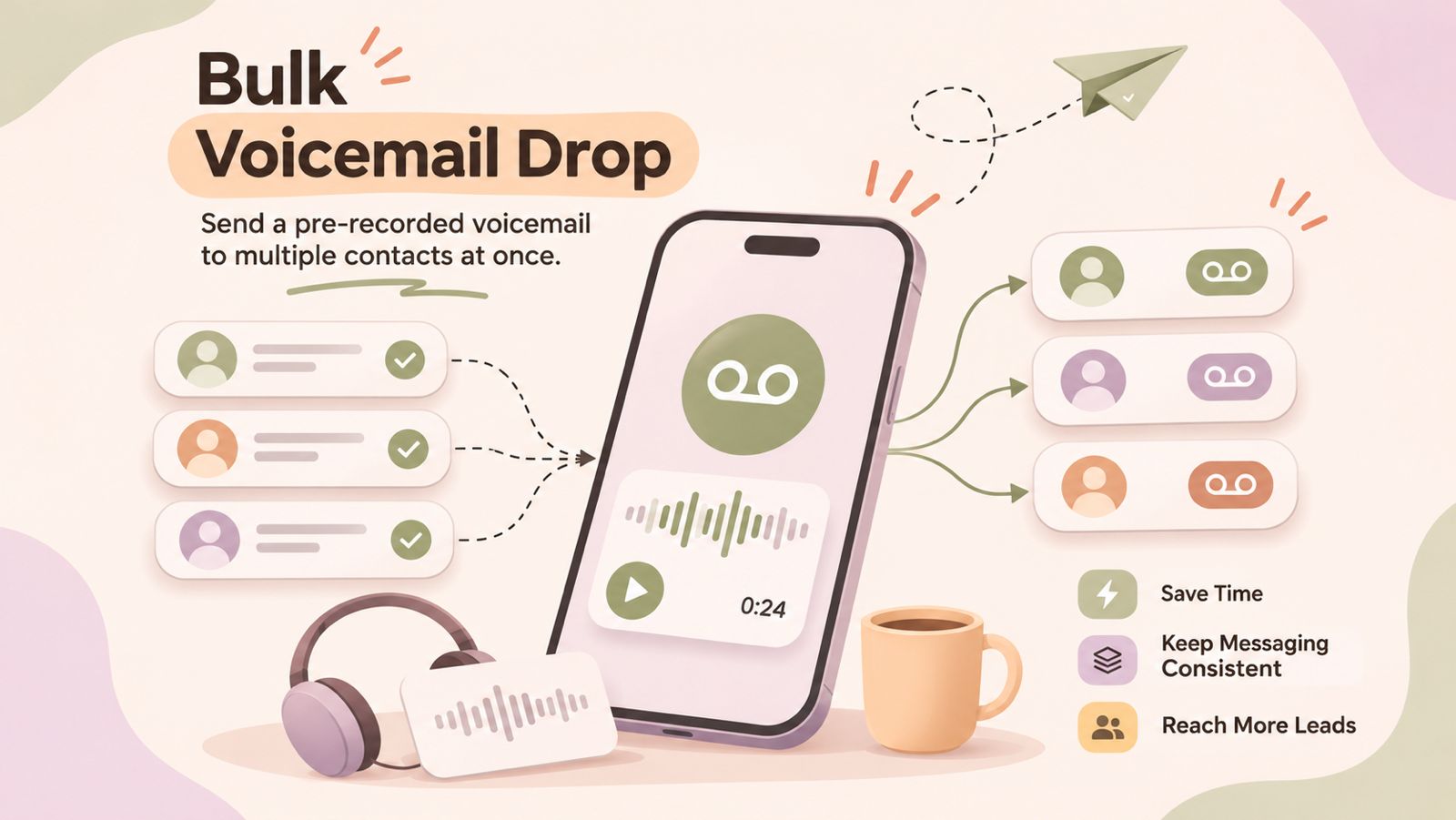
    Bulk voicemail drop is the process of delivering a pre-recorded voicemail message to multiple recipients as part of an outbound calling campaign. Instead of manually leaving the same message for each contact, a business can use a prepared recording to streamline repetitive voicemail communication.

    This approach is commonly used by sales and customer-facing teams when they need to reach a larger number of contacts while keeping their messaging consistent. The exact process and capabilities can vary depending on the calling or voicemail drop software being used.

    What Is a Voicemail Drop?

    A voicemail drop is a pre-recorded message that can be delivered when a call reaches a recipient’s voicemail. Instead of having the caller record a new message manually, they can use a prepared recording designed for a specific purpose, such as following up with a prospect or returning a customer’s call.

    Voicemail drops are particularly useful for repetitive outbound calling because they can help reduce the time spent recording similar messages. They also allow businesses to maintain a consistent message across calls while giving recipients the information they need to decide whether to respond.

    How Does Bulk Voicemail Drop Work?

    The exact workflow for a bulk voicemail drop can vary depending on the calling or voicemail drop software being used. In general, the process involves preparing a contact list, creating a voicemail message, selecting the intended recipients, and sending the message through the platform.

    1. Prepare a Contact List

    Start with a list of contacts who are appropriate recipients for the outbound campaign. The list should contain accurate contact information and be organized according to the purpose of the campaign, such as lead follow-ups, sales outreach, or customer re-engagement.

    2. Create or Record a Voicemail Message

    Prepare a short, clear voicemail message that explains who you are, why you are calling, and what the recipient should do next. The message should be relevant to the audience and easy to understand without additional context.

    3. Select the Recipients

    Choose the contacts who should receive the voicemail message. For larger campaigns, businesses may segment contacts based on factors such as lead status, customer type, or campaign purpose.

    4. Send the Voicemail Messages

    The prepared message can then be sent through the applicable voicemail or calling workflow. Depending on the platform, this may be handled individually or as part of a larger outbound campaign.

    5. Follow Up and Track Responses

    After the messages are delivered, the next step is to manage callbacks, responses, or other follow-up actions. Tracking these interactions can help sales and customer-facing teams determine which contacts require further attention.

    Voicemail vs. Voicemail Drop vs. Bulk Voicemail Drop

    Although these terms are related, they describe different ways of handling voicemail messages during outbound communication.

    Regular Voicemail

    A regular voicemail is a message recorded manually by the caller after a call reaches the recipient’s voicemail. The caller typically records a new message for each individual call.

    Voicemail Drop

    A voicemail drop uses a pre-recorded message instead of requiring the caller to record the same message manually each time. This can make repetitive outbound calling more efficient and help keep messaging consistent.

    Bulk Voicemail Drop

    A bulk voicemail drop extends the concept to multiple recipients as part of an outbound campaign. Rather than preparing and recording a similar message for every contact, businesses can use a prepared voicemail message within a campaign workflow, where the platform supports this functionality.

    • Regular voicemail: A caller manually records a message for an individual recipient.
    • Voicemail drop: A pre-recorded message is used instead of recording a new message each time.
    • Bulk voicemail drop: A pre-recorded message is used across multiple recipients as part of a broader campaign.

    Benefits of Bulk Voicemail Drop for Sales Teams

    For sales and outbound calling teams, bulk voicemail drops can help simplify repetitive communication. When used appropriately, they can reduce manual effort while helping representatives maintain a consistent approach across larger outreach campaigns.

    Save Time on Repetitive Outbound Calls

    Sales representatives often leave similar voicemail messages when contacting multiple prospects. Using a prepared message can reduce the time spent recording the same information repeatedly.

    Keep Messaging Consistent

    A pre-recorded message helps ensure that key information, such as the reason for the call and the next step, is communicated consistently across a campaign.

    Improve Outbound Calling Efficiency

    Voicemail automation can help sales teams spend less time on repetitive voicemail tasks and more time handling live conversations, callbacks, and other sales activities.

    Support Follow-Up Campaigns at Scale

    When a campaign involves contacting many prospects, a structured voicemail workflow can make follow-up activity easier to manage. Teams can prepare messages for different campaigns or audience segments rather than creating every message from scratch.

    Reduce Manual Work for Sales Representatives

    By reducing repetitive recording tasks, voicemail drops can simplify parts of an outbound workflow. Sales representatives can then focus their attention on conversations and follow-ups that require a more personalized approach.

    Common Business Use Cases for Bulk Voicemail Drop

    Bulk voicemail drops can be used in different outbound communication scenarios where businesses need to deliver similar messages to multiple contacts. The most suitable use case depends on the audience, purpose of the campaign, and applicable communication requirements.

    Sales Prospecting

    Sales teams can use voicemail drops when reaching out to prospects who are unavailable during an initial call. A concise message can introduce the business, explain the reason for the call, and provide a clear next step.

    Lead Follow-Ups

    After an initial interaction, businesses may use voicemail messaging to follow up with leads who have not responded. Messages can reference the purpose of the earlier outreach and make it easy for the recipient to reconnect.

    Appointment Reminders

    Businesses that rely on scheduled appointments may use automated voicemail messages as part of their reminder workflows, where appropriate and permitted. The message can include relevant appointment information and instructions for contacting the business.

    Customer Re-Engagement

    Businesses can use outbound voicemail campaigns to reconnect with existing or previous customers. For example, a message may invite a customer to contact the business about a relevant update, service, or follow-up.

    Event and Campaign Outreach

    Voicemail messaging can also support outreach for business events, campaigns, or other time-sensitive communications. Messages should remain relevant to the intended audience and clearly explain why the recipient is being contacted.

    Recruiting and Candidate Outreach

    Recruiting teams may use voicemail messages when contacting candidates who are unavailable. A short message can identify the recruiter or organization and provide a simple way for the candidate to respond.

    How Voicemail Drops Save Time in Outbound Campaigns

    Outbound campaigns often involve contacting a large number of people and repeating similar steps throughout the process. Voicemail drops can reduce some of this repetitive work by allowing teams to use a prepared message instead of recording a new voicemail for every unanswered call.

    Reduce Repetitive Recording

    When multiple contacts receive similar outreach, representatives do not have to manually record the same information each time. A prepared voicemail message can help make the process more efficient.

    Create a More Consistent Workflow

    A standardized voicemail message can help teams maintain consistent messaging across an outbound campaign. Representatives can use messages designed for specific audiences or campaign stages rather than creating each message from scratch.

    Spend More Time on Meaningful Conversations

    Reducing repetitive voicemail tasks can give sales representatives more time to focus on live conversations, callbacks, lead qualification, and personalized follow-ups.

    Voicemail drops can also work alongside other outbound calling workflows, such as power dialing and CRM-based follow-ups, depending on the capabilities of the calling platform being used. The goal is not to replace personalized sales conversations, but to make repetitive parts of the outreach process more manageable.

    Best Practices for Effective Voicemail Drops

    An effective voicemail drop should be brief, relevant, and easy for the recipient to understand. The goal is to provide enough information to explain why you called and make the next step clear without overwhelming the listener.

    Keep the Message Short and Clear

    Focus on the most important information and avoid unnecessary details. A concise message is easier for recipients to understand and remember.

    Identify Yourself and Your Business

    Clearly state your name and business at the beginning of the message. This helps the recipient understand who contacted them and provides context for the call.

    Give the Recipient a Clear Reason to Respond

    Explain why you are reaching out and why the message is relevant to the recipient. Avoid vague statements that do not give them a reason to continue the conversation.

    Use a Specific Call to Action

    Tell the recipient what they should do next. Depending on the purpose of the campaign, this could be returning the call, replying through an appropriate channel, or taking another clearly defined action.

    Match Messages to Different Campaigns

    Avoid using one generic message for every audience. Create relevant messages for different campaigns, customer groups, or stages of the sales process so that the voicemail feels appropriate to the recipient.

    Review and Update Recordings Regularly

    Review voicemail recordings periodically to make sure the information is accurate and still relevant. Update messages when contact details, offers, campaign objectives, or other important information changes.

    Common Bulk Voicemail Drop Mistakes to Avoid

    Bulk voicemail messaging can become less effective when businesses focus only on reaching more contacts instead of delivering relevant and useful messages. Avoiding common mistakes can help maintain a better outbound calling experience.

    Sending Irrelevant Messages

    Avoid sending the same message to contacts who have different needs or reasons for being contacted. Segment campaigns where appropriate and make sure the message matches the recipient and campaign purpose.

    Making the Message Too Long

    A voicemail should communicate the essential information without unnecessary detail. Long recordings can make it harder for recipients to understand the main point or remember the requested action.

    Sounding Too Scripted

    A carefully prepared message should still sound natural. Avoid overly complicated language, excessive jargon, or wording that makes the recording feel difficult to follow.

    Using the Same Message for Every Audience

    A single message may not be suitable for every campaign. Consider creating different recordings for different audiences, products, services, or stages of the customer journey.

    Ignoring Follow-Up

    Leaving a voicemail is only one part of an outbound campaign. Teams should have a clear process for handling callbacks, responses, and subsequent follow-ups so that interested contacts are not overlooked.

    Overlooking Compliance Requirements

    Businesses should understand the applicable rules before running automated or bulk voicemail campaigns. Requirements can vary by location, recipient type, communication method, and campaign purpose. Always review the relevant laws and platform policies before sending messages at scale.

    Compliance and Privacy Considerations

    Bulk voicemail campaigns can be subject to telemarketing, privacy, and communications regulations. The requirements depend on factors such as the recipient’s location, whether the message is promotional, and whether the communication uses an automated or prerecorded message. Businesses should verify the rules that apply to their specific campaign before sending messages at scale. 

    Check Consent Requirements

    Some jurisdictions require specific consent before businesses can make automated marketing calls or deliver prerecorded messages. For example, UK guidance states that automated marketing calls require consent specifically covering automated calls; general marketing consent or consent for live calls is not enough.

    Maintain Do-Not-Call and Opt-Out Records

    Businesses should maintain accurate records of contacts who have opted out or asked not to receive marketing communications. Applicable do-not-call requirements should be checked before a campaign is launched.

    Protect Contact Data

    Contact lists used for voicemail campaigns may contain personal information. Businesses should handle this data responsibly, use appropriate security measures, and follow applicable privacy and data protection requirements.

    Check Rules for Each Market

    Telemarketing requirements can differ between countries and regions. For example, U.S. rules governing prerecorded telemarketing messages include specific consent requirements, while UK rules under PECR impose specific requirements for automated marketing calls. Businesses running international campaigns should review the requirements for each market rather than applying one set of rules everywhere.

    This information is general guidance, not legal advice. If a campaign involves automated or bulk voicemail messaging, businesses should consult the applicable regulations and, where necessary, obtain advice from a qualified legal professional.

    Frequently Asked Questions About Bulk Voicemail Drop

    What is bulk voicemail drop?

    Bulk voicemail drop is the use of a pre-recorded voicemail message across multiple recipients as part of an outbound communication campaign. It can help businesses reduce repetitive manual recording while maintaining consistent messaging.

    What is the difference between voicemail drop and bulk voicemail drop?

    A voicemail drop uses a pre-recorded message instead of recording a new voicemail manually for each call. A bulk voicemail drop applies this approach across multiple recipients within a broader campaign or workflow.

    How does voicemail drop software work?

    Voicemail drop software typically allows users to prepare a recording and use it within an outbound calling workflow. Depending on the platform, users may be able to select recipients, send messages, and manage follow-up activity from the same system.

    Can voicemail drops be automated?

    Yes. Voicemail drops can be incorporated into automated outbound workflows when the calling platform supports the required functionality. The available automation features vary between providers.

    Is bulk voicemail messaging legal?

    The legality of bulk voicemail messaging depends on factors such as the recipient’s location, the purpose of the communication, consent, and the technology used. Businesses should check the applicable telemarketing and privacy requirements before launching a campaign.

    What should a sales voicemail drop include?

    A sales voicemail drop should generally identify the caller and business, explain the reason for contacting the recipient, provide relevant context, and include a clear next step. The message should be concise and appropriate for the intended audience.

    Can voicemail drops be used for follow-up campaigns?

    Yes. Businesses may use voicemail drops as part of lead follow-ups, customer re-engagement, or other outbound campaigns where the communication is appropriate and permitted.

    What is the difference between voicemail drop and ringless voicemail?

    A voicemail drop generally refers to using a pre-recorded message within a calling workflow when a call reaches voicemail. Ringless voicemail refers to a different technology designed to deliver a message to a voicemail inbox without making a conventional call that rings the recipient’s phone. The legal and regulatory requirements can differ, so businesses should verify the rules applicable to their specific use case.

    Conclusion

    Bulk voicemail drop can help sales and outbound teams manage repetitive voicemail communication more efficiently. By using prepared messages within an appropriate outbound workflow, businesses can save manual effort, maintain consistent messaging, and support follow-up campaigns at scale.

    However, effective voicemail messaging depends on more than automation. Messages should be concise, relevant, and action-oriented, while campaigns should follow applicable privacy, consent, and telemarketing requirements.

    When used thoughtfully, voicemail drops can be one part of a broader outbound communication strategy designed to make repetitive outreach more manageable without replacing personalized customer conversations.

  • What Is Local Presence? How It Works and Why It Matters for Business Calls

    What Is Local Presence? How It Works and Why It Matters for Business Calls

    When businesses make outbound calls, the phone number displayed to the recipient can influence how familiar the call feels. Local presence is a calling approach that allows businesses to use a local phone number or area code when contacting customers and prospects in a particular location.

    For example, a sales team based in New York may call a prospect in Chicago using a Chicago-area phone number instead of always displaying its New York number. This is known as local presence dialing.

    In this guide, we’ll explain what local presence is, how this calling approach works, how it differs from standard caller ID and toll-free numbers, and why it can be useful for sales and outbound calling teams.

    What Is Local Presence?

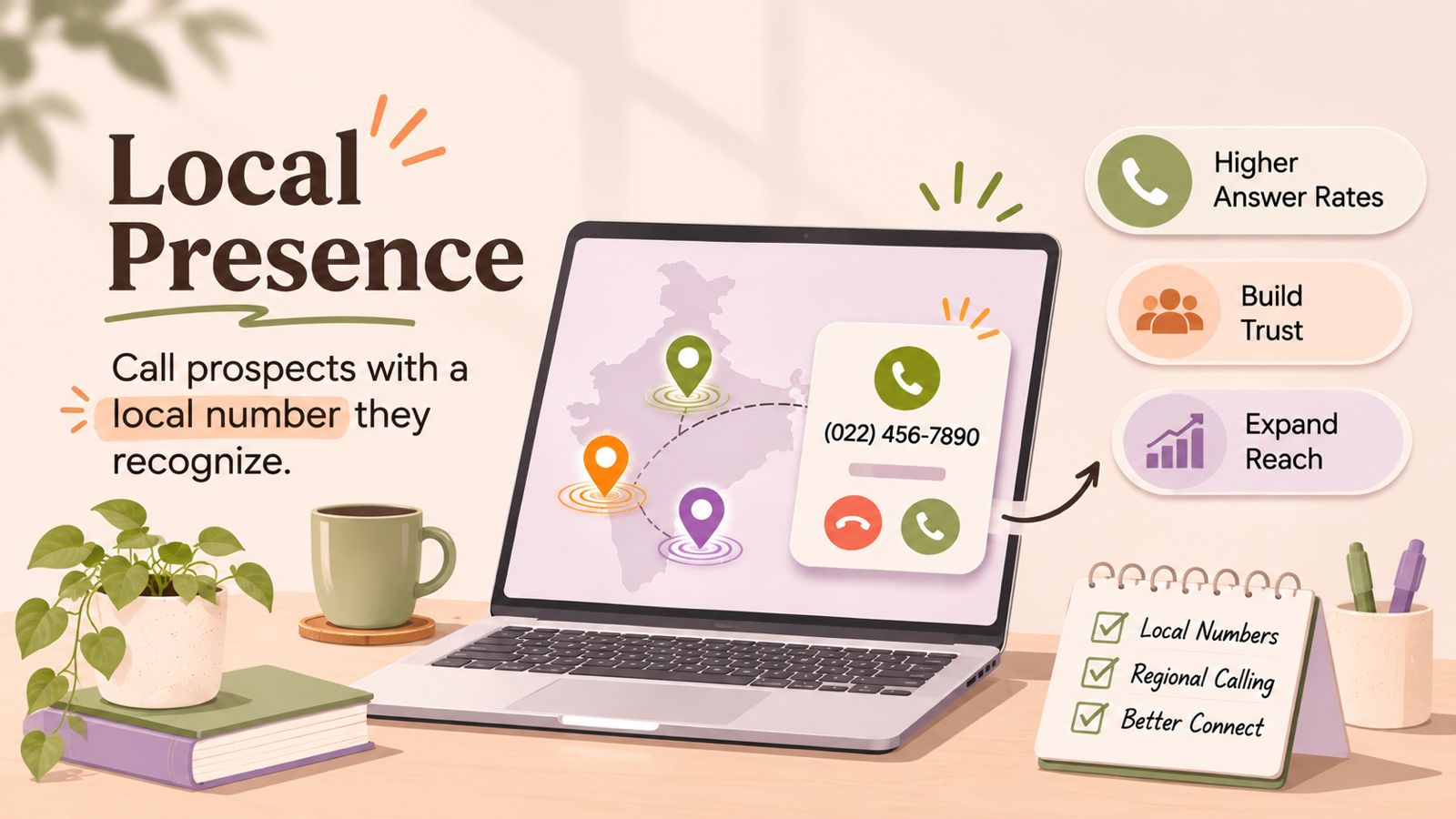
    Local presence is a calling approach where a business uses a local phone number, often matching the recipient’s geographic area or area code, when making an outbound call.

    For example, if a sales representative in New York is calling a prospect in Chicago, the calling system may display a Chicago-area phone number instead of the company’s New York number.

    The idea is to make the outbound number more geographically familiar to the person receiving the call. This approach is commonly used by sales teams, lead-generation teams, recruiting teams, and other businesses that make frequent outbound calls across different locations.

    A local presence phone number usually belongs to a pool of business numbers. The calling system can select a suitable number based on the destination. The exact matching process and available locations depend on the calling provider and applicable telecom requirements.

    How Does Local Presence Work?

    This calling method works by selecting an appropriate business phone number for an outbound call based on the location of the person being contacted.

    A typical local presence workflow looks like this:

    Contact → Location identified → Local number selected → Outbound call placed → Local caller ID displayed

    The calling system may use the recipient’s phone number and area code to determine which business number to present. If a matching local number is available, the system can use it as the outbound caller ID.

    For example, a business may have separate numbers for different regions. When a representative calls a prospect, the system can select the corresponding local number instead of using the company’s default business number.

    Number-selection rules vary between calling providers. Some systems may prioritize an exact area-code match, while others may use a broader regional or country-level match when an exact number is unavailable.

    Local presence involves more than simply changing the caller ID. It involves managing a pool of business numbers and using them within an organized outbound calling workflow.

    How Does Local Presence Dialing Work Step by Step?

    This dialing method automates the process of selecting an appropriate outbound number for each call. A typical workflow includes these steps:

    1. Prepare Your Contact List

    The process starts with a list of prospects, customers, or leads. Contacts may come from a CRM, sales campaign, lead database, or calling list.

    2. Identify the Contact’s Location

    The calling system uses information associated with the contact’s phone number, such as the country or area code, to determine the relevant geographic region.

    3. Find a Matching Local Number

    The system checks the business’s available phone numbers for a suitable local match. If an exact area-code match is available, the provider can select it according to the configured rules.

    4. Place the Outbound Call

    The system places the call using the selected business number. The recipient sees that number on their phone as the caller ID.

    5. Handle the Conversation

    If the recipient answers, the representative handles the conversation normally. Depending on the calling setup, the representative may also have access to customer information, call notes, or CRM records.

    6. Manage the Callback

    If the recipient returns the call, the local number should have an appropriate inbound routing setup. This ensures that callbacks can reach the correct team, representative, or business workflow.

    The exact process can vary depending on the calling platform, available phone numbers, geographic coverage, and local telecom requirements.

    What Is a Local Presence Phone Number?

    A local presence phone number is a business phone number associated with a specific geographic area. Businesses can use it to present a locally recognizable number during outbound calls.

    For example, a business that serves customers across multiple cities may use different local numbers when contacting prospects in those areas. A prospect in one region may see a number with a familiar local area code rather than the company’s primary business number.

    A local presence phone number does not necessarily mean the business has a physical office in that location. Businesses mainly use it to manage how an outbound call appears to the recipient.

    Businesses using local presence should also make sure that the numbers they use are legitimately assigned to them or authorized for their calling workflow. Availability, number selection, and caller ID rules can vary by country, carrier, and calling provider.

    Local Presence vs. a Standard Business Phone Number

    A standard business phone number is typically used as a consistent contact number for a company. The same number may be displayed when representatives make outbound calls, regardless of where the recipient is located.

    With local presence calling, businesses can use different local phone numbers for different geographic markets. The calling system can therefore select the displayed number based on the destination.

    Standard Business NumberLocal Presence Phone Number
    Usually uses one primary business numberCan use multiple geographic numbers
    Same number may be displayed across locationsNumber can vary based on the recipient’s location
    Simple and consistent for brand recognitionDesigned to provide geographic familiarity
    Suitable for general business communicationUseful for geographically distributed outbound calling
    Number selection is usually fixedNumber selection can be automated

    The right approach depends on the business’s calling strategy. A consistent business number may be useful when having one recognizable callback number is the priority, while local presence can be useful for teams making outbound calls across multiple geographic markets.

    What Are the Benefits of Local Presence for Sales and Outbound Calling?

    Local presence can be useful for businesses that regularly make outbound calls to prospects or customers across different geographic areas. By presenting a relevant local number, businesses can create a more geographically familiar calling experience while managing calls through a centralized system.

    1. Makes the Number More Familiar

    A local area code may be more recognizable to a recipient than an unfamiliar number from another region. This can be useful when sales representatives contact prospects across multiple markets.

    2. Supports Regional Sales Campaigns

    Sales teams can organize outbound calling around specific locations and use relevant local numbers for those campaigns.

    For example, a business expanding into several cities could organize calling lists by region and associate each campaign with the appropriate local number.

    3. Reduces Manual Number Selection

    A local presence dialer can automate the process of selecting an appropriate outbound number. Instead of representatives manually choosing a number for every call, the system can apply predefined number-selection rules.

    4. Helps Centralized Teams Serve Multiple Markets

    A business can have its sales representatives working from one location while contacting customers in different cities or regions. Local presence can support this distributed calling model without requiring a separate calling team in every location.

    5. Fits Into Outbound Calling Workflows

    This approach can be combined with sales calling workflows such as contact lists, CRM records, follow-ups, and automated dialing. This can help teams keep number selection as part of the normal calling process instead of treating it as a separate manual task.

    6. Provides a More Consistent Regional Strategy

    For businesses running large outbound campaigns, using a structured local-number strategy can make calling operations easier to organize across different markets.

    However, local presence does not guarantee that a call will be answered. Call outcomes can also depend on factors such as the recipient, timing, number reputation, call relevance, and carrier-level call handling.

    How Can Local Presence Help Businesses Connect With Customers in Different Locations?

    Businesses that serve customers across multiple cities, states, or regions can use this approach to organize their outbound calling strategy around geographic markets.

    For example, a company may have customers across New York, Chicago, and Los Angeles. Instead of making every outbound call from one central business number, a geographic calling setup can use appropriate numbers for each market, where supported.

    This can help businesses:

    • Organize regional sales campaigns based on customer location.
    • Use relevant local area codes when making outbound calls.
    • Centralize their sales team while serving customers in multiple markets.
    • Manage different local numbers through a single calling workflow.
    • Route returned calls to the appropriate sales or support team.

    This approach can be particularly useful for businesses with geographically distributed customer bases, such as sales organizations, recruitment agencies, real estate teams, service businesses, and lead-generation companies.

    However, businesses should make sure that local numbers are legitimately assigned and that their use complies with applicable telecom and caller ID requirements. This is a calling strategy, not a guarantee of higher answer rates or customer engagement.

    Local Presence vs. Standard Caller ID

    Local presence and caller ID are related, but they are not the same thing.

    Caller ID is the information a recipient sees when a call comes in. Depending on the phone network and available data, this can include a phone number and, in some cases, a business name.

    Local presence is a calling strategy that determines which business number is presented as the caller ID, usually based on the geographic location of the person being called.

    For example:

    • Standard caller ID: A company always calls from +1 212 XXX XXXX.
    • Local presence: A company may use a suitable local number when calling a prospect in a different area.

    In other words, caller ID describes what the recipient sees, while local presence describes how a business can select the outbound number used for that call.

    For more information about how caller identification works, see DialNext’s guide on What Is Caller ID?

    Local Presence vs. Toll-Free Numbers

    Local presence numbers and toll-free numbers serve different purposes in business calling.

    A local presence phone number is associated with a specific geographic area or area code and can be used when making outbound calls to contacts in that region.

    Businesses use toll-free numbers as recognizable contact numbers that are not tied to a specific local geographic area. In the US, common toll-free prefixes include 800, 888, 877, 866, 855, 844, and 833.

    Local PresenceToll-Free Number
    Associated with a geographic areaNot associated with a specific local area
    Commonly used for outbound callingCommonly used as a general business contact number
    Can vary based on the recipient’s locationUsually remains the same across locations
    Useful for regional sales campaignsUseful as a centralized business contact
    Can provide a locally recognizable numberProvides one consistent number for customers

    The choice depends on the purpose of the phone number. A business may use local numbers for regional outbound campaigns while maintaining a toll-free number as a central customer contact point.

    It is also important to distinguish the number’s geographic appearance from its actual ownership and routing. A local number does not necessarily indicate that the business has a physical location in that area.

    Common Use Cases for Local Presence

    Local presence can be useful whenever a business regularly makes outbound calls to customers or prospects in different geographic markets. Common use cases include:

    1. Sales and Lead Generation

    Sales teams can use local presence when contacting prospects across different cities, states, or regions. A local presence dialer can help automate the selection of an appropriate outbound number for each contact.

    2. Recruiting and Staffing

    Recruiters often contact candidates across multiple locations. Using relevant local numbers can help organize calling campaigns by geographic market.

    3. Real Estate

    Real estate teams may work with buyers, sellers, landlords, or tenants across different cities and regions. Local numbers can be incorporated into location-based outbound calling workflows.

    4. Customer Follow-Ups

    Businesses can use local presence when following up with customers after inquiries, appointments, purchases, or other interactions, particularly when their customer base spans multiple regions.

    5. Multi-Location Businesses

    Companies operating across several markets can use different local business numbers while keeping their calling operations centralized.

    6. Service Businesses

    Home services, field services, and other location-based businesses may contact customers in specific service areas. Local numbers can help organize outbound communication around those markets.

    7. Regional Outbound Campaigns

    Marketing and sales teams can divide calling campaigns by geographic region and associate each campaign with the appropriate local number where supported.

    Local presence is most relevant when geographic context is an important part of the calling workflow. It should be combined with clear caller identification and appropriate call-handling processes rather than treated as a standalone sales tactic.

    Important Considerations and Limitations of Local Presence

    Before implementing local presence calling, businesses should consider how local numbers are managed, displayed, and regulated. Local presence can support outbound calling, but it does not guarantee that recipients will answer calls or trust a number.

    Number Availability

    Calling providers may not offer local numbers in every area or country. Availability depends on the calling provider, telecom carriers, and local numbering regulations.

    Caller ID Is Not Always Displayed Exactly as Expected

    Carriers, networks, devices, and regional telecom systems can affect the number displayed to a recipient. A business should not assume that every recipient will see the same caller ID presentation.

    Callbacks Need to Be Managed

    If a recipient calls the displayed local number back, the business should set up appropriate inbound routing or call handling. Otherwise, this strategy can create a poor customer experience.

    Local Presence Does Not Guarantee Higher Answer Rates

    Using a local area code may make a number more familiar, but it does not guarantee that someone will answer the call. Factors such as timing, call relevance, number reputation, and carrier filtering can also affect call outcomes.

    Number Reputation Matters

    Businesses should use legitimate numbers responsibly and monitor how their outbound numbers are being treated by carriers and recipients. High-volume or unwanted calling can affect number reputation regardless of whether the number is local.

    Compliance Requirements May Apply

    Caller ID, telemarketing, registration, consent, and other telecom requirements vary by country and use case. Businesses should review the rules applicable to their calling markets before deploying local presence at scale.

    Local Presence Is Not the Same as Pretending to Be Local

    A local presence number should not be used to falsely represent a business’s physical location or identity. Businesses should use numbers they legitimately control and provide accurate information when required.

    For related information, see DialNext’s guides on Caller ID, Carrier Filtering, and STIR/SHAKEN

    How Does Local Presence Work With CRM and Calling Workflows?

    Teams can add this approach to a CRM-based calling workflow to manage contacts, calls, and follow-ups from one centralized process.

    A typical workflow may look like:

    CRM contact → Click-to-call → Contact location identified → Local number selected → Outbound call → Call activity recorded → Follow-up

    For example, a sales representative can open a prospect’s CRM record and start an outbound call. If the calling system supports this feature, it can check whether a suitable local number is available and use it according to the configured rules.

    After the call, the team can record information such as the call outcome, notes, or follow-up activity in the CRM, depending on the calling platform and integration.

    This can be useful for teams that manage large numbers of geographically distributed contacts because local presence calling becomes part of the existing sales workflow rather than a separate manual process.

    However, CRM integration does not automatically mean that local presence is supported. The availability of local number selection, number pools, click-to-call, call logging, and routing depends on the specific calling platform and CRM integration being used.

    What About DialNext?

    DialNext supports business calling and CRM-connected communication workflows, but the exact availability of local presence dialing, local number pools, or automatic geographic number selection should be confirmed for the specific DialNext setup before making a product or feature claim.

    For this reason, businesses evaluating this approach should verify. the supported number types, geographic coverage, caller ID behavior, CRM workflow, and inbound callback handling with their calling provider.

    FAQs

    What is local presence in business calling?

    Local presence is a calling approach where a business uses a phone number associated with the recipient’s geographic area when making an outbound call.

    What is local presence dialing?

    Local presence dialing is a calling workflow that selects an appropriate local business number for an outbound call based on the recipient’s location or phone number.

    What is a local presence phone number?

    A local presence phone number is a business number associated with a specific geographic area or area code and used for outbound calls to contacts in that region.

    Does local presence improve call answer rates?

    Local presence may make an outbound number more geographically familiar, but it does not guarantee higher answer rates. Call timing, relevance, number reputation, and carrier handling can also affect whether a call is answered.

    What is the difference between local presence and caller ID?

    Caller ID is the information displayed to the recipient when a call is received. Local presence is a strategy for selecting the outbound number that can be displayed as the caller ID.

    Can businesses use local presence with a CRM?

    Yes, teams can add local presence to CRM-based calling workflows when the calling platform and CRM integration support the required functionality. The exact features depend on the provider.

    Is local presence the same as having a local office?

    No. A local presence phone number does not necessarily mean that a business has a physical office in that geographic area. It refers to the phone number used for communication.

    Conclusion

    Local presence gives businesses a way to make outbound calls using geographically relevant business numbers. By matching available numbers with the contact’s location, businesses can organize regional calling campaigns while keeping their teams and calling operations centralized.

    It can be particularly useful for sales, lead generation, recruiting, customer follow-ups, and other outbound calling workflows that involve contacts across multiple locations.

    However, local presence is not a guarantee of higher answer rates or customer engagement. Businesses should also consider number availability, caller ID behavior, callback routing, number reputation, and applicable telecom requirements.

    When implemented as part of a well-managed calling and CRM workflow, local presence can be one component of a broader strategy for managing geographically distributed outbound communication.

  • What Is a CRM Dialer and How Does It Work?

    What Is a CRM Dialer and How Does It Work?

    A CRM dialer helps sales and customer support teams make calls directly from their customer relationship management (CRM) workflow. Instead of manually copying phone numbers, switching between tools, and updating call details afterward, a CRM dialer connects calling activity with customer records.

    With CRM calling, representatives can access customer information, start calls, and keep relevant call activity connected to the right contact or lead. Features such as click-to-call, automatic call logging, call history, and CRM data synchronization can reduce repetitive work and help teams maintain more complete customer records.

    In this guide, we’ll explain what a CRM dialer is, how it works, how it differs from traditional dialing, and what businesses should look for when choosing CRM dialer software.

    What Is a CRM Dialer?

    A CRM dialer is a calling solution that connects a business phone system or dialer with a customer relationship management (CRM) platform. It allows sales and support teams to make calls while keeping relevant call activity connected to the correct contact, lead, or customer record.

    Depending on the CRM and calling solution, a CRM dialer may support features such as:

    • Click-to-call from CRM records
    • Automatic call logging
    • Call history
    • Call notes and outcomes
    • Contact and customer data synchronization
    • Call recordings
    • Call analytics and reporting
    • Follow-up workflows

    The basic idea is:

    CRM data → Call → Call activity → Customer record

    This creates a more connected workflow between customer information and business communication.

    How Does a CRM Dialer Work?

    A CRM dialer connects your CRM with a business calling system so representatives can manage calls while keeping customer information and call activity connected.

    How a CRM dialer connects customer records with calling activity.

    1. Connect the CRM and Calling System

    The first step is connecting the CRM with a compatible calling platform. Depending on the systems involved, this may use a native integration, API, or another supported connection method.

    2. Open a Customer or Lead Record

    The representative opens a contact, lead, or customer record in the CRM. They can review available information such as the phone number, previous interactions, notes, and account details before making the call.

    3. Start the Call With Click-to-Call

    With click-to-call functionality, the representative can select a phone number directly from the CRM instead of manually copying and entering it into a separate phone application.

    4. Handle the Conversation

    The representative handles the call while referring to the customer information available in the CRM. This gives them relevant context during the conversation.

    5. Log the Call Activity

    After the call, details such as call direction, duration, outcome, notes, or recordings may be added to the relevant CRM record, depending on the integration.

    This process is commonly known as CRM call logging.

    6. Continue With the Next Action

    After the call, the representative can update the customer record, add notes, schedule a follow-up, or move to the next lead. This keeps calling activity connected with the broader sales or support workflow.

    CRM Dialer vs. Traditional Dialing

    Traditional dialing often requires representatives to switch between the CRM and a separate phone application. They may need to find a customer’s phone number, copy it, make the call, and then return to the CRM to record what happened.

    A CRM dialer connects these activities into a streamlined workflow.

    Traditional/Manual DialingCRM Dialer
    Phone numbers may be entered manuallyClick-to-call can start calls from CRM records
    CRM and phone system may be separateCRM and calling system are connected
    Call details may require manual entryCall activity can be logged automatically
    Representatives may switch between toolsCalling can happen within the CRM workflow
    Customer context may require extra searchingRelevant CRM information is available alongside the call
    Follow-up information may be recorded separatelyCall outcomes can be connected to customer records

    The exact features available depend on the CRM and calling platform being used.

    What Are the Benefits of Using a CRM Dialer?

    A CRM dialer can help sales and customer support teams reduce repetitive calling tasks while keeping communication activity connected to customer records.

    1. Faster Calling Workflows

    Click-to-call reduces the need to manually copy and enter phone numbers, allowing representatives to start calls directly from CRM records.

    2. Less Manual Data Entry

    Automatic call logging can reduce the amount of information representatives need to enter manually after every conversation.

    3. Better Customer Context

    Representatives can access relevant CRM information before and during calls, helping them understand previous interactions and customer history.

    4. More Complete Call History

    When calling activity is connected to CRM records, teams can maintain a clearer history of customer conversations and follow-ups.

    5. Easier Lead Follow-Ups

    Sales teams can use CRM calling workflows to contact leads, record outcomes, and keep follow-up activities connected to the appropriate records.

    6. Improved Team Visibility

    Managers can use available call data and reporting to understand calling activity, monitor workflows, and identify areas where teams may need support.

    7. Fewer Tool Switches

    Connecting the CRM and calling system can reduce the need to move repeatedly between separate applications, creating a more streamlined workflow.

    How Does a CRM Dialer Connect Calling With Customer Records?

    A major advantage of CRM dialer software is that calling activity can remain connected to the customer or lead record.

    Instead of treating phone calls as separate activities, the CRM can associate relevant call information with the contact or account.

    Contact Information

    The representative can access the customer’s phone number and other available CRM information before starting the call.

    Call History

    Previous calls and interactions can provide context for the next conversation. This helps representatives understand what has already been discussed with the customer.

    Automatic Call Logging

    Depending on the integration, call details such as call time, duration, direction, and outcome can be recorded against the relevant CRM record.

    Call Notes and Outcomes

    Representatives can record important information from the conversation, such as customer requirements, objections, or the next follow-up action.

    Data Synchronization

    A CRM phone integration can synchronize relevant information between the calling platform and CRM. The exact data synchronized depends on the specific CRM and integration.

    The result is a more connected CRM calling workflow where customer information and communication history stay together.

    CRM Dialer Features to Look For

    When evaluating CRM dialer software, businesses should consider features that make calling easier while keeping customer communication connected to CRM data.

    Click-to-Call

    Representatives can start a call by clicking a phone number within the CRM instead of manually entering the number.

    Automatic Call Logging

    The system can automatically record relevant call activity in the CRM, reducing manual data entry.

    Call History

    A centralized call history helps representatives and managers review previous customer conversations and calling activity.

    CRM Data Synchronization

    The calling platform and CRM can exchange relevant customer and call information, depending on the integration.

    Call Notes and Outcomes

    Representatives can record notes, call outcomes, and follow-up information after conversations.

    Call Analytics

    Calling data can help teams understand activity levels, call patterns, and other available performance metrics.

    Call Recording

    Where supported and legally permitted, call recording can help teams review conversations, train representatives, and maintain a record of customer interactions.

    Contact and Lead Management

    A useful CRM calling workflow should make it easy for representatives to identify contacts, leads, and customers and take the appropriate calling action.

    CRM Dialer Use Cases

    A CRM dialer can support different teams and workflows where phone communication needs to stay connected with customer information.

    Sales Calls

    Sales representatives can call leads directly from CRM records, review customer information before the conversation, and record call outcomes for future follow-ups.

    Lead Follow-Ups

    Sales teams can use CRM calling to follow up with new leads, previous prospects, or contacts who have shown interest in a product or service.

    Customer Support

    Support teams can use connected calling workflows to access customer records and review previous interactions before or during a conversation.

    Outbound Calling

    For teams handling regular outbound calls, a CRM dialer can help representatives work through contact lists while keeping calling activity connected to CRM records.

    Account Management

    Account managers can use CRM calling to stay connected with existing customers while maintaining a history of relevant conversations and follow-up actions.

    Customer Re-Engagement

    Businesses can contact inactive customers or older leads while using existing CRM information to understand previous interactions and determine the appropriate next step.

    CRM Dialer vs. Traditional Business Phone System

    A CRM dialer and a traditional business phone system both support business calling, but they serve different workflows.

    A traditional business phone system is primarily designed to provide calling capabilities such as inbound and outbound calls, extensions, call routing, and other communication features.

    A CRM dialer focuses more specifically on connecting those calls with customer and sales data.

    Traditional Business Phone System

    A traditional business phone system can help businesses:

    • Make and receive calls
    • Manage extensions and users
    • Route incoming calls
    • Handle business communications
    • Manage basic call activity

    However, customer information and call activity may remain separate from the CRM unless an integration is configured.

    CRM Dialer

    A CRM dialer connects calling activity with CRM records and can support workflows such as:

    • Click-to-call
    • CRM call logging
    • Customer call history
    • Contact information access
    • Call notes and outcomes
    • CRM data synchronization

    The key difference is context. A traditional phone system primarily manages communication, while a CRM dialer connects communication with customer and sales information.

    For teams that rely heavily on CRM data for sales, support, or follow-ups, this connected workflow can reduce unnecessary switching between tools.

    How Does CRM Calling Improve Sales and Support Workflows?

    A CRM dialer can make calling workflows more organized by connecting phone conversations with customer information already managed in the CRM.

    Faster Access to Customer Information

    Representatives can access relevant contact details and previous interactions without searching through multiple systems before every call.

    More Consistent Call Records

    When call activity is logged in the CRM, teams can maintain a more consistent record of customer conversations and outcomes.

    Easier Follow-Ups

    Call notes, outcomes, and customer history can help representatives understand what needs to happen next, whether that means another call, a demo, or a support action.

    Better Team Coordination

    When relevant call information is available in shared CRM records, different team members can understand previous interactions before contacting the same customer.

    Reduced Administrative Work

    Click-to-call and automated call logging can reduce repetitive tasks associated with manually dialing numbers and recording call activity.

    Overall, a CRM calling workflow helps bring communication and customer data into the same process, allowing teams to spend less time managing separate tools and more time interacting with customers.

    Best Practices for Using a CRM Dialer

    To get the most value from a CRM dialer, businesses should focus on keeping calling workflows organized and customer data accurate.

    Keep CRM Data Updated

    Make sure contact details, phone numbers, lead status, and other relevant customer information are kept accurate.

    Use Clear Call Outcomes

    Define consistent outcomes such as connected, no answer, callback requested, or follow-up required. This makes call records easier for teams to understand.

    Add Useful Call Notes

    Encourage representatives to record important information from conversations rather than relying only on memory.

    Review Call Activity Regularly

    Managers can review available call history and analytics to identify workflow issues and understand how teams are using the calling system.

    Maintain Follow-Up Processes

    A completed call should lead to the appropriate next action when required. Connect call outcomes with follow-up tasks so leads and customers do not get overlooked.

    Choose Integrations Carefully

    Before selecting CRM calling software, confirm that it supports the CRM your team uses and provides the data synchronization and calling capabilities required for your workflow.

    Frequently Asked Questions About CRM Dialers

    What is a CRM dialer?

    A CRM dialer is a calling solution that connects a business phone system with a CRM, allowing teams to make calls while keeping call activity connected to customer, lead, or contact records.

    What is CRM calling?

    CRM calling refers to making and managing business calls as part of a CRM workflow. Depending on the integration, it can include click-to-call, call logging, call history, and customer data synchronization.

    What is click-to-call in a CRM?

    Click-to-call allows a representative to start a call by selecting a phone number directly from a CRM record instead of manually entering the number into a separate phone application.

    Can a CRM dialer automatically log calls?

    Many CRM dialer integrations can automatically log relevant call information, such as call time, duration, direction, or outcome. The exact capabilities depend on the CRM and calling platform.

    What is the difference between a CRM dialer and a sales dialer?

    A CRM dialer focuses on connecting calling activity with CRM records and customer data. A sales dialer is generally focused on helping sales teams make outbound calls efficiently. Some solutions can serve both purposes.

    Do CRM dialers work with every CRM?

    No. CRM dialer functionality depends on the specific integration available between the calling platform and CRM. Businesses should check supported CRM platforms and available features before choosing a solution.

    Is a CRM dialer useful for customer support teams?

    Yes. A CRM dialer can help support teams access customer information, review previous interactions, log calls, and maintain a connected history of customer communication, depending on the integration.

    Conclusion

    A CRM dialer connects business calling with the customer information teams already manage in their CRM. By bringing calling, customer records, call history, and related activity into a connected workflow, it can reduce repetitive tasks and make customer communication easier to manage.

    Features such as click-to-call, automatic call logging, call history, and CRM data synchronization can help sales and support teams maintain better context around customer conversations.

    When evaluating CRM dialer software, businesses should consider their CRM platform, calling requirements, integration capabilities, data synchronization, reporting, and the workflows their teams use every day.

  • What Is a Power Dialer and How Does It Work?

    What Is a Power Dialer and How Does It Work?

    A Power Dialer can help sales teams save time on outbound calls by reducing repetitive tasks such as finding contacts, dialing phone numbers, waiting for call results, and updating records.

    A power dialer automates much of this process by working through a predefined list of contacts and dialing the next number automatically. Instead of spending time manually operating a keypad, sales representatives can focus more of their time on actual conversations.

    In this guide, we’ll explain what a power dialer is, how it works, how it compares with manual and predictive dialing, and what businesses should consider when choosing power dialer software.

    What Is a Power Dialer?

    A power dialer is an outbound calling system that automatically calls contacts from a predefined list, typically one number at a time for an available representative.

    The basic workflow is simple:

    Contact list → Automatic dialing → Live conversation → Call outcome → Next contact

    When a call ends, the system can move to the next contact without requiring the representative to manually search for and dial another number.

    Power dialers are commonly used as sales dialers, outbound calling tools, and CRM-connected calling systems. They are particularly useful when representatives need to work through a structured list of leads, prospects, customers, or follow-ups.

    Unlike other automated dialing methods, a power dialer generally maintains a one-to-one relationship between the representative and the active call. This means the representative is ready to handle the conversation when the prospect answers.

    How Does a Power Dialer Work?

    A power dialer follows a structured workflow that takes a contact list and turns it into an organized outbound calling session.

    1. Create or Import a Contact List

    The process starts with a list of contacts.

    Depending on the calling system, this list may come from:

    • A CRM
    • A sales campaign
    • An uploaded contact file
    • A customer database
    • A lead list
    • A previously defined follow-up queue

    Contacts can also be organized based on factors such as lead status, sales stage, campaign, location, or priority.

    2. Load Contacts Into the Dialing Queue

    Once the list is ready, the contacts are placed into a calling queue.

    The queue determines which contact should be called next. Some systems allow representatives or managers to reorder, skip, remove, or prioritize contacts before or during a calling session.

    This is particularly useful for sales teams working with different types of prospects instead of simply calling every contact in random order.

    3. The Power Dialer Starts Calling Automatically

    When the representative starts the calling session, the power dialer places the first call automatically.

    The representative does not need to manually type the phone number.

    If the call is unanswered, busy, disconnected, or otherwise unavailable, the system can move through the calling workflow according to its configured rules.

    4. The Representative Handles the Conversation

    When the prospect answers, the representative handles the conversation normally.

    Depending on the calling platform, the representative may also have access to customer information, previous interactions, notes, scripts, or other CRM data while speaking with the prospect.

    This context can help the representative understand who they are calling and why the contact is being reached.

    5. The Call Outcome Is Recorded

    After the call, the representative may select an outcome such as:

    • Connected
    • No answer
    • Busy
    • Voicemail
    • Interested
    • Not interested
    • Follow-up required
    • Meeting booked

    The exact options depend on the calling system and workflow.

    Recording the outcome makes the calling process easier to measure and helps determine what should happen next.

    6. The System Moves to the Next Contact

    Once the current call is complete, the dialer can automatically move to the next number in the queue.

    This removes one of the biggest sources of downtime in manual calling: deciding who to call next and entering their number.

    The representative can therefore move from one calling attempt to the next with fewer interruptions.

    Power Dialer vs. Manual Dialing

    The biggest difference between a power dialer and manual dialing is who handles the repetitive dialing work.

    With Manual Dialing, a representative typically has to:

    1. Find the contact.
    2. Open the contact record.
    3. Find the phone number.
    4. Enter or click the number.
    5. Wait for the call result.
    6. Record the outcome.
    7. Find the next contact.
    8. Repeat the process.

    With a Power Dialer, much of that sequence can be automated:

    1. Prepare the contact list.
    2. Start the calling session.
    3. Let the system dial the next contact.
    4. Handle the conversation.
    5. Record the outcome.
    6. Continue to the next contact.

    The representative still controls the conversation, but spends less time operating the dialing interface.

    This does not mean a power dialer guarantees a particular number of calls per hour. Actual calling volume depends on answer rates, conversation length, voicemail handling, call outcomes, list quality, and the workflow configured by the business.

    What Are the Benefits of a Power Dialer?

    A power dialer can help sales and outbound teams reduce repetitive work and create a more consistent calling process. The main benefits include:

    1. Less Manual Dialing

    The most obvious benefit is that representatives no longer need to manually enter every phone number.

    This can be especially valuable for teams making dozens or hundreds of outbound attempts during a working session.

    2. More Time for Conversations

    When repetitive dialing tasks take less time, representatives can spend more of their working time on conversations, qualification, follow-ups, and other sales activities.

    The objective isn’t simply to make more calls. It’s to reduce unnecessary work around each call.

    3. A More Consistent Calling Process

    A structured dialing queue gives representatives a repeatable process.

    Instead of deciding what to do after every call, the next contact is already available. This can make outbound calling campaigns easier to manage and standardize.

    4. Easier Follow-Up Management

    Power dialing can work particularly well for follow-up campaigns.

    For example, a representative may have a list of prospects who:

    • Requested a demo
    • Were contacted previously
    • Did not answer an earlier call
    • Asked to be contacted later
    • Need a post-meeting follow-up

    Putting these contacts into an organized queue makes it easier to work through them systematically.

    5. Better CRM Data Flow

    When the dialer is integrated with a CRM, call activity can be connected to the relevant customer record.

    This reduces the need for representatives to manually copy call information between systems and helps teams maintain a more complete history of customer interactions.

    6. Better Visibility Into Calling Performance

    Calling systems can provide data such as:

    • Calls attempted
    • Answered calls
    • Missed calls
    • Call duration
    • Call outcomes
    • Follow-up activity
    • Representative activity
    • Conversion-related metrics

    Managers can use this information to understand where the outbound process is working and where it needs improvement.

    How Does a Power Dialer Work With a CRM?

    A CRM dialer connects the calling workflow with customer information stored in a CRM.

    Without an integration, a representative may need to switch between the CRM and calling application before, during, and after a call.

    With an integrated workflow, the process can look more like this:

    CRM contact → Call → Conversation → Call outcome → CRM record → Follow-up

    For example, imagine a sales representative is following up with a prospect.

    The CRM contains the prospect’s name, company, previous interaction history, notes, and sales stage. The dialer uses the contact information to initiate the call. After the conversation, the call outcome and relevant activity can be associated with the customer’s record.

    This reduces repetitive data entry and helps keep customer information connected to communication activity.

    A CRM-connected calling workflow can be particularly useful for sales teams that need to manage a large number of prospects while keeping customer records up to date.

    Power Dialer vs. Predictive Dialer

    Power dialer vs. predictive dialer is an important distinction when evaluating outbound calling software.

    A power dialer generally calls contacts sequentially, with one active call handled by an available representative.

    A predictive dialer uses algorithms to estimate representative availability and may place multiple calls before an agent becomes available. Its goal is to maximize calling volume and reduce idle time across a larger team.

    Power Dialer

    A power dialer is generally suited to workflows where representatives need:

    • A structured calling queue
    • More control over call pacing
    • One conversation at a time
    • Customer context before conversations
    • A balance between calling efficiency and personalization

    Predictive Dialer

    Predictive dialers are often designed for:

    • Very high-volume campaigns
    • Larger outbound teams
    • Workflows where maximizing call attempts is a primary objective

    The right approach depends on the team’s call volume, staffing model, customer experience requirements, and calling process.

    A power dialer is not simply a slower predictive dialer. The two systems are designed around different dialing approaches.

    Common Power Dialer Use Cases

    A power dialer can support many business workflows where teams regularly make outbound calls.

    Sales Prospecting

    Sales representatives can work through lists of prospects without manually dialing every number.

    Lead Follow-Ups

    Teams can create calling queues for new leads, demo requests, inbound inquiries, or prospects who previously expressed interest.

    Cold Calling

    Outbound sales teams can organize large prospect lists and systematically work through them.

    Customer Success

    Customer success teams can use structured calling workflows for check-ins, renewals, onboarding, or proactive customer outreach.

    Recruitment

    Recruiters can work through candidate lists and follow up with applicants or potential candidates.

    Real Estate

    Real estate teams can organize property inquiries, buyer leads, seller leads, and follow-up calls into structured calling lists.

    Event and Campaign Follow-Ups

    After a webinar, trade show, product launch, or marketing campaign, sales teams can create a targeted list and systematically contact participants.

    Who Should Use a Power Dialer?

    A power dialer can be useful for businesses where employees make a significant number of outbound calls and repetitive dialing takes time away from customer conversations.

    It may be particularly relevant for:

    • Sales development representatives (SDRs)
    • Inside sales teams
    • Business development teams
    • Lead-generation teams
    • Customer success teams
    • Recruitment teams
    • Real estate teams
    • Outbound contact centers
    • Customer outreach teams

    It may be less appropriate when every call requires extensive research and preparation before dialing. For highly personalized, high-value conversations, a slower workflow may sometimes give representatives more time to prepare.

    The key question is not simply “How many calls do we make?”

    A better question is:

    “How much repetitive work happens around each call?”

    If representatives spend significant time searching for numbers, dialing, finding the next contact, and updating records, dialing automation may have a meaningful impact on the workflow.

    Important Features to Look for in Power Dialer Software

    When evaluating power dialer software, look beyond the basic ability to automatically dial numbers. The right features should support the entire outbound calling workflow.

    1. CRM Integration

    The dialer should work with the CRM your team already uses. Check whether it can access contact information and whether call activity can be logged back to the appropriate customer record.

    2. Contact List Management

    Look for the ability to import, organize, prioritize, filter, skip, or update calling lists.

    3. Call Outcome Tracking

    Representatives should be able to record what happened after each call so managers can understand campaign performance and trigger appropriate follow-ups.

    4. Call Recording and History

    Call recordings and call history can help with training, quality monitoring, compliance workflows, and reviewing customer conversations where appropriate.

    5. Analytics and Reporting

    Useful reporting can include call volume, connection activity, call duration, outcomes, and team-level performance.

    6. Follow-Up Workflows

    A good outbound workflow should make it easy to identify contacts that require another call, message, or action.

    7. Voicemail Handling

    For teams that frequently reach voicemail, efficient voicemail workflows can reduce repetitive work.

    8. Calling Controls

    Representatives may need the ability to pause, skip, stop, or otherwise control the dialing sequence.

    9. Data Quality and Security

    The system should provide appropriate controls for protecting customer information and managing access to calling data.

    How a Power Dialer Improves Sales-Team Efficiency

    A power dialer should be viewed as part of a broader outbound workflow rather than simply an automated keypad.

    Consider a representative making 50 outbound attempts manually.

    Between those attempts, they may repeatedly:

    • Search for the next contact
    • Find a phone number
    • Enter the number
    • Wait for the call result
    • Update the CRM
    • Write notes
    • Decide who to call next

    A power dialer can automate or streamline several of these repetitive steps.

    That creates a more efficient workflow:

    Prioritized leads → Calling queue → Automated dialing → Conversation → Outcome → CRM update → Follow-up

    The result is not necessarily “more calls at any cost.” The goal is to remove avoidable administrative work so representatives can dedicate more of their working time to meaningful customer conversations.

    A well-organized calling workflow can also make it easier for managers to monitor activity, identify bottlenecks, and improve outbound sales processes over time.

    Best Practices for Using a Power Dialer

    A power dialer works best when the underlying calling process is well organized.

    Before starting a campaign:

    • Keep contact data accurate and up to date.
    • Segment contacts by campaign, priority, or sales stage.
    • Define clear call outcomes.
    • Give representatives access to relevant customer context.
    • Establish a consistent follow-up process.
    • Review calling performance regularly.
    • Remove outdated or invalid contacts from calling lists.
    • Make sure your calling process follows applicable telemarketing, privacy, and consent requirements.

    Automation can make a poor process faster, but it cannot fix inaccurate customer data or an unclear sales workflow.

    Frequently Asked Questions

    What Is a Power Dialer?

    A power dialer is an outbound calling system that automatically dials contacts from a predefined list, generally one at a time for an available representative. It reduces the need for manual number entry and helps representatives move efficiently between calls.

    How Does a Power Dialer Work?

    A power dialer loads a contact list, starts the first call automatically, connects the representative when appropriate, records the call outcome, and moves to the next contact according to the configured workflow.

    What Is a Power Dialer for Sales?

    A power dialer for sales helps representatives work through prospect and follow-up lists without manually dialing each number. It can reduce repetitive tasks and keep outbound calling organized.

    What Is the Difference Between a Power Dialer and a Predictive Dialer?

    A power dialer generally works through contacts sequentially, with an available representative handling each active call. A predictive dialer uses pacing algorithms and can place multiple calls to maximize agent utilization. The two approaches prioritize different combinations of speed, control, and call volume.

    Can a Power Dialer Integrate With a CRM?

    Yes. Many modern power dialers can connect with CRM systems so representatives can use customer data during calls and automatically associate call activity with customer records.

    Does a Power Dialer Make More Calls Than Manual Dialing?

    A power dialer can reduce the time spent manually entering numbers and moving between contacts, which can allow representatives to spend more time on calling activity. Actual call volume depends on factors such as answer rates, call duration, list quality, and the team’s workflow.

    Is a Power Dialer the Same as an Auto Dialer?

    “Auto dialer” is a broad term for software that automates outbound dialing. A power dialer is one specific type of automated dialing system. Other approaches include predictive, progressive, preview, and parallel dialing.

  • DialNext Intercom Integration: How to Connect Intercom with DialNext?

    DialNext Intercom Integration: How to Connect Intercom with DialNext?

    DialNext Intercom integration lets you connect your DialNext account with Intercom and manage your customer communication from one place. Follow the steps below to complete the integration quickly and start keeping your communication organized.

    How to integrate DialNext with Intercom

    1. Log in or sign up to your DialNext account.

    2. In the left sidebar, click Integrations.

    3. Find Intercom in the integrations list and click Integrate.

    4. Authorize the connection between DialNext and Intercom.

    5. Choose the features you want to enable.

    6. Click Save settings to complete the integration.

    7. Make a test call or send an SMS from DialNext to verify that the activity is logged in Intercom.

    Your DialNext account is now connected to Intercom successfully.

    What does the DialNext Intercom integration do?

    The integration helps you keep your customer communication organized by connecting your DialNext account with Intercom. Once connected, your DialNext communication activity can be recorded in Intercom, making it easier to keep track of customer interactions without manually adding communication details.

    How to use the integration

    After completing the DialNext Intercom integration, make sure the required features are enabled in the integration settings.Once you save the settings, Intercom can record your DialNext communication activity.

    You can also explore our DialNext Jobber Integration guide for another CRM integration.

  • Group Texting: Keep Everyone in the Same Conversation

    Group Texting: Keep Everyone in the Same Conversation

    Group texting makes it easier to keep everyone updated without managing multiple 1:1 text threads.

    With DialNext Group Texting, your business can bring multiple customers or participants into one shared SMS conversation, so everyone can see the same messages and replies in one place.

    Whether you’re coordinating a buyer and co-buyer, keeping a patient and caregiver aligned on appointment logistics, or connecting a customer with multiple people from your team, everyone stays in the same conversation.

    What Makes DialNext Group Texting Different?

    Group Texting isn’t just about sending the same SMS to several people. It creates a shared conversation.

    When your DialNext number sends a message, everyone in the group receives it. When any participant replies, that reply appears in the same group conversation—so everyone stays on the same page without managing separate 1:1 threads.

    Create a Group Text in a Few Steps

    Setting up a Group Text is simple:

    1. Open Group texts in your DialNext app.
    2. Choose a US/Canada DialNext number that can send and receive SMS.
    3. Give the group an internal name so your team can easily identify it.
    4. Add 2–9 US/Canada client numbers to the group.
    5. Write your first message.
    6. Select Create.

    Keep Conversations Flexible

    A customer can be part of more than one active Group Text, as long as each group has a different full participant list.

    For example:

    Group A: DialNext number + Buyer + Co-buyer + Agent
    Group B: DialNext number + Buyer + Co-buyer + Lender

    Both groups can stay active because their complete participant lists are different. This lets teams create separate conversations for different topics without forcing everyone into one large group thread.

    However, the exact same participant list cannot be active in two groups at the same time. To reuse that exact group, close the existing conversation first.

    Know the Limits

    Group Texting is designed for focused, multi-party conversations. Keep these limits in mind:

    • Group Texting currently supports US and Canada numbers (+1) for both the DialNext line and client numbers.
    • Each group requires at least 2 client numbers and supports up to 9 client numbers, for a maximum of 10 participants including the DialNext line.
    • The same exact participant list cannot be active in multiple groups at the same time, while partial overlap between different groups is allowed.
    • For US messaging, the DialNext number should be properly registered for US application-to-person business messaging.
    • Group Texts have a dedicated inbox separate from standard 1:1 messages.
    • Delivery may succeed for some recipients and fail for others, so delivery status can vary by participant.
    • Blocked contacts should not be added to a group.
    • Group Texting is designed for focused conversations rather than large multi-party threads.

    How Group Texting Is Billed

    Group Texting uses your workspace’s existing messaging allowance, the same SMS segment pool used for regular messages. There is no separate group-text-only meter.

    For outbound messages, usage depends on both the number of SMS segments and the number of client recipients.

    Outbound usage = SMS segments × number of client phones

    For example:

    • A 1-segment message sent to 2 clients uses 2 messaging units.
    • A 2-segment message sent to 3 clients uses 6 messaging units.
    • A 2-segment message sent to 5 clients uses 10 messaging units.

    Your DialNext number is not counted as a recipient. Included plan messaging segments are used first, followed by prepaid wallet usage for overage at the standard outbound SMS segment rates. Failed sends have their usage reversed. 

    Important: Group Texting does not use a separate group-text-only meter. Outbound usage is based on SMS segments multiplied by the number of client recipients.

    Where Group Texting Works Best

    Group Texting is useful whenever multiple people need to stay informed and respond within the same conversation.

    Real Estate

    Keep buyers, co-buyers, and other stakeholders aligned on showing times, offer updates, links, and important conversation details.

    Healthcare

    Coordinate scheduling and logistics between patients, caregivers, and coordinators. Group texting should remain focused on logistics, while applicable privacy and clinical communication policies continue to apply.

    Automotive

    Keep buyers, co-signers, sales managers, and other relevant team members connected. Separate groups can also be created for different stages, such as sales and service.

    Other Use Cases

    Group Texting can also support shared communication in home services, education and camps, and professional services. 

    Best Practices for Better Group Conversations

    A well-structured group makes communication easier for everyone involved. Keep these practices in mind:

    • Build the group around visibility: Add only the people who need to see and participate in the conversation.
    • Use overlapping groups intentionally: A customer can be part of multiple groups when each group has a different participant list.
    • Avoid unnecessary mega-groups: Keep conversations focused on the people and topic involved.
    • Name groups clearly: Use names such as “4481 Oak — Buyers” to make conversations easy for your team to identify.
    • Close completed conversations: Closing a group ends the live thread and makes that exact participant set available for reuse.
    • Stay within the supported limits: Use US/Canada numbers and keep the group within the 10-person total limit.
    • Keep messages concise: Longer messages may use multiple SMS segments, which affects messaging usage.
    • Choose the right conversation type: Use Group Texting when everyone needs to see the conversation, and 1:1 messaging when the conversation is private. 

    Frequently Asked Questions

    Can the same customer be part of two active Group Texts?

    Yes. A customer can be part of multiple active groups on the same DialNext line as long as the complete participant lists are different.

    Can I create the exact same Group Text twice?

    No. The exact same participant list cannot be active in two groups at the same time. Close the existing group first if you want to create that exact group again.

    How many people can be in a Group Text?

    Each Group Text includes one DialNext US/Canada number and 2–9 client numbers, for a maximum of 10 total participants.

    Is Group Texting the same as sending a broadcast or campaign?

    No. Group Texting creates a shared, two-way conversation where participants can see messages and replies. It is different from one-way campaigns or broadcasts.

    How is Group Texting billed?

    Outbound usage is based on SMS segments × number of client recipients. Group Texting uses the workspace’s existing messaging allowance, followed by prepaid wallet usage for overage. Replies use the normal messaging allowance, and failed sends are not charged.

    What happens when I close a Group Text?

    Closing a group ends the live conversation for that exact participant set and makes the participant set available to be used again later. 

  • The Hidden Cost of Switching Between Calling and CRM: How to Build a Zero-Context-Switching Workflow

    The Hidden Cost of Switching Between Calling and CRM: How to Build a Zero-Context-Switching Workflow

    When a customer calls your business, your team needs more than a phone connection. They need the right customer information, conversation history, call details, and next steps in one connected workflow.

    But when calling and CRM activities happen in separate tools, employees constantly switch between screens. They may search for a customer record before a call, return to the CRM to update details afterward, and move to another tool to manage the follow-up. Each switch adds friction and makes it harder to maintain context throughout the customer interaction.

    A connected calling and CRM workflow brings these activities closer together. Instead of treating the phone system and CRM as separate parts of the sales or support process, businesses can connect communication with the customer data and workflows their teams already use.

    In this guide, we’ll explore why context switching happens, how it affects everyday calling workflows, and what businesses can do to create a more connected experience for their teams.

    What Is Context Switching Between Calling and CRM?

    Context switching happens when employees have to move between different tools to complete tasks that are part of the same customer interaction.

    For example, a sales representative may receive a call through a business phone system, open the CRM to find the customer’s record, return to the calling application to manage the conversation, and then switch back to the CRM to record what happened. If a follow-up is required, they may need another tool or workflow to manage the next action.

    The individual steps may seem small, but repeated switching can make a simple customer interaction feel fragmented.

    A connected calling and CRM workflow brings communication and customer information into a more coordinated process. Instead of treating calling as a separate activity from CRM work, teams can connect the two so that important customer context remains available throughout the interaction.

    This is particularly useful for teams that handle a high volume of customer calls and need to keep records updated while maintaining consistent follow-ups.

    Why Switching Between Calling and CRM Creates Friction

    When calling and CRM systems operate separately, small tasks can quickly add up. The problem is not necessarily the number of tools a team uses, but the repeated effort required to move information between them.

    Searching for Customer Information

    Before or during a call, employees may need to search for the correct customer record in the CRM. If the calling system and CRM are disconnected, this can mean manually looking up names, numbers, or previous interactions.

    Manually Updating Call Records

    After a conversation, important details may need to be added to the CRM manually. This creates another step in the workflow and makes it easier for information to be incomplete or entered later than intended.

    Losing Conversation Context

    When customer information and communication history are spread across different systems, employees may have to reconstruct the context of an interaction themselves. This can make it harder to understand what happened during previous conversations and what needs to happen next.

    Delayed Follow-Ups

    A call may create an important next step, such as sending information, scheduling another conversation, or contacting the customer again. When follow-up activities are disconnected from the calling workflow, those actions can be easier to overlook.

    Limited Team Visibility

    When call information is not connected with customer records, other team members may have less visibility into recent interactions. This becomes particularly important when multiple representatives handle the same customer at different stages of the relationship.

    The goal, therefore, is not simply to reduce the number of applications a team uses. It is to connect the steps that belong to the same customer interaction so employees can move from conversation to action without repeatedly rebuilding context.

    What a Connected Calling and CRM Workflow Looks Like

    A connected workflow keeps the key steps of a customer interaction linked instead of treating each activity as a separate task.

    A typical workflow can look like this:

    Customer Record → Call → Conversation → Call Outcome → CRM Update → Follow-Up → Team Visibility

    Here’s how each stage fits together:

    1. Customer Record

    The workflow starts with customer information. The team should be able to identify who they are communicating with and access the relevant context without unnecessary searching.

    2. Call

    The employee handles the conversation through the business calling system while keeping it connected to the broader customer workflow.

    3. Conversation

    During the call, the representative focuses on the customer’s needs rather than switching between multiple systems to reconstruct information.

    4. Call Outcome

    Once the conversation ends, the outcome should be recorded. This could include the result of the conversation, required action, or whether another interaction is needed.

    5. CRM Update

    Relevant information can then be associated with the customer’s CRM record, helping maintain a more complete history of interactions.

    6. Follow-Up

    If the conversation requires another action, the next step should be clear. This could involve another call, a message, or another customer-facing task.

    7. Team Visibility

    When customer communication and CRM information are connected, relevant team members can have better visibility into what has already happened and what needs to happen next.

    The result is a workflow where calling is part of the customer management process rather than a separate activity sitting outside the CRM.

    Key Features of a Low-Context-Switching Workflow

    A connected calling and CRM workflow is most useful when it supports the entire customer communication process, not just the phone call itself.

    CRM Integration

    Connecting the calling system with the CRM helps teams keep customer communication closer to the records they already use. This reduces the need to repeatedly move between systems to find or update customer information.

    Business Calling

    A business calling system provides the communication layer for customer and sales conversations. When calling is connected to the rest of the workflow, the call becomes part of the broader customer interaction rather than an isolated activity.

    Call Management

    Teams need tools to manage their calls efficiently, particularly when multiple employees handle customer conversations. A connected workflow can make it easier to keep calling activities organized alongside customer information.

    Call Analytics

    Call data can provide useful visibility into communication activity and calling patterns. When this information is part of the broader workflow, managers can better understand calling activity without relying on disconnected records.

    Follow-Ups

    A customer conversation often leads to another action. Keeping follow-up activities connected to the original interaction helps teams maintain continuity instead of relying entirely on memory or separate manual processes.

    Team Visibility

    Customer communication is rarely handled by just one person. Shared visibility into relevant calling activity can help team members understand previous interactions and continue conversations with better context.

    Communication Workflows

    The biggest benefit comes from connecting these individual capabilities into a single process. Instead of calling → switching tools → updating information → finding another tool for follow-up, teams can build a workflow where communication, customer information, and next actions work together.

    These are the areas where DialNext can support a more efficient business communication workflow, including business calling, CRM integrations, call management, analytics, team visibility, and follow-up workflows.

    How DialNext Helps Connect Calling and CRM Workflows

    A calling workflow becomes more practical when the calling system can work alongside the tools a business already uses to manage customer relationships.

    DialNext brings business calling and communication workflows together with capabilities such as CRM integrations, call management, call analytics, team visibility, SMS, and follow-ups. This allows businesses to build a more connected process around customer communication rather than managing every activity separately.

    Connect Calling With CRM

    DialNext supports CRM integrations that connect calling activities with the customer-management systems teams already use. This can reduce the need to repeatedly move between a phone system and CRM when handling customer conversations.

    Keep Customer Communication Connected

    Calling is often only one part of a larger customer interaction. With business calling, SMS, and communication workflows available in the same setup, teams can manage different stages of customer communication more systematically.

    Improve Visibility Across the Team

    When communication activity is integrated into the broader workflow, teams can have better visibility into customer interactions. This can be particularly useful when multiple representatives work with the same customers.

    Turn Calls Into Follow-Up Actions

    A completed call should not always be the end of the customer interaction. DialNext can be used as part of communication and follow-up workflows, helping teams move from a customer conversation toward the next action.

    Understand Calling Activity

    Call analytics can provide teams with visibility into their communication activity. Combined with call management and team visibility, this can help businesses manage customer calls more systematically.

    The goal is not to eliminate every tool from a team’s workflow. It is to connect calling with the customer information and actions that matter, so employees spend less time managing the process and more time communicating with customers.

    How to Build a Better Calling and CRM Workflow

    Building a connected workflow does not necessarily require replacing every tool your team already uses. The focus should be on connecting the key steps so customer communication can move smoothly from one stage to the next.

    1. Connect Your Calling System With Your CRM

    Start by connecting your business calling platform with the CRM your team already uses. This creates a closer relationship between customer records and calling activity.

    2. Define What Happens Before, During, and After a Call

    Map the complete workflow:

    Before the call: Identify the customer and relevant context.
    During the call: Handle the conversation and manage the interaction.
    After the call: Record the outcome and determine the next action.

    This makes it easier to identify where employees are switching between tools unnecessarily.

    3. Reduce Manual Data Entry

    Look for repetitive activities that require employees to copy information from one system to another. Wherever possible, reduce these manual steps so employees can spend more time on customer conversations.

    4. Make Follow-Ups Part of the Workflow

    A call should have a clear next step when additional action is required. Whether that means another call, an SMS, or another customer communication, keeping follow-ups connected to the original interaction helps maintain continuity.

    5. Give Teams Shared Visibility

    Make relevant customer communication accessible to the people who need it. Shared visibility can help representatives understand previous interactions instead of asking customers to repeat information.

    6. Use Call Data to Improve the Process

    Review available call analytics and communication data regularly. This can help teams identify workflow bottlenecks, understand calling activity, and find opportunities for automation or process improvement.

    7. Review the Workflow Regularly

    The process should evolve with the team. As call volumes, CRM processes, and customer communication needs change, review where employees are still switching tools or performing repetitive tasks.

    The objective is simple: make the path from customer conversation to CRM record to next action as connected as possible.

    Best Practices to Reduce Context Switching

    Even with connected tools, the way a team manages its workflow can determine how much context switching actually occurs. A few practical habits can make the process more consistent.

    Keep Customer Information in One Place

    Decide which system should serve as the primary source of customer information. This helps employees know where to look when they need customer details or interaction history.

    Standardize Call Outcomes

    Use consistent categories or notes for common call outcomes. A standardized approach makes information easier for other team members to understand and reduces unnecessary clarification.

    Automate Repetitive Steps Where Possible

    Identify tasks that employees regularly perform after calls, such as updating records or initiating routine follow-ups. If connected tools support automation, use it to reduce repetitive manual work.

    Keep Follow-Ups Specific

    Instead of simply marking a conversation as requiring follow-up, define what needs to happen next and when. Clear next actions make it easier for teams to maintain momentum after a call.

    Give Employees the Right Context

    Employees should have access to the information they need without being overwhelmed by unnecessary data. A focused workflow can make customer interactions easier to manage.

    Monitor the Workflow Over Time

    Use call activity and team feedback to identify where employees continue to switch between systems. These points can reveal opportunities to improve integrations and processes or automate repetitive tasks.

    A zero-context-switching workflow does not mean that employees will never open another application. The goal is to remove unnecessary switching and keep the important parts of the customer interaction connected.

    FAQs

    What is context switching between calling and CRM?

    Context switching happens when employees repeatedly move between their calling system, CRM, and other tools to complete tasks related to the same customer interaction. A connected workflow helps reduce unnecessary switching.

    Why should calling be integrated with a CRM?

    CRM integration can connect customer information with calling activity, making it easier for teams to manage conversations, maintain records, and handle follow-up actions in one workflow.

    How can businesses reduce manual work after customer calls?

    Businesses can reduce repetitive work by connecting their calling and CRM systems, standardizing call outcomes, and using available automation for tasks such as record updates and follow-ups.

    What features should a connected calling and CRM workflow include?

    Important capabilities can include CRM integration, business calling, call management, call analytics, follow-ups, team visibility, and communication workflows.

    Can DialNext connect calling with CRM workflows?

    DialNext supports CRM integrations alongside business calling, call management, call analytics, team visibility, SMS, and communication workflows, allowing businesses to build more connected customer communication processes. 

    Conclusion

    A calling workflow should not end when the conversation ends. For teams that rely on both business calling and CRM systems, keeping customer information, call activity, and follow-up actions connected can make everyday communication more organized and consistent.

    Reducing unnecessary context switching helps employees spend less time moving information between tools and more time focused on customer conversations. The right CRM integration, calling capabilities, call management, analytics, and follow-up workflows can help create that connection.

    With DialNext, businesses can connect calling and customer communication workflows with CRM integrations and capabilities designed to support more connected team communication. 

    The goal is simple: less time switching between tools, more time maintaining meaningful customer conversations.

  • What Happens After a Business Call? How to Build a Better Post-Call Workflow

    What Happens After a Business Call? How to Build a Better Post-Call Workflow

    A business call does not end when the conversation is over. Capturing important details, updating customer records, planning follow-ups, and keeping the team informed can all have a direct impact on the customer experience and overall workflow.

    A well-defined post-call workflow helps businesses turn conversations into clear next steps instead of allowing important information to get lost. In this guide, we’ll explore what a post-call workflow involves, the key steps businesses can follow, common challenges, and how a connected calling platform like DialNext can simplify the process.

    What Is a Post-Call Workflow?

    A post-call workflow is the process a business follows after a phone conversation to record important information, organize next steps, and keep customer or prospect data up to date.

    Instead of treating a completed call as the end of an interaction, a post-call workflow turns the conversation into an actionable record. This may include adding call notes, updating customer information, assigning follow-up tasks, sending a message, or reviewing the outcome of the call.

    When these activities are connected to the business phone system and other tools, teams can spend less time on manual updates and reduce the risk of missed follow-ups.

    6 Steps of an Effective Post-Call Workflow

    1. Capture Important Call Details

    Record the key points discussed during the call while the information is still fresh. Notes may include customer requirements, questions, objections, decisions, or other details that could be useful in future interactions.

    2. Update Customer or CRM Records

    Add relevant information from the conversation to the customer or prospect record. Keeping these records up to date gives the team a clearer view of previous interactions and helps prevent customers from having to repeat information.

    3. Define the Next Action

    Every completed call should have a clear next step when follow-up is required. This could include scheduling another call, sending additional information, assigning a task, or moving the prospect to the next stage of the sales process.

    4. Send a Follow-Up Message

    A short follow-up message can confirm what was discussed and keep the conversation moving. Depending on the situation, businesses can use SMS or another communication channel to share updates, confirmations, or next steps.

    5. Keep the Team Updated

    When a call involves multiple team members, important information should be available to everyone involved. Sharing call notes and follow-up details helps maintain continuity when one person hands a conversation to another.

    6. Review Call Activity and Outcomes

    Reviewing call activity helps businesses understand what happened after conversations and identify areas for improvement. Metrics such as call volume, outcomes, and follow-up activity can provide useful insights into the effectiveness of the calling workflow.

    Common Post-Call Workflow Problems

    Even when teams have a calling process in place, post-call tasks can become inconsistent when they rely heavily on manual work. Common problems include:

    • Missing or incomplete call notes: Teams may fail to record important details after a conversation.
    • Outdated customer records: Customer information may become outdated when call outcomes are not added promptly.
    • Delayed follow-ups: Follow-ups can be delayed when there is no clear next action after a call.
    • Scattered information: Teams may need to search across multiple tools to find relevant call information.
    • Limited visibility: Managers may find it difficult to track call outcomes and follow-up activity without centralized information.

    These challenges can make it harder for teams to maintain consistent customer communication and turn conversations into meaningful next steps.

    How DialNext Simplifies the Post-Call Workflow

    A connected calling system can make post-call tasks easier by keeping conversations, customer information, and follow-up actions within a single workflow. DialNext helps teams reduce manual work and maintain better visibility after every business call.

    Automatic Call Notes

    DialNext can automatically capture call notes, helping teams reduce repetitive data entry and keep important conversation details available for future interactions.

    CRM Integrations

    Connecting DialNext with CRM tools helps teams keep customer information and call activity connected. This gives sales and support teams better context when continuing a conversation.

    SMS Follow-Ups

    Not every follow-up requires another phone call. With SMS capabilities, teams can send confirmations, updates, or follow-up messages after a conversation while keeping communication connected to the calling workflow.

    Team Visibility

    Teams can use shared call information and activity data to maintain context when conversations move between agents or departments. This can help reduce information gaps and make handoffs smoother.

    Call Analytics

    Call analytics provide visibility into calling activity and outcomes. Teams can use this information to understand calling performance, identify workflow gaps, and make informed improvements.

    By connecting these activities around the calling process, DialNext helps businesses move from simply completing calls to managing what happens after every conversation.

    Manual vs. Connected Post-Call Workflow

    The way a business handles post-call tasks can affect how quickly teams follow up and how consistently they maintain customer information. A manual process often requires employees to move between multiple tools, while a connected workflow can bring more of these activities together.

    Manual workflow:

    • Call details are written down separately.
    • Customer records are updated manually.
    • Follow-up tasks may need to be created separately.
    • Team members may have limited visibility into previous conversations.
    • Call performance may require information from multiple sources.

    Connected workflow:

    • Call information can be captured as part of the calling process.
    • Customer and CRM information can stay connected.
    • Follow-up communication can be handled through the same workflow.
    • Teams can access relevant conversation context more easily.
    • Call activity and performance can be reviewed from centralized data.

    A connected post-call workflow does not eliminate the need for human decisions. Instead, it can reduce repetitive administrative work and give teams more time to focus on customer conversations and follow-ups.

    Best Practices for a Post-Call Workflow

    A consistent post-call process helps teams ensure that important information and follow-up actions are not overlooked. The following practices can help businesses build a more reliable workflow:

    • Standardize call notes: Use a consistent format so important information is easy to understand and find.
    • Define clear next steps: Teams should assign a follow-up or outcome to every call that requires action.
    • Keep customer data updated: Make sure teams add relevant information from conversations to customer records.
    • Connect communication channels: Use calling and messaging together when customers need information or follow-up after a call.
    • Give teams access to context: Make relevant call information available to the team members handling the next interaction.
    • Review performance regularly: Use call activity and outcome data to identify workflow gaps and improve the process.

    The goal is not to add more steps after every call. It is to create a simple and consistent process that helps teams act on the information they already collect.

    FAQs

    What should happen after a business call?

    After a business call, teams should record important details, update customer information, define the next action, and complete any necessary follow-up. Keeping these steps consistent helps prevent important information from being missed.

    Why is a post-call workflow important?

    A post-call workflow helps businesses turn conversations into actionable next steps. It can reduce manual work, improve information accuracy, and make it easier for teams to maintain consistent customer communication.

    How can businesses automate post-call tasks?

    Businesses can use a connected calling platform to automate or simplify tasks such as call notes, CRM updates, follow-up communication, and call activity tracking. The level of automation depends on the tools and workflows being used.

    Can a post-call workflow include SMS follow-ups?

    Yes. SMS can be used after a call to send confirmations, updates, reminders, or other relevant information. Combining calling with SMS can help businesses maintain communication after the conversation ends.

    How does DialNext help with post-call workflows?

    DialNext helps connect calling with activities such as automatic call notes, CRM integrations, SMS, team visibility, and call analytics. This allows businesses to manage more of the post-call process within a connected calling workflow.

    Conclusion

    A business call should not be the end of the customer interaction. A structured post-call workflow helps teams capture important information, organize follow-ups, keep customer records updated, and maintain visibility across conversations.

    By connecting calling with notes, CRM data, SMS, team collaboration, and analytics, businesses can reduce repetitive administrative work and make it easier to act on every conversation.

    With DialNext, teams can bring these activities into a connected calling workflow, helping them manage not only the call itself but also what happens after it.